Fiery Skies

p.1 #1Fiery Skies
Dramatic surreal light yesterday captured at the base of Mount Sopris in the West Elk Mountains created by smoke-filled skies from wildfires burning in Utah and western Colorado.


Canon EOS R5m2 RF24-105mm F4 L IS USM lens 61mm f/8.0 1/20s 200 ISO 0.0 EV
Canon EOS R5m2 RF24-105mm F4 L IS USM lens 105mm f/8.0 1/20s 200 ISO 0.0 EV
Canon EOS R5m2 RF24-105mm F4 L IS USM lens 83mm f/7.1 1/1250s 200 ISO 0.0 EV
Canon EOS R5m2 RF24-105mm F4 L IS USM lens 58mm f/7.1 1/400s 200 ISO 0.0 EV
Canon EOS R5m2 RF24-105mm F4 L IS USM lens 105mm f/7.1 1/1250s 200 ISO 0.0 EV
Canon EOS R5m2 RF35mm F1.8 MACRO IS STM lens 35mm f/2.8 1/800s 200 ISO 0.0 EV
Canon EOS R5m2 RF24-105mm F4 L IS USM lens 105mm f/4.0 1/320s 200 ISO 0.0 EV
Canon EOS R5m2 RF24-105mm F4 L IS USM lens 47mm f/8.0 1/25s 200 ISO 0.0 EV
Jun 24, 2026 at 09:53 PM
p.1 #2Fiery Skies
There are no wildfires at my location so it feels surreal seeing such colors. Thanks for sharing, this is really beautiful - especially with the sun setting behind the mountain!
Jun 24, 2026 at 10:52 PM
p.1 #3Fiery Skies
Scott, great job taking advantage of the fire smoke conditions! I really like the ones with the sun. Looks like you are trying out a new camera?
Jun 25, 2026 at 10:08 AM
p.1 #4Fiery Skies
Just great compositions here Scott!
Mother Nature can provide some great "photo ops"!
Stay safe out there!
Dan
Mother Nature can provide some great "photo ops"!
Stay safe out there!
Dan
Jun 25, 2026 at 10:39 AM
p.1 #5Fiery Skies
DistantPlaces wrote:
There are no wildfires at my location so it feels surreal seeing such colors. Thanks for sharing, this is really beautiful - especially with the sun setting behind the mountain!
Thank you I appreciate the nice comment! These fires and smoke are unfortunately something we seem to get every summer now here. But on the plus side it creates some amazing lighting conditions and dramatic sunsets.
There are no wildfires at my location so it feels surreal seeing such colors. Thanks for sharing, this is really beautiful - especially with the sun setting behind the mountain!
Thank you I appreciate the nice comment! These fires and smoke are unfortunately something we seem to get every summer now here. But on the plus side it creates some amazing lighting conditions and dramatic sunsets.
Jun 25, 2026 at 10:43 AM
p.1 #6Fiery Skies
Ross Martin wrote:
Scott, great job taking advantage of the fire smoke conditions! I really like the ones with the sun. Looks like you are trying out a new camera?
Thank you Ross! The sun became a pinkish red orb in the sky and really looked fascinating and cast a surreal light on the landscape. You are observant, and yes, I rented the Canon R5 II for a week to try out. Always curious about other brands and so had to satisfy that curiosity. I do like the camera overall, it's pretty nice and has some great features and great design philosophy. I like the feel of the camera in hand and it's fun to use. Overall I still prefer the Sony system - smaller cameras that are still fun to use, also feel good in hand, wider lens selection and honestly I think I prefer the colors, dynamic range, and flexibility of editing raw files with Sony. But it's always fun to try something new!
Scott, great job taking advantage of the fire smoke conditions! I really like the ones with the sun. Looks like you are trying out a new camera?
Thank you Ross! The sun became a pinkish red orb in the sky and really looked fascinating and cast a surreal light on the landscape. You are observant, and yes, I rented the Canon R5 II for a week to try out. Always curious about other brands and so had to satisfy that curiosity. I do like the camera overall, it's pretty nice and has some great features and great design philosophy. I like the feel of the camera in hand and it's fun to use. Overall I still prefer the Sony system - smaller cameras that are still fun to use, also feel good in hand, wider lens selection and honestly I think I prefer the colors, dynamic range, and flexibility of editing raw files with Sony. But it's always fun to try something new!
Jun 25, 2026 at 10:53 AM
p.1 #7Fiery Skies
Danpbphoto wrote:
Just great compositions here Scott!
Mother Nature can provide some great "photo ops"!
Stay safe out there!
Dan
I appreciate that brother! Agreed that Mother Nature does provide great photo ops even though it can be destructive at the same time. Luckily, the fires this time around are not nearby and we are now getting rain which I hope will help quash these fires. The one going on in Utah is pretty insane, praying it gets under control and stops spreading.
Just great compositions here Scott!
Mother Nature can provide some great "photo ops"!
Stay safe out there!
Dan
I appreciate that brother! Agreed that Mother Nature does provide great photo ops even though it can be destructive at the same time. Luckily, the fires this time around are not nearby and we are now getting rain which I hope will help quash these fires. The one going on in Utah is pretty insane, praying it gets under control and stops spreading.
Jun 25, 2026 at 10:56 AM
p.1 #8Fiery Skies
adventure_photo wrote:
Thank you Ross! The sun became a pinkish red orb in the sky and really looked fascinating and cast a surreal light on the landscape. You are observant, and yes, I rented the Canon R5 II for a week to try out. Always curious about other brands and so had to satisfy that curiosity. I do like the camera overall, it's pretty nice and has some great features and great design philosophy. I like the feel of the camera in hand and it's fun to use. Overall I still prefer the Sony system - smaller cameras that are still fun...Show more →
That’s cool that you tried it! I agree, it is fun to see what other brands are doing sometimes. And it can help confirm our individual choice/preferences.
Ross Martin wrote
Scott, great job taking advantage of the fire smoke conditions! I really like the ones with the sun. Looks like you are trying out a new camera?That’s cool that you tried it! I agree, it is fun to see what other brands are doing sometimes. And it can help confirm our individual choice/preferences.
Jun 25, 2026 at 11:16 AM
p.1 #9Fiery Skies
Well harmonized perspective view and nicely touched silhouette lines, and gorgeous sky color
Jun 25, 2026 at 03:23 PM
p.1 #10Fiery Skies
adventure_photo wrote:
Mother Nature can provide some great "photo ops"!
Stay safe out there!
DanI appreciate that brother! Agreed that Mother Nature does provide great photo ops even though it can be destructive at the same time. Luckily, the fires this time around are not nearby and we are now getting rain which I hope will help quash these fires. The one going on in Utah is pretty insane, praying it gets under control and stops spreading.
Fellow member, Bill Gass, and I lived, he still does......in S. Oregon and fires were part of the summer.
Had 1 get pretty close to me when I lived in S.Oregon....
Mother Nature can be a cruel "bxxch! But she usually becomes a "phoenix" after the fact!
Glad you are safe Scott!
Dan
Danpbphoto wrote
Just great compositions here Scott!Mother Nature can provide some great "photo ops"!
Stay safe out there!
Dan
Fellow member, Bill Gass, and I lived, he still does......in S. Oregon and fires were part of the summer.
Had 1 get pretty close to me when I lived in S.Oregon....
Mother Nature can be a cruel "bxxch! But she usually becomes a "phoenix" after the fact!
Glad you are safe Scott!
Dan
Jun 26, 2026 at 09:11 AM
|
p.1 #11Fiery Skies
Danpbphoto wrote:
Mother Nature can provide some great "photo ops"!
Stay safe out there!
DanI appreciate that brother! Agreed that Mother Nature does provide great photo ops even though it can be destructive at the same time. Luckily, the fires this time around are not nearby and we are now getting rain which I hope will help quash these fires. The one going on in Utah is pretty insane, praying it gets under control and stops spreading.Fellow member, Bill Gass, and I lived, he still does......in S. Oregon and fires were part of the summer.
Had 1 get pretty close to me when I lived in S.Oregon....
Mother Nature can be a cruel "bxxch! But she usually becomes a "phoenix" after the fact!
Glad you are safe Scott!
Dan
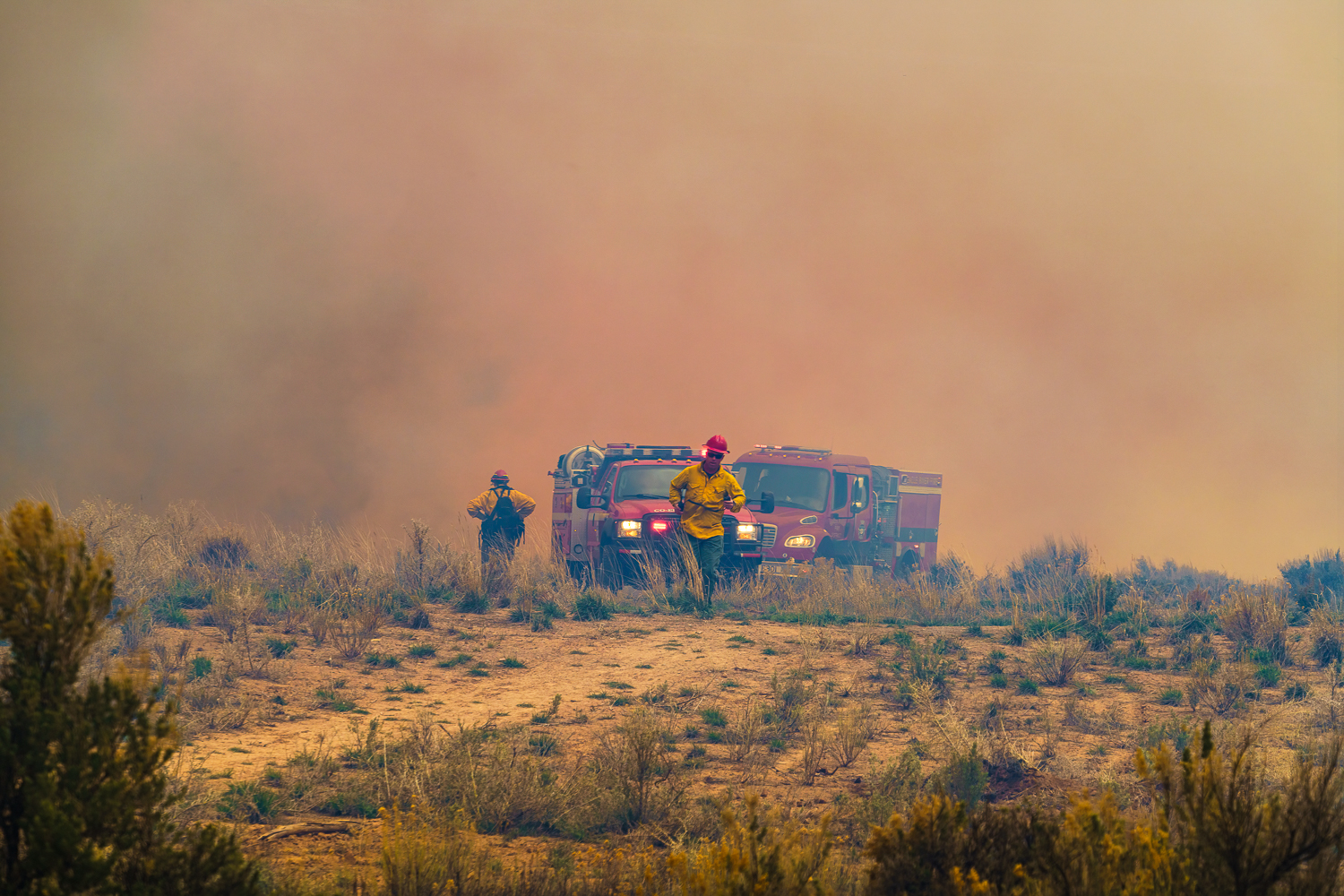
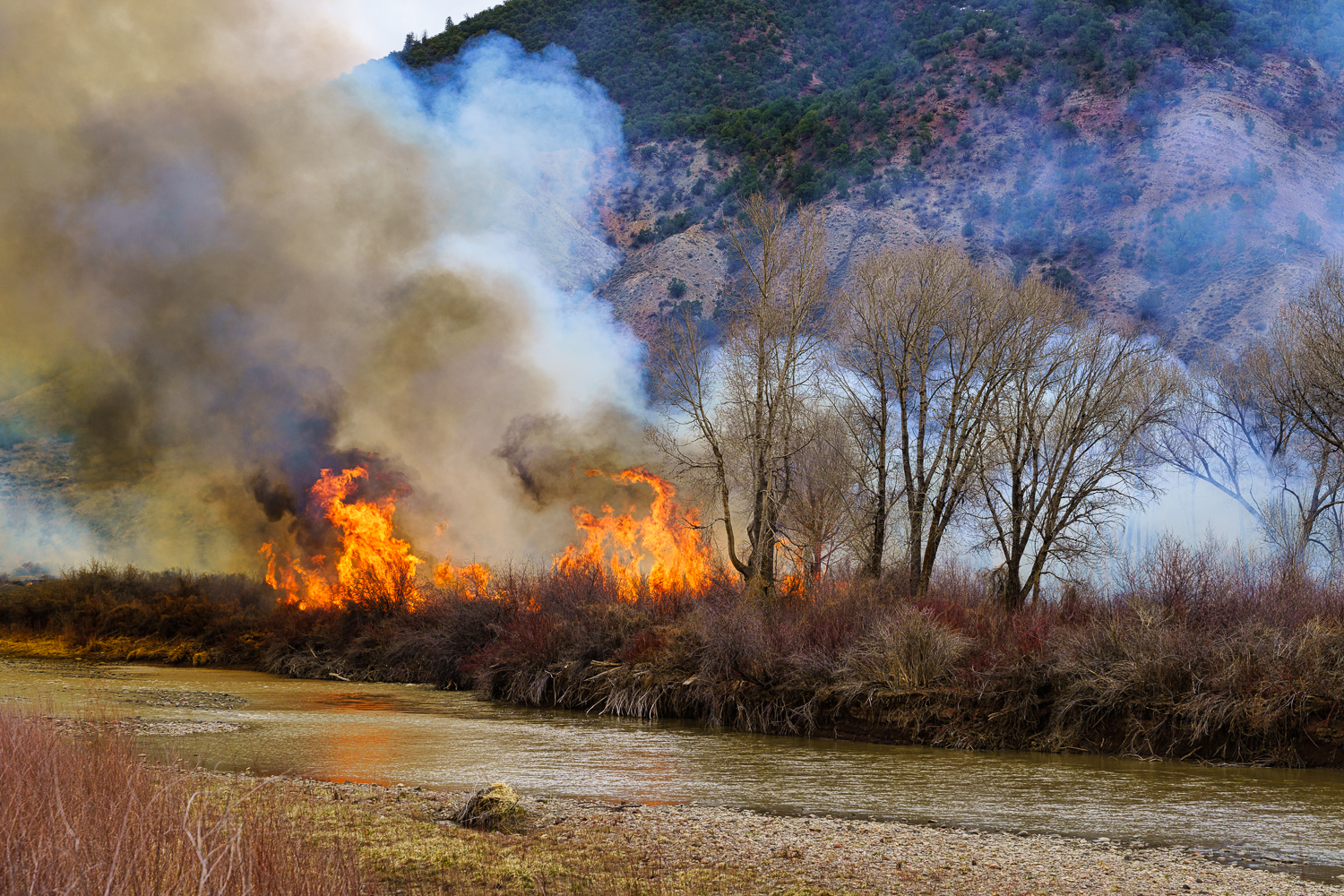
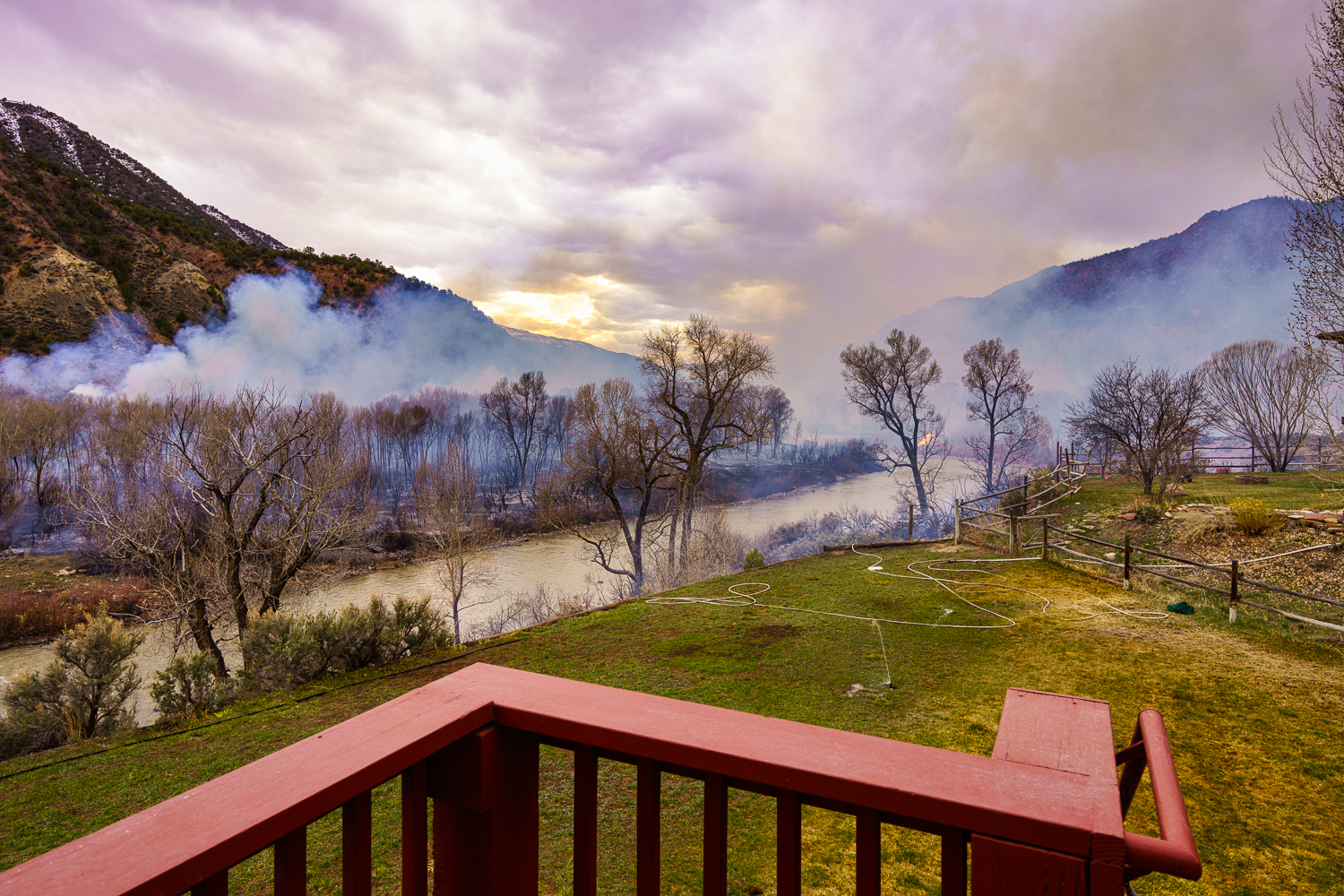
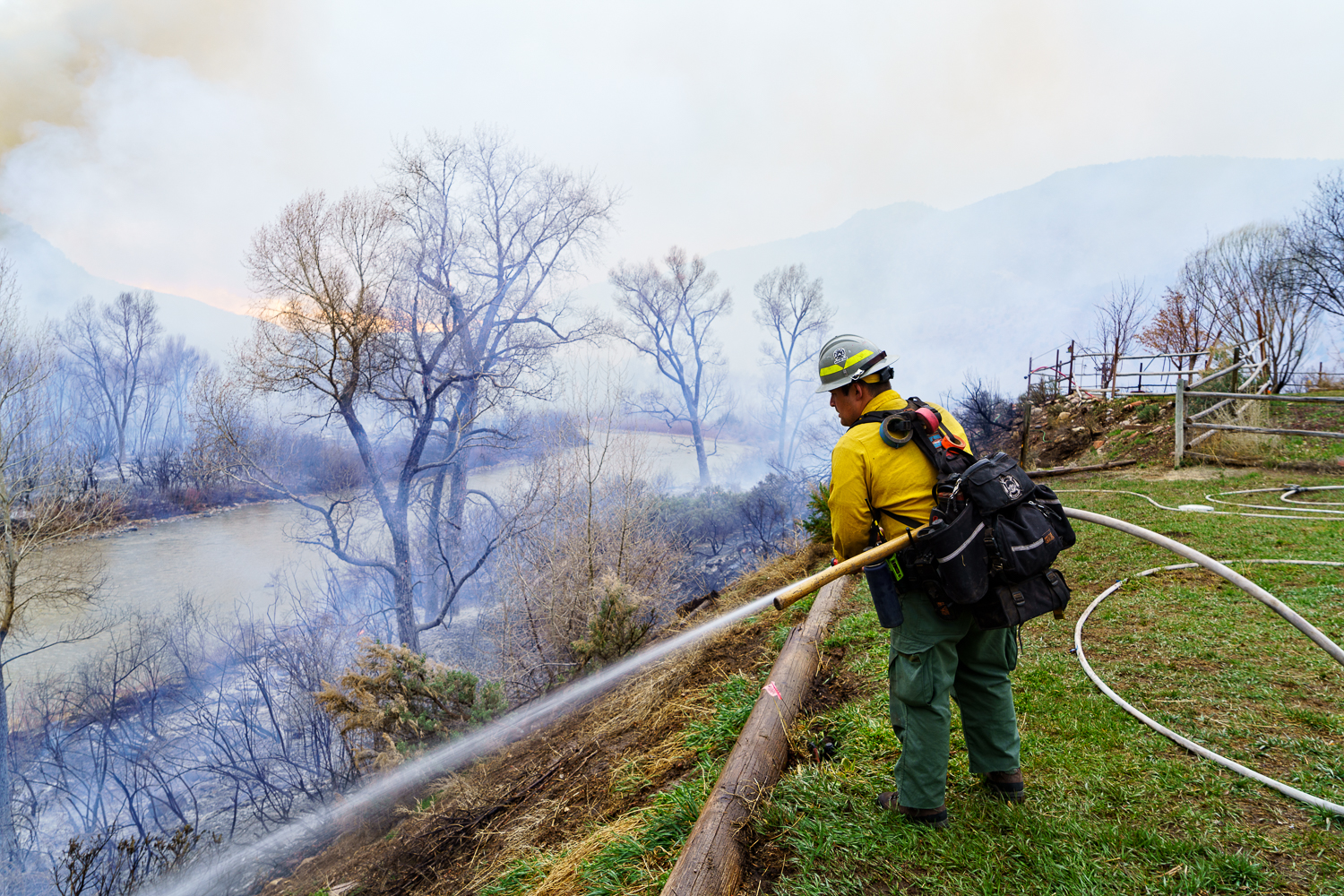
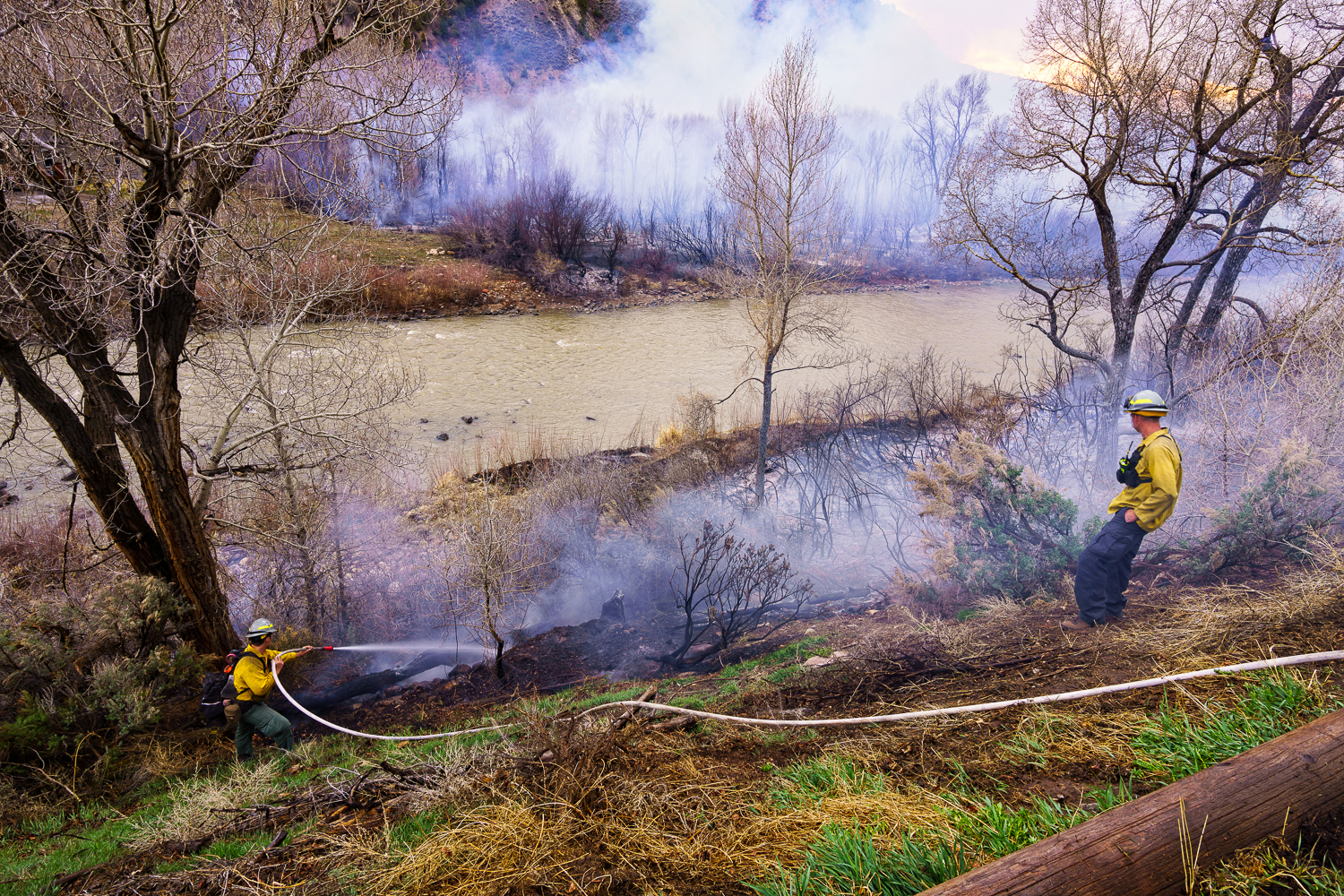
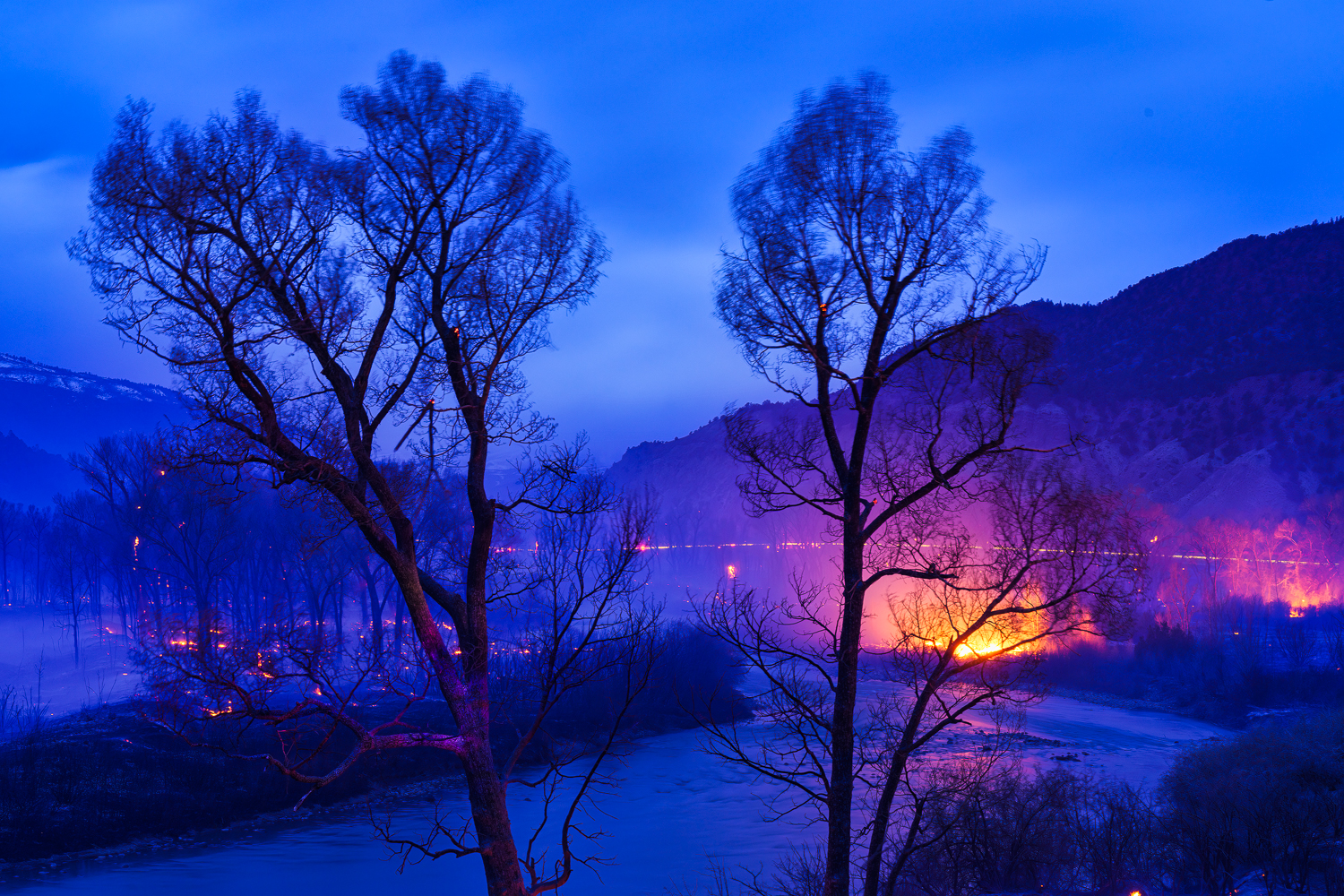
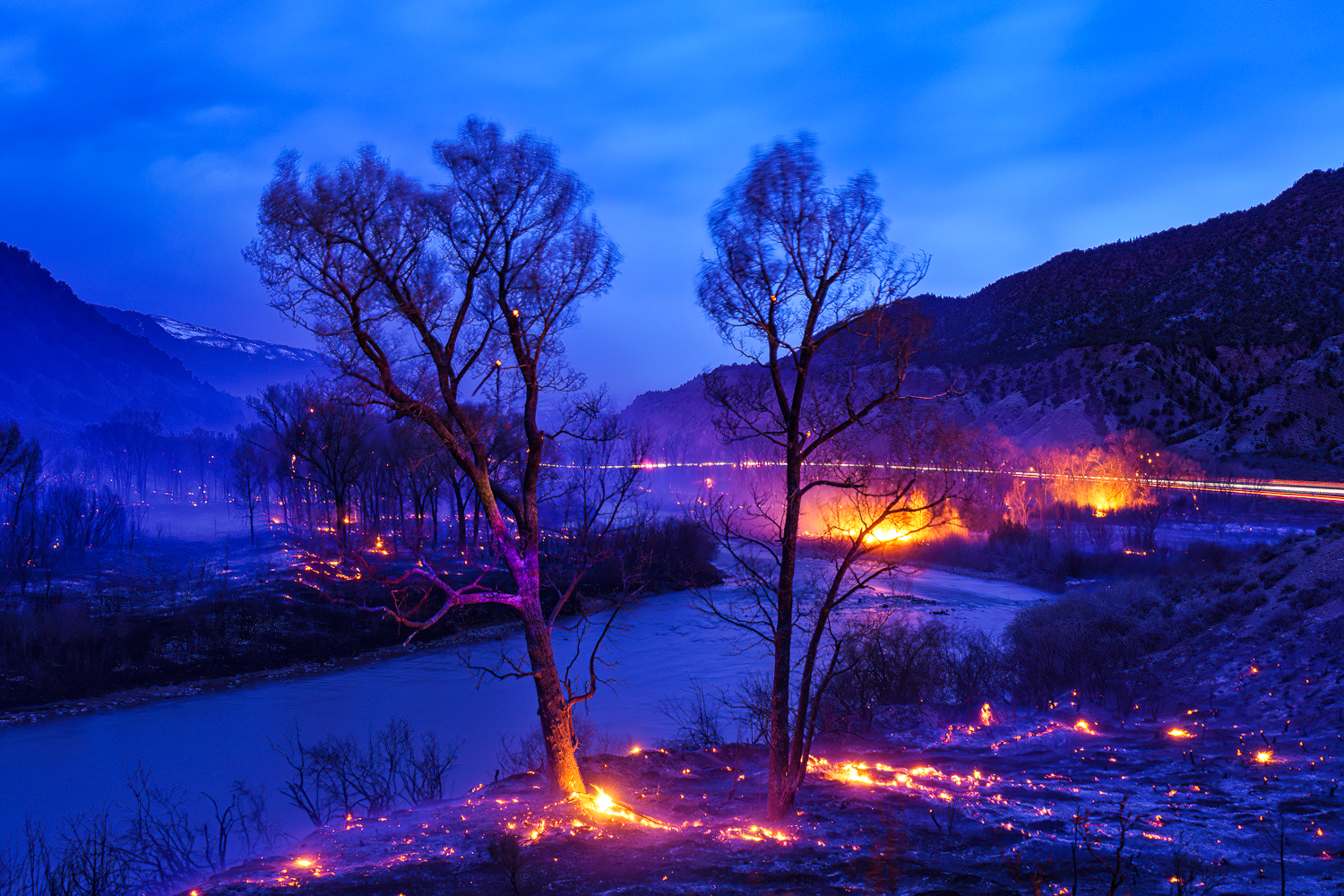
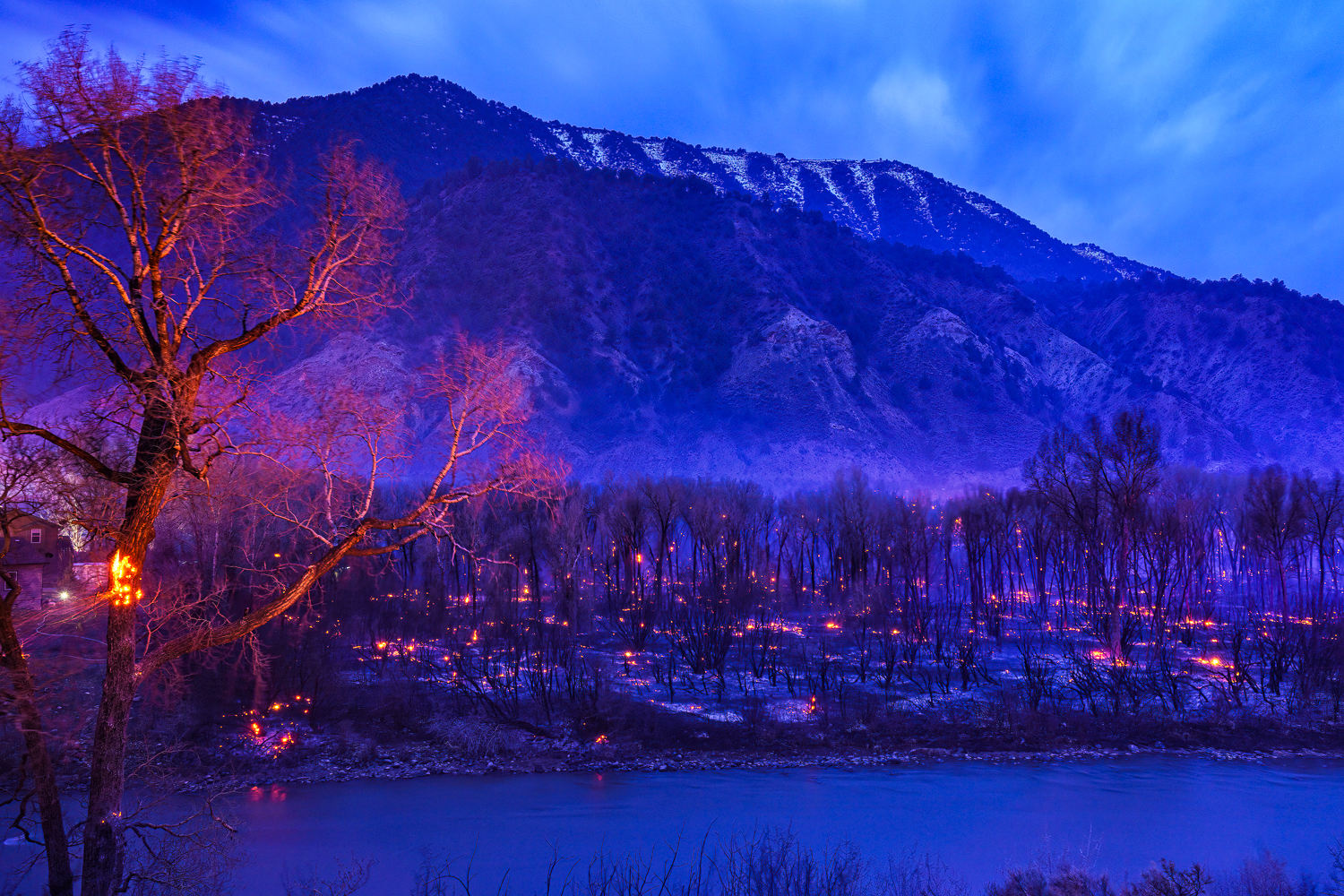
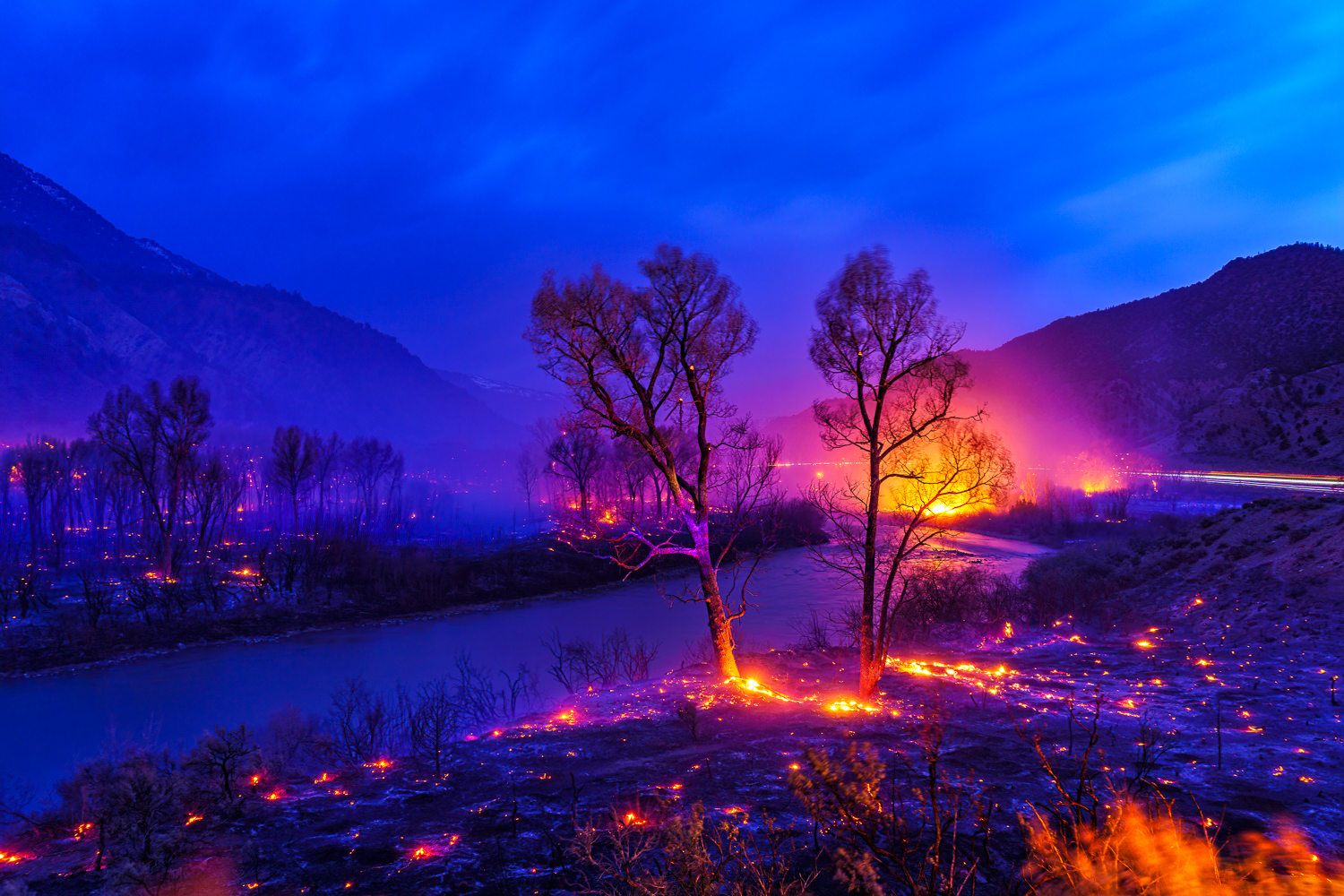
That must have been scary Dan when you and Bill were in Oregon. They do seem to get some really big ones there. They are a terrifying force of nature. Been pretty lucky myself so far but had a very close call in 2022 when a wildfire burned right up to my backyard. We had 15 minutes to grab important things and evacuate. Luckily fire crews were able to prevent our home from burning. These were taken that day and night from my deck and back yard.
adventure_photo wrote
Danpbphoto wrote
Just great compositions here Scott!Mother Nature can provide some great "photo ops"!
Stay safe out there!
Dan
Had 1 get pretty close to me when I lived in S.Oregon....
Mother Nature can be a cruel "bxxch! But she usually becomes a "phoenix" after the fact!
Glad you are safe Scott!
Dan
That must have been scary Dan when you and Bill were in Oregon. They do seem to get some really big ones there. They are a terrifying force of nature. Been pretty lucky myself so far but had a very close call in 2022 when a wildfire burned right up to my backyard. We had 15 minutes to grab important things and evacuate. Luckily fire crews were able to prevent our home from burning. These were taken that day and night from my deck and back yard.
ILCE-7RM4 FE 70-300mm F4.5-5.6 G OSS lens 165mm f/8.0 1/160s 100 ISO 0.0 EV
ILCE-7RM4 FE 24-70mm F4 ZA OSS lens 68mm f/8.0 1/160s 100 ISO 0.0 EV
ILCE-7RM4 Voigtlander COLOR-SKOPAR 21mm F3.5 Aspherical lens 21mm f/7.1 1/60s 200 ISO 0.0 EV
ILCE-7RM4 FE 24-70mm F4 ZA OSS lens 24mm f/7.1 1/40s 100 ISO 0.0 EV
ILCE-7RM4 Voigtlander COLOR-SKOPAR 21mm F3.5 Aspherical lens 21mm f/11.0 1/25s 100 ISO 0.0 EV
ILCE-7RM4 FE 24-70mm F4 ZA OSS lens 51mm f/11.0 30s 100 ISO 0.0 EV
ILCE-7RM4 FE 24-70mm F4 ZA OSS lens 36mm f/9.0 30s 100 ISO 0.0 EV
ILCE-7RM4 FE 24-70mm F4 ZA OSS lens 30mm f/9.0 30s 100 ISO 0.0 EV
ILCE-7RM4 FE 24-70mm F4 ZA OSS lens 24mm f/7.1 30s 100 ISO 0.0 EV
Jun 26, 2026 at 09:00 PM
p.1 #12Fiery Skies
SO glad you were prevented from becoming a "statistic" Scott!
Wonderful images despite the calamity of a forest fire!
Stay safe!
Dan
Wonderful images despite the calamity of a forest fire!
Stay safe!
Dan
Jun 27, 2026 at 09:43 AM
p.1 #13Fiery Skies
Those are really sobering photos of the fires up close, as well as the firefighters. I’ve thought about moving to the mountains in retirement, but this might convince me otherwise.
Jul 01, 2026 at 02:53 PM
p.1 #14Fiery Skies
These are tremendous shots of atmospherics during a fire; I've shot a few of these myself in the Sierras of California. If I may offer a respectful observation; it appears on my monitor that your reds are seriously blown out. I would dial back the saturation and be sure to process in Prophoto if you shot these RAW. Otherwise, well done!
Jul 01, 2026 at 04:10 PM
p.1 #15Fiery Skies
eapage777 wrote:
Those are really sobering photos of the fires up close, as well as the firefighters. I’ve thought about moving to the mountains in retirement, but this might convince me otherwise.
It's the one thing I really don't like about living here - literally the threat of fire and the constant smoke in the air are both serious downsides.
Those are really sobering photos of the fires up close, as well as the firefighters. I’ve thought about moving to the mountains in retirement, but this might convince me otherwise.
It's the one thing I really don't like about living here - literally the threat of fire and the constant smoke in the air are both serious downsides.
Jul 01, 2026 at 04:29 PM
p.1 #16Fiery Skies
phil hawkins wrote:
These are tremendous shots of atmospherics during a fire; I've shot a few of these myself in the Sierras of California. If I may offer a respectful observation; it appears on my monitor that your reds are seriously blown out. I would dial back the saturation and be sure to process in Prophoto if you shot these RAW. Otherwise, well done!
Thanks Phil! I appreciate your thoughtful and respectful feedback. I noticed that too about the reds. Even if I drop the saturation the red channel still seems blown out. I have some where the exposure was dropped during capture and the reds are not blown but the overall image is underexposed. I think I need to exposure blend two exposures to really keep it in balance. I did shoot RAW, preliminary edit in Lightroom Classic, brought into Photoshop with ProPhoto RGB working color space, used a little enhance in Luminar and saved as tiff back to Lightroom. Totally agree with you though.
These are tremendous shots of atmospherics during a fire; I've shot a few of these myself in the Sierras of California. If I may offer a respectful observation; it appears on my monitor that your reds are seriously blown out. I would dial back the saturation and be sure to process in Prophoto if you shot these RAW. Otherwise, well done!
Thanks Phil! I appreciate your thoughtful and respectful feedback. I noticed that too about the reds. Even if I drop the saturation the red channel still seems blown out. I have some where the exposure was dropped during capture and the reds are not blown but the overall image is underexposed. I think I need to exposure blend two exposures to really keep it in balance. I did shoot RAW, preliminary edit in Lightroom Classic, brought into Photoshop with ProPhoto RGB working color space, used a little enhance in Luminar and saved as tiff back to Lightroom. Totally agree with you though.
Jul 01, 2026 at 04:35 PM
p.1 #18Fiery Skies
adventure_photo wrote:
Thanks Phil! I appreciate your thoughtful and respectful feedback. I noticed that too about the reds. Even if I drop the saturation the red channel still seems blown out. I have some where the exposure was dropped during capture and the reds are not blown but the overall image is underexposed. I think I need to exposure blend two exposures to really keep it in balance. I did shoot RAW, preliminary edit in Lightroom Classic, brought into Photoshop with ProPhoto RGB working color space, used a little enhance in Luminar and saved as tiff back to Lightroom. Totally agree with...Show more →
A couple of things you might try; Use DxO Photolab in the Wide Gamut workspace, boost only the vibrance - or vibrancy - instead of "Saturation". Keep a watchful eye on the histogram when adjusting in RGB mode (instead of Luminance) and adjust so that the reds don't blow out. It'll look dark, but you can then boost exposure with the Curves Dialog box, pushing up on the midrange. When outputting, as you said you're already doing, use the Prophoto color space. As with all of this, less is more...
phil hawkins wrote
These are tremendous shots of atmospherics during a fire; I've shot a few of these myself in the Sierras of California. If I may offer a respectful observation; it appears on my monitor that your reds are seriously blown out. I would dial back the saturation and be sure to process in Prophoto if you shot these RAW. Otherwise, well done!A couple of things you might try; Use DxO Photolab in the Wide Gamut workspace, boost only the vibrance - or vibrancy - instead of "Saturation". Keep a watchful eye on the histogram when adjusting in RGB mode (instead of Luminance) and adjust so that the reds don't blow out. It'll look dark, but you can then boost exposure with the Curves Dialog box, pushing up on the midrange. When outputting, as you said you're already doing, use the Prophoto color space. As with all of this, less is more...
Jul 02, 2026 at 10:54 AM
p.1 #19Fiery Skies
phil hawkins wrote:
Thanks Phil! I appreciate your thoughtful and respectful feedback. I noticed that too about the reds. Even if I drop the saturation the red channel still seems blown out. I have some where the exposure was dropped during capture and the reds are not blown but the overall image is underexposed. I think I need to exposure blend two exposures to really keep it in balance. I did shoot RAW, preliminary edit in Lightroom Classic, brought into Photoshop with ProPhoto RGB working color space, used a little enhance in Luminar and saved as tiff back to Lightroom. Totally agree with you though.A couple of things you might try; Use DxO Photolab in the Wide Gamut workspace, boost only the vibrance - or vibrancy - instead of "Saturation". Keep a watchful eye on the histogram when adjusting in RGB mode (instead of Luminance) and adjust so that the reds don't blow out. It'll look dark, but you can then boost exposure with the Curves Dialog box, pushing up on the midrange. When outputting, as you said you're already doing, use the Prophoto color space. As with all of this, less is more...
Thanks Phil, I've never used DxO Photolab, so will download it and give it a try. Seems like their noise reduction is pretty good and maybe even better than Lightroom.
adventure_photo wrote
phil hawkins wrote
These are tremendous shots of atmospherics during a fire; I've shot a few of these myself in the Sierras of California. If I may offer a respectful observation; it appears on my monitor that your reds are seriously blown out. I would dial back the saturation and be sure to process in Prophoto if you shot these RAW. Otherwise, well done!Thanks Phil, I've never used DxO Photolab, so will download it and give it a try. Seems like their noise reduction is pretty good and maybe even better than Lightroom.
Jul 04, 2026 at 07:33 PM
p.1 #20Fiery Skies
adventure_photo wrote:
Thanks Phil! I appreciate your thoughtful and respectful feedback. I noticed that too about the reds. Even if I drop the saturation the red channel still seems blown out. I have some where the exposure was dropped during capture and the reds are not blown but the overall image is underexposed. I think I need to exposure blend two exposures to really keep it in balance. I did shoot RAW, preliminary edit in Lightroom Classic, brought into Photoshop with ProPhoto RGB working color space, used a little enhance in Luminar and saved as tiff back to Lightroom. Totally agree with you though.A couple of things you might try; Use DxO Photolab in the Wide Gamut workspace, boost only the vibrance - or vibrancy - instead of "Saturation". Keep a watchful eye on the histogram when adjusting in RGB mode (instead of Luminance) and adjust so that the reds don't blow out. It'll look dark, but you can then boost exposure with the Curves Dialog box, pushing up on the midrange. When outputting, as you said you're already doing, use the Prophoto color space. As with all of this, less is more...Thanks Phil, I've never used DxO Photolab, so will download it and give it a try. Seems like their noise reduction is pretty good and maybe even better than Lightroom.
You will LOVE Photolab. And it is definitely better at noise reduction than Lightroom. When you download the trial version, be sure to load the module for your setup so the noise reduction will perform to its maximum. Modules are a huge part of getting the most out of your imagery with Photolab. Learn ab out modules here: https://youtu.be/OU6kI0gnddA?si=abRAlmLdOTd1I74z and noise reduction:
phil hawkins wrote
adventure_photo wrote
phil hawkins wrote
These are tremendous shots of atmospherics during a fire; I've shot a few of these myself in the Sierras of California. If I may offer a respectful observation; it appears on my monitor that your reds are seriously blown out. I would dial back the saturation and be sure to process in Prophoto if you shot these RAW. Otherwise, well done!You will LOVE Photolab. And it is definitely better at noise reduction than Lightroom. When you download the trial version, be sure to load the module for your setup so the noise reduction will perform to its maximum. Modules are a huge part of getting the most out of your imagery with Photolab. Learn ab out modules here: https://youtu.be/OU6kI0gnddA?si=abRAlmLdOTd1I74z and noise reduction:
Jul 05, 2026 at 01:26 PM