mcbroomf wrote:
I'm not sure why you are using so many frames. What F-stop are you using? I stop down to F11/F16 routinely (full frame) to minimize frames. And to re-iterate, PS and I'm pretty sure Helicon etc change the magnification of the frames to match, to compensate for focus breathing. What kind of artifacts are you getting? Perhaps you could post some examples. A rail system changes the image size and PS etc has to compensate.
And yes, the 55mm lens is close enough (if there is no 50mm lens). You'll have to search or ask questions about specific older MF lenses to ensure you get a "good" lens. Perhaps buy with an option to return if it doesn't meet your requirements....Show more →
Thanks mcbroomf
As requested, here are some links to Focsus Stacked images to show what I am getting with Helicon Focus.
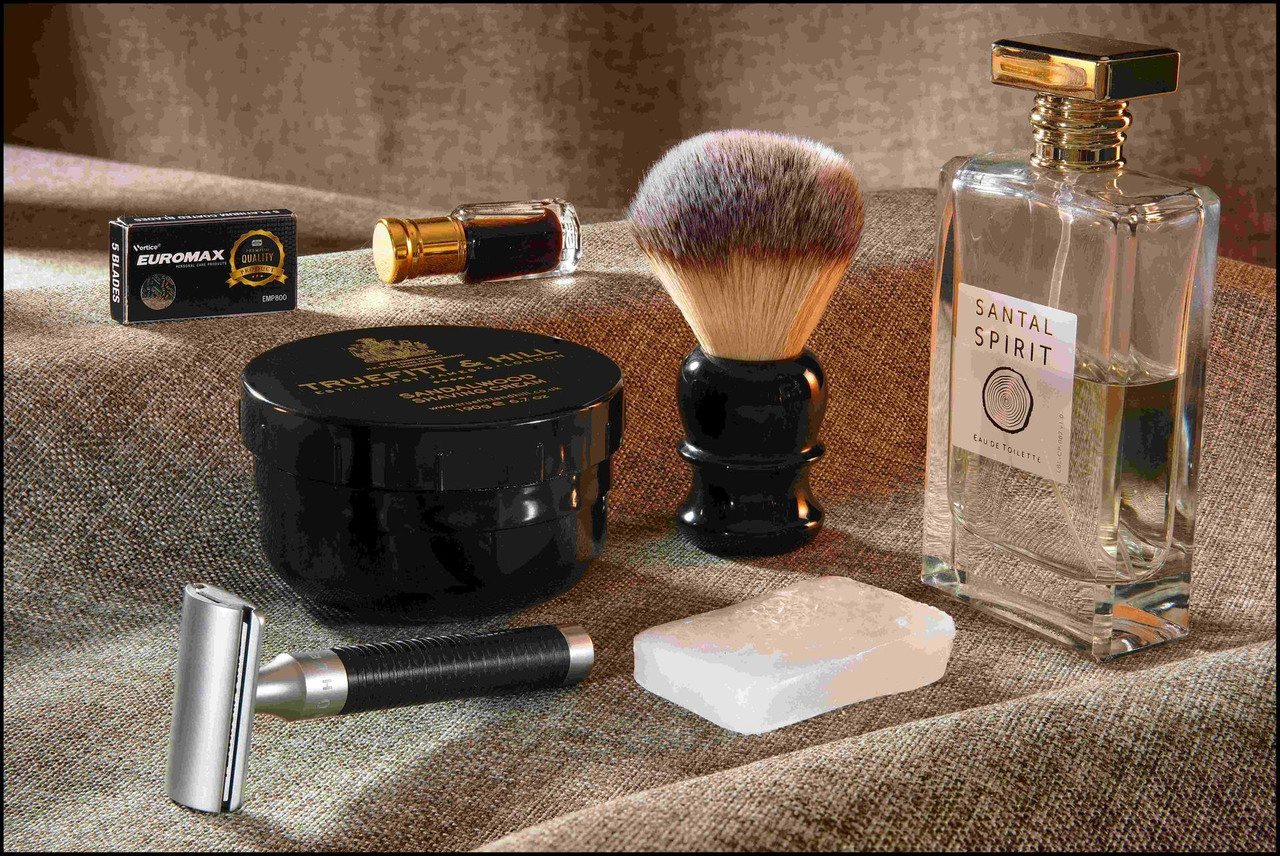
Rocket HD at f11 at 50 mm. (Looks Ok at first)
but when looking closer there is unsatisfactory blur at the top of the after shave bottle and down the side.
Rocket HD at f11 at 50 mm cropped close
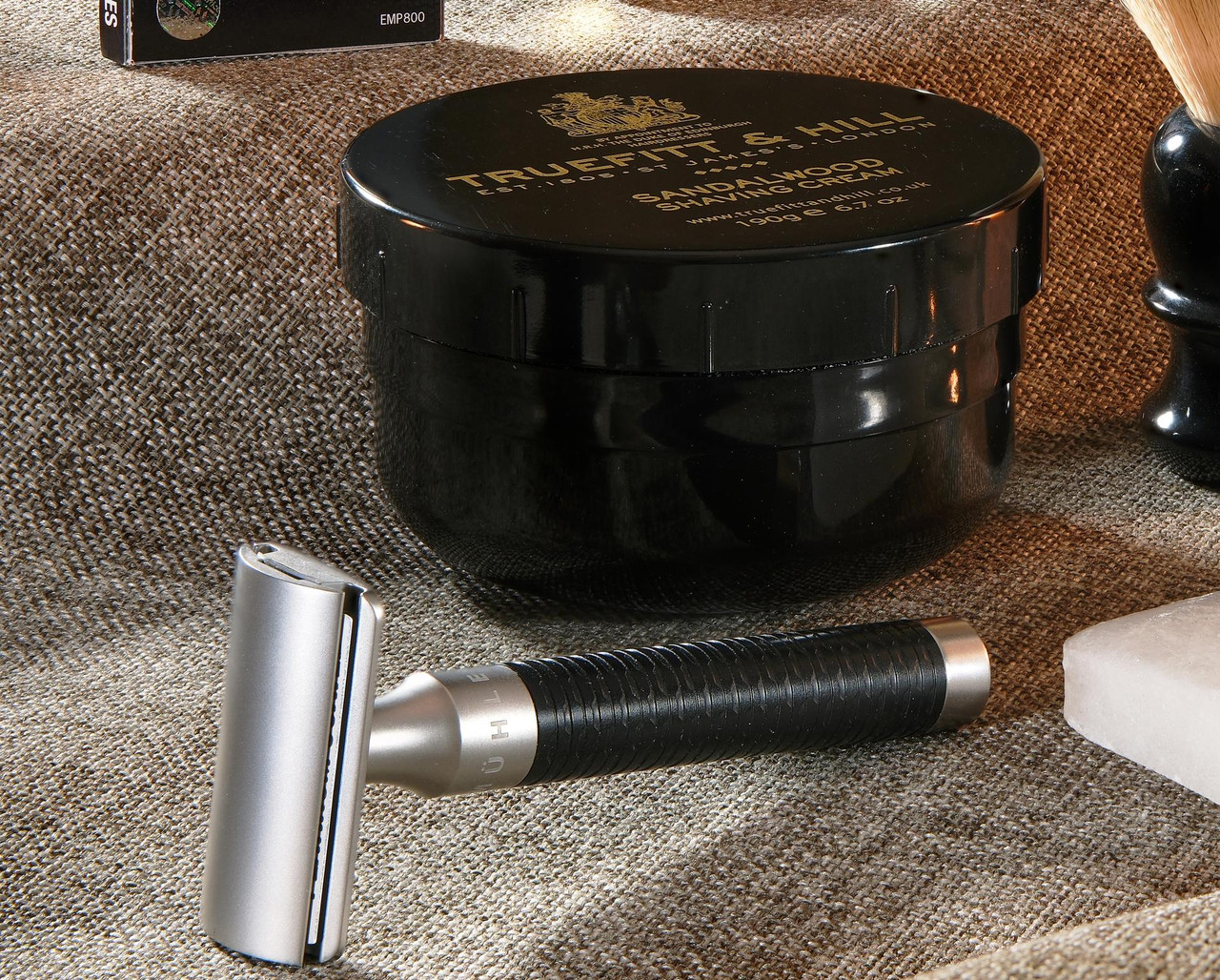
Here is another one Sandalwood f8 at 50 mm full, again looks OK at first
until you zoom in. notice the fuzziness at the top edge of the razor.
And another one:
Xmas eve f16 at 50 mm full size
but when zooming in I see a whole lot of blur between the tin and the brush.
Funny thing is this does not occur on all my images.
Some, even those where I am closer, turn out fine.
I deduce there are more variables here that I have yet to understand.
mcbroomf wrote:
I see the same issues when including something very close (eg a large bouquet of flowers wanting to get front to back focus) but I don't think (in my case) it's lens breathing. It appears to be the fact that the OOF section of the flowers in front (on the rear focused file) is larger (because it's blurred) so it protrudes over the in focus elements behind. The best way I've found is to stop down to small apertures, but some touch up is required with varying success.
Yes that is often what I see too. For subjects place diagonally across the frame, things generally work well.
When I have two objects one behind the other, with some distance between them, I get blur or halo artefacts.
I have tried using the Fujifilm XT-5 Manual setting rather than the Auto function.
This works by setting the near focus, then telling the camera to use a small "step" (proprietary Fuji algorithm) e.g. 1 rather than 10. This creates more stacks. But I still have to be careful with the setup.
Let’s say that you are photographing a landscape scene with some close wildflowers, a distant mountain, and a tall tree at one side of the frame. Yes, the TS lens means that you won’t have issues with the tree moving between frames…
… but the TS does not solve the focus problem for you in that case.
With that subject you would tilt the lens so that the bottom of the frame is focused on the close subject and the upper part of the frame on the distant mountain. But that darned tree is neither as close as the flowers nor as distant as the mountain, and it is the same distance from your camera at both the top and bottom of the frame. See the problem there?
The best you can do is hope that by tilting AND using a small aperture you can somehow bring ech of those elements within the DOF range, at least to be sharp enough.
The places where I like to use a TS are scenes where the distances vary uniformly across the frame from bottom to top. For example, they can work really well with things like seascapes and desert landscapes without trees.
And there are ways to deal with the motion of trees and so forth in stacks. Basically that tree is probably going to be focused in one of the stacked frames, so it can be included without combining multiple versions of the tree in different positions. Similarly, if you are photographing subjects like surf, often the whole wave will fit in a single frame, and the other stacked frames will including more distant or closer moving subjects.
You may be catching on that sometimes there is no one perfect solution, and that understanding a range of solutions will help you deal with these challenges… more that looking for a single solution.
Right! The penny is dropping. This is a good explanation and explains some of my problems.
I ran across this yesterday
&t=28s
The relevant point I think is 8 minutes in to the video. which matches your comment about the tree exactly.
He suggests that the plane of focus is more of a wedge than a plane.
Very interesting.
Another reason to stop down as already mentioned in this thread.
Beginning to understand why other photographers on YT use tilt shift but still choose to use or need to use focus stacking.
ChrisB-XT5 wrote:
Yes that is often what I see too. For subjects place diagonally across the frame, things generally work well.
When I have two objects one behind the other, with some distance between them, I get blur or halo artefacts.
I have tried using the Fujifilm XT-5 Manual setting rather than the Auto function.
This works by setting the near focus, then telling the camera to use a small "step" (proprietary Fuji algorithm) e.g. 1 rather than 10. This creates more stacks. But I still have to be careful with the setup.
This is what those blur issues look like to me (ie not focus breathing) with perhaps the exception of the 1st one. I assume you mean that the top of the cap is blurred(?). If so and you have a sharp version then it looks like Helicon just missed that file, or section of the file.