I purchased this little guy the other day as I have been craving a wide angle lens I only had at the time a Sony 24-70 f2.8 GMII - 70-200 f2.8 GMII. So a cheap lens (£190) sounded like a good shout to try on a Sony A7r5. I have tried these cheaper lenses on other systems (Canon / Fuji) so thought I would try on a reasonably large sensor.
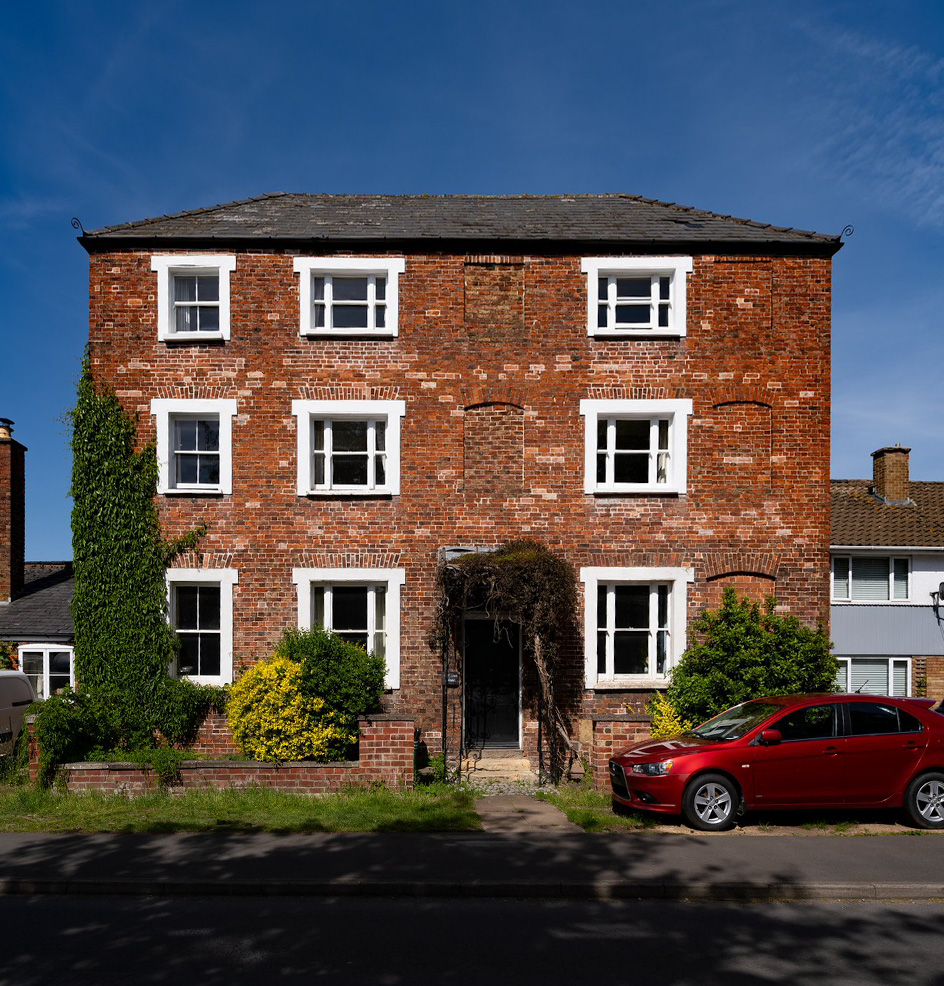
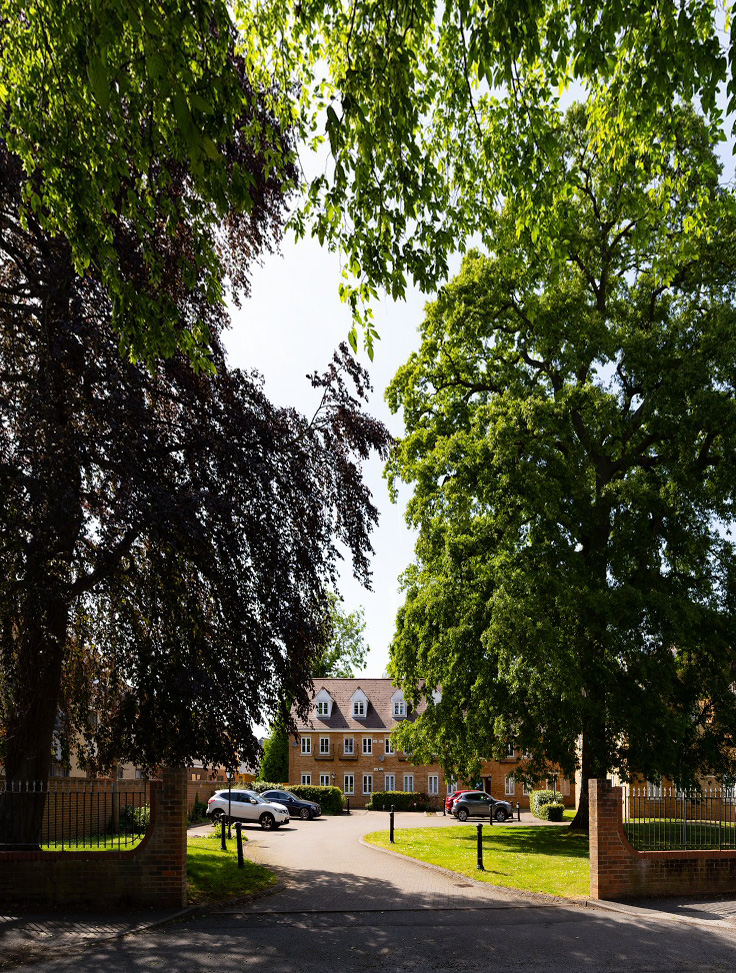
The following two shots were taken to try and highlight the detail capture and the level of warping you are likely to get. As far as I can tell there is very little bending (fish eye) however what I wasn't quite prepared for was the leaning effect. It does mean you can fit an incredible amount of content inside the frame but the leaning makes me think I may have gone too wide. Perhaps sticking with 16mm would remove that effect and keep everything upright?
Overall the quality of the images is very good (especially in good light given its a f4.0). I have turned on lens correction inside photoshop which did correct a small amount.
A lot of reviews stated this would be good for landscapes, are there other cheap options worth considering or is it just worth saving for a GM ? I did start to look at the 16-35 GMII but quite pricey.
Wikipedia's page on Tilt-Shift Photography explains the 'leaning' well.
The function to eliminate that leaning is Shift.
For the 2nd example you posted, you were pointing the camera up.
If you had the camera level, there would be no lean.
The house would then move up in the frame.
Alternative would be to take the photo from an elevated position. Obviously, most of the time this would not be possible.
photo325 wrote:
The following two shots were taken to try and highlight the detail capture and the level of warping you are likely to get. As far as I can tell there is very little bending (fish eye) however what I wasn't quite prepared for was the leaning effect. It does mean you can fit an incredible amount of content inside the frame but the leaning makes me think I may have gone too wide.
As @Choderboy said, keeping the camera level and plumb is the key to minimizing the 'leaning'. If you need to tilt the camera to get the framing you want, then you can sometimes make adjustments in post processing to reduce the effect. That impacts quality (because you're stretching and discarding pixels) but can often be quite effective.
One of the advantages of an ultra-wide lens and a high rez sensor is that it gives you more latitude for this sort of cropping/warping.
- Here's very quick demo, just using your posted jpegs. Working with the source files would yield much better results. -
photo325 wrote:
A lot of reviews stated this would be good for landscapes, are there other cheap options worth considering or is it just worth saving for a GM ? I did start to look at the 16-35 GMII but quite pricey.
By the way, any ultra-wide lens will exhibit this same 'leaning' behavior. Spending more won't solve it. It all comes down to how you frame your shots.
Very nice Mike Did you do that through photoshop ? I did have a quick look at the perspective tool but I will need a bit more practice to get it as good as you did !!
I did read in some reviews that it is a bit harder to use because you have to consider the angle of everything and the framing becomes much more important.
photo325 wrote:
Very nice Mike Did you do that through photoshop ? I did have a quick look at the perspective tool but I will need a bit more practice to get it as good as you did !!
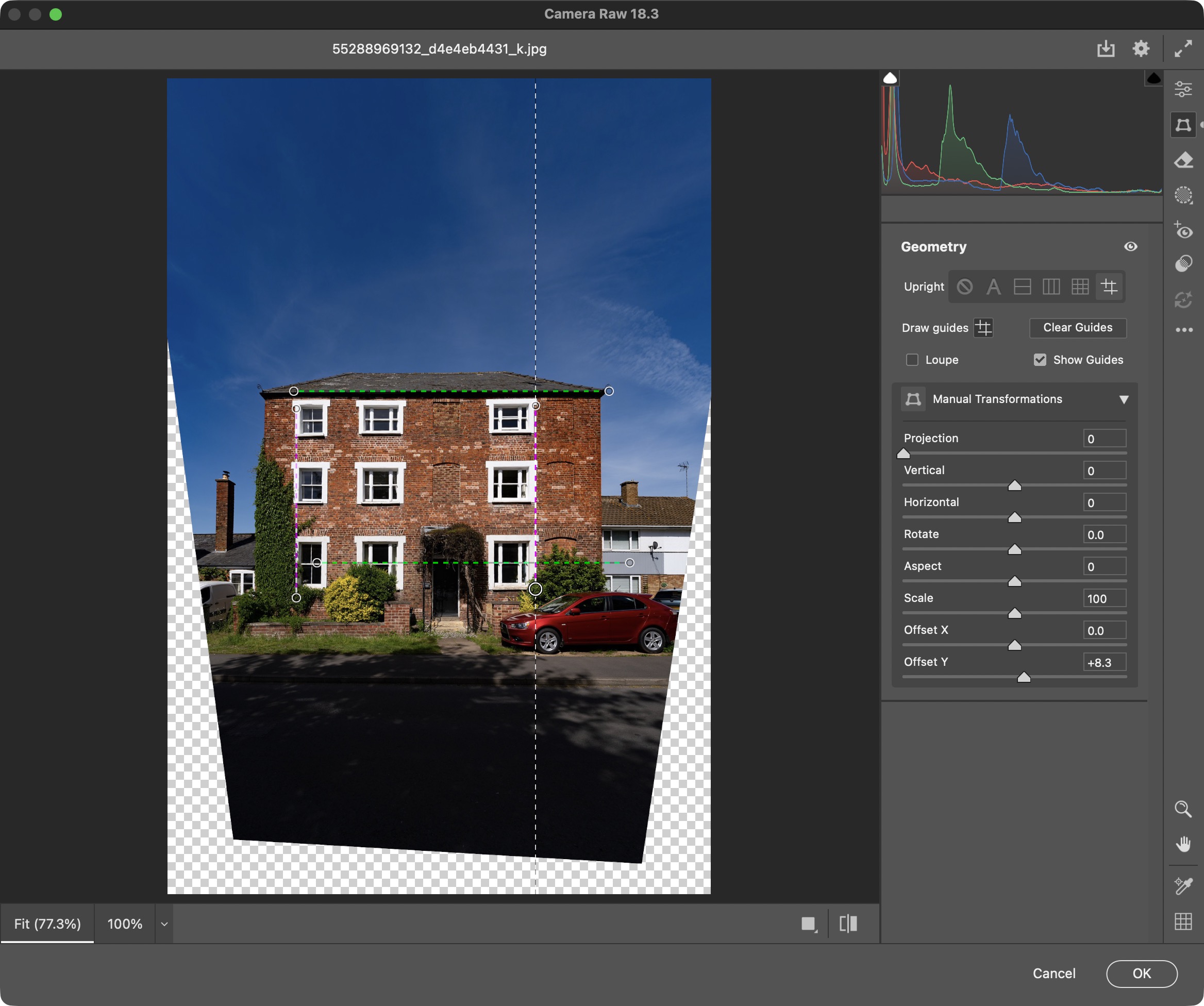
I used Lightroom, but Photoshop has basically the same tools in the Camera Raw mode. Here's what it looks like...
MikeEvangelist wrote:
I used Lightroom, but Photoshop has basically the same tools in the Camera Raw mode. Here's what it looks like...
Excellent thank you Mike, I found it and gave it a go and it popped back into shape after drawing some lines like you did. Thank you, never been in that area of PS before
I do a lot of architectural photography (occasionally professionally) here are a couple quick rules of thumb when working with ultra wide lenses and buildings:
#1 - Keep your camera horizon level. This is most important and simplifies any post processing perspective correction.
#2 - Use as little up-tilt as possible if you want to correct it later in post. You will lose a significant amount of foreground due to keystoning and it will affect the vertical proportions. Ignore this if that is the intention of the shot.
#3 - Learn what f stop will give you the best corners. It's often in the F11 - F16 range.
I do a lot of architectural photography (occasionally professionally) here are a couple quick rules of thumb when working with ultra wide lenses and buildings:
#1 - Keep your camera horizon level. This is most important and simplifies any post processing perspective correction.
#2 - Use as little up-tilt as possible.if you want to correct it later in post. You will loose a significant amount of foreground due to keystoning and it will affect the vertical proportions. Ignore this if that is the intention of the shot.
#3 - Learn what f stop will give you the best corners. It's often in the F11 - F16 range.