p.1 #1 · How many of you are having "the graphic processor has encountered an out of memory error?"
Using Adobe Camera Raw lauched through Bridge. Was running 32GB ram with a NVIDIA 3060 Ti with 8GB RAM. I have since upgraded to 64GB and a NVIDIA 5060 Ti with 16GB RAM. The Ram upgrade has reduced the frequency of the out of ram messages and when it does occur, it usually goes into limited mode, which is manageable but definitely not desireable.
FWIW, I do avail myself to AI features, mostly Noise reduction and distraction removal. I do use the layer features in ACR a lot. My files are from a 45 MP camera so the file sizes can get large. Since I have been having this problem, which started about 5 months ago, I have been purging the camera ray cache regularly and have tried different cache sizes. Right now I am using 25GB for the cache size which seems to be a decent, if not perfect, size.
The correct camera raw cache size definitely can improve behavior, although I have no clue as to what would be the perfect size.
So is anyone else having this problem? If so, have you found a fix? Would love to know what a solution may be.
p.1 #2 · How many of you are having "the graphic processor has encountered an out of memory error?"
There's a lot of unknowns here but here are a couple of tweaks that you might want to implement anyway.
1. Enable resizable bar in the BIOS (you'll need to check the motherboard manufacturer on how to do it).
2. Install the latest Nvidia driver (preferably the Studio driver if you don't do any gaming).
3. Optimize the driver program settings for Photoshop. You can use the Nvidia app or do it manually in the Nvidia Control Panel. Try the following manual settings for Photoshop in the Nvidia Control Panel if you go that route.
Power management ->Prefer maximum performance
OpenGL → RTX 5060 Ti
Texture filtering → High performance
Threaded optimization → Auto
Low latency → Off
For the camera raw cache size, try 40-50 GB, if you have the space, set on your fastest drive. The overall range is about 20-50 GB.
p.1 #3 · How many of you are having "the graphic processor has encountered an out of memory error?"
My 16GB RAM + 3060 Ti 8GB system has never thrown that error. I just opened a random R5 raw file from Ps -> Bridge -> Camera raw and applied Detail -> Denoise and Distraction removal -> People. No issues. Ps uses every bit of GPU memory available but appears to release the resources after I close the camera raw window.
Do you have any GPU memory options set in BIOS? Usually those only apply to integrated GPU. But perhaps there's a conflict with your Ps preferences.
Are you using the Nvidia app to customize any settings? Mine automatically recognized Lr and LrC but not Ps and I did not add it manually.
p.1 #4 · How many of you are having "the graphic processor has encountered an out of memory error?"
I've never seen that either. Primary computer has 9950X, RTX 5080, and 64GB. Secondary has 7950X, RTX 4070Ti, and 64GB. I tend to close the Adobe programs fairly frequently since they had a habit of not releasing RAM.
p.1 #5 · How many of you are having "the graphic processor has encountered an out of memory error?"
I've had DRAM modules and sockets fail - usually intermittently - but it seems that your problem is more likely to be in the graphics card than main memory.
Can you access another graphics card or use CPU graphics to see if the problem goes away ? It won't be speedy but it might establish that the rest of the system is ok.
p.1 #6 · How many of you are having "the graphic processor has encountered an out of memory error?"
Alan321 wrote:
I've had DRAM modules and sockets fail - usually intermittently - but it seems that your problem is more likely to be in the graphics card than main memory.
Can you access another graphics card or use CPU graphics to see if the problem goes away ? It won't be speedy but it might establish that the rest of the system is ok.
So, as I mentioned, I actually replaced the graphics card for a slightly faster one with 16GB of memory. I'm not a computer guru, but logic tells me that if the same message is coming up with both the 3060/8GB and 5060/16GB cards, then the problem is likely not the physical card, more likely the culprit is a settings or maybe even a bios issue.
I'm slowly working through the other suggestions as for some of them I need to educate myself as to what they actually do and how to do them, and I really appreciate the suggestions. A lot of which I had not considred or knew to do.
p.1 #7 · How many of you are having "the graphic processor has encountered an out of memory error?"
jeffbuzz wrote:
My 16GB RAM + 3060 Ti 8GB system has never thrown that error. I just opened a random R5 raw file from Ps -> Bridge -> Camera raw and applied Detail -> Denoise and Distraction removal -> People. No issues. Ps uses every bit of GPU memory available but appears to release the resources after I close the camera raw window.
Do you have any GPU memory options set in BIOS? Usually those only apply to integrated GPU. But perhaps there's a conflict with your Ps preferences.
Are you using the Nvidia app to customize any settings? Mine automatically recognized Lr and LrC but not Ps and I did not add it manually.
Jeff - I shoot with a Nikon Z8 which has 45MP files. Are you working with similar sized files? I guess what I am trying to determine is if the file sizes are the issue or if it is some other problem.
p.1 #8 · How many of you are having "the graphic processor has encountered an out of memory error?"
Just some other info, a week or so ago, in frustration, I deleted all my Adobe products, doing a "factory reset" so to speak and reloaded Adobe and manually brought in my apps, like TK Actions, Topaz, etc. Even redid my workspace. Still have same issue.
Initial troubleshooting conclusion is that it isn't the software, not unless Adobe suffers from RAM leak, which I suspect might be playing a role here. So unless my logic is flawed, I think I have eliminated software and video cards as culprits. So now I am more focused towards settings and Bios. Would appreciate if anyone could chime in on whether my conclusion is logical.
p.1 #9 · How many of you are having "the graphic processor has encountered an out of memory error?"
davinci953 wrote:
There's a lot of unknowns here but here are a couple of tweaks that you might want to implement anyway.
1. Enable resizable bar in the BIOS (you'll need to check the motherboard manufacturer on how to do it).
2. Install the latest Nvidia driver (preferably the Studio driver if you don't do any gaming).
3. Optimize the driver program settings for Photoshop. You can use the Nvidia app or do it manually in the Nvidia Control Panel. Try the following manual settings for Photoshop in the Nvidia Control Panel if you go that route.
Power management ->Prefer maximum performance
OpenGL → RTX 5060 Ti
Texture filtering → High performance
Threaded optimization → Auto
Low latency → Off
For the camera raw cache size, try 40-50 GB, if you have the space, set on your fastest drive. The overall range is about 20-50 GB. ...Show more →
Out of curiosity and also displaying my total ignorance of how these things work, I did notice that most of these settings are for 3D work. Since I am a 100% stills photographer, should I be concerned with these settings? Thanks!
p.1 #10 · How many of you are having "the graphic processor has encountered an out of memory error?"
EB-1 wrote:
I've never seen that either. Primary computer has 9950X, RTX 5080, and 64GB. Secondary has 7950X, RTX 4070Ti, and 64GB. I tend to close the Adobe programs fairly frequently since they had a habit of not releasing RAM.
EBH
I find that statement "habit of not releasing RAM" interesting, because that is where my logic is taking me, except I call it RAM leak. I had not EVER had to close adobe programs before, but I have been kinda forced into it because of these problems. Just know that I can always ultimately complete processing a file, but the time it takes can be longer if I have to shut down, sometimes repeatedly, to clear the memory issue. I had thought that if I deleted and reinstalled photoshop and bridge, I would have cleared any software glitzes that may exist. But so far no joy.
p.1 #11 · How many of you are having "the graphic processor has encountered an out of memory error?"
JimKied wrote:
Out of curiosity and also displaying my total ignorance of how these things work, I did notice that most of these settings are for 3D work. Since I am a 100% stills photographer, should I be concerned with these settings? Thanks!
Yes, the program settings are in the 3D panel in the the Nvidia Control Panel. The settings, however, do affect how the GPU functions for specific programs like Lightroom Classic, Photoshop, and so on. The settings are tweaks and optimize the driver for the individual programs. The Nvidia App automates the optimization for a number of programs. I haven't used it and can't speak to what changes it makes. Depending on your computer setup, YMMV for what kind of program performance improvements you might see for specific programs.
p.1 #12 · How many of you are having "the graphic processor has encountered an out of memory error?"
JimKied wrote:
Jeff - I shoot with a Nikon Z8 which has 45MP files. Are you working with similar sized files? I guess what I am trying to determine is if the file sizes are the issue or if it is some other problem.
I just downloaded Nikon Z8 raw samples from dpr and made the same Ps AI edits with no problems. Are you getting memory errors in other apps?
p.1 #14 · How many of you are having "the graphic processor has encountered an out of memory error?"
Only in ACR. I'm an old school guy who never warmed to Lightroom. I'm beginning to wonder if it is an ACR problem and this is my sign to finally adopt Lightroom.
FWIW I launch my RAW file(s) into ACR from Bridge. Start working on my edits and then hit the error. Typically, I'll do denoising work first if necessary then any distraction removal if needed and then start mostly light and contrast work. I do use a lot of masks most of the time. If necessary I then move to color work.
Interestingly, if I need to do a pano with multiple RAW files, I do not have any issues generating the pano. So it does not appear to be a bunch of large files issue.
p.1 #15 · How many of you are having "the graphic processor has encountered an out of memory error?"
I process 60MP Sony files with an Intel 78** CPU and the non Ti version of the 3060. Many hundreds imported, masks and Denoise, but using LR for most of the work. PS gets to do some heavy lifting though with 20-30 image layers on a lightpainted image (not adjustment layers) which makes the files huge. Processing can be slow but I've never encountered your fault, but I'm not using Bridge, nor PS for the main adjustments of masking, though I use Smart Objects and open ACR to re-edit the LR adjustments if I need to,.
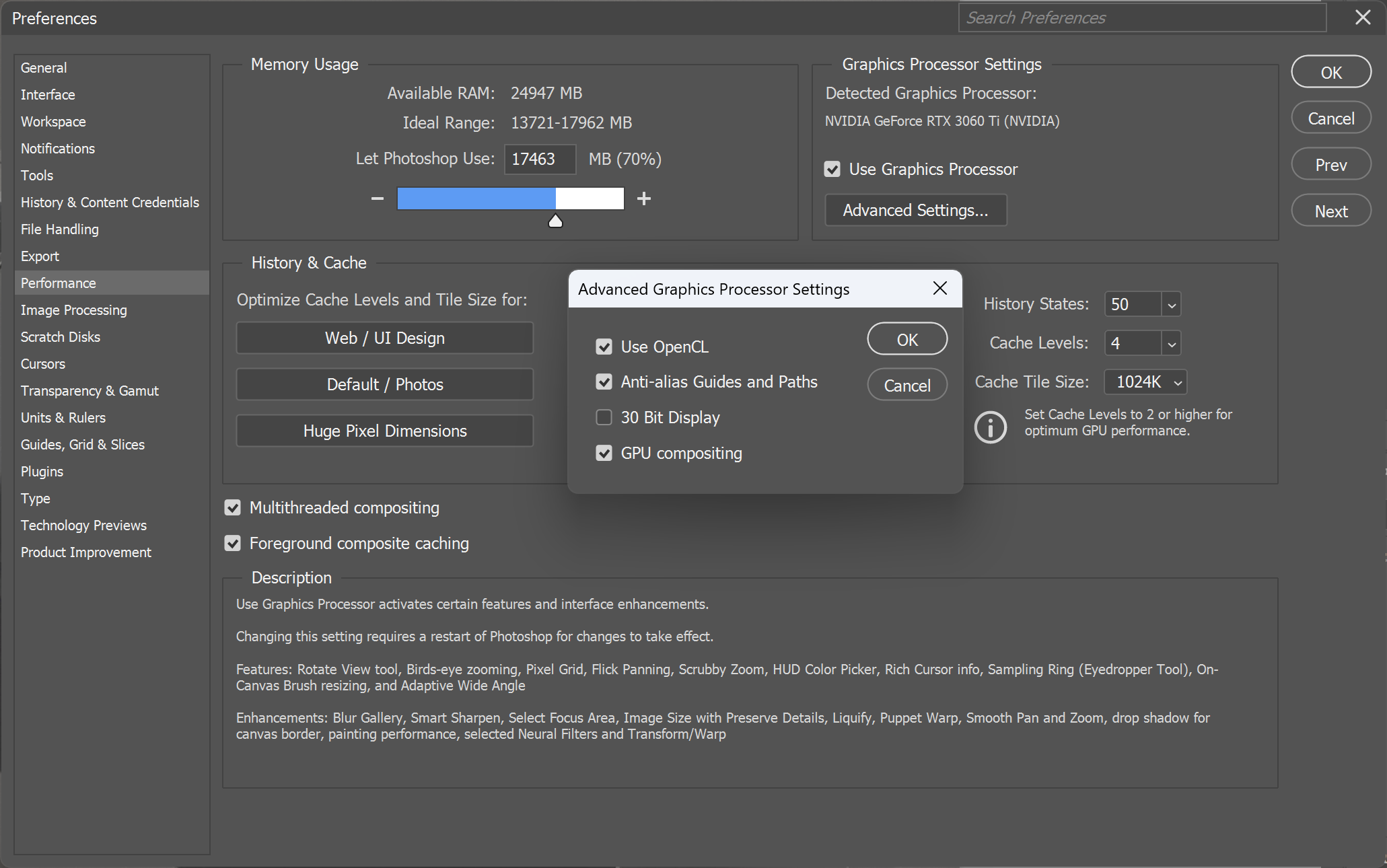
In PS there is a setting for where you get AI processing done; the Cloud or on your Device. It's in the Preferences on the Image Processing page. If it's not set to Cloud and Stable I'd switch. As it's a GPU memory error you're getting, and AI leans on GPU I'd use Adobe's servers, which are also supposed to a better job.
p.1 #17 · How many of you are having "the graphic processor has encountered an out of memory error?"
mcbroomf wrote:
Do you have any programs open that are using GPU?
Have you tried opening directly in PS and bypassing Bridge?
I have not. Interestingly enough, now when I hit the error, and it is in limited mode, I will open as a smart object in PS. I will then go back into ACR and I can, often, but not always, finish up with my ACR tasks.
As for your other Q, I typically do not have any other apps running when I do PS work.
When I do a control panel performance scan of the GPU, it is cropdusting the upper end of the 16GB ceiling, definitely in the high 15. somethings.