fredmiranda.com
Login

Moderated by: Fred Miranda
  New fredmiranda.com Mobile Site
  New Feature: SMS Notification alert
  New Feature: Buy & Sell Watchlist
  

FM Forums | Leica & Alternative Gear | Join Upload & Sell

       2       3       4       5       end
  

Cobalt Image Spectre Profiles


nhmorgan
Offline
• • •
Upload & Sell: On
p.1 #1 · Cobalt Image Spectre Profiles


Not sure what to make of these VERY expensive profiles. Seems like a lot of snake oil. I've got some cobalt profiles, and generally, they are ok for giving a variety of color pallets. They don't, however, actually emulate the cameras they claim to. Those profiles are already expensive and require buying base packs for every camera. These new ones are $225 and also camera specific. Anyone tried them?

https://www.cobalt-image.com/spectre-laboratory-measurements/?v=0b3b97fa6688


Mar 25, 2026 at 07:46 AM
nhmorgan
Offline
• • •
Upload & Sell: On
p.1 #2 · Cobalt Image Spectre Profiles


Ok, I decided to be the guinea pig once I found a 25% off coupon code in my email. Initial impressions are very positive and these might actually be worth it. I'm often struggling with profiles, especially for my a1ii. The Lightroom ones seem to be all over the place, creating profiles with a color checker produces really oversaturated images, and the older cobalt ones were fine, but not great. However, my initial impression testing these Spectre profiles editing a gallery from an event earlier this week is that they do a much much better job keeping colors natural than any other profiles I've tried.


Mar 25, 2026 at 10:49 AM
dakel
Offline
• • •
Upload & Sell: On
p.1 #3 · Cobalt Image Spectre Profiles


Interesting. Let us know how you fair with these. As a primarily landscape shooter I do tweak colours in post processing via white balance shifts, subtle colour grading and even occasional colour channel shifts, so I'm not sure having a more accurate profile would help me in my situation. I sometimes use Adobe Colour, sometimes Adobe Standard and if I don't like the "feel" of those then I will switch to a linear profile.

Still, I like the idea of starting from a more accurate place, so maybe these would be an aid in creating images?


Mar 25, 2026 at 11:42 AM
j4nu
Online
• • • • •
Upload & Sell: Off
p.1 #4 · Cobalt Image Spectre Profiles


nhmorgan wrote:
Ok, I decided to be the guinea pig once I found a 25% off coupon code in my email. Initial impressions are very positive and these might actually be worth it. I'm often struggling with profiles, especially for my a1ii. The Lightroom ones seem to be all over the place, creating profiles with a color checker produces really oversaturated images, and the older cobalt ones were fine, but not great. However, my initial impression testing these Spectre profiles editing a gallery from an event earlier this week is that they do a much much better job keeping colors natural than
...Show more

Could you post a sample photo processed with each?


Mar 25, 2026 at 12:51 PM
RT--
Offline
• •
Upload & Sell: Off
p.1 #5 · Cobalt Image Spectre Profiles


Not available for the A1 yet, but at that price I'll stick with the old 2.1 base pack anyway (the latest 3.0 is garbage).


Mar 25, 2026 at 02:30 PM
ruthenium
Offline
• • • •
Upload & Sell: On
p.1 #6 · Cobalt Image Spectre Profiles


I am using Capture One. There, the previous iteration (Cobalt Standard Daylight v.3) displayed green shifted to yellow, too much to my taste. On the contrary, the Generic profile in Capture One is biased to show greens with too much blue, somewhat like emerald green.
The new Spectre profile, Cobalt Standard Daylight (S) v.1, shows the greens more naturally. The related Cobalt Standard Cloudy (S) v.1 is nearly indistinguishable from the Daylight one.
For examples of the greens, see the following four uploads. I do have the Sony A1, however, these images are from Fuji GFX100S II that I happen to use most times lately. I cannot guarantee that the results are relevant to those who use Sony and Lightroom. Some food for thought anyways.

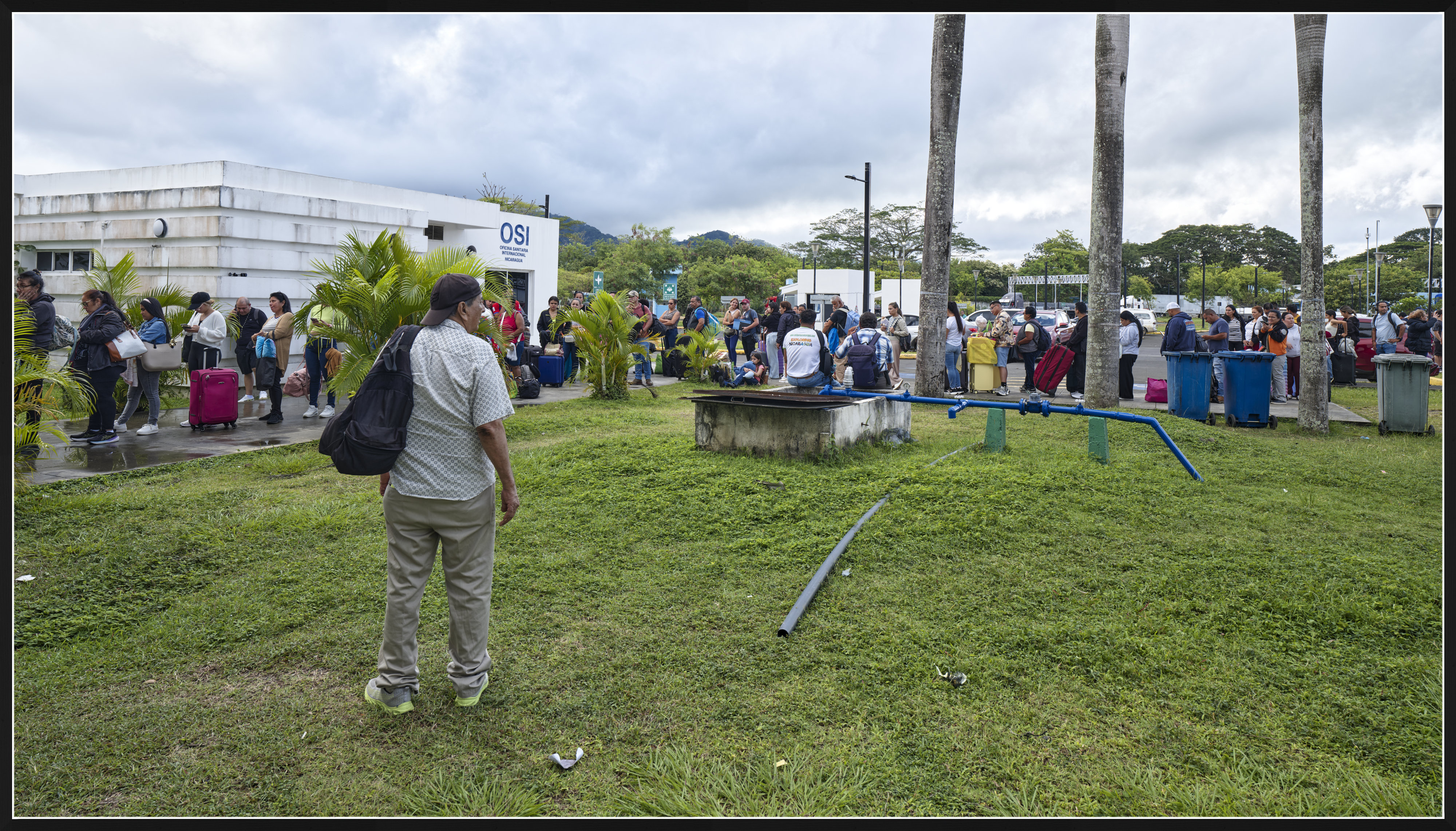
1) Cobalt Standard Daylight v.3
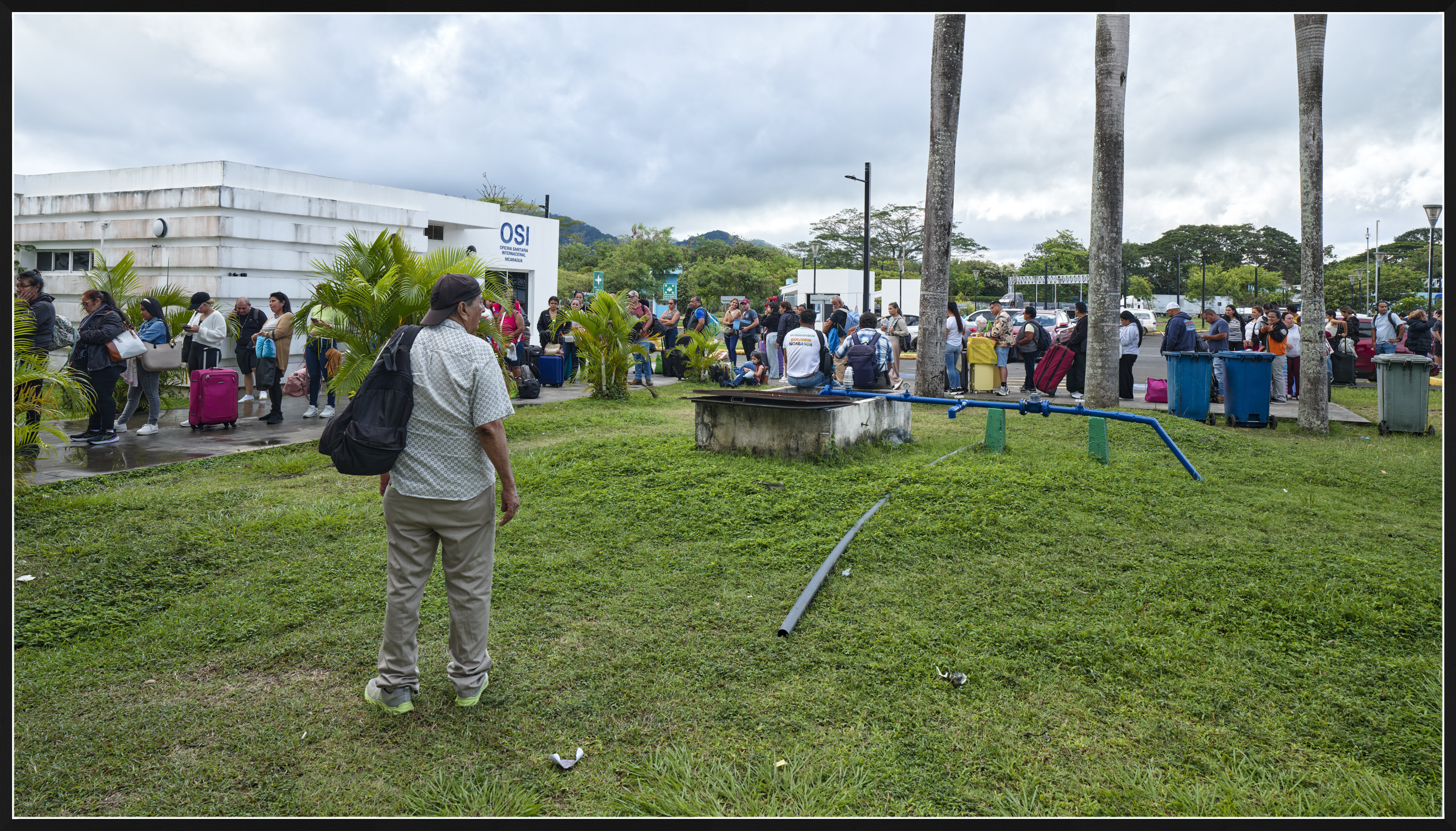
2) Cobalt Standard Daylight (S) v.1
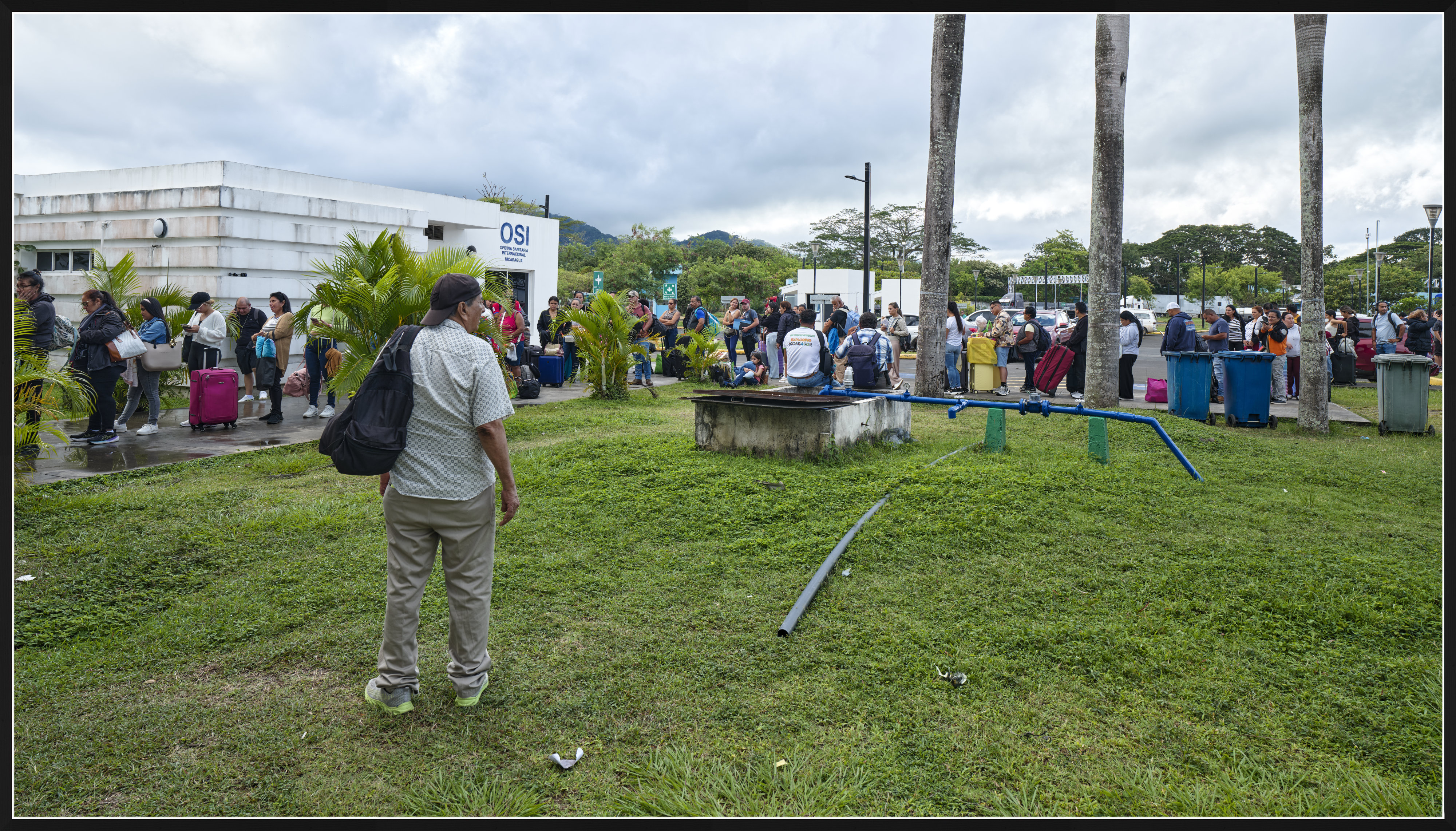
3) Cobalt Standard Cloudy (S) v.1
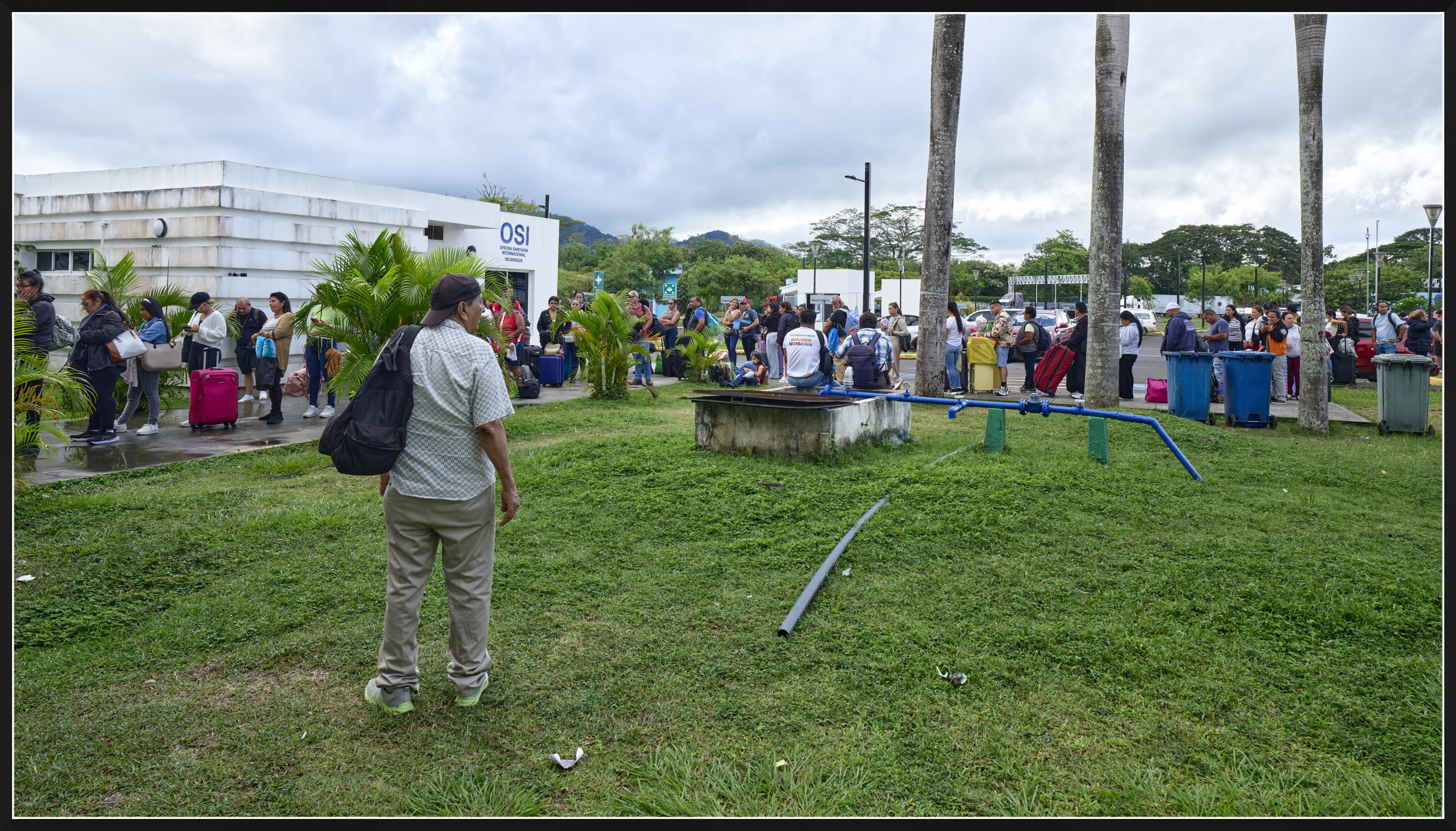
4) Generic profile


Cobalt Standard Daylight v.3

  GFX100S II    GF20-35mmF4 R WR lens    27mm    f/8.0    1/40s    80 ISO    0.0 EV  


Cobalt Standard Daylight (S) v.1


Cobalt Standard Cloudy (S) v.1


Generic GFX100S II profile in Capture One


Mar 25, 2026 at 04:52 PM
dclark
Offline
• • • • •
Upload & Sell: On
p.1 #7 · Cobalt Image Spectre Profiles


Having looked at the processed files, what is it that would convince me to cough up $227?


Mar 25, 2026 at 05:08 PM
ruthenium
Offline
• • • •
Upload & Sell: On
p.1 #8 · Cobalt Image Spectre Profiles


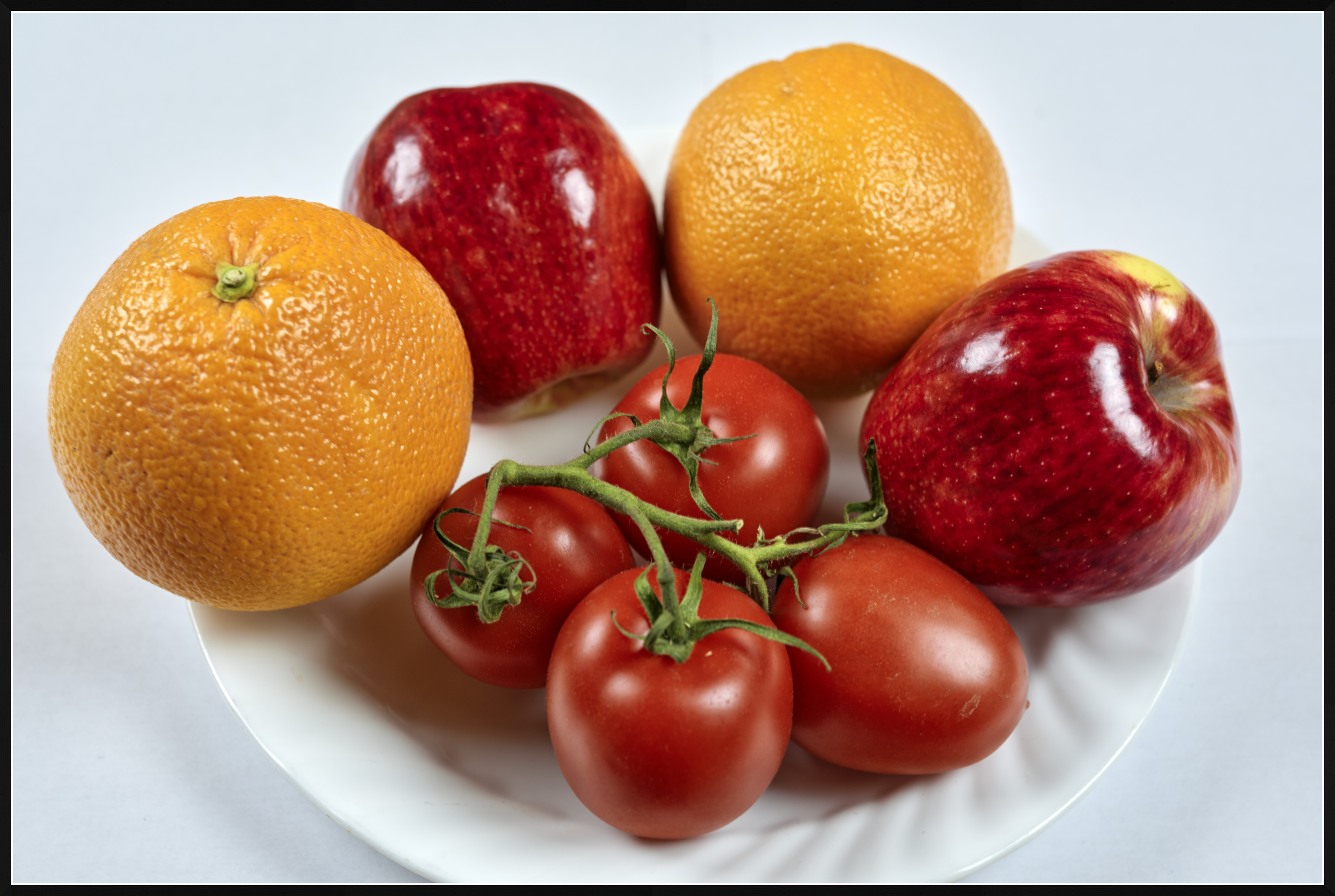
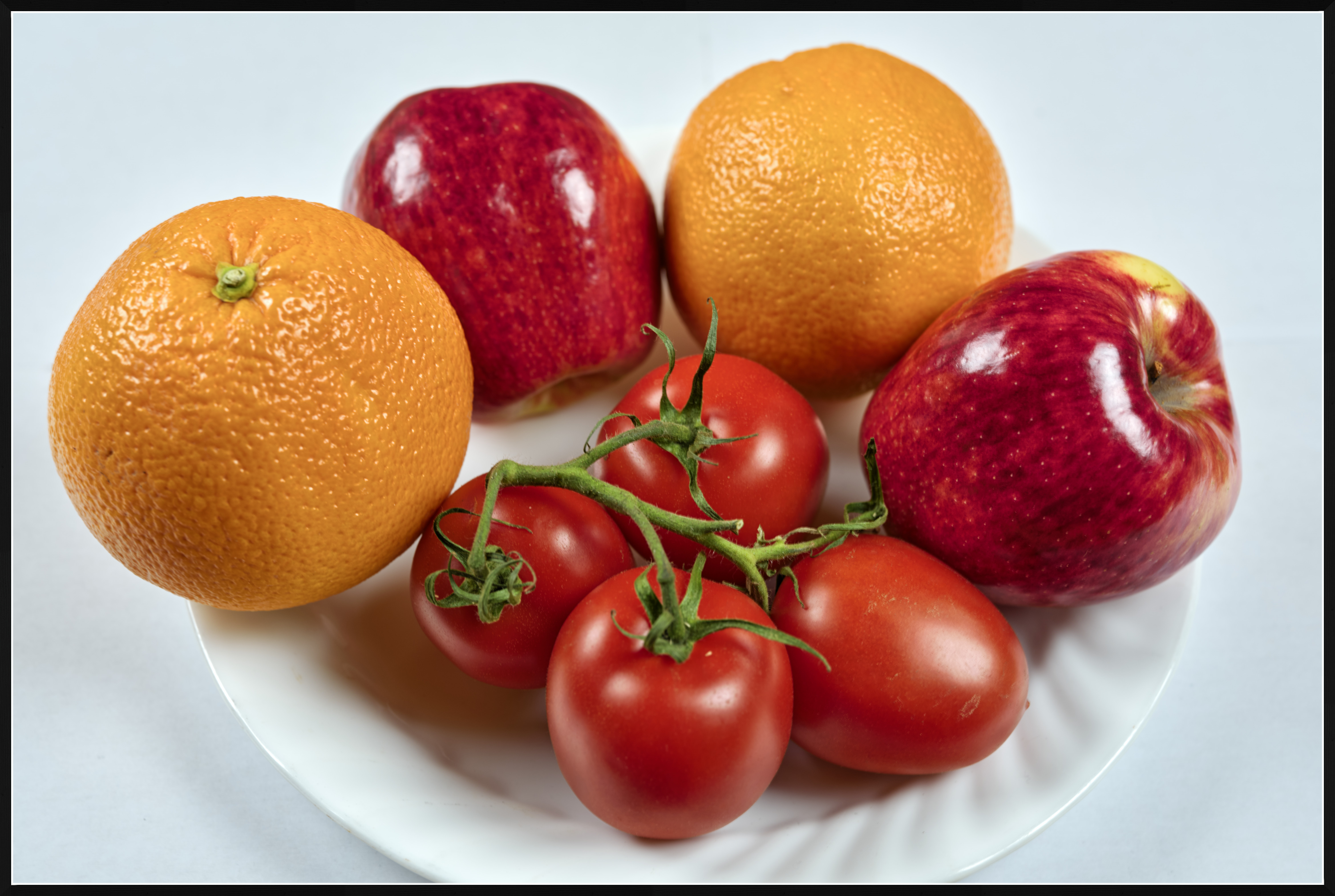
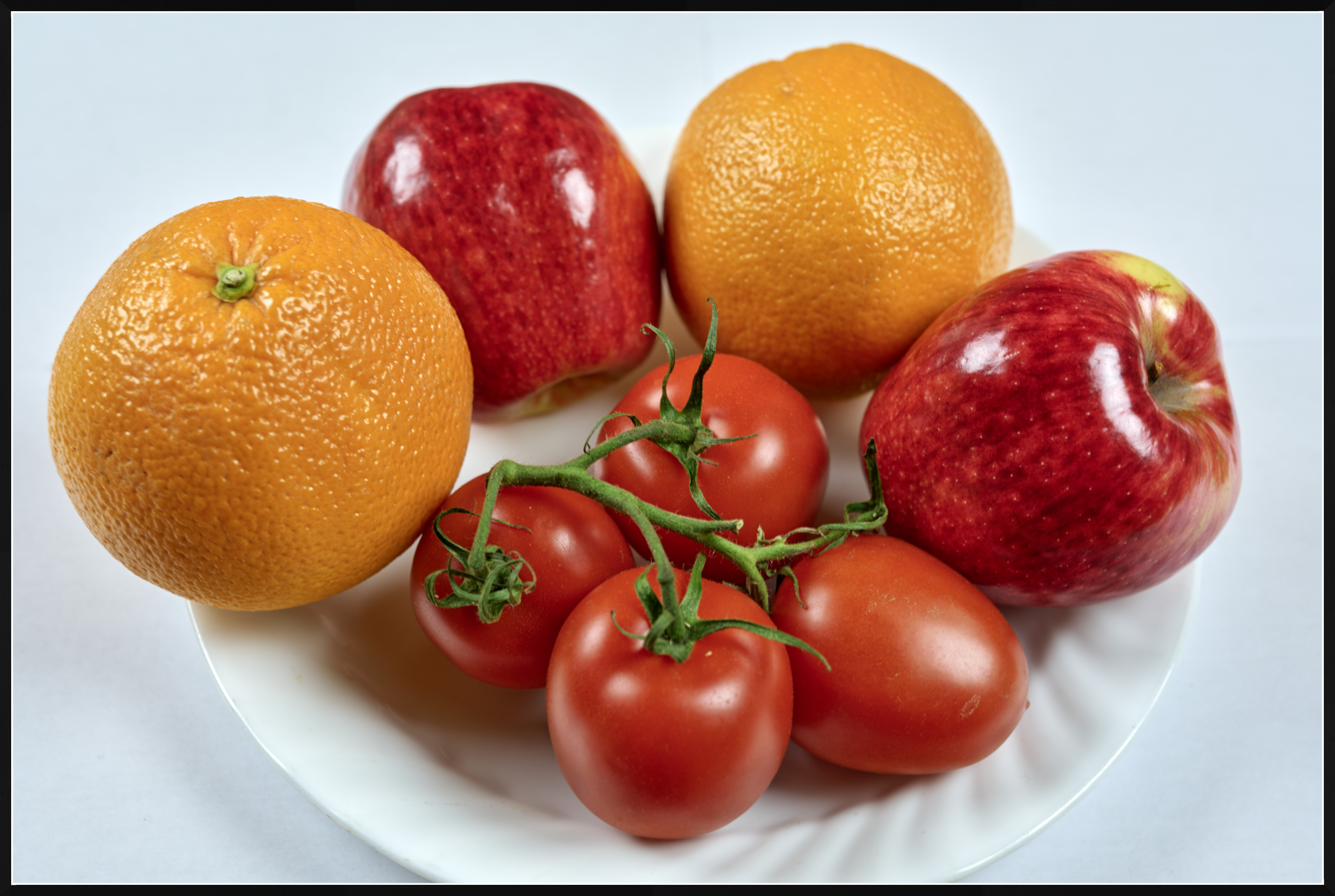
and, this is a look at the warm colors (all from Capture One)
1) Cobalt Standard Daylight v.3
2) Cobalt Standard Daylight (S) v.1
3) Generic GFX100S II profile in Capture One


Cobalt Standard Daylight v.3

  GFX100S II    Fujifilm Fujinon GF55mm F1.7 R WR lens    55mm    f/5.6    1/2s    80 ISO    0.0 EV  


Cobalt Standard Daylight (S) v.1


Generic GFX100S II profile in Capture One


Mar 25, 2026 at 05:51 PM
ruthenium
Offline
• • • •
Upload & Sell: On
p.1 #9 · Cobalt Image Spectre Profiles


Tentatively, in my case, the new Cobalt Spectre v.1 profile seems like it might be a better starting point for corrections, compared with the previous iteration of the Cobalt Standard profile (v.3), or compared with the Generic profile for my camera in Capture One.


Mar 25, 2026 at 05:58 PM
DWOfPaul
Offline
• • •
Upload & Sell: Off
p.1 #10 · Cobalt Image Spectre Profiles


ruthenium wrote:
and, this is a look at the warm colors (all from Capture One)
1) Cobalt Standard Daylight v.3
2) Cobalt Standard Daylight (S) v.1
3) Generic GFX100S II profile in Capture One


Interesting, it looks like with the S1 profile, the apples have more magenta to them. Which profile do you think matched the closest to your eye?


Mar 25, 2026 at 06:34 PM


Search in Used Dept. 

NJPhotographer
Offline
• • •
Upload & Sell: Off
p.1 #11 · Cobalt Image Spectre Profiles


nhmorgan wrote:
Not sure what to make of these VERY expensive profiles. Seems like a lot of snake oil.


I'm gonna pass on these at that price. I often like out-of-camera color. And Lightroom offers the tools to do almost anything imaginable with color.


Mar 25, 2026 at 06:37 PM
ruthenium
Offline
• • • •
Upload & Sell: On
p.1 #12 · Cobalt Image Spectre Profiles


DWOfPaul wrote:
Interesting, it looks like with the S1 profile, the apples have more magenta to them. Which profile do you think matched the closest to your eye?


This is not easy to tell. Since you asked, I took one of the apples in my hand, and compared the look under white light with the light temperature at 6500K. It does have that tint that you refer to as magenta, seen with the new profile Cobalt Standard Daylight (S) v.1, These are Pazazz apples, perhaps there are good quality pictures of them on the Internet, for comparison.

Compared with the previous Cobalt Standard Daylight v.3, the new Standard Spectre v.1 profile seems to have added vibrance. The older profile has the colors that appear more dull by comparison, and the reds are darker. The tomatoes are distinctly more vivid with the new profile.
The oranges are more orange - warmer with the new profile. The oranges look more yellow with the older Cobalt profile.

These are all very subjective impressions. I didn't like the older Standard profile (v.3) because of the greens that systematically looked too yellow to me in the landscape pictures. This new profile doesn't have such an obvious problem to my eye. It looks all right. I should spend more time testing it on my pictures to develop a better feeling.


Mar 25, 2026 at 08:59 PM
Tomservo
Offline

Upload & Sell: Off
p.1 #13 · Cobalt Image Spectre Profiles


Actually, skin tones are much improved over the Adobe and my previously purchased cobalt profiles. It's not just the colors itself but the response curve that one sees when making adjustments. I'll need to set up some examples and share them here but for the work I do, and I hate to use this overused phrase, but it really is a game changer.

I should point out this is specific to my A7rV files. Your mileage may vary.


Mar 26, 2026 at 04:20 AM
Nifty Fifty
Offline
• • •
Upload & Sell: Off
p.1 #14 · Cobalt Image Spectre Profiles


I always find it interesting to see how different perceptions are. Personally, I find the first photo in both post #6 and post #8, Daylight v.3, the most pleasing to look at. They seem the most natural to me.


Mar 26, 2026 at 10:48 AM
DWOfPaul
Offline
• • •
Upload & Sell: Off
p.1 #15 · Cobalt Image Spectre Profiles


ruthenium wrote:
This is not easy to tell. Since you asked, I took one of the apples in my hand, and compared the look under white light with the light temperature at 6500K. It does have that tint that you refer to as magenta, seen with the new profile Cobalt Standard Daylight (S) v.1, These are Pazazz apples, perhaps there are good quality pictures of them on the Internet, for comparison.

Compared with the previous Cobalt Standard Daylight v.3, the new Standard Spectre v.1 profile seems to have added vibrance. The older profile has the colors that appear more dull by comparison, and
...Show more

Thank you for taking the time to look. I prefer the reds, oranges, and greens in v3 too. The apples were just throwing me off a bit. Looks like I may need to give these profiles a try. If you happen to try the profiles on any landscapes with blue water or sky, I would be interested in hearing your opinions on how the profiles do with blue. I usually find myself being the pickiest about blue and green colors in landscape photos.


Mar 26, 2026 at 10:55 AM
ruthenium
Offline
• • • •
Upload & Sell: On
p.1 #16 · Cobalt Image Spectre Profiles


DWOfPaul wrote:
Thank you for taking the time to look. I prefer the reds, oranges, and greens in v3 too. The apples were just throwing me off a bit. Looks like I may need to give these profiles a try. If you happen to try the profiles on any landscapes with blue water or sky, I would be interested in hearing your opinions on how the profiles do with blue. I usually find myself being the pickiest about blue and green colors in landscape photos.


I can do what you asked me to do (to try the profiles on any landscapes with blue water or sky), however, I don't know how relevant this is going to be on this forum, considering that I am mostly using a large-format GFX100S II camera, rather than one with a FF Sony sensor.
I understand how you feel about blue and green colors in landscapes. I find it easier to correct the blue when I don't like it, for example, by either using the Blue Hue slider or by slightly shifting the Tint in WB toward magenta.
Regarding Cobalt profiles, I cannot recall a case when I didn't like the blue. It has been the green that bothered me by being too yellow-green. This isn't always a problem, and may look acceptable and reasonable in some landscapes. Nevertheless, too often I find the green of the v.3 profile disagreeable as a bit unnatural.

I must admit I am not a big fan of Cobalt. Their advertising is too aggressive to my taste, and the quality of the products is presented in such an exaggerated way, with so much hype, that it gives me an uneasy feeling.
If the Cobalt Standard Daylight v.3 profile already had most accurate colors, then how the new Spectre Cobalt Standard Daylight (S) v.1 profile is even better? I guess, only if the previous iteration wasn't exactly most accurate as claimed. The costs of their profiles are excessive and prohibitive for many photographers. Are these costs justified? I am not sure. Are people at Cobalt trying to maximize their profits by all means (including aggressive advertising) - no doubt about this.


Mar 26, 2026 at 01:48 PM
ruthenium
Offline
• • • •
Upload & Sell: On
p.1 #17 · Cobalt Image Spectre Profiles


DWOfPaul wrote:
Thank you for taking the time to look. I prefer the reds, oranges, and greens in v3 too. The apples were just throwing me off a bit. Looks like I may need to give these profiles a try. If you happen to try the profiles on any landscapes with blue water or sky, I would be interested in hearing your opinions on how the profiles do with blue. I usually find myself being the pickiest about blue and green colors in landscape photos.


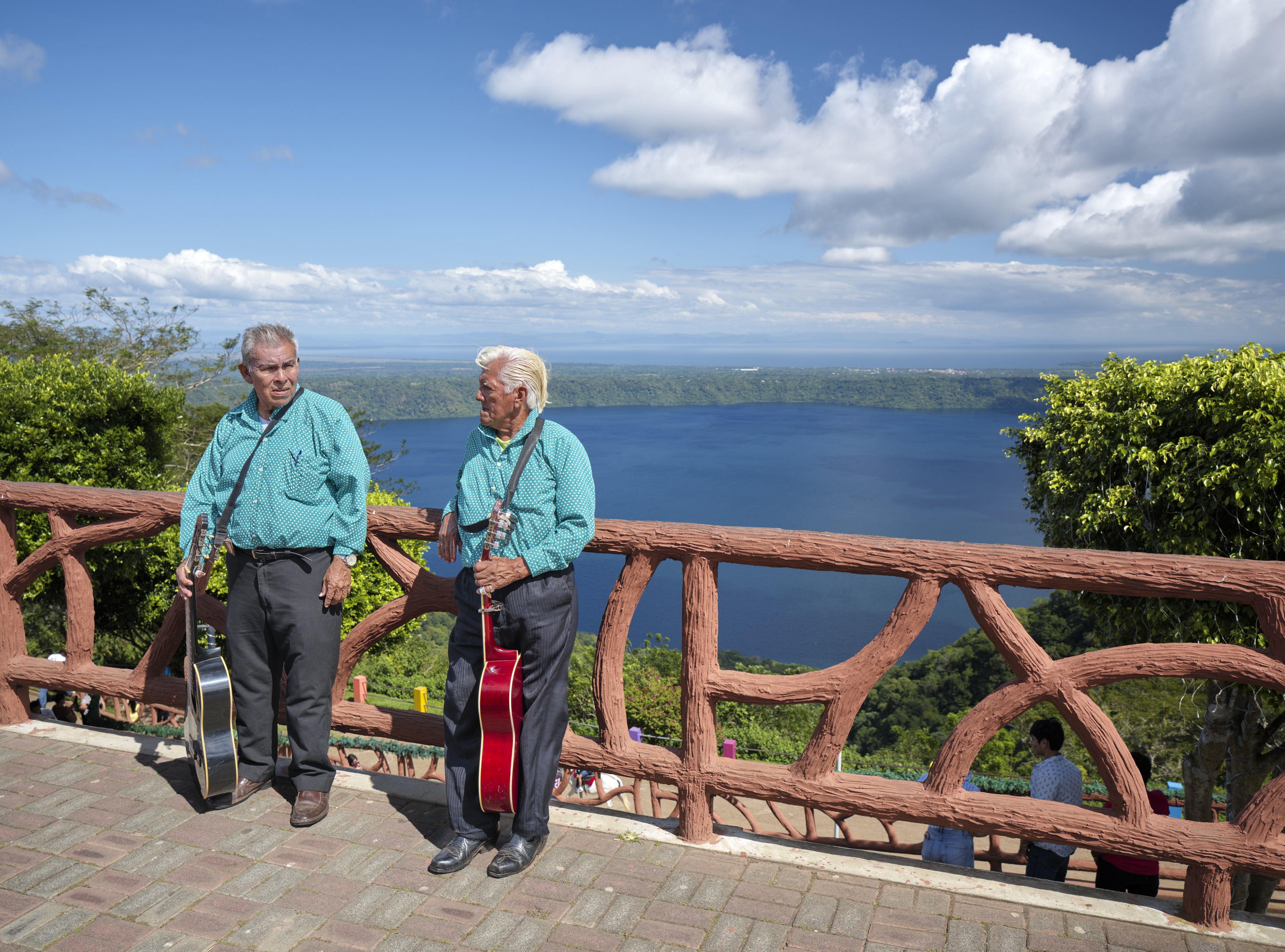
O.k., I looked at one image that has a blue sky, and a body of water under the blue sky.
The result is a bit disappointing with the new Spectre profile that has too much cyan to my taste.
These have been processed from a 16-bit GFX100S II raw file in Capture One by limiting the adjustments to Exposure, Brightness, Highlight, and White sliders. No adjustments were made that could change the contrast and colors.
The first image is from the older Cobalt Standard Daylight v.3
The second image is with the new Spectre profile.


Cobalt Standard Daylight v.3

  GFX100S II    GF20-35mmF4 R WR lens    35mm    f/8.0    1/85s    80 ISO    0.0 EV  


the new Spectre profile


Mar 26, 2026 at 02:27 PM
Ulysseita
Offline
• •
Upload & Sell: On
p.1 #18 · Cobalt Image Spectre Profiles


Since I’m behind this project, I think it makes sense to step in and clarify a few points.

Spectre is not a mandatory upgrade for everyone, and we are absolutely not saying “stop using the base packs and move to Spectre.” The base packs remain valid, colourimetric, and perfectly fine for anyone who wants a coherent starting point, proper illuminant handling, non-aggressive colour compression, and modularity.

Spectre was created for a narrower group of users: people who work on calibrated displays, sometimes print, know the proper use of the white balance and actually care about the highest level of colour precision and cross-platform consistency between Adobe and Capture One. If those things are not important in your workflow, then Spectre is probably not meant for you, and that is perfectly fine.

That is also why random forum comparisons have only limited value when we do not know how the files were shot, which illuminant was selected, how white balance was handled, or what the real starting point of the file was. Without that context, examples are mostly interesting as personal impressions, but they remain largely self-contained.

Saying that one rendering has “too much cyan to my taste,” without knowing what white balance logic was used, does not really tell us much. If the file is left in As Shot, for example, then one of the key advantages of these profiles is already being bypassed, because they were not built around a random camera WB starting point, but around deliberate illuminant control.

One point that probably has not been highlighted enough is white balance workflow. Spectre is not built around the usual “leave it As Shot and hope for the best” approach. It is built around deliberate illuminant control. Once that is understood, the difference in post-processing becomes much clearer.

So this is not really a contest for the most pleasing profile in a random side-by-side. It is about which profile is actually useful in a serious workflow, not which one wins a casual screenshot comparison.

One final point. I read the comment about “aggressive advertising,” and that honestly sounds odd to me, because for months now we have not been doing any advertising or promotion on any channel. People are free to dislike the pricing, the tone, or the product itself, but that is a different point.


Mar 26, 2026 at 02:36 PM
ruthenium
Offline
• • • •
Upload & Sell: On
p.1 #19 · Cobalt Image Spectre Profiles


If this is of any interest, for comparison, the following is straight-out-of camera image, without any processing (except the added frame).


  GFX100S II    35mm    f/8.0    1/85s    80 ISO    0.0 EV  


Mar 26, 2026 at 02:37 PM
ruthenium
Offline
• • • •
Upload & Sell: On
p.1 #20 · Cobalt Image Spectre Profiles


A fair point about WB - I should have mentioned that I set WB to Daylight in Capture One when processing the latest images (with blue sky).

Regarding the advertising, this is a copy-paste text from the e-mail that brought the news of Spectre to me. This boldly promises "a new level of colour accuracy, consistency, and trustworthiness"

"Built on years of spectral research, custom software, and sensor modelling, Spectre introduces a new level of colour accuracy, consistency, and trustworthiness.

Our Cobalt profiles have long been recognised for delivering realistic, reliable colour across cameras and workflows. Spectre takes that foundation further, using a spectral model of the sensor itself to achieve a far higher standard of precision than traditional single-illuminant profiling methods.

In practice, that means:

cleaner colour separation
more believable skin tones
greens that stay natural and seasonally true
an extended illuminant set unlike anything else currently available on the market
white balance that is easier to trust in real use
colour that remains stable across both Adobe and Capture One
Spectre is designed for photographers and professionals who need colour to behave as a calibrated tool, not as a rough approximation.

It is also the only profile system on the market built to offer full compatibility across both Adobe and Capture One, without the usual compromises.

With a supported camera, Spectre, and a properly calibrated workflow, elite-grade colour accuracy is no longer limited to ultra-high-end systems alone."


Mar 26, 2026 at 02:45 PM
       2       3       4       5       end


FM Forums | Leica & Alternative Gear | Join Upload & Sell

       2       3       4       5       end


Welcome back
Log in to your account