p.1 #1 · Fix for Windows 11 not applying default display color profile after waking from sleep
This has been a persistent issue with Windows 10 and 11 multiple monitor setups. After the computer sleeps and wakes, the secondary monitor does not have the correct color profile applied. This doesn't happen on restart. It is only after the system times out, sleeps and then wakes.
The workaround fix has always been right-clicking at screen and selecting "Display settings" which usually triggers the correct color profile to load for some reason. This is annoying.
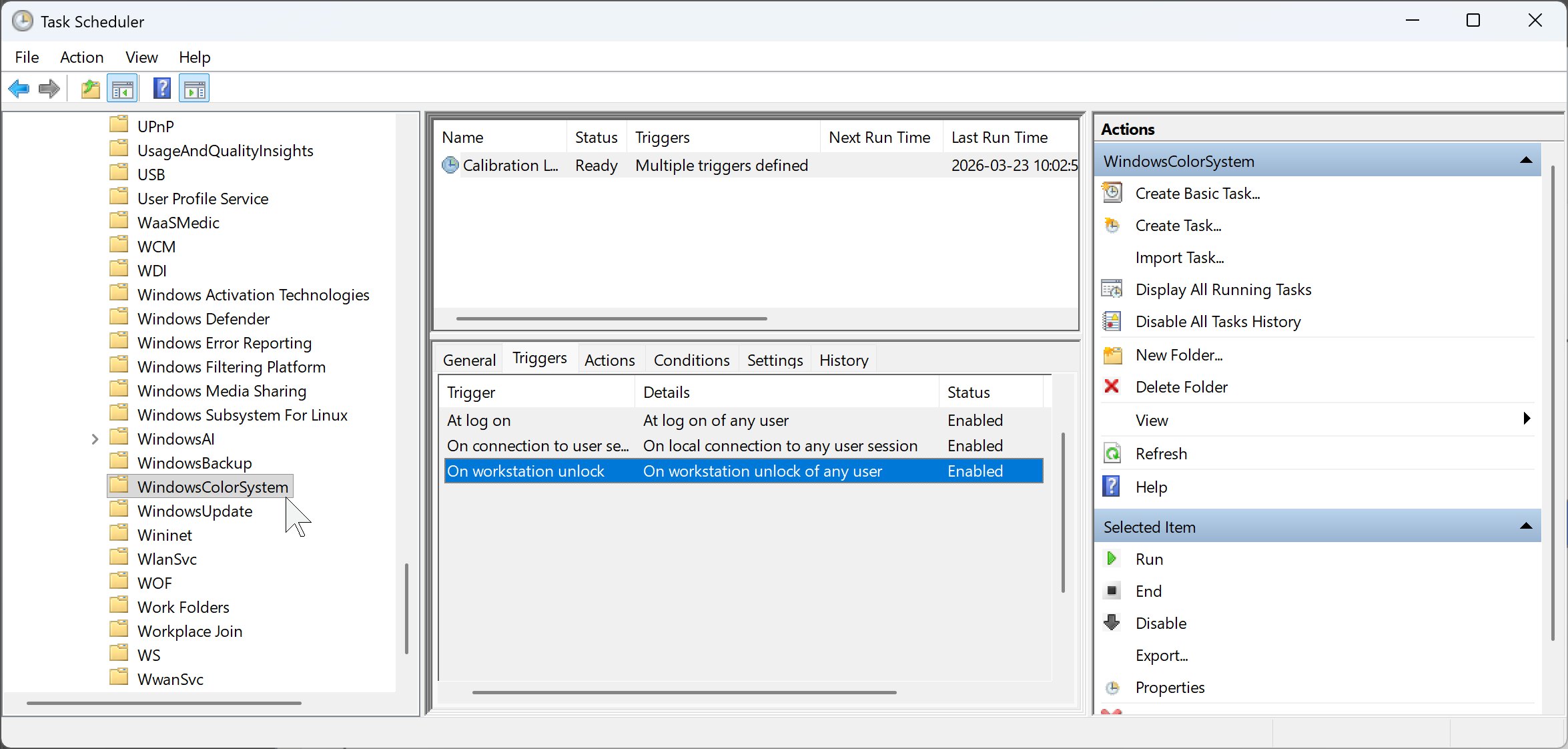
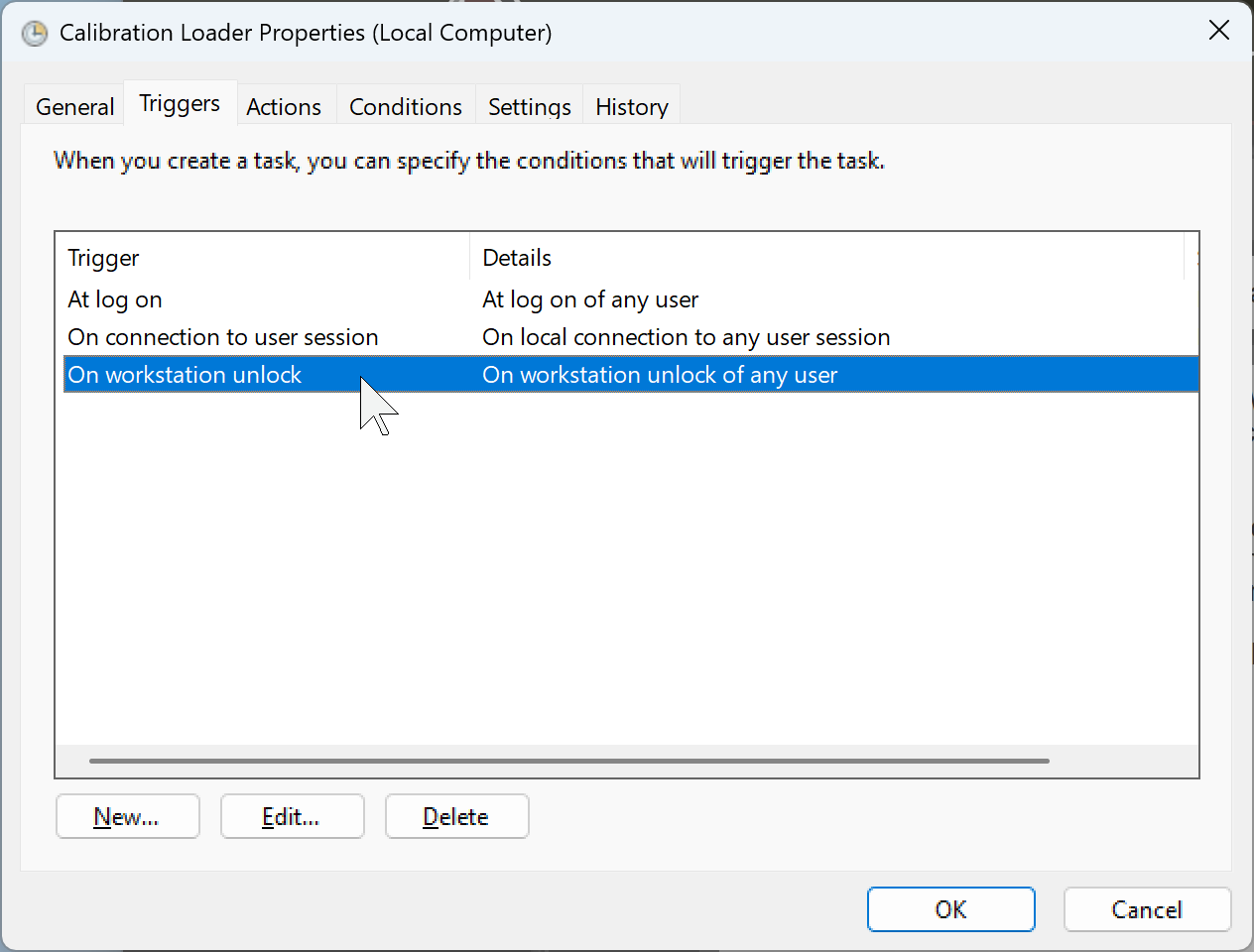
Several google hints pointed to the windows Tasks Scheduler (taskschd.msc) MicrosoftWindowsWindowsColorSystem needing a trigger for "On connection to user session". My system already had that trigger as well as "At log on". Log history showed neither was being triggers when the system wakes.
Adding another Task Scheduler trigger for "On workstation unlock" fixed the issue for me. Now the correct default color profile is applied.
p.1 #3 · Fix for Windows 11 not applying default display color profile after waking from sleep
Yeah, this method depends on an interactive logon policy requiring a three finger salute. If someone has made the choice to forego that protection, bad color is going to be the least of their concerns. Ransomware lock screens look bad no matter what color they use.
p.1 #4 · Fix for Windows 11 not applying default display color profile after waking from sleep
This annoyed the crap out of me on my Windows box. Quite obvious, as the windows borders would pick up a pink bias without the profile loaded. Never could find a consistant fix, but your solution looks quite logical. Wish I would have seen it earlier.
That said, after many, many years in the Windows world, I have switched my home content creation box to a Mac Studio, and monitor color has ceased to be an issue.. While there has been a bit of learning curve on the OS, once in Lightroom, or anything else that had a Windows equivalent, it all feels the same. My biggest annoyance is every system level change wants a password. While I sort of get it, I wouldn't mind restricting that requirement for only the more critical changes.
p.1 #5 · Fix for Windows 11 not applying default display color profile after waking from sleep
jeffbuzz wrote:
Yeah, this method depends on an interactive logon policy requiring a three finger salute. If someone has made the choice to forego that protection, bad color is going to be the least of their concerns. Ransomware lock screens look bad no matter what color they use.
I'm not responsible for that sort of thing at wrok (not in IT). At home I have no grandchildren or psychotic guests that would mess with my computers.
IIRC Argyll with DisplayCal resets the color automtically as needed. I think that works on one of my laptops. Maybe it's only when extending the display not mirroring?