I was thinking about buying one of the led film scanning attachments. What is the cheapest macro lens option that would work with those? I assume you need an actual macro lens but don't have any experience with them.
The one that comes to mind is the Sony APS-C 30mm F3.5, look for used copies. If you're on FF, unless you REALLY don't want to lose the megapixels, you can get by with APS-C mode.
Probably the cheapest would be to buy an extension tube and use what you have. If you want inexpensive but good quality, a Nikkor 55mm (<$200), extension tube and adaptor will do a good job. Then the question is, do you want autofocus? If you're doing a bunch of negs, you want autofocus.
I think autofocus would definitely be a plus. Probably the easiest thing to do would be just buy a used Sony macro and then sell it after I’m done. I just wasn’t sure if there were any off brand options in the $250-350 range.
It depends on the focal length your film holder needs.
Here, I bought a used Sigma 70mm f/2.8 DG MACRO from Amazon. It works well for MF film scanned with a full-frame Sony. Should be well under US$300. (I'm using a copy stand and a backlit film holder.)
I have a bunch of other older and cheaper (e.g. the Sony 50mm macro) lenses (and a newer more expensive MF one), but the Sigma works best. The AF and automagic diaphragm are appreciated relative to the optically superior MF lens when scanning more than just a couple of frames.
I assume you are digitizing by reproduction with a camera at 1:1, not actually using a scannning device?
If so there are plenty of good macros made for the last few decades (manualo Nikkors and various Sigmas for example), but keep in mind that using a camera is not the same as using a scanner that has an IR channel to detect and fix dust and scratches. Getting the film flat for corner-to-corner resolution is the biggest hassle depending on the useable output.
EB-1 wrote:
I assume you are digitizing by reproduction with a camera at 1:1, not actually using a scannning device?
If so there are plenty of good macros made for the last few decades (manualo Nikkors and various Sigmas for example), but keep in mind that using a camera is not the same as using a scanner that has an IR channel to detect and fix dust and scratches. Getting the film flat for corner-to-corner resolution is the biggest hassle depending on the useable output.
EBH
I understood the OP was intending on using an attachment to a lens? These require a specific focal length to work as far as I understood? In general of course your point is often overlooked. we use a 4 way geared head to get stuff parallel (SunwayFoto GH-Pro II with a GC-01 Pano head on a copy stand) and I really wish there was a good AI based dust/scratch removal tool which could work with batching. We tried using Topaz Photo AI but the process to even get a trial working has become so convoluted that we simply gave up. They seem to have moved to a subscription or bust system and $39 for a month just to try it is somewhat steep. Silverfast no longer works in batch in the later versions of photoshop, I've been promised an update when they fix this but that was months ago. Silverfast is also a rather blunt tool predating AI. I'm looking for something like PS Content Aware Fill tuned specifically for dust and scratches. Shouldn't be all that difficult to create in a script I suppose, the hardest bit is identifying the dust.
In my setup the lens is only a small part of the effort. For me a good repeatability and a stable setup is important as I have a lot of negatives to digitize and do it over a long period, probably years.
How much do you plan to digitize and how much time do you have available, Stuuke?
davidjl wrote:
Here, I bought a used Sigma 70mm f/2.8 DG MACRO from Amazon. It works well for MF film scanned with a full-frame Sony. Should be well under US$300. (I'm using a copy stand and a backlit film holder.)
Perfect lens for film scanning, and I see eBay copies for $250. There are multiple supported mounts (mine is Nikon F).
Over on the "film is not dead" forum, I have a thread on camera scanning, but there's lots of info out there. I'd say the recommendation of a used 70-90mm autofocus macro is a good one. I bought a Tamron 90 new (700), but it's similar in image quality to the Nikon 55 micro.
I'd recommend having a game plan before you get started as things can get out of hand in time and even memory. I had two 3-ring binders of 4x5 negatives previously scanned with a flatbed (3200 dpi). I went back and redid book 1 (about 120 images) because the camera scanning is better quality. Each image is about 450 mb. I tried stitching 4 images together and ended up with too many artifacts, so I'm using 6 images per negative, and I toss the files after they're stitched. So if you're stitching, maybe work on half a dozen images before scanning a book (like I did).
On the second book, I'm picking images to work on rather than scanning the whole book. It's nice to have the (smaller sized) flatbed images, so I can page through images quickly and even do a quick edit to see if it's worth doing a camera scan. I have roughly 500 4x5 images about 6 binders of 120, and my 35mm binders are probably better measured in feet number of binders. Hence the "have a plan" recommendation.
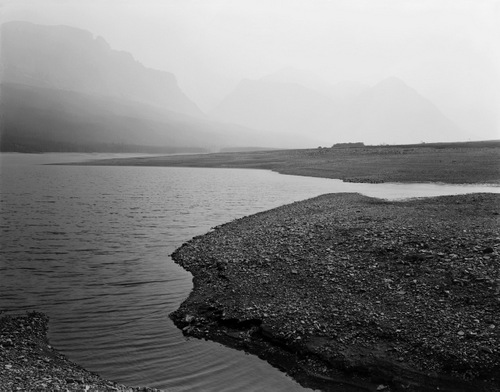
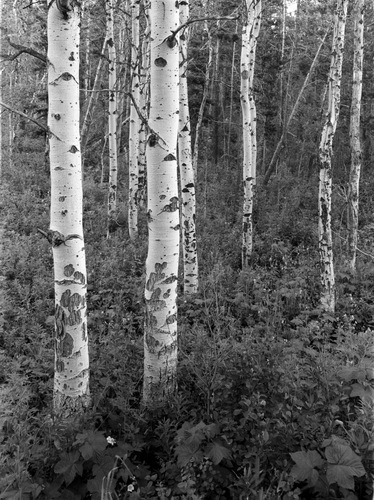
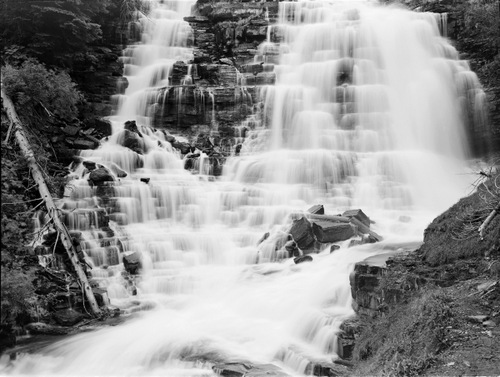
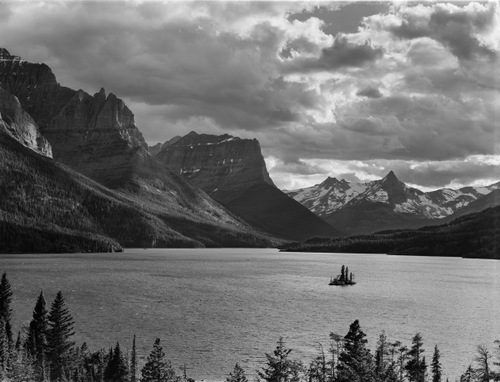
Here's one image I just finished before dinner. Minimal editing, but every image requires quite bit of spotting if you plan to print it large.
Yesterday, I worked on three images.
As you might guess, I'm working on images from Glacier.
@stuuke You are oversimplifying when you ask for a lens recommendation for “scanning film,” as if scanning film was a well-understood activity that everyone is familiar with. It's not. There's a fairly wide gap between people with deep analog imaging pipeline experience, and people with solid understanding of digital image processing. It is extremely rare to meet someone who can do both well, for generational and cultural reasons. And that's what is required to scan film well. That said...
If the goal is to digitize old family archives for sentimental value, where the quality just needs to be good enough for social media and smartphone sharing - that’s one thing.
But if your goal is to match the consumer film lab scans that are typically done in full-auto mode, that’s another thing.
And if the goal is to extract every last bit of color, detail, and grain character out of a negative to produce a print that rivals an optical darkroom enlargement in quality, that’s an entirely different level.
The equipment and image-processing skills required for those three use cases are miles apart, which makes your question basically pointless. “Cheapest macro option for film scanning”? Cheapest? That’s your only requirement? Well… go on eBay then, search for a macro lens for your mount, sort by price, and buy the cheapest one. I bet it’ll be under $100.
Let me spoil the party: scanning film is the most demanding optical application for any lens. You’re looking at:
1. Perfectly flat focus field
2. Does not require geometric correction
3. 5000 dpi in the far corners
4. Precise autofocus
5. Even illumination at f/5.6
6. Little sample variation (good luck finding a copy that does #3 in all four!)
A lens like this doesn’t even exist in a conventional Canon/Nikon mount for any amount of money, and yet you’re asking for the “cheapest option”? (as if there’s a real choice) without saying what you’re willing to sacrifice?
Generally, if you're digitizing an existing archive, my advice is to hire someone or/and ship it to a lab. You are not going to have time+patience to acquire the skills required for what is essentially a one-off job. And, unless you're one of the unicorns described above, you're lacking those skills and you'll produce butchered scans regardless of equipment.
Mostly looking for casual scanning at this point. I might check out some of my work but for now I'd mostly be looking at scanning some family photos. I saw Capture One is going to have a film conversion option so I'll give that a try. At some point I might get more serious but for older work stuff I'd probably send it out for proper scans.
My recommendation is to look at either a Minolta or Olympus bellows with their slide duplicator and the Minolta MD 100/4 bellows lens, or the Oly 80/4, or the Novoflex Noflexar 105/4. All of those lenses are flat-fielded at 1:1 and long enough not to pick up any field curvature thanks to the sensor stack. I use my Minolta ABIII for the task frequently on casual stuff because it keeps the sensor square with the target. I have an LED panel I can use for lighting when necessary, but I most often point it out an indirectly lit window at a blue patch of sky on a clear day. It's not perfect, but the whole thing should run you less than $300.
stuuke wrote:
Mostly looking for casual scanning at this point. I might check out some of my work but for now I'd mostly be looking at scanning some family photos. I saw Capture One is going to have a film conversion option so I'll give that a try. At some point I might get more serious but for older work stuff I'd probably send it out for proper scans.
That makes the decision easier as the volume and quality needs are not that high. I have tried a few software solutions for the conversion and right now I use Rawtherapee for it. My setup profits from a flat field correction (kind of special vignetting correction) and Rawtherapee allows this. It has an automatic negative conversion tool that gives a good starting point. It also can flip images sideways which I need and which not all raw converters offer. Rawtherapee works very well but it takes a bit of getting used to as it often offers more than one ways to carry out tasks.
All major camera companies had slide copying attatchments. They might differ in quality, handling and how well they handle film rolls and framed slides. There also were off brand slide copiers to attatch to a 50mm lens that included a kind of close up lens.
I didn't realise capture one had come out with a negative film conversion tool. I currently use Negative Lab Pro but it will be interesting to try out C1 so that I can do everything from tethered capture to final product in the same software. Currently I'm using C1 for capture and NLP in LR for conversion. I just hope it's not as useless as C1's stitching is in comparison to LR.