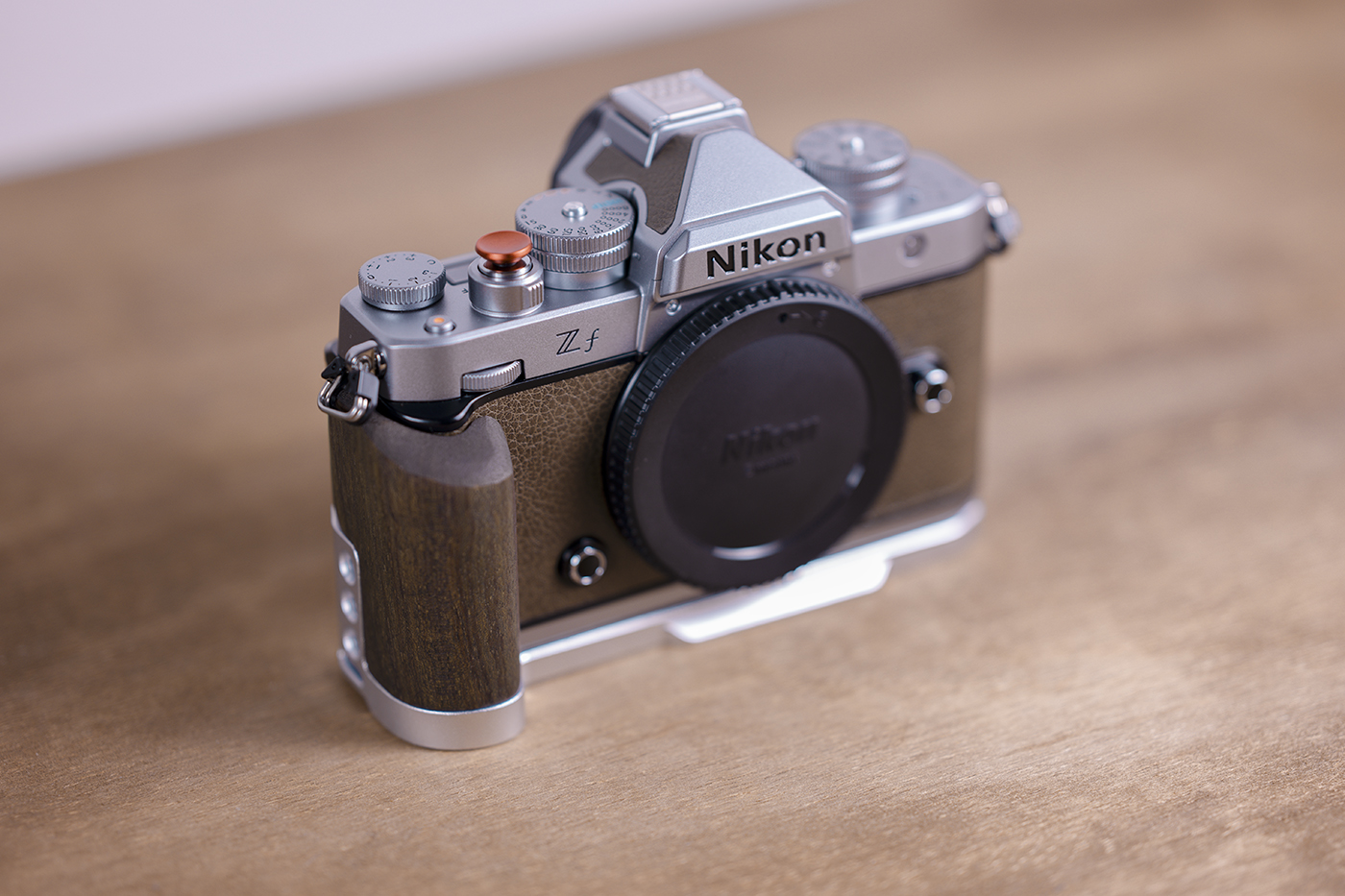
After dealing with constant PS crashes, slower rendering from an aging PC, I made the jump. I did my best research but finding a comparison between what hardware my PC had vs an Mini M4 Pro was hard and pretty much hypothetical. So I made the move from something that took up so much space on my desk, to something smaller than my Zf, yet better performance than my I7, 32GB, RTX 2080 pc. After testing what gave me issues, I concluded its faster in Photoshop and Davinci. I rendered 19.4GB of RAW R3D in 1 minute and 11s... and this is the base Mini M4. And now the M4 Pro is on sale, with AppleCare for cheaper than just the Pro on Apple. Awesome. Granted, the downsides are very limited upgrade options especially for SSD and of course zero option for RAM upgrade. But still, based on my work, this M4 Pro with these specs does what I need. A nice find was this dock. It adds a few more USBs, but more importantly, it has all my card inputs (CFExpress A & B, SD and MicroSD). It's friggen awesome!
I did a new test now with the Mini M4 Pro. In Davinci, 6 clips of R3D RAW worth 98GB was rendered in 1 minute 23 seconds.
I was going to write, "Welcome into the light," but Norm Shapiro beat me to it.
I'm not anti-PC nor interested in OS wars, but I think that you'll like your new machine. Give yourself a little time to adapt to some of the differences, but once you do it will be great.
MacOS isn’t too new to me, but it’s not as known as Windows. Both OS have their ups and downs. I feel a little buyers remorse hearing the M5 is coming in April-ish but the PC issues literally screwed up my work. I couldn’t do what I needed to do. I think what I’m really happy about is that dock with the built in card readers. Gonna do a test today see what speeds I get vs my external Lexar reader.
PixiPhotography wrote:
MacOS isn’t too new to me, but it’s not as known as Windows. Both OS have their ups and downs. I feel a little remorse knowing the M5 is coming in April-ish but the PC issues literally screwed up my work. I couldn’t do what I needed to do. I think what I’m really happy about is that dock with the built in card readers. Gonna do a test today see what speeds I get vs my external Lexar reader.
Welcome to the light! I've been on Mac's for over 30 years though I have used PC as well. My first Mac was a Quadra 950 running System 7 OS that I bought back in the early 90s.
Nothing wrong with the M4 processor I would be very happy with that, heck I'm still using my M1 Max MacBook Pro with 2TB SSD and 64GB of memory and it does everything I need it to do without a hitch haven't felt a need to upgrade to anything newer for now.
MIRANDA1 wrote:
Nothing wrong with the M4 processor I would be very happy with that, heck I'm still using my M1 Max MacBook Pro with 2TB SSD and 64GB of memory and it does everything I need it to do without a hitch haven't felt a need to upgrade to anything newer for now.
It was between this and a used Mac Studio M2 Max, but apparently, according to benchmarks, the M4 Pro single core peformance is better, and multi-thread is also better. Ideally, I'd like a Studio M3 Ultra but, based on the performance of the base M4, I know the M4 Pro with more memory is better and the M3 Ultra may be over kill, and doubt I'd ever get close to maxing out the hardware.
An advantage of the Max and Ultra is the additional GPU cores those processors bring, that certain processes leverage. For example in my case, running a lot of Adobe Denoise, the most effective way to reduce processing time was to throw more cores at it, to the extent my budget allowed. Therefore I ended up with a Studio M4 Max, refurbished, which was very close in price to a similarly specced (RAM and storage) Mini M4 Pro, new.
Probably a good thing you bought now as given what's happening with memory/storage pricing, whenever the M5 arrives, it may be more costly. Though given the premium Apple charges for memory and storage, it will be interesting to see if they buffer this impact somewhat for their customers.
rscheffler wrote:
An advantage of the Max and Ultra is the additional GPU cores those processors bring, that certain processes leverage. For example in my case, running a lot of Adobe Denoise, the most effective way to reduce processing time was to throw more cores at it, to the extent my budget allowed. Therefore I ended up with a Studio M4 Max, refurbished, which was very close in price to a similarly specced (RAM and storage) Mini M4 Pro, new.
Probably a good thing you bought now as given what's happening with memory/storage pricing, whenever the M5 arrives, it may be more costly. Though given the premium Apple charges for memory and storage, it will be interesting to see if they buffer this impact somewhat for their customers....Show more →
Looked through their refurbs, and at $1278 or whatever Amazon had it, is still cheaper than their refurb units. I was looking to see what Studio’s they had but nothing really.
gdanmitchell wrote:
1985 for me, though I did use a very early IBM (literally) PC before that. And before that? A PDP11. It is a bit of a story…
1985, WOW that was really early, I only got into MACs a bit later, prior to that I was on PCs, including my first laptop, a Toshiba 3200 which was the size of a small carry-on suitcase it had a horrendous orange gas plasma display but was absolutely cutting edge back in the late 80s.
MIRANDA1 wrote:
1985, WOW that was really early, I only got into MACs a bit later, prior to that I was on PCs, including my first laptop, a Toshiba 3200 which was the size of a small carry-on suitcase it had a horrendous orange gas plasma display but was absolutely cutting edge back in the late 80s.
I was pretty young then and my parents (my father bought one of the first IBM PCs) decided to help each of us get computers. My siblings all ended up with various IBM PCs (and one went to to have a career developing software for them).
I had access to an IBM PC and had been learning to program on it. So I went to a computer store (they had those back then) to check out PCs that I might get. Having just heard about the early Macs, introduced in 1984, I asked some questions about doing some very basic graphics stuff on the PC and got a blank stare from the salesperson — as if I had asked him if the PC could dance. ;-)
At the time I was looking for a machine that could let me do certain musical tasks, including creating a library of musical symbols. (I’ll spare the explanation of why.) The Mac could do this, albeit in a very basic way, and the PC could not, so I went with the Mac.
If you handle lots of data, match the speed of your storage to your ports. In my case it is Thunderbolt 4. When you format external drives, make them case sensitive. This way you won’t have duplicates that differ by case failing to copy. Opt for a larger size system hard drive. This drive is faster than the external drives and it isn’t usually easy to upgrade after purchase.
bwcolor wrote:
A few things that I learned the hard way.
If you handle lots of data, match the speed of your storage to your ports. In my case it is Thunderbolt 4. When you format external drives, make them case sensitive. This way you won’t have duplicates that differ by case failing to copy. Opt for a larger size system hard drive. This drive is faster than the external drives and it isn’t usually easy to upgrade after purchase.
The way I had it on my PC was, all software went on the main drive. Then work went on a seperate nvme, where it was edited, and then stored on an external HDD
PixiPhotography wrote:
Looked through their refurbs, and at $1278 or whatever Amazon had it, is still cheaper than their refurb units. I was looking to see what Studio’s they had but nothing really.
Refurbs come and go. When I was in need for an upgrade in June, there happened to be a bunch of M4 Max Studios available. But in the short time I debated options, they quickly started to disappear, so I made the jump then and there.
Here in Canada, the Mini M4 Pro with the top chip option (14 core CPU and 20 core GPU), plus 48GB RAM (what my Studio came with) and 1TB storage (what my Studio came with) is CA $3200. That's within around $100 of what I paid for the refurbished Studio M4 Max 16 core CPU and 40 core GPU.
rscheffler wrote:
Refurbs come and go. When I was in need for an upgrade in June, there happened to be a bunch of M4 Max Studios available. But in the short time I debated options, they quickly started to disappear, so I made the jump then and there.
Here in Canada, the Mini M4 Pro with the top chip option (14 core CPU and 20 core GPU), plus 48GB RAM (what my Studio came with) and 1TB storage (what my Studio came with) is CA $3200. That's within around $100 of what I paid for the refurbished Studio M4 Max 16 core CPU and 40 core GPU....Show more →
I'd loved to have pushed the RAM some more but 24GB seems alright. I got away with 16GB on my PC for a while. It was manageable in Davinci, but when I added another 16GB, I never seemed to max it. 24GB is an odd # for RAM but whatever, it works. In fact, I returned the Mini M4 and got the M4 Pro, and I rendered 98GB of R3D RAW footage in 1 min 23 seconds. Scrolling through the footage is leaps and bounds better than the PC. This scrolls smooth. Couldn't be happier with the form factor and performance.
With respect to RAM, it'll probably depend on a lot of variables.
Prior to the Studio I was working from a MBP M1 Pro with 16GB RAM and it worked. I do have the tendency to have a lot of apps running and an excessive number of open web browser pages, etc. So that system was swapping a lot of memory with the drive. But I didn't get many 'out of memory' warnings, for whatever reason.
Now with the Studio and 48GB RAM, my habits are much the same but I've been getting more out of memory warnings. Particularly due to Lightroom hogging it when working on a lot (thousands) of 45MP images with Denoise, etc. Though the latest LR version seems a bit better.
Anyway, glad it's working for you and I agree, coming from my previous Intel based Macs, the Apple M silicon is impressively faster!
rscheffler wrote:
With respect to RAM, it'll probably depend on a lot of variables.
Prior to the Studio I was working from a MBP M1 Pro with 16GB RAM and it worked. I do have the tendency to have a lot of apps running and an excessive number of open web browser pages, etc. So that system was swapping a lot of memory with the drive. But I didn't get many 'out of memory' warnings, for whatever reason.
Now with the Studio and 48GB RAM, my habits are much the same but I've been getting more out of memory warnings. Particularly due to Lightroom hogging it when working on a lot (thousands) of 45MP images with Denoise, etc. Though the latest LR version seems a bit better.
Anyway, glad it's working for you and I agree, coming from my previous Intel based Macs, the Apple M silicon is impressively faster! ...Show more →
I had PS open with Davinci and was at 11GB usage out of 24GB. Now looking at RAM prices, and components like GPU, there is no way I could have built a PC as fast as this Mini M4 Pro.


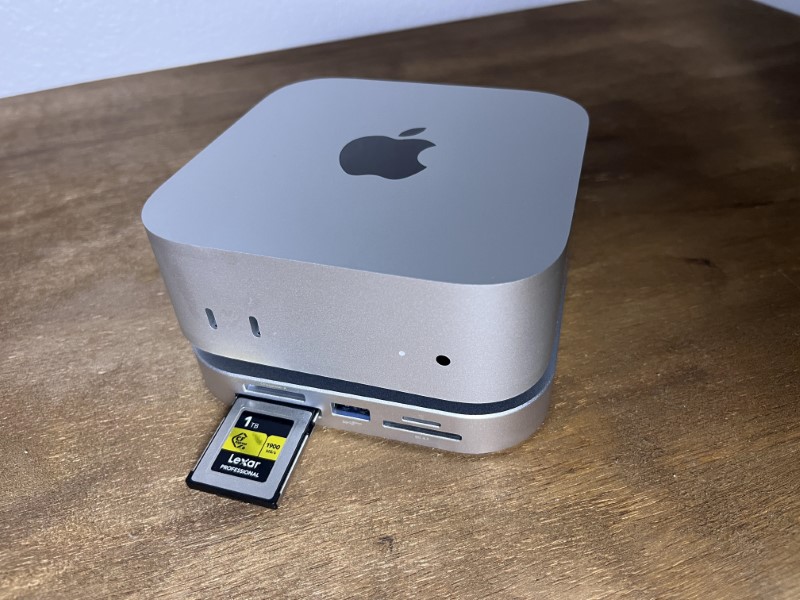
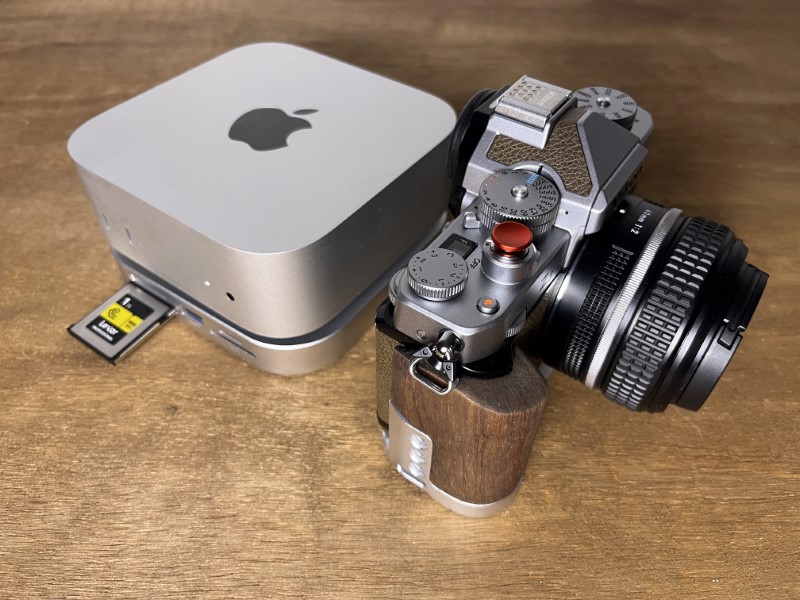
 with the built in card readers. Gonna do a test today see what speeds I get vs my external Lexar reader.
  So that system was swapping a lot of memory with the drive. But I didn't get many 'out of memory' warnings, for whatever reason.