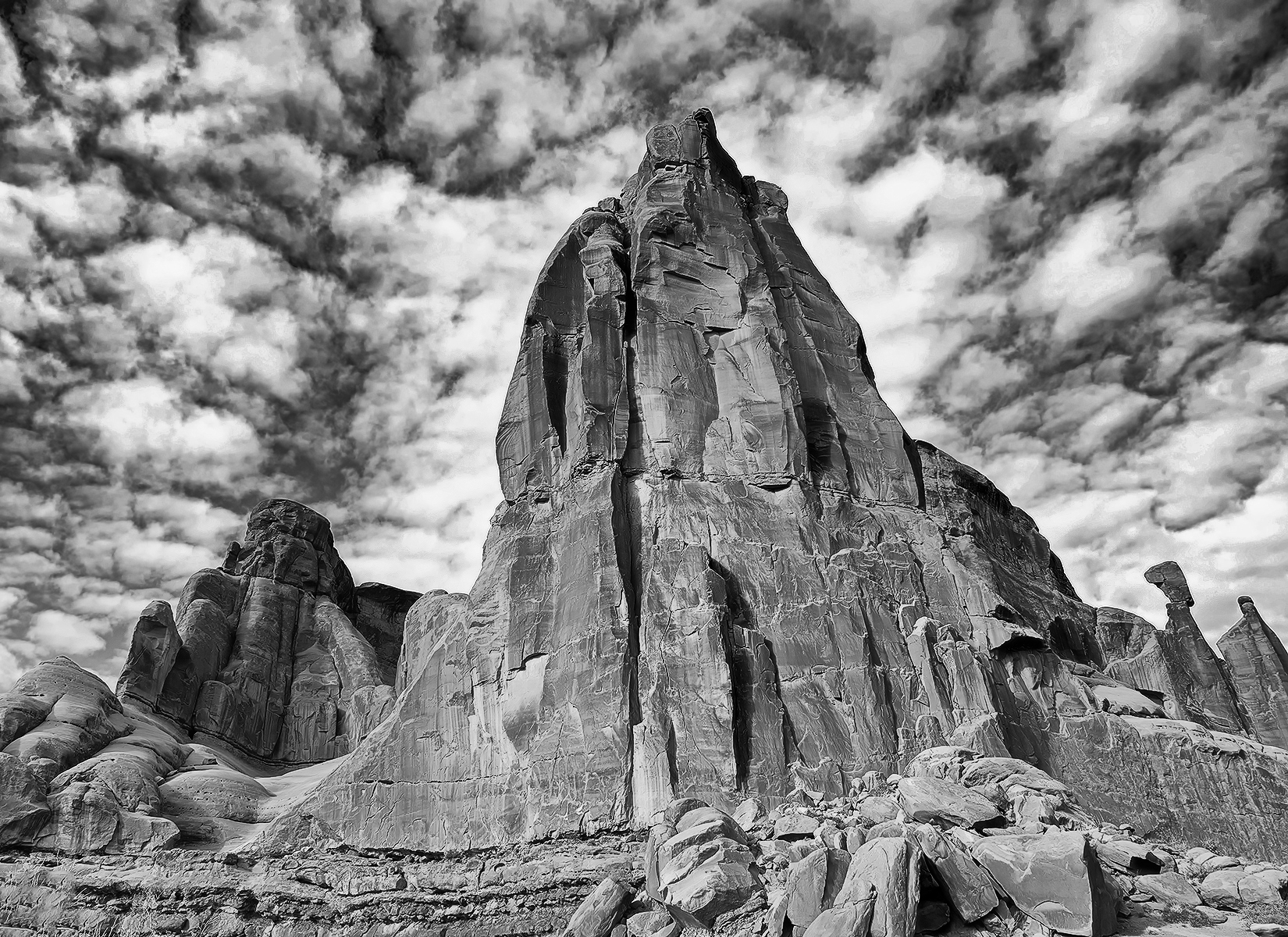
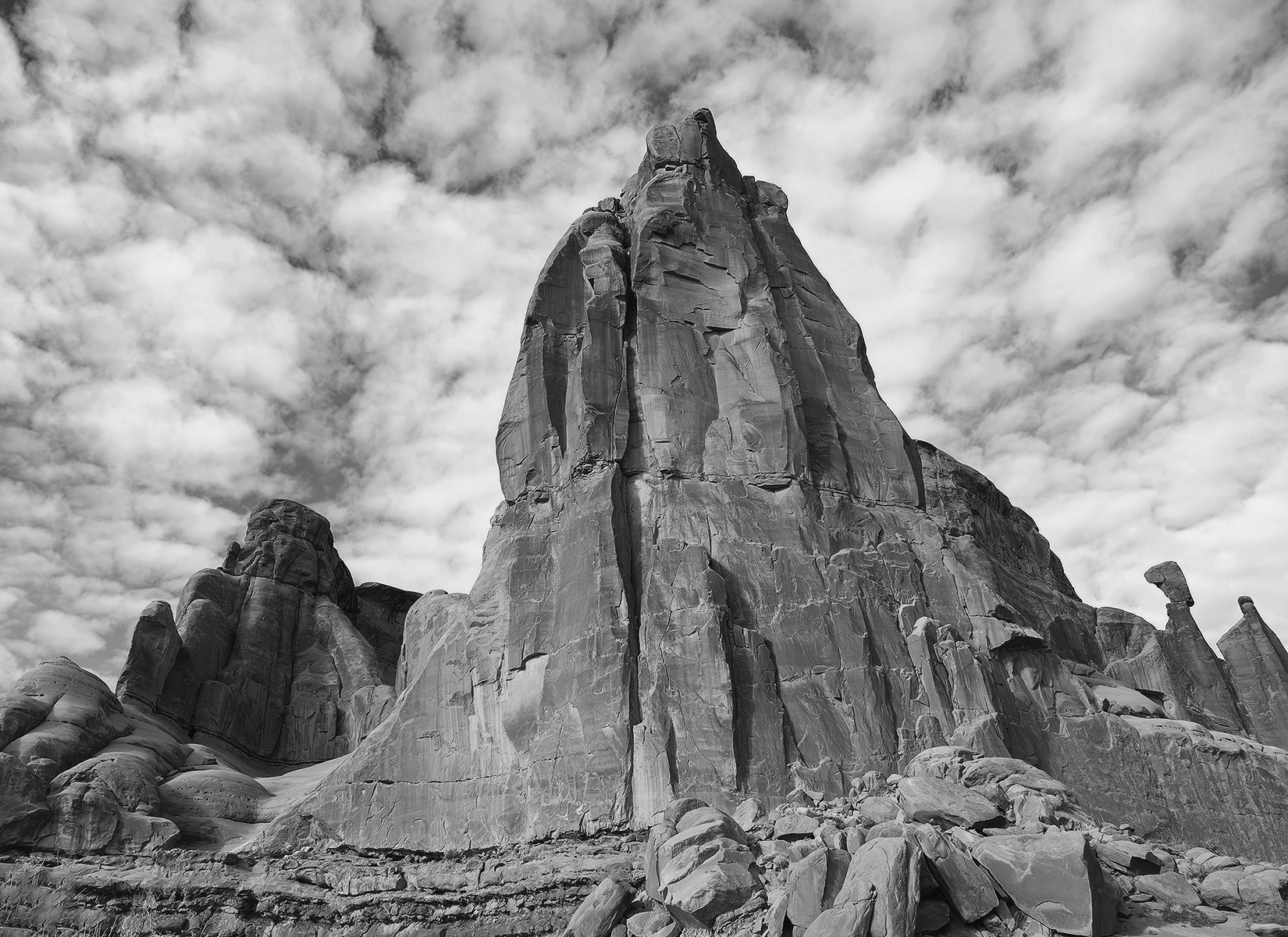
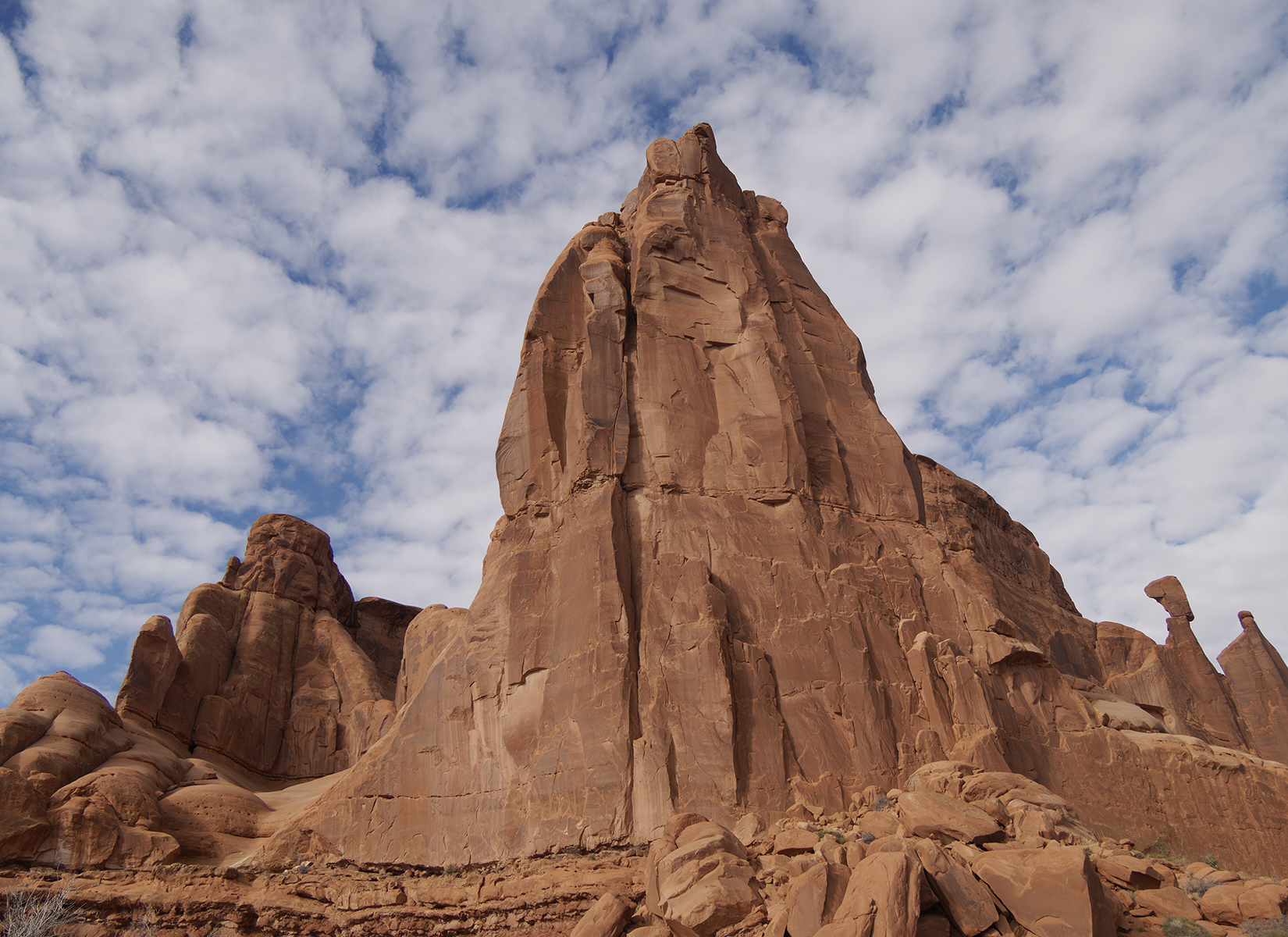
Please let me know if this isn't the right spot to be asking. I'd really like to improve on my B&W conversions but honestly I don't even know where to start. They always seem to be lacking. Here's one I put thru Nik Silver Efex. I've included the Raw image that is untouched except being converted in DxO 5.2 and downsized for the web. If anyone cares to critique my conversion or would like to take my color image and convert it to their liking it would be greatly appreciated. I'd love to see what someone else might come up with.
Gary
I started by reading a few books to "educate" me on what is was I wanted to do in the b&w conversion. I took what I thought was the most technically and artistically relevant philosophy, or workflow, and run with that and see how it looked in my view. My own "touch" entered as well.
I am still looking.........but I'm old!
By the looks of your website, you will not take long in "getting there" in your workflow!
PM sent..
Dan
Hi Gary,
This is a nice B&W treatment of your picture, but it looks a little flat to my taste, of course, that’s just my opinion.
I usually try to achieve a more dramatic result in my conversions, so I tend to add more contrast and push the blacks and whites a bit further.
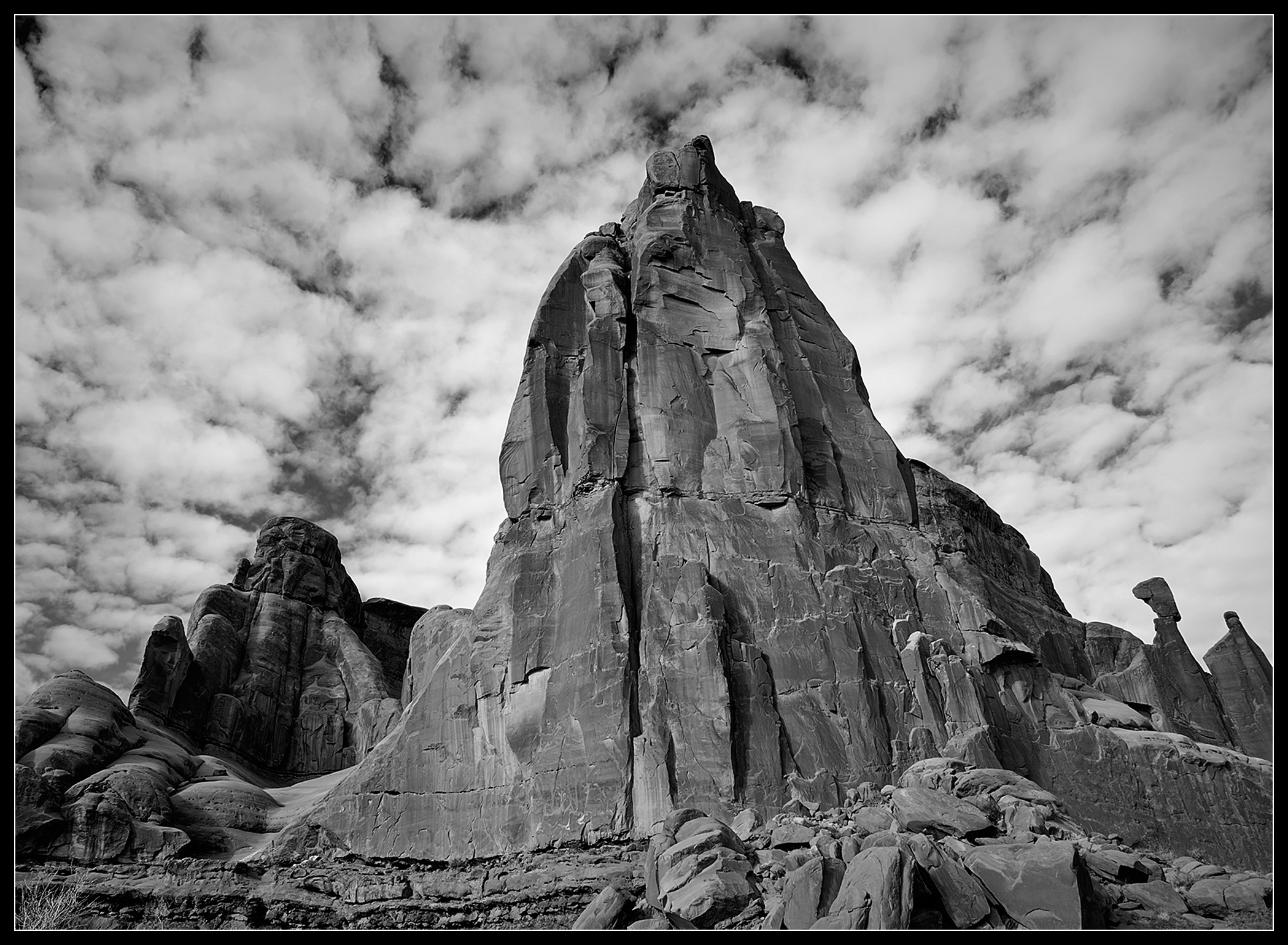
I processed your color image in Photoshop, and this is what I achieved:
Below are the settings I used to get this result:
That said, the best result is always the one you like most. I don’t really follow strict rules or a fixed workflow just my instincts and personal taste.
I hope this is helpful, and I’m happy to answer any questions you may have.
Best regards,
Marcelo
Lightsearcher wrote:
Hi Gary,
This is a nice B&W treatment of your picture, but it looks a little flat to my taste, of course, that’s just my opinion.
I usually try to achieve a more dramatic result in my conversions, so I tend to add more contrast and push the blacks and whites a bit further.
I processed your color image in Photoshop, and this is what I achieved:
That said, the best result is always the one you like most. I don’t really follow strict rules or a fixed workflow just my instincts and personal taste.
I hope this is helpful, and I’m happy to answer any questions you may have.
Best regards,
Marcelo...Show more →
Thanks so much for taking the time to offer your suggestions Marcelo. This is exactly the type of input I was hoping to get. And especially thank you for including your settings. I agree, it's all personal taste but what you described as "flat" is how I see my B&W conversions. I'm always afraid I'm going to go too far so I tend to back off. Maybe I need to be a little bolder
I like your treatment btw. Definitely more drama.
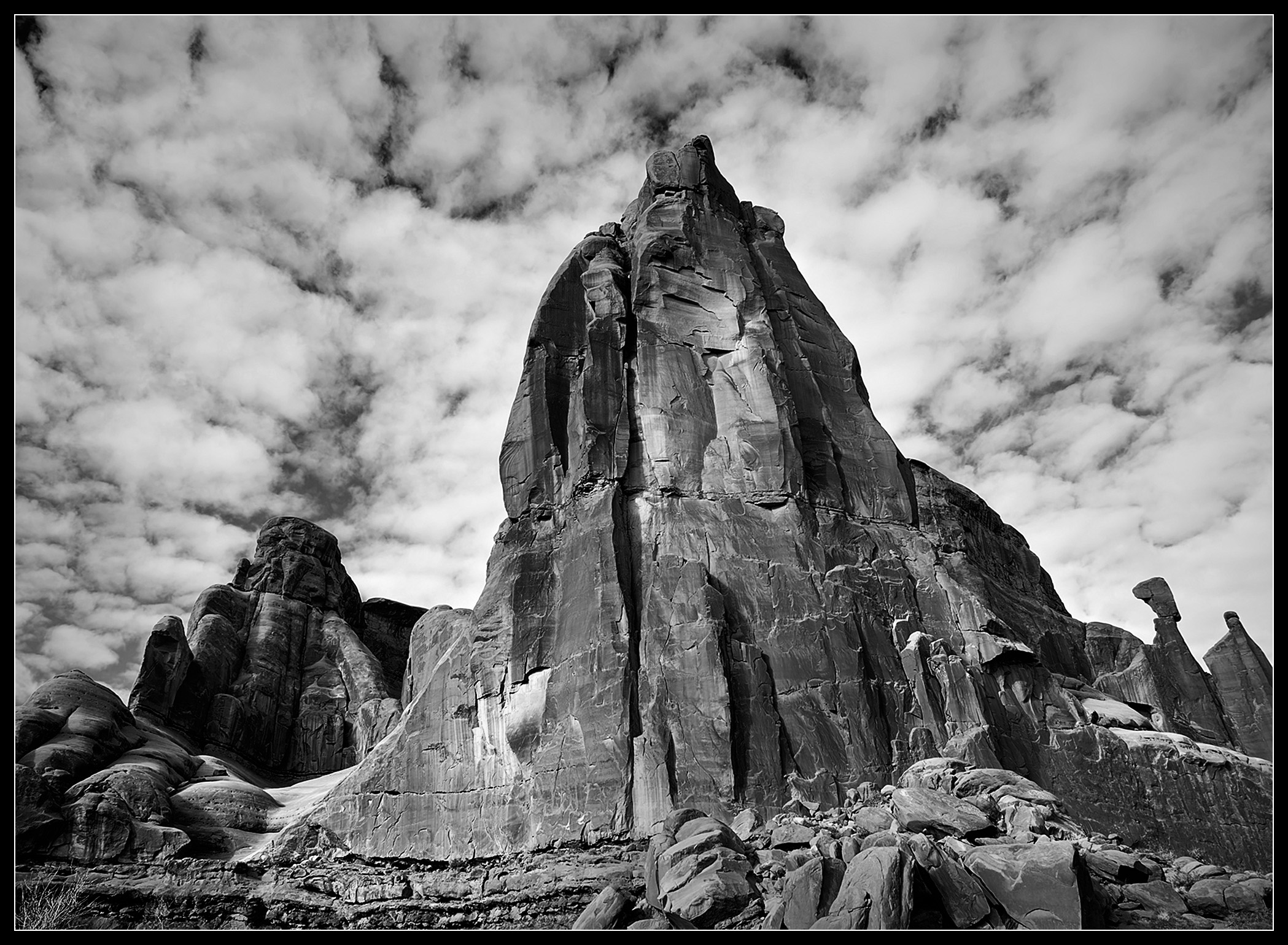
Here is another interpretation of your image. I've been photographing in the southwest for 30 years or so and the red rock formations can be a challenge to get a decent B&W image from, especially when the light isn't creating much shadows.
Here's how I approached it. My workflow is through Capture One and then some final tweaks in photoshop. In C1 I did the following:
1) Increased the overall contrast in the image. Contrast set to +5
2) Using sliders I adjusted the levels with highlights and Darks set to the corresponding toes of the histogram.
3) Converted image to B&W. Red channel set to -30, yellow set to +20, Magenta to +20. I did not adjust the blue channels as I wanted to minimize the sky and feature the foreground objects.
4) Created an adjustment layer for all the red rock. Pushed contrast to +35, Tighted the levels to bump highlights and shadows.
5) Created a second adjustment layer and decreased contrast in sky and lightened slightly.
6) Minimized keystoning, by adjusting perspective about 10%. Recropped image.
The next steps are not necessary, just something I like to do to match the color profile of older darkroom prints.
7) Exported to Photoshop as a PSD.
8) Converted to duotone using a tritone formula that approximates Weston's platinum prints.
9) Saved as JPEG.
There are a lot of ways to work through images. If this is a subject matter you like to shoot, I would practice using masks to highlight the rock formations and then push contrast and either light levels or curves.
Marcelo, OR ANYONE ELSE WHO KNOWS..might I ask how you get all the right side Menus to show OPEN.. showing your "sliders"? I can only get say "Exposure" open and if I want to go to "Effect" when I click on "Effects" the "Exposure" menu collapses.
Thanks!
Dan
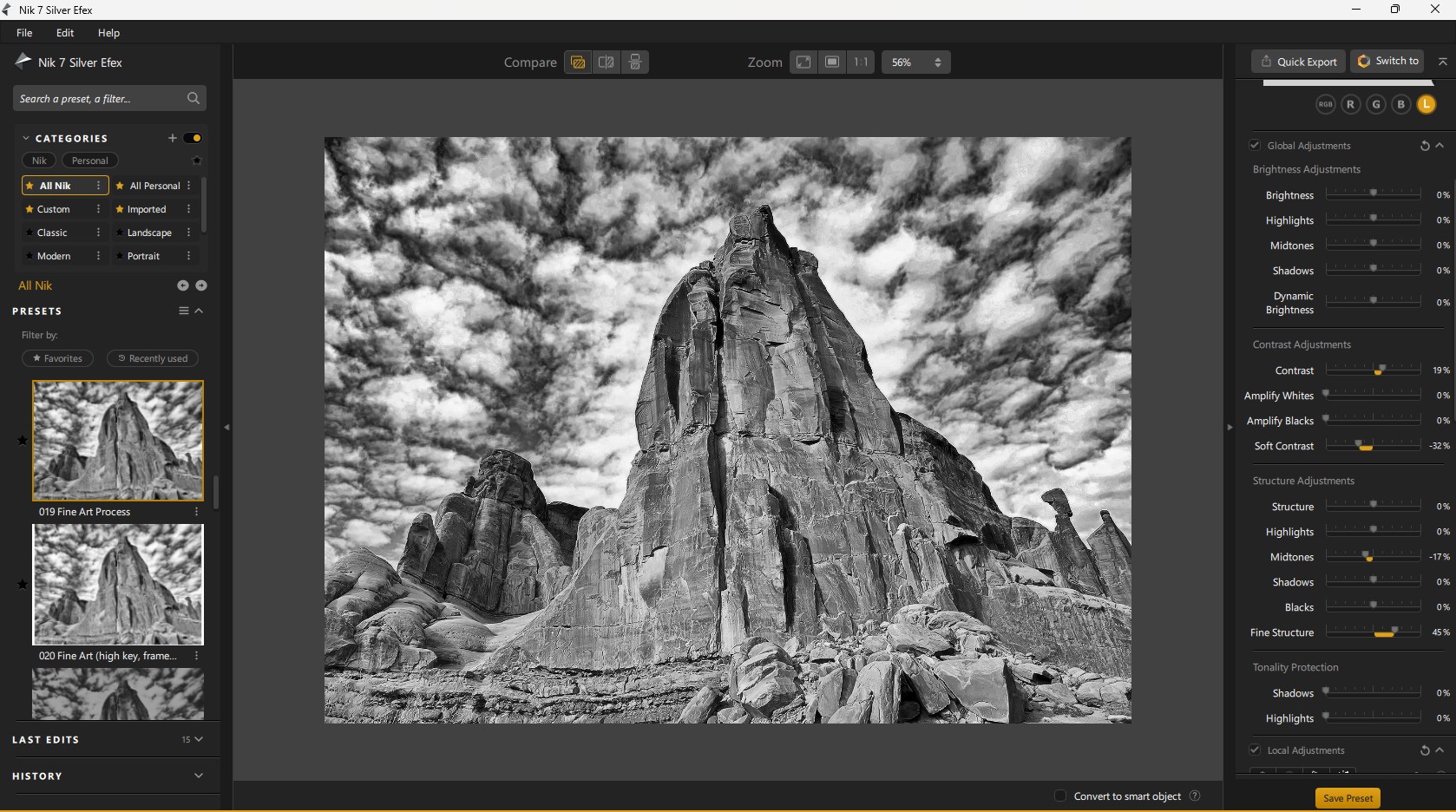
Here is my "take"...
Bridge> Open in ACR> Effects>Detail SAVED as a tiff/jpg..OPEN image in Nik SEFx Pro7 used Fine Art template and adjusted sliders for my taste.
I like dramatic clouds and sky but not to overtake subject. There is much geology going on here and I wanted to show that also. All around the center structure.
I did not want to darken the rock structure to the bottom left rear to loose much detail. The "balancing act" rock and that formation was nicely lit and great detail so I wanted that to be somewhat viewed on the left rear formation.
Danpbphoto wrote:
Marcelo, OR ANYONE ELSE WHO KNOWS..might I ask how you get all the right side Menus to show OPEN.. showing your "sliders"? I can only get say "Exposure" open and if I want to go to "Effect" when I click on "Effects" the "Exposure" menu collapses.
Thanks!
Dan
Marcelo your conversion is wonderful!
Dan, if you click the arrow it will show the sliders. I don't experience the same issue you mentioned.
Check this quick tutorial how to reset your option in PS, it may be helpful for you.
Here's my take -- and admittedly I tend towards less is more in my own B&W conversions; and generally speaking I personally detest the "tone map," artificial contrast look, so YMMV... that said, I did all this off your posted color jpeg in C1 and feel the result would be a bit better off the raw file simply due to more DR. The main thing here is the relatively low red saturation differences in the rock under this particular lighting make creating a natural looking delineation a bit more difficult. Final point is your initial color jpeg image above is somewhat over-sharpened and has visible haloing, and that gets exacerbated with mono conversion and its associated color adjusting.
What I did was levels slider base to 12, top to tip of histo, mid to 3; saturation to 4, contrast to 2, brightness to 2; hdr, lifted shadows to 25; color balance, r to -25, y to +15, c to -20, b to -10; a small clarity bump; added a 1-stop vignette. I normally would have subtly dodged and burned the rock face in PS for a bit more separation, but resisted for simplicity.
Edited to add quick example D&B version -- this done to my first version image in PS. This is just a quick pass to show the type of difference that can be managed, not meant as a pure work of art that I spent a lot of time on.
I appreciate your comment about tone mapping. Admittedly, I pushed the image pretty hard, but I also found the flatness problematic. I approached it as if I were shooting it with my old 4x5 camera. I would have used either Agfapan 100 or 25 with an orange filter to bring the lighting of the rock up. I would have developed the film in Rodinal 1:25 or 1:50 with +1 development and printed on a higher contrast graded paper. I would have dodged the sky during printing.
For me, this approach gives the center rock a more sculptural quality.
I appreciate your comment about tone mapping. Admittedly, I pushed the image pretty hard, but I also found the flatness problematic. I approached it as if I were shooting it with my old 4x5 camera. I would have used either Agfapan 100 or 25 with an orange filter to bring the lighting of the rock up. I would have developed the film in Rodinal 1:25 or 1:50 with +1 development and printed on a higher contrast graded paper. I would have dodged the sky during printing.
For me, this approach gives the center rock a more sculptural quality.
Oh, to be clear I understood that and appreciated that you particularly did NOT overcook! (Heavy handed application of it seems to be the in vogue use.) In my case, I would use Dodge and Burn on layers in PS for precise control of what tones, where and how much manipulation is rendered. D&B is more time consuming, and to do it well requires a couple layers and working in PS, but eminently more precise than global tone mapping. (Admittedly C1 allows for layered D&B in raw, but I still find PS's application more convenient and easier to judge the final result in the actual output colorspace.)
PS: Edited my above post to add a D&B version for thread posterity.
I just wanted to thank everyone who responded. Especially for taking the time to walk me through their processing. All of this is very helpful. There's a lot to digest here so when I get some time I'm going to try and apply some of these suggestions. As Kevner noted, I think the choice of which image to convert plays a very important role.
Happy Holidays everyone !!
Gary




 https://photos.smugmug.com/Miscellaneous/Post-Processing/i-QPBxTq2/0/K6pRcNKcXp4Mm7sCC8NRMhZTF9nvqzqHK7Q9Pcwdq/X3/Screenshot%202025-12-20%20at%209.46.06%E2%80%AFPM-X3.png">