p.1 #1 · New. Back up Sony camera settings to the cloud
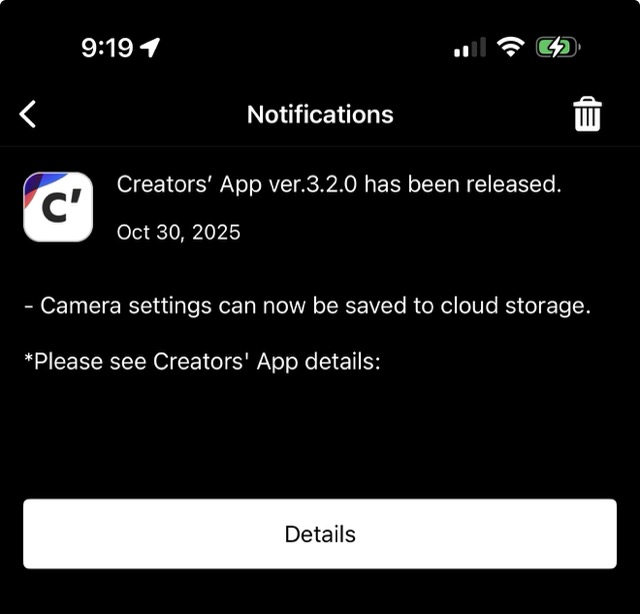
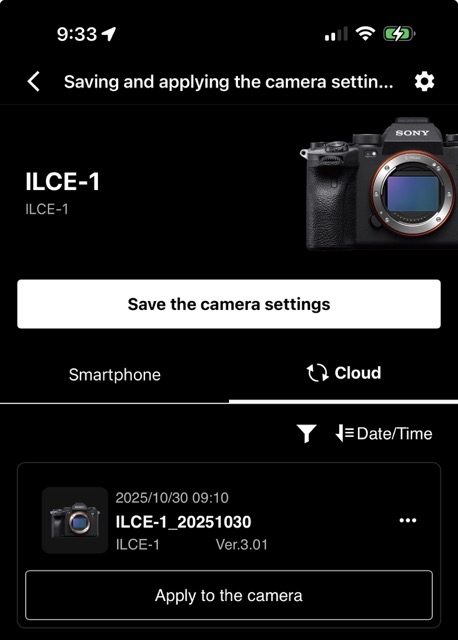
With the latest Sony Creators' App ver 3.2.0, we can now save camera settings to our Sony cloud account through the app when connected to a compatible Sony camera. Likewise we can also load/apply the saved camera settings on our cloud account to our camera. Same as saving and loading settings to and from an SD or CFExpress card.
I'm testing this new feature now. Just a matter of followings instructions on the app.
p.1 #2 · New. Back up Sony camera settings to the cloud
I've tried it several times now with the A7iv. It simply doesn't work, neither via USB nor Bluetooth. In the end, I'm always prompted to insert a memory card, which is completely absurd if I select "Cloud" beforehand. Well, the app was never really good.
p.1 #3 · New. Back up Sony camera settings to the cloud
Nifty Fifty wrote:
I've tried it several times now with the A7iv. It simply doesn't work, neither via USB nor Bluetooth. In the end, I'm always prompted to insert a memory card, which is completely absurd if I select "Cloud" beforehand. Well, the app was never really good.
I was able to save a7M4 settings to the cloud. It took 3 or 4 tries to get logged in to my Sony account on my phone. That was the major hurdle. That app kept opening the sign-in page inside a mini app browser session which just would not authenticate. I could only get the sign-in to work when I used the full browser (firefox) on my android phone. After a couple go-rounds with the same password and MFA codes the sony app eventually displayed something to the effect of "signed in - continue with the app" and a "next" button.
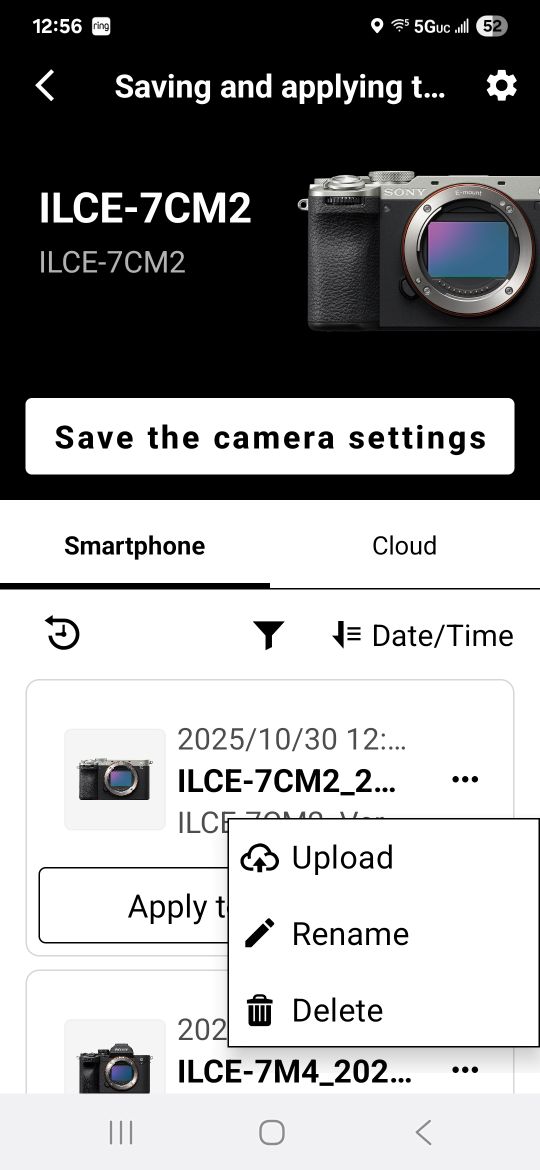
The first time you "save the camera settings" it apparently only saves to your phone. There's a stupidly placed button offered after you save the settings next to "OK" which you need to click to actually upload stuff to the cloud. The first time I just clicked "OK" like any sane person would have. If you miss that first opportunity to upload, you can do the upload from the "smartphone" tab by clicking the 3-dot menu and selecting "upload".
p.1 #5 · New. Back up Sony camera settings to the cloud
mogul wrote:
Nothing but problems. Looks as if they turned their interns loose.
For me. No problems whatsoever with the A1 and the iPhone. Seemed pretty straight forward to me. I do tend to use the Creators' app often and easy enough for me to remain logged into the app 24x7 on the iPhone, so maybe some familiarity with the app might have helped even though this was a brand new feature. I do like this surprise feature and happy to have it. IMO a backup to my backup. Makes a lot of sense to me.
p.1 #8 · New. Back up Sony camera settings to the cloud
Sony Engineers have definitely been out of step with the rest of the industry when it comes to producing software that is intuitive and actually works out of the gate. It seems only after tremendous feedback do they finally come around to what should have been the first iteration. Classic example is not doing camera firmware updates via the sd card for years. Only recently has that been available and only on new models. While I finally got their Creative App to work, IMO it's an odd approach to finally get photos from the camera to where you want them, while taking up too much time and effort in the process. JMTC
p.1 #9 · New. Back up Sony camera settings to the cloud
Well who knew about this! I will give this a go for a backup to my backup for the camera settings. I have had to use them a couple of times this year. Thanks!
p.1 #11 · New. Back up Sony camera settings to the cloud
kimmeisinger wrote:
Well who knew about this! I will give this a go for a backup to my backup for the camera settings. I have had to use them a couple of times this year. Thanks!
Seems like this one came out of nowhere. Ha Ha. I also find this "backup to my backup" feature very useful and frankly was super easy to enable with the Creators' app on the iPhone.