p.1 #1 · Is there an app for image borders and signature stamps?
I'm trying to break free from the Lightroom/photoshop subscription. I've come to prefer the way Capture One handles my images, but it lacks things like "canvas extension" and creating custom brushes to "stamp" images for signatures. I know Nik ColorEfx has an image border feature, but it doesn't do what I want.
Just wondering if anyone has found any apps that help them accomplish either of these tasks. I might be able to get away with the C1 watermarking tool, but the borders are another thing......Doesn't necessarily have to be an app that integrates with C1.
p.1 #2 · Is there an app for image borders and signature stamps?
I add image borders in DxO Photolab 9, but the borders are not a standard feature in PL9. The borders are added with the separate purchase of DxO FilmPack 7 (FilmPack integrates into PL).
FilmPack itself can be used as a standalone application. You can decide whether FilmPack offers the borders that you want - the app is free to try (I believe). In FilmPack, open a photo, go to Customize, then scroll down to Graphical Effects and scroll through the frames.
In DxO PL9 there is the "Instant Watermarking" tool that works with images or text. For more information on this tool, perhaps you can find a YouTube tutorial (I have not used it much, but I believe that this tool is quite flexible and customizable).
Regarding your experience "I've come to prefer the way Capture One handles my images" - this has been my experience as well. I should keep PL9 for specialized tasks, e.g. denoising then feeding the denoised dng files to Capture One (that doesn't have the same quality denoising as is available in PL9), but I do feel that Capture One allows me to do more than PL9 when correcting raw files, and that it has better color profiles than PL9 for conversion from raw. My latest favourite is Leaf LF5 Landscape.
p.1 #3 · Is there an app for image borders and signature stamps?
Thanks Dmitri. I tried the earliest version of DxO, but haven't revisited to see the improvements. I'll give it another try. I appreciate the feedback and yeah, C1 does have room for improvements, but for some reason it does a better job with DNG's, which is ironic since the DNG format was developed by Adobe. Anyway, I'll check back in when I've had a chance to play with PL9.
p.1 #4 · Is there an app for image borders and signature stamps?
Maybe kind of a "work around" but you can use the print function in C1 to create your borders and add your watermark/signature (and caption if you want). Then instead of printing it physically, open it as a pdf and then save it as a jpg. On Mac I bet there is a way to create a Shortcut or Automator task to make that last part happen in the background but I have not looked into it.
Alternatively, you can make your edits and then "Edit with" an app like Gimp, where you can easily create borders and add watermarks and a signature. Make sure you select "Edit with" rather than "Open with" because the latter will not transfer your edits, only the unprocessed raw file. And I'd suggest transferring a jpeg rather than tiff/psd just to speed things up and keep the file sizes smaller.
p.1 #6 · Is there an app for image borders and signature stamps?
jeffbuzz wrote:
Windows? Faststone viewer has bulk processing options to add watermarks and borders.
I don't trust the color management of Faststone.
I suspect that an image with embedded Adobe RGB or Display P3 profiles shall come out of Faststone as sRGB.
At least this is something that one may want to investigate (unless all jpegs are exported as sRGB anyways).
p.1 #7 · Is there an app for image borders and signature stamps?
ruthenium wrote:
I don't trust the color management of Faststone.
I suspect that an image with embedded Adobe RGB or Display P3 profiles shall come out of Faststone as sRGB.
At least this is something that one may want to investigate (unless all jpegs are exported as sRGB anyways).
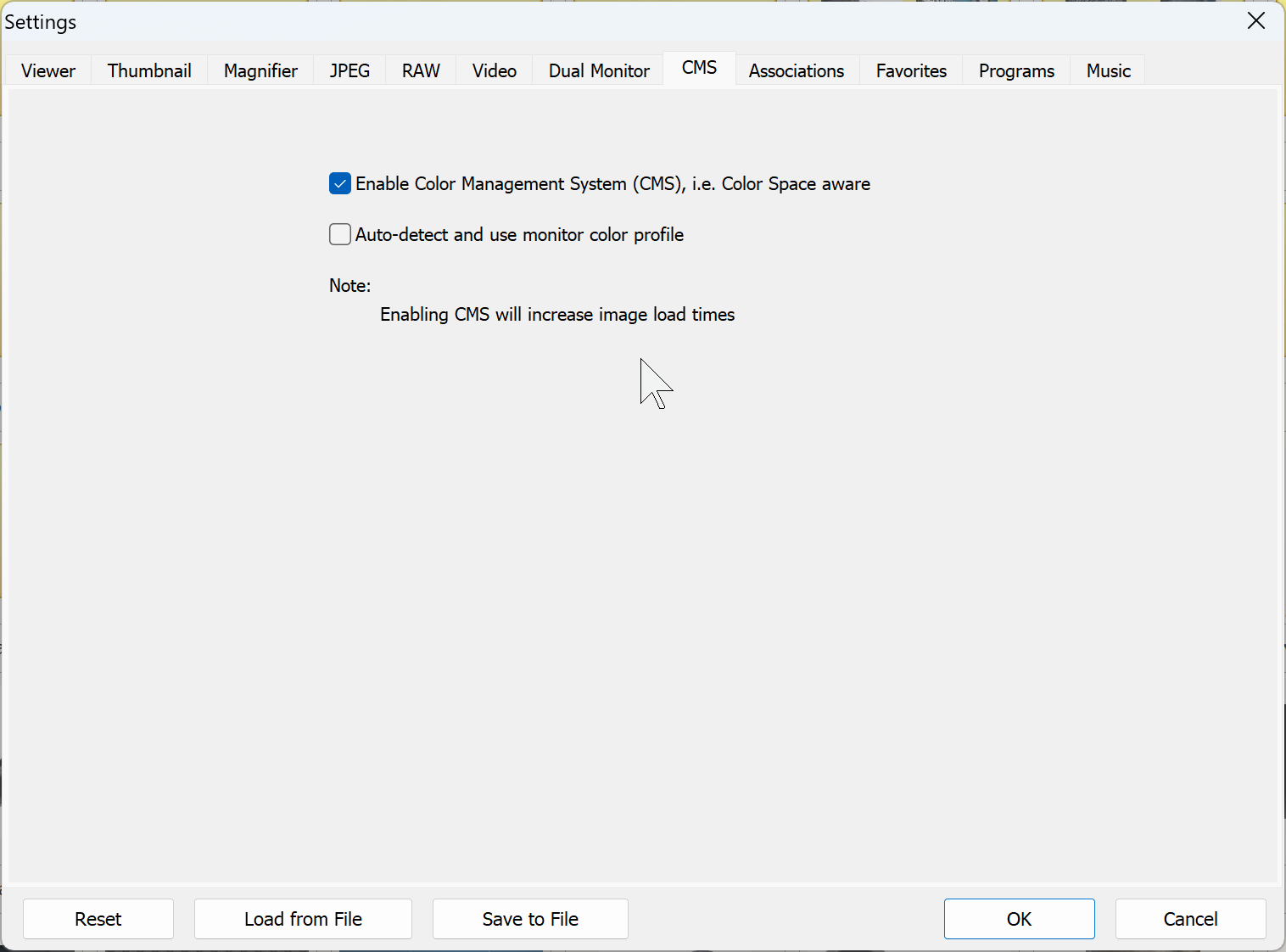
You need to enable CMS if you want Faststone to do it.
p.1 #8 · Is there an app for image borders and signature stamps?
jeffbuzz wrote:
You need to enable CMS if you want Faststone to do it.
I know this, and I believe this doesn't help Faststone to properly display Adobe RGB or Display P3 jpegs, other than as sRGB.
Furthermore, I don't remember seeing options for selecting a color profile when saving/exporting a jpeg in Faststone, such as "save as Adobe RGB" for example.
The information on Faststone is limited, and I admit that I might be prejudiced against this viewer, but I really don't trust Faststone with regard to color management.
See my earlier post on FM, and particularly question 2 in this post: https://www.fredmiranda.com/forum/topic/1837278