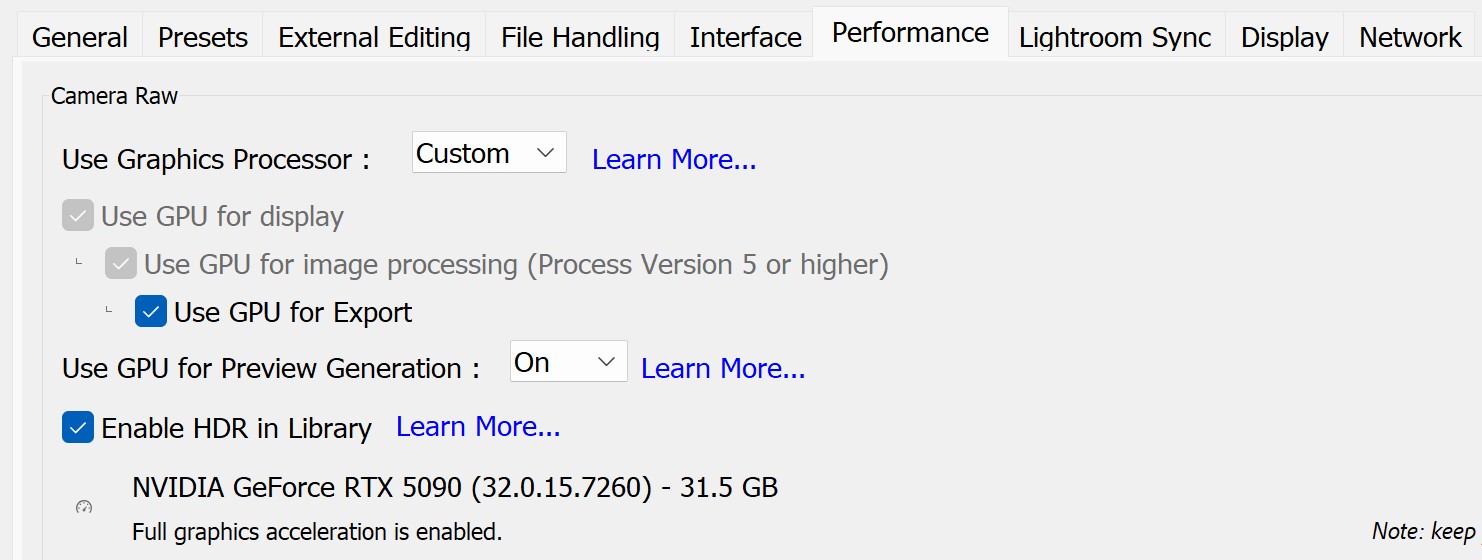
I see that LrC 14.5, that was released today, now is able to use the GPU for preview generation. I wanted to measure the improvement since my work flow involves lots of 1:1 previews. I selected 100 Sony A1M2 compressed RAW files, deleted the existing previews and then generated 1:1 previews. Results:
GPU On - 55 sec
GPU Off - 90 sec
GPU Auto - 55 sec.
This is using my laptop which has a 4090 laptop GPU with 15.5GB memory.
Adobe says this about Auto:
-------
Auto - This is the default and recommended option. Lightroom Classic will use a GPU for preview generation only if the following criteria are met:
GPU has 16 GB or more VRAM
GPU supports full acceleration by default
-------
I have 15.5GB but it seems that was close enough and LrC used the GPU in Auto.
Regardless, using the GPU makes a nice improvement in the rate of preview generation. I will check it on my desktop computer, which has a more powerful GPU, when I get back home, but it seems likely there will be a nice improvement.
dclark wrote:
I see that LrC 14.5, that was released today, now is able to use the GPU for preview generation. I wanted to measure the improvement since my work flow involves lots of 1:1 previews. I selected 100 Sony A1M2 compressed RAW files, deleted the existing previews and then generated 1:1 previews. Results:
GPU On - 55 sec
GPU Off - 90 sec
GPU Auto - 55 sec.
This is using my laptop which has a 4090 laptop GPU with 15.5GB memory.
Adobe says this about Auto:
-------
Auto - This is the default and recommended option. Lightroom Classic will use a GPU for preview generation only if the following criteria are met:
GPU has 16 GB or more VRAM
GPU supports full acceleration by default
-------
I have 15.5GB but it seems that was close enough and LrC used the GPU in Auto.
Regardless, using the GPU makes a nice improvement in the rate of preview generation. I will check it on my desktop computer, which has a more powerful GPU, when I get back home, but it seems likely there will be a nice improvement. ...Show more →
I'm just curious how speed scales to a real 5090 or even 5080. The GPU is normally not the only factor in image processing.
The CPU will still be used when generating previews, even when the GPU may be doing most of the work. Are you seeing no difference when you measure the rate of preview production with the GPU set to On and Off? Your GPU should show a significant decrease in the time to produce a batch of 1:1 previews.
dclark wrote:
The CPU will still be used when generating previews, even when the GPU may be doing most of the work. Are you seeing no difference when you measure the rate of preview production with the GPU set to On and Off? Your GPU should show a significant decrease in the time to produce a batch of 1:1 previews.
No change. ~46 seconds to build 554 smart previews either way
I watch the cpu / gpu temps and freq. The cpu ramps up to OC speeds immediately and the temps go from 60 to 95c. The gpu doesn't really move 35-36c
I checked the Nvidia driver and its up to date.
Ahh found something! It obviously doesn't work for 'smart previews' but I tested it with 1:1 previews and it does work
Results on creating 1:1 previews for 554 raw images (~25mb ea)
With gpu 72 seconds (RTX5090 w/32GB ram)
Only cpu 114 seconds (9950X3D running overclocked)
Interesting. So for an Apple Silicon reference point, I generated 1:1 previews of 100 Sony A1II files without and without the GPU acceleration. The files on average are about 112MB each.
Apple MacBook Pro, M4 Max with 12GB of RAM and 40 GPU cores
Without GPU acceleration it took on average 62s on multiple runs.
With GPU acceleration it it took on average 32s on multiple runs.
So nearly cut it in half. BTW, when running on CPU it pegs out all 16 cores. The GPU never hits full capacity which I thought was interesting.