p.1 #1 · I Get a Double Exposure in LR Classic Develop Mode
I am using Lightroom Classic v14.4, on 2021 build Wdo's 11 PC 3.6GHz, Intel I7 CPU, 64 Gb.
Catalogue contains 65K photos.
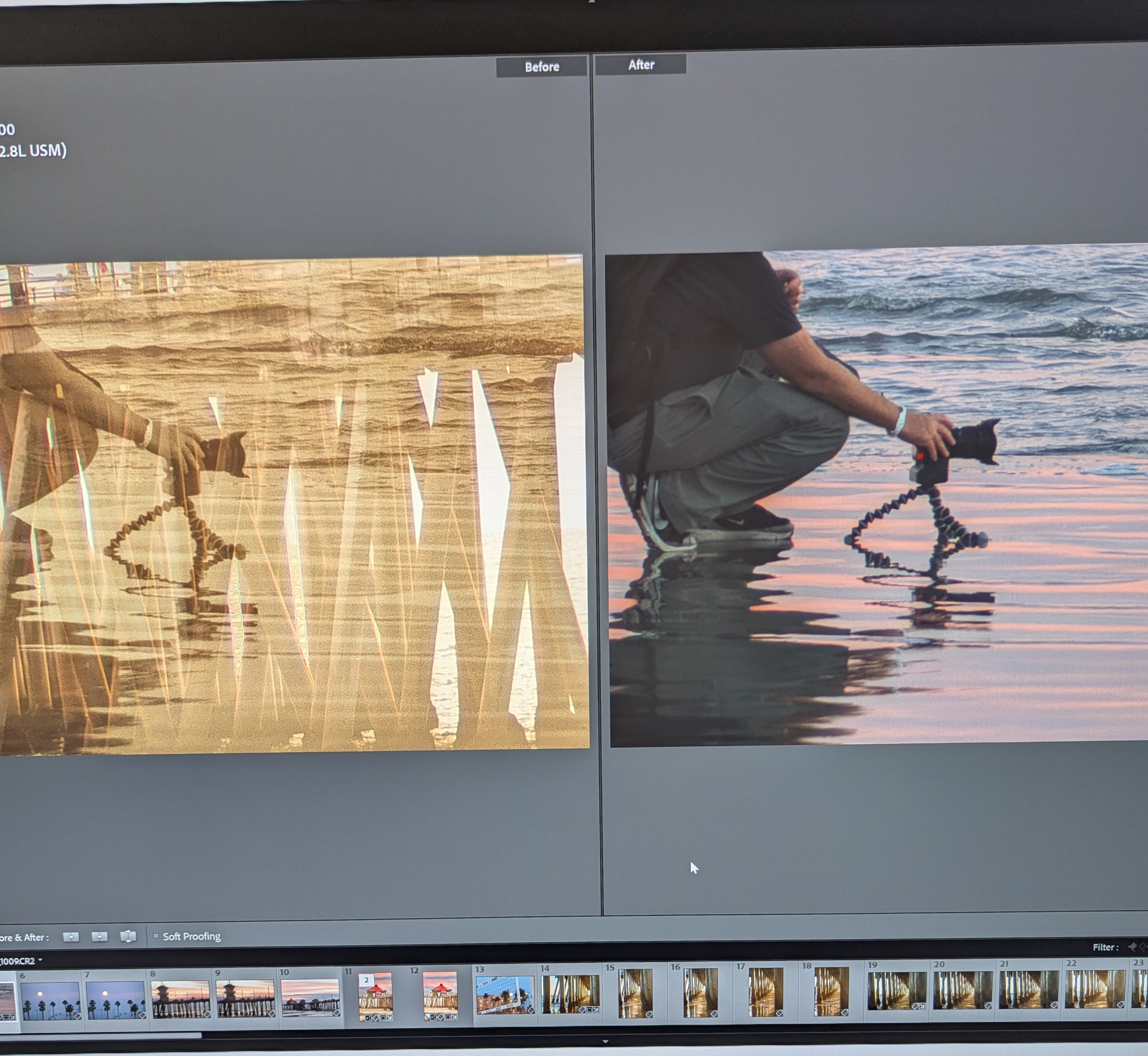
I'm having this issue when I'm editing in Develop Mode, and toggling between the Loupe view and "before/after" view, I get a double exposure of the picture file that I had previously edited, through the current file that I am working on. If I return to Grid Mode, the double exposure shows up, instead of the picture that I was processing. I hope I'm being clear enough here in my explanation.
Prev pic processed> Open new file> make adjustments>check before/after wdo = Double exposure of processed pic with new file.
It's kind of creative if I was intentionally doing it, but very disconcerting as that is not my goal. No substances in my system.
If I close LR, the file reverts to the original without the double exposure view.
p.1 #2 · I Get a Double Exposure in LR Classic Develop Mode
@Quicksetter1, In your screenshot above, what's the number "2" on photo 11 which seems to be the double exposure background (assuming that photo 5 is the one you are intending to work on)?
p.1 #3 · I Get a Double Exposure in LR Classic Develop Mode
The number "2" means there are two photos, or copies of same. Your keen eye is correct in that I am working on photo No. 5, as you can barely see on the left side of the filmstrip. Interesting that the background of the so-called double exposure is the No. 11 picture of the pier.