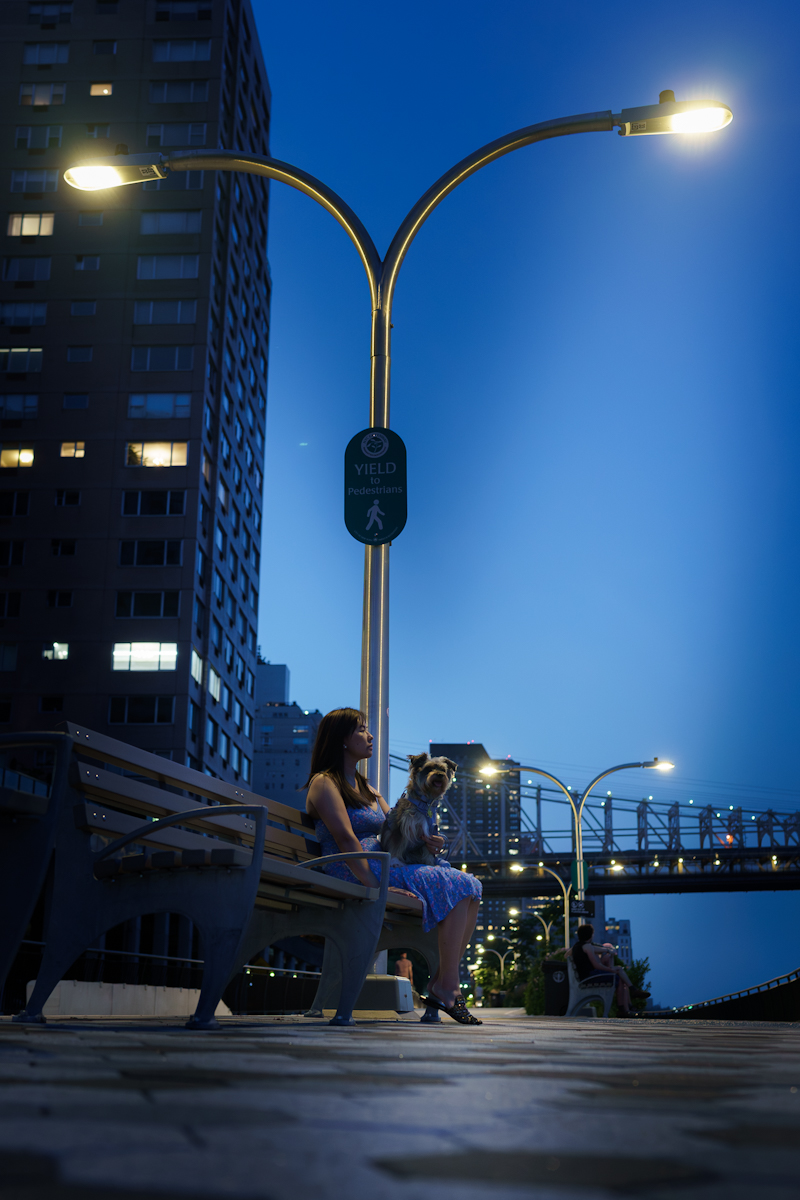
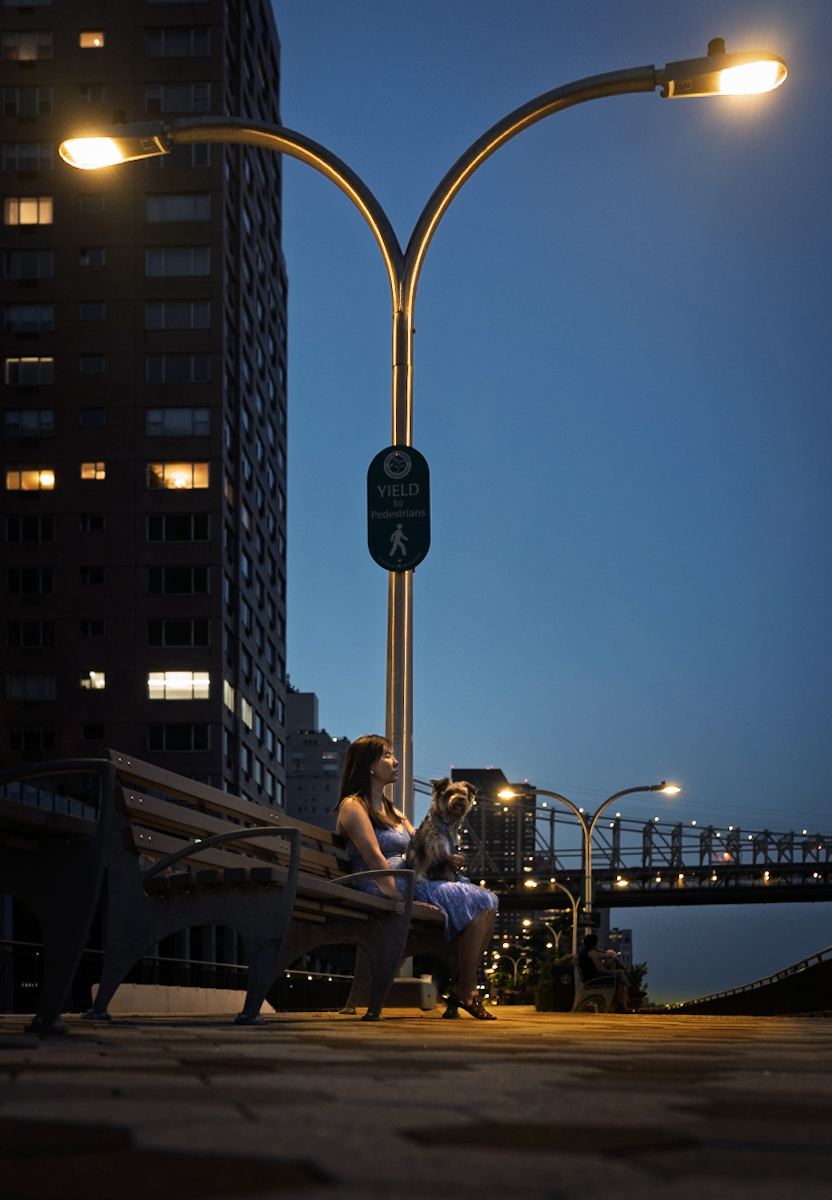
Hi all - getting back to photography after a long time. I gave up on DSLR’s about a decade ago, and now back with a Sony mirrorless system.
Would appreciate your thoughts on the below. I tried to create a moody low light image where it looks like the light is shining on my subjects. To be honest I don’t know what I am doing in Lightroom, work in progress I guess.
TranceparenT wrote:
Hi all - getting back to photography after a long time. I gave up on DSLR’s about a decade ago, and now back with a Sony mirrorless system.
Would appreciate your thoughts on the below. I tried to create a moody low light image where it looks like the light is shining on my subjects. To be honest I don’t know what I am doing in Lightroom, work in progress I guess.
Welcome to the Forum, TranceparenT.
Very nice capture! I like the the composition and the low angle you took this shot from. Good job handling the exposure as well.
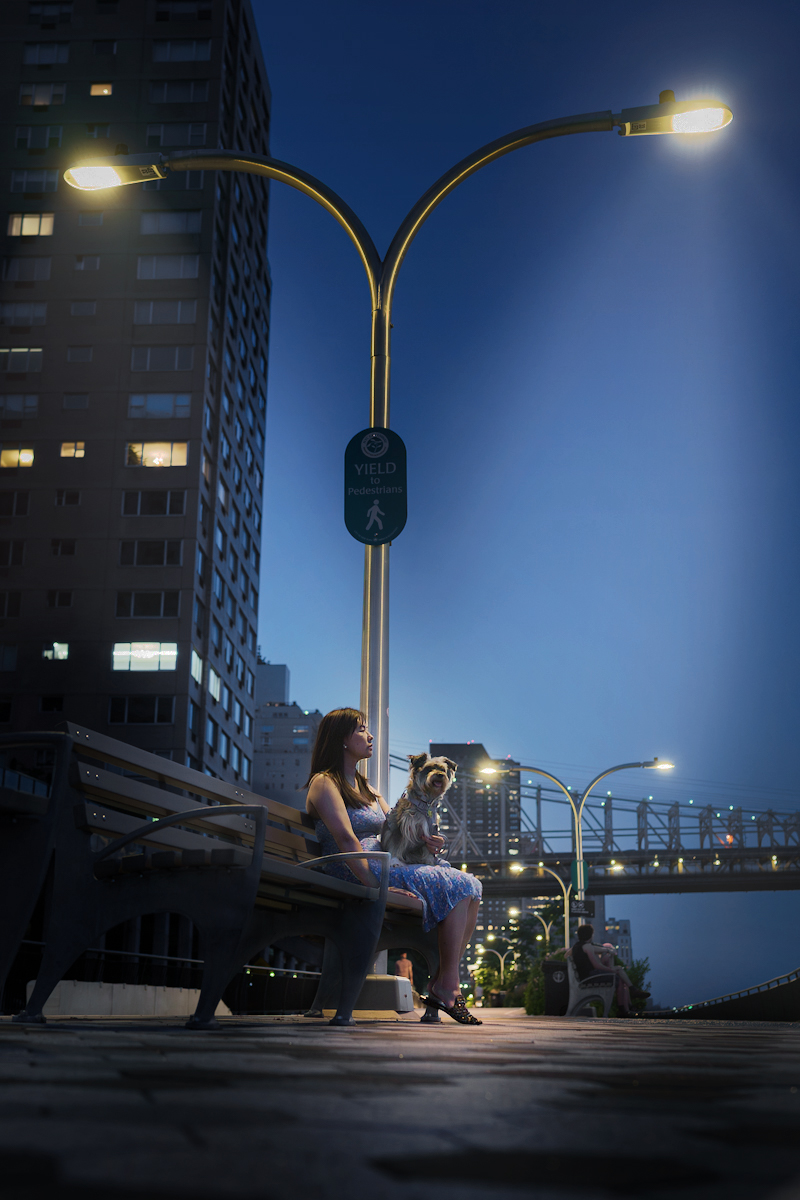
I believe you should aim your editing to make your subject, the lady with the dog, more prominent in brightness and contrast. As I see it on my monitor she looks on the dark side, especially compared to the bright pole lights. From what I can see she is not really under the light, so you need to use some artistic liberty to make the light shine on your subject.
I also believe the sky is too bright and too saturated for the time of the day..
So, my suggestions would be to brighten the subject, reduce the brightness of the light poles, darken and de-sat the sky.
The image needs also to be straightened as the building to the left feels like is leaning to the right, even though the light pole looks pretty straght.
You may also try to warm up the colors to make the image more inviting, but that is your choice.
Below a quick edit to visualize my suggestions, so you can make your own decisions.
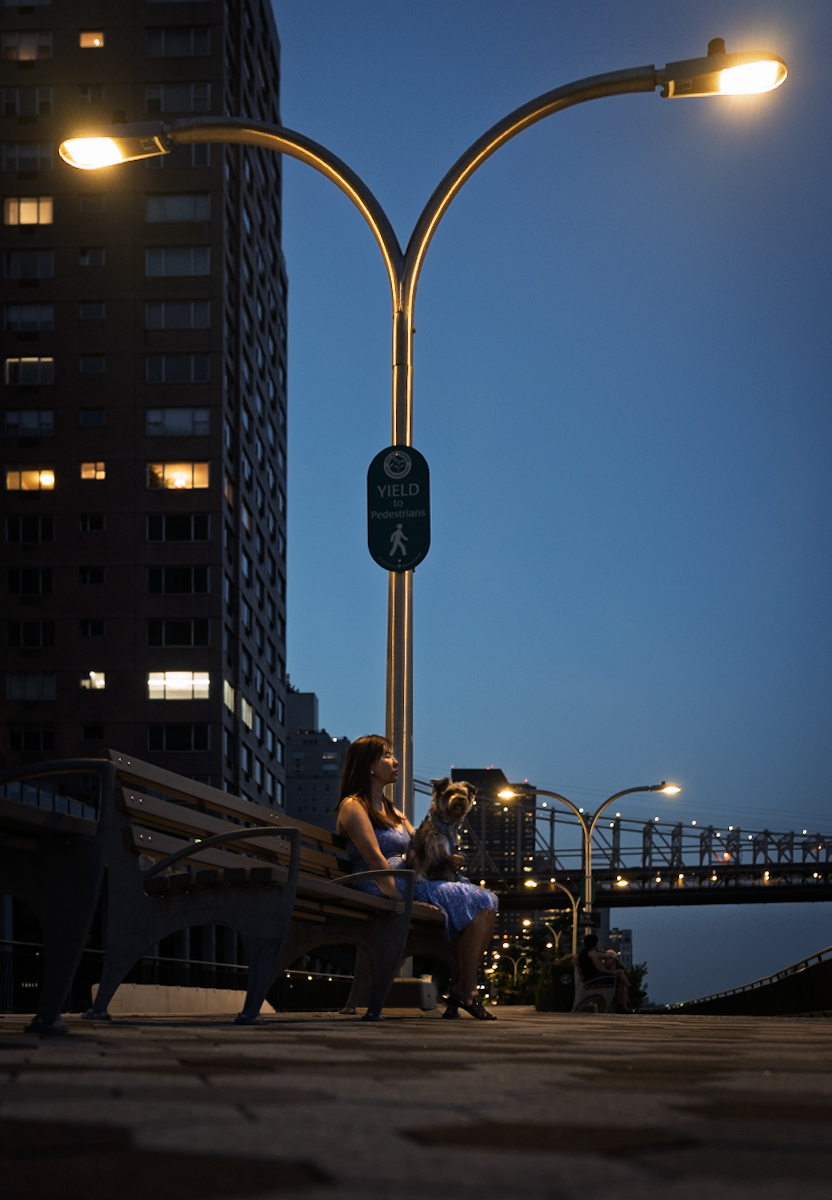
I think I understand your intent, and is a good idea. Possibly if shot from a lot farther away it would have been more of what you are wanting. I think the lighting takes over this image without much attention on the girl and dog. In my opinion this image as shot does not tell the story I think you want. I did a rework that I think helps the image, but is still not what you were looking for.
Keep in mind lights and light colors pull the viewers eyes. We would not want something in the photo that pull the viewers eyes away from what we would like the subject to be. We would want things to pull our eyes into or attract viewers attention, but not away from the subject. This is hard for me to explain so I hope this is a little helpful.
Thank you for the helpful inputs Shasoc and grandmas. I will try your points tonight when I get back to my computer. Super beneficial indeed, and helps me think as a photographer - What is the story, what are you trying to convey versus my current thinking of, "hey cool picture"!
I also appreciated the relative dominance of the light pole vs Lady and the Dog.
One question - I think I leveled the photo so that the light pole was vertical; however, the building in the back is bent due to perspective. Is there a trick to getting them both to look straight? When I tried to level, it was either the light pole, or the building (or the bridge) that was perfectly vertical (or horizontal).
You can use the perspective tool, but it throws the lights into a different place in the image. If you have more image on the left you can work with it in a new crop.
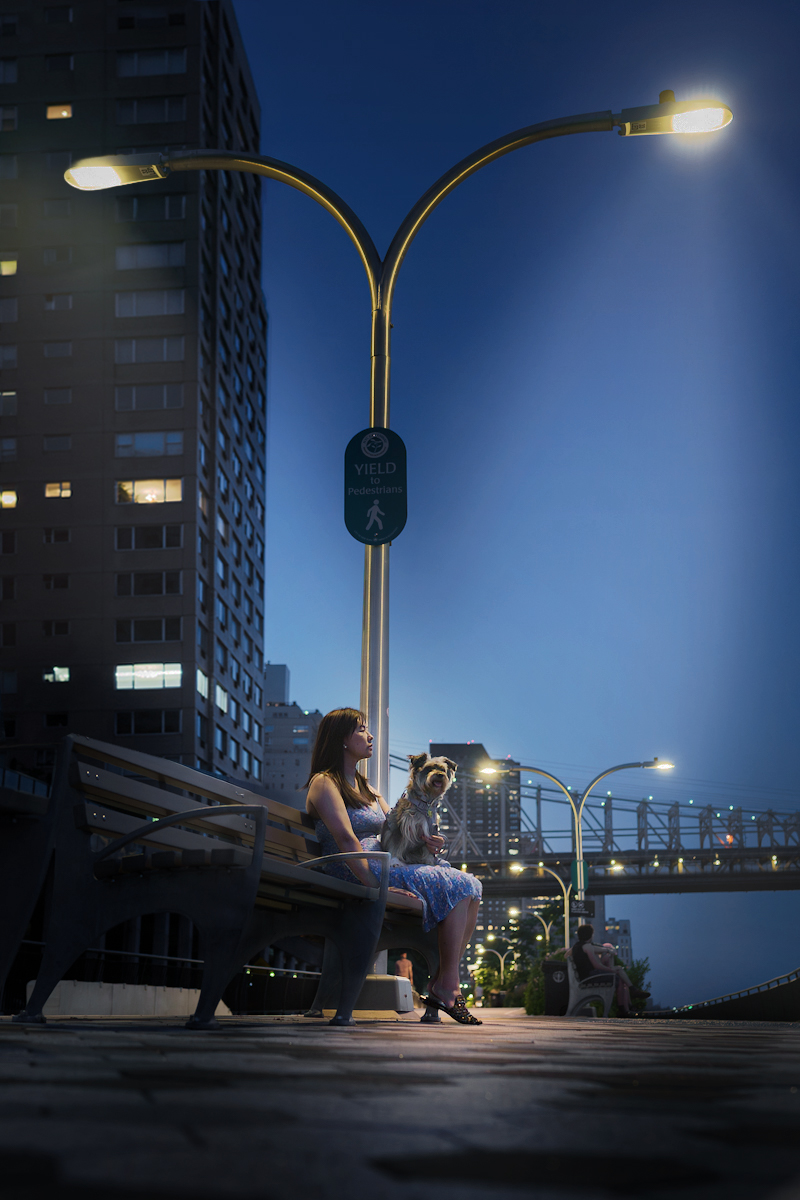
Here’s take 2 on the edit. I mainly focused on (1) lighting the subject by masking (2) perspective correction and (3) added a bit of warmth to the image
TranceparenT wrote:
Thank you for the helpful inputs Shasoc and grandmas. I will try your points tonight when I get back to my computer. Super beneficial indeed, and helps me think as a photographer - What is the story, what are you trying to convey versus my current thinking of, "hey cool picture"!
I also appreciated the relative dominance of the light pole vs Lady and the Dog.
One question - I think I leveled the photo so that the light pole was vertical; however, the building in the back is bent due to perspective. Is there a trick to getting them both to look straight? When I tried to level, it was either the light pole, or the building (or the bridge) that was perfectly vertical (or horizontal). ...Show more →
There is no way to straighten completely the building. You may be able to straighten the right side of the building, but the laft side will be leaning. In addition, the lamp in front of the building makes it even harder, because it will hand up distorted.
However, nowadays Photoshop offer endless editing possibilities to solve (almost) all the problems, including using AI and you can fix.
Here is one quick way to straighten the building, (it can be improved using the original image and dedicating more time) but it requires a good grab of PS. I don't believe it can be done in LR, but I am not versed in LR.
TranceparenT wrote:
Here’s take 2 on the edit. I mainly focused on (1) lighting the subject by masking (2) perspective correction and (3) added a bit of warmth to the image
I like it. This looks a lot better to my eyes and you did a great job straightening the building. It can be further improved by sharpening the subject and getting rid of some "dirt" on the lady's face.
In addition, to make it look more realistic you need to add some light reflecting on the pavement around your subject, because will give a better sense of the limelight.