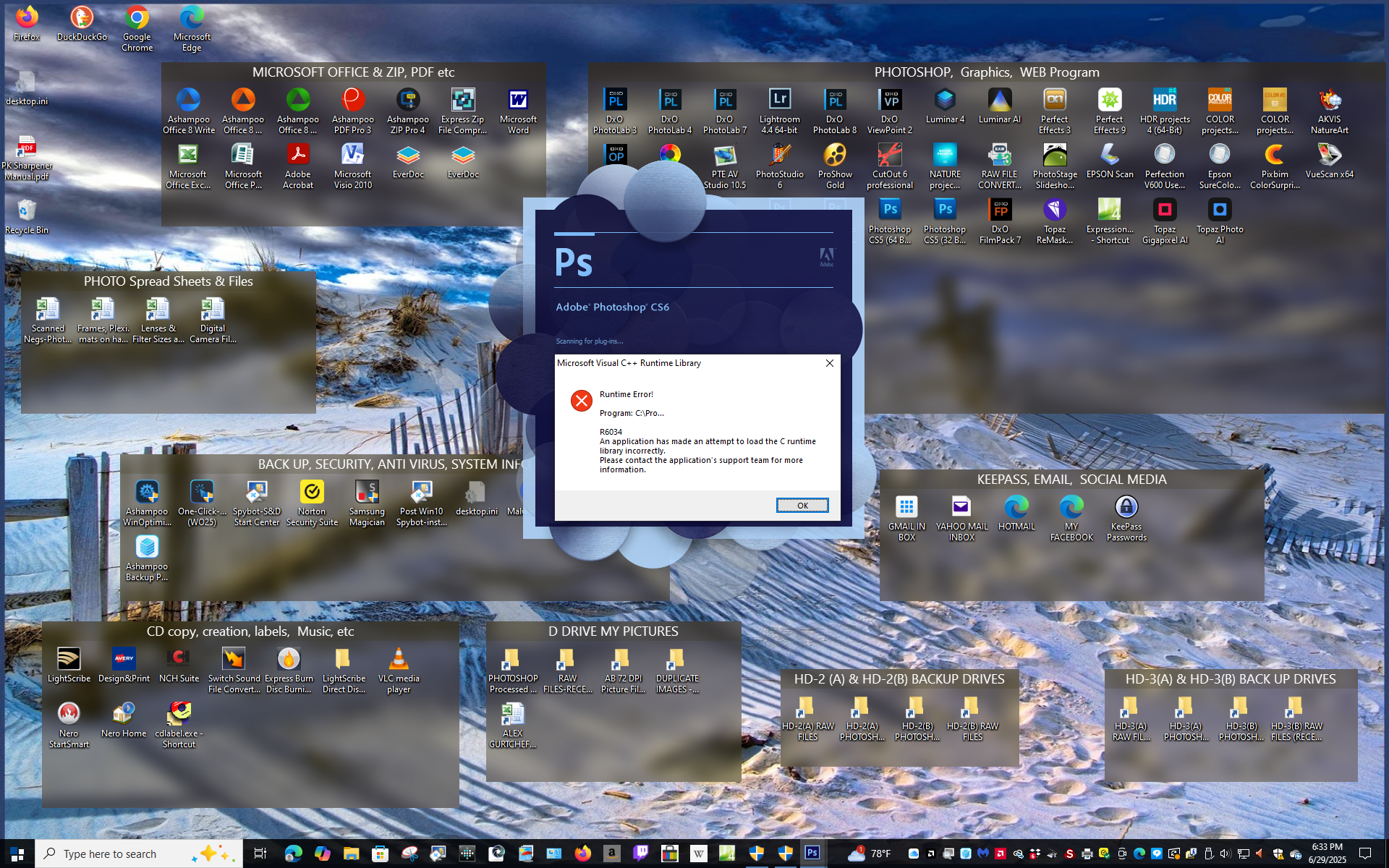
I do have Photoshop 2024 because I wanted to take advantage of some of the newer tools for restoring old images. But I hung onto Photoshop CS5 and CS6 ( both 32 Bit & 64 Bit Versions) mostly because of old Plug Ins, Actions, and Filters. Also When all is said and done I usually leave PS 2024 and finish the images off in CS 6 64 Bit because I am more familiar with it. I must have screwed something up because now CS6 is locking up my PC. CTR+ALT+DEL used to take me to Task Manager, and I would stop Photoshop. Now this does not stop anything and the only way I can get out is to reboot. I am attaching a Screen Shot: this is what I see when CS6 locks up. Sorry to say it may be true about teaching old dogs new tricks. (I am 88, bear with me).
This info is from the online AI bot.
Good ideas yet since AI is error prone, do not trust the info 100%
John Wheeler
This error message — “R6034: An application has made an attempt to load the C runtime library incorrectly” — is a Microsoft Visual C++ Runtime Library error. It usually happens because an application (in this case, Photoshop CS6) is trying to load a required C runtime DLL in a way that is incompatible or corrupted.
In practical terms, here’s what might cause this in Photoshop CS6:
? Missing or corrupted Visual C++ Redistributable runtime
? Conflicting DLLs in the PATH (e.g., third-party plugins or drivers)
? Broken Photoshop installation
? Corrupted system files
To fix it, try these steps in order:
1. Repair Visual C++ Redistributables
o Go to Control Panel > Programs > Programs and Features.
o Look for entries like:
* Microsoft Visual C++ 2005 Redistributable
* Microsoft Visual C++ 2008 Redistributable
* Microsoft Visual C++ 2010 Redistributable
o For each, select it and click Repair.
o If repairing fails, you can uninstall and then re-download fresh copies from Microsoft’s official website and reinstall them.
2. Check for conflicting third-party plugins
o If you recently installed any Photoshop plugins, try removing them temporarily to see if the error goes away.
3. Reinstall Photoshop CS6
o Sometimes its own runtime files are corrupted. Fully uninstall Photoshop CS6 and reinstall it.
4. Run Windows System File Checker
o Open a command prompt as Administrator and run:
bash
CopyEdit
sfc /scannow
This will repair missing or corrupted system files.
5. Check for path conflicts
o Rarely, other software (like printer drivers or older apps) places DLLs in C:WindowsSystem32 that conflict with Photoshop’s needs. If the problem started after installing other software, try removing that software to test.
With the ways and rates software, os’s, cpu’s, gpu’s and memory are changing and advancing, I’ve resigned myself to accepting subscriptions for my main imaging software and relegated myself to updating my hardware every 3rd or 4th generation improvement. I only wish the trade in value of Mac hardware better mirrored that of their phones.
dgurtch wrote:
John: When I go to Control Panel, the Microsoft Visual C++Redistributals only give me a choice of Deleting. No selection to "Update"
Dave
Taken from online as I am not a Windows user
That’s actually normal behavior. Let me explain:
✅ Microsoft Visual C++ Redistributables are system runtime libraries used by many Windows programs. They do not have a built-in update function themselves. Instead, they work like this:
Windows programs (or Windows Update) install the needed redistributable versions.
If you download a newer version (for example, the 2015–2022 redistributable package), it replaces or coexists with older versions, depending on compatibility.
That’s why the only option shown in Apps & Features is Uninstall (or Delete).
If you want to update them:
👉 You manually download and install the latest version from Microsoft.
Delete all the Visual C++ and reinstall from the redistributable downloads if the programs don't automatically ask for it. You may have to reinstall the Adobe.
In general it's a good idea to maintain backups of C: with something like Macrium, Acronis, etc. so that you can easily restore when something gets broken. Other than some versions of Visual C++ needing to be installed, I've not had any problems with them in well over a dozen years.