p.1 #1 · Does Your Thunderbolt 2 RAID Drive Work With Your M-chip Mac?
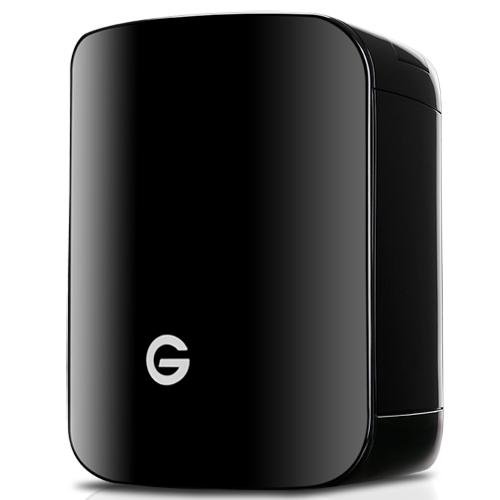
I bought the G-SPEED Studio (Thunderbolt 2) back when Apple was still using Intel chips. This 4-Bay array with 12 TB worked great and was a huge improvement over my previous workflow which involved a bunch of individual external drives.
When I bought my M1 MacBook Pro (2021), however, the G-SPEED never would mount to the new Mac even with the OEM adapter to go from Thunderbolt 2 to 3. I talked to Apple and they were no help. I tried to reach out to the G-Tech team but since they have since been acquired by Western Digital, they offered no assistance. I found people discussing this online and some offered the solution of installing a Pegasus driver but that didn't work either.
Has anybody here managed to use their Thunderbolt 2-era RAID drive, like a G-SPEED, with an M-chip Mac? If so, I would love to here how you made it work since my G-Speed is currently unusable unless I keep an old Intel Mac around.
p.1 #2 · Does Your Thunderbolt 2 RAID Drive Work With Your M-chip Mac?
I migrated from a 2013 Mac Pro to a Mac mini M4 Pro several months ago. I had two Thunderbolt 2 external hard drive arrays which I utilized with the Mac Pro. One was an OWC 4 bay drive for which each drive was used as a type of backup (not RAID) and the other was a Promise Technology Pegasus 4 bay drive in a RAID format using their proprietary software. I purchased a Mac Thunderbolt 2 to 4 connector cable for each hard drive box. The OWC connected to the M4 Mac without any issues. The Pegasus RAID drive required installation of the latest Promise Technology software applicable to the Pegasus system. Successfully connected to the Mac M4. Subsequently both have operated without incident.
My suggestion would be to pose your question/issue on the Mac Communities help forum on the Apple website support section. Someone always seems to have encountered a similar situation and can provide an answer. The Mac Communities forums have always been an excellent resource for all things Mac or iPhone.
Hopefully you will find a solution soon.
p.1 #3 · Does Your Thunderbolt 2 RAID Drive Work With Your M-chip Mac?
Thank you for taking the time to reply! I tried some follow up suggestions I found online awhile back with no success. Based on the knowledge that you sorted it out, I decided to try again, found a video showing exactly which Pegasus driver to install and it actually worked this time! I'm thrilled to be able to access my old photo libraries on a newer Mac. Thanks again!
p.1 #5 · Does Your Thunderbolt 2 RAID Drive Work With Your M-chip Mac?
aryaah wrote:
I migrated from a 2013 Mac Pro to a Mac mini M4 Pro several months ago. I had two Thunderbolt 2 external hard drive arrays which I utilized with the Mac Pro. One was an OWC 4 bay drive for which each drive was used as a type of backup (not RAID) and the other was a Promise Technology Pegasus 4 bay drive in a RAID format using their proprietary software. I purchased a Mac Thunderbolt 2 to 4 connector cable for each hard drive box. The OWC connected to the M4 Mac without any issues. The Pegasus RAID drive required installation of the latest Promise Technology software applicable to the Pegasus system. Successfully connected to the Mac M4. Subsequently both have operated without incident.
My suggestion would be to pose your question/issue on the Mac Communities help forum on the Apple website support section. Someone always seems to have encountered a similar situation and can provide an answer. The Mac Communities forums have always been an excellent resource for all things Mac or iPhone.
Hopefully you will find a solution soon. ...Show more →
Thanks, good to know that the Pegasus driver works with the M4, I have 3 Pegasus drives that are still working great on my Intel Mac's. Starting to study the move to Apple Silicon, so if they will still work it will save me a lot of expense. One drive is my main photo storage and the other two serve as backups using Chronosync to alternate.