p.5 #1 · New Apple Studio Machines-Which one for LR/Photoshop with Sony A7RV?
A thought provoking look at SSD speeds for LRC:
This guy, ArtIsRight, is terrific BTW. Thanks to whoever first posted his site.
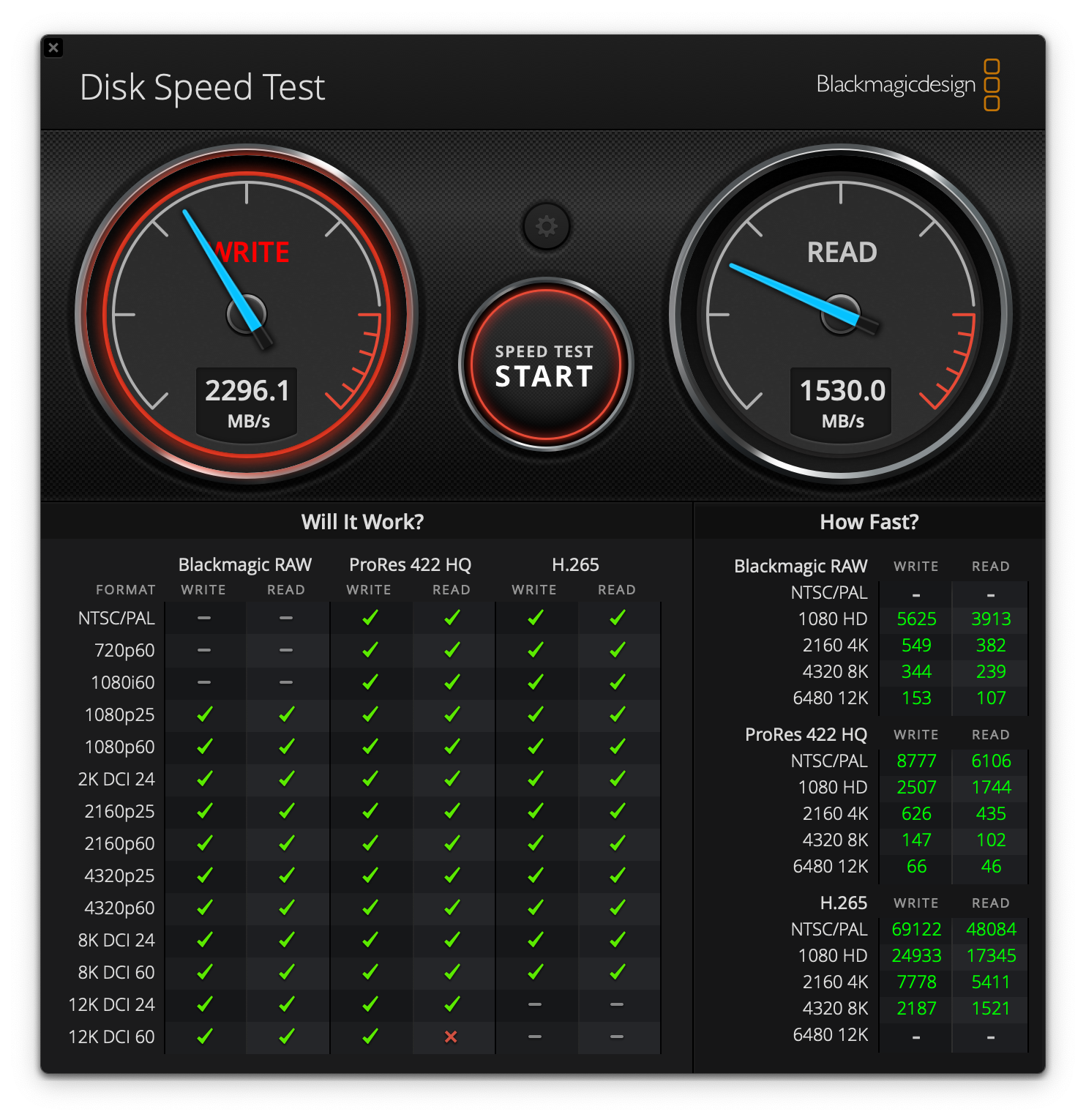
Basically, he shows that 140Mb/sec tops is all that is needed when processing files with LRC. Faster SSDs give you theoretically better import speeds for batch processing, but then you are limited by the read speed of the memory card you are using in the camera -- typically much less than 140Mb/sec.
That does look like a case of whatever is faster is not necessarily better. How does that compare with actual experience using faster SSDs?
p.5 #3 · New Apple Studio Machines-Which one for LR/Photoshop with Sony A7RV?
rob_ww wrote:
A thought provoking look at SSD speeds for LRC:
This guy, ArtIsRight, is terrific BTW. Thanks to whoever first posted his site.
Basically, he shows that 140Mb/sec tops is all that is needed when processing files with LRC. Faster SSDs give you theoretically better import speeds for batch processing, but then you are limited by the read speed of the memory card you are using in the camera -- typically much less than 140Mb/sec.
That does look like a case of whatever is faster is not necessarily better.
For me it's not about the camera itself it's about the downloading speed from card to computer and exactly why I use the Type A cards . I need that download speed to start processing by the thousands so the faster it gets to my computer the better and make money faster getting them up in Smugmug and sell. I do and can work right off my TB5 enclosure as well as it is as fast as my internal. So I basically have 4tb drive that can fly. Why I only went with a 1TB internal drive otherwise your supporting Apples bank for a 1200 dollar 4tb drive. Mine was 500 so you save 700 bucks with the External
Both the Studio and Mac M4 Mini Pro version have TB 5 ports so either system you can go fast as heck with externals. Many folks wit the basic Mac mini are using externals as there internal drive .
p.5 #6 · New Apple Studio Machines-Which one for LR/Photoshop with Sony A7RV?
So here is the thread I wrote on all of this and it may help with either system you may decide to go with but has a lot of info and comments in it. Might be worth a read. I did my homework and willing to share with members
p.5 #7 · New Apple Studio Machines-Which one for LR/Photoshop with Sony A7RV?
jhapeman wrote:
It's not my code/app so I can't comment on that. I use Helicon Focus. They have to recompile almost every time Apple releases a MacOS update to make it work correctly with OpenCL. Myself and others have asked them about a native Metal version but they seem to not have that in the plans. They are located in Ukraine so I cut them some slack.
As for the "no M4 Ultra" they all said that about the M3 as well. The die X-rays showed no fusion connector there either. I think Apple can slap these things together in custom formats. For example the M3 also didn't have TB5 and now it does. ...Show more →
Thank you for taking the time to reply so quickly. That all makes good sense (and I’m interested to hear what you say about the M3.)
p.5 #11 · New Apple Studio Machines-Which one for LR/Photoshop with Sony A7RV?
After watching Art is Right video tests and other research, I ordered the M4Max Studio which will arrive next week. Of the various trade-offs and performance requirements, it seems to offer the best balance of price vs value. Unless size is an issue, e.g. for portability.
Has anyone taken delivery of their new Mac Studio yet and can report back on their personal experience vs the online info?
p.5 #12 · New Apple Studio Machines-Which one for LR/Photoshop with Sony A7RV?
rob_ww wrote:
After watching Art is Right video tests and other research, I ordered the M4Max Studio which will arrive next week. Of the various trade-offs and performance requirements, it seems to offer the best balance of price vs value. Unless size is an issue, e.g. for portability.
Has anyone taken delivery of their new Mac Studio yet and can report back on their personal experience vs the online info?
M4Max seems like the sensible choice for hobby photographers who don't do video or batch exports. The gains even compared to my now old M1Max are marginal in tasks like AI Denoise, AI Masking and panorama stitching - for me at least. I'll be happy with this machine for the foreseeable future
p.5 #13 · New Apple Studio Machines-Which one for LR/Photoshop with Sony A7RV?
jj1804 wrote:
M4Max seems like the sensible choice for hobby photographers who don't do video or batch exports. The gains even compared to my now old M1Max are marginal in tasks like AI Denoise, AI Masking and panorama stitching - for me at least. I'll be happy with this machine for the foreseeable future
Virtually all “hobby photographers” and others doing similar work should really look at the mini M4 Pro (or in many cases, a lesser mini) for their needs.
I’m way beyond “hobby photographers” and I have one that is handling my Bridge/ACR/Photoshop workflow wiht aplomb.
I think there are a few issues here that prevent people from looking at this more rationally:
- Until a few years back, the mini models were grossly underpowered for the needs of photographers. I owned one of the older Intel processor models that we used for a file server, and it could barely do anything more challenging than that. This began to change with the introduction of M1 versions, which were quite good for typical computer use. The new M4 machines are surprisingly powerful and are viable for most users, with the M4 Pro version providing performance in at least the class of the recent Studio models.
- Many fear getting an underpowered computer, and thus over-spec (often drastically) the new machines they buy. Fear drives a lot of over-spec computer sales. We’ve all been there, especially in the past when average, much less low end, computers often were underpowered for all but the most basic tasks. It took me until the last decade to finally realize that we no longer need top-spec computers to do typical photography work.
The Studio will be right for some of you, and it is a high-performing and well-designed system. But this is also try of the well-equipped mini.
p.5 #15 · New Apple Studio Machines-Which one for LR/Photoshop with Sony A7RV?
I constantly use the SD card reader on my MacBook Pro, so that's something I'd miss. But sure, there are ways around that and the Studio is probably overkill for most hobbyists. When you spec the mini with 64GB RAM and 2TB SSD you're already at the price of the baseline Studio. That's the apple ladder - trying to upsell you. Funny how human brains work. Good for you if you got over that
p.5 #16 · New Apple Studio Machines-Which one for LR/Photoshop with Sony A7RV?
jj1804 wrote:
I constantly use the SD card reader on my MacBook Pro, so that's something I'd miss. But sure, there are ways around that and the Studio is probably overkill for most hobbyists. When you spec the mini with 64GB RAM and 2TB SSD you're already at the price of the baseline Studio. That's the apple ladder - trying to upsell you. Funny how human brains work. Good for you if you got over that
My studio SD reader recognizes a card about 50% of the time I stick on in despite "clicking" it into place. It's no better than any cheap USB add on.
p.5 #17 · New Apple Studio Machines-Which one for LR/Photoshop with Sony A7RV?
gdanmitchell wrote:
Virtually all “hobby photographers” and others doing similar work should really look at the mini M4 Pro (or in many cases, a lesser mini) for their needs.
I’m way beyond “hobby photographers” and I have one that is handling my Bridge/ACR/Photoshop workflow wiht aplomb.
I think there are a few issues here that prevent people from looking at this more rationally:
- Until a few years back, the mini models were grossly underpowered for the needs of photographers. I owned one of the older Intel processor models that we used for a file server, and it could barely do anything more challenging than that. This began to change with the introduction of M1 versions, which were quite good for typical computer use. The new M4 machines are surprisingly powerful and are viable for most users, with the M4 Pro version providing performance in at least the class of the recent Studio models.
- Many fear getting an underpowered computer, and thus over-spec (often drastically) the new machines they buy. Fear drives a lot of over-spec computer sales. We’ve all been there, especially in the past when average, much less low end, computers often were underpowered for all but the most basic tasks. It took me until the last decade to finally realize that we no longer need top-spec computers to do typical photography work.
The Studio will be right for some of you, and it is a high-performing and well-designed system. But this is also try of the well-equipped mini....Show more →
Maybe your configuration expertise is lacking in that regard, the higher end 2018 models were great performers in their day and performed well for the then-current Adobe products.
If you're not distorting reality, maybe distorting history to prove your point. Thanks professor!
p.5 #18 · New Apple Studio Machines-Which one for LR/Photoshop with Sony A7RV?
jj1804 wrote:
M4Max seems like the sensible choice for hobby photographers who don't do video or batch exports. The gains even compared to my now old M1Max are marginal in tasks like AI Denoise, AI Masking and panorama stitching - for me at least. I'll be happy with this machine for the foreseeable future
This is 100% the case. If you do a lot of high-resolution video, the Ultra is a no-brainer for the extra GPU cores and double the number of video encoders. For photography the Ultra only matters if you are doing large batch processing of many hundreds of files simultaneously, where the extra cores (both CPU and GPU) will make a real difference.
I ordered an Ultra only because it will be used for focus stacking in our office, where we are often exporting hundreds of files to TIFF images and then stacking them. Even crippled by having to use OpenCL vs Metal, the Apple Silicon machines outperform the Nvidia RTX 40x0 series because of the unified memory.
If I was ordering one right now for general photography use, even some high-end editing, I'd get a 64GB M4 Max as that will cover 99% of what the typical photographer will do with ease.
p.5 #19 · New Apple Studio Machines-Which one for LR/Photoshop with Sony A7RV?
rob_ww wrote:
A thought provoking look at SSD speeds for LRC:
This guy, ArtIsRight, is terrific BTW. Thanks to whoever first posted his site.
Basically, he shows that 140Mb/sec tops is all that is needed when processing files with LRC. Faster SSDs give you theoretically better import speeds for batch processing, but then you are limited by the read speed of the memory card you are using in the camera -- typically much less than 140Mb/sec.
That does look like a case of whatever is faster is not necessarily better. How does that compare with actual experience using faster SSDs?
I mostly love Art's reviews but this is a rare case where I would strongly disagree with him. I'd consider what he says a *minimum* speed. You definitely don't need Thunderbolt 5 speeds, but a solid TB3/4 or USB4 drive is the smart way to go. Not only are they really quite cheap--you don't save much by going down to the slower drives--they also future-proof you for speed.
If you use older SD cards, his argument might apply but anyone using either CFExpress Type A or Type B cards can download files vastly faster than the 140Mb/sec Art is suggesting. With newer PCIe 4.0 CFe Type A cards and a Thunderbolt 4 external drive, I can download files extremely fast now. When I get back from a day of shooting and have 10,000 or more files to download that makes a big difference.
p.5 #20 · New Apple Studio Machines-Which one for LR/Photoshop with Sony A7RV?
Yes I got a Mac Studio M4 Max last week to replace my 2019 iMac all in one Not really had a chance to put it through it's paces but I did think long and hard about the Mini In the end I went for the Studio for the connectivity and it might sound silly but I use external desktop speakers and I didn't want the headphone jack permanently sticking out the front of the Mini
I overspecced my last iMac 5yrs ago but it had been struggling with upsampling lately and of course it would soon be no longer supported . So I think you have to allow some headroom for future requirements to avoid having to upgrade again in 2 or 3yrs