The stars were right this weekend. Not just in terms of the moon phase/position, but that it landed on a weekend when I could go both days.
Saturday, I went up with my wide angle lens mounted. I had my standard zoom in my pack, but I wasn't going to try swapping lenses given the conditions. Very, very windy. As it was, I had to patrol the lake back and forth a few times, because the wind blew my lens cap about 200m away.
After looking at how they came out, I saw other things I wanted to try. (Who among us hasn't looked at a shot that we thought would come out nice and started nitpicking it?) The moon was still going to be aligned Sunday morning, albeit the time would hit a tad later. I swapped out to my standard zoom while at home and use that for this attempt. Wanted to get closer to the mountains and the moon. In this case, the blue hour light started creeping in when the moon was losing visibility. It was still very windy, but at least this time just on the lake itself rather than up the entire trail.
I hung around on Saturday for sunrise, though I had to pace back and forth on the trail below the lake for over an hour to stay warm. Ironically it was one of the worst sunrises I've had here; heavy haze out east really diffused the light and color. Yesterday I saw that the haze was still there and didn't stay for it.
C&C welcome! I kept trying to find an ideal foreground, but never hit something that I was totally pleased with.
Goodonya for getting up and out in those conditions! Thanks for sharing the back story and the progression of images. I like them all for different reasons, but not a fan of lens flare so I would clean those up in the first set. The last one is my favorite.
Jim Dockery wrote:
Goodonya for getting up and out in those conditions! Thanks for sharing the back story and the progression of images. I like them all for different reasons, but not a fan of lens flare so I would clean those up in the first set. The last one is my favorite.
Thanks! What method do you use for cleaning up the larger lens flares like that? I currently use DxO Photolab for processing, and the repair/clone stamp works fine for smaller areas, but those flares were on the large side.
Side note, I've been working my way through the book you recommended (Photography And The Art of Seeing by Freeman Patterson) and really liking it.
Rat, no perfect easy answer for the large flares. I use PS, so first try a healing brush, next would be to select and generative fill, if that didn't work I've had some luck with a photo filter adjustment layer of the opposite color that is applied just to the flare - far from perfect, but can reduce it so it doesn't stand out as much. If none of that works, and I can't crop it out leaving a good image, I move on and leave it for the next generation of tools!
The Rat wrote:
The stars were right this weekend. Not just in terms of the moon phase/position, but that it landed on a weekend when I could go both days.
Saturday, I went up with my wide angle lens mounted. I had my standard zoom in my pack, but I wasn't going to try swapping lenses given the conditions. Very, very windy. As it was, I had to patrol the lake back and forth a few times, because the wind blew my lens cap about 200m away.
After looking at how they came out, I saw other things I wanted to try. (Who among us hasn't looked at a shot that we thought would come out nice and started nitpicking it?) The moon was still going to be aligned Sunday morning, albeit the time would hit a tad later. I swapped out to my standard zoom while at home and use that for this attempt. Wanted to get closer to the mountains and the moon. In this case, the blue hour light started creeping in when the moon was losing visibility. It was still very windy, but at least this time just on the lake itself rather than up the entire trail.
I hung around on Saturday for sunrise, though I had to pace back and forth on the trail below the lake for over an hour to stay warm. Ironically it was one of the worst sunrises I've had here; heavy haze out east really diffused the light and color. Yesterday I saw that the haze was still there and didn't stay for it.
C&C welcome! I kept trying to find an ideal foreground, but never hit something that I was totally pleased with....Show more →
Nice series in some very difficult shooting conditions -- #2 is my favorite and the last one is very close to that.
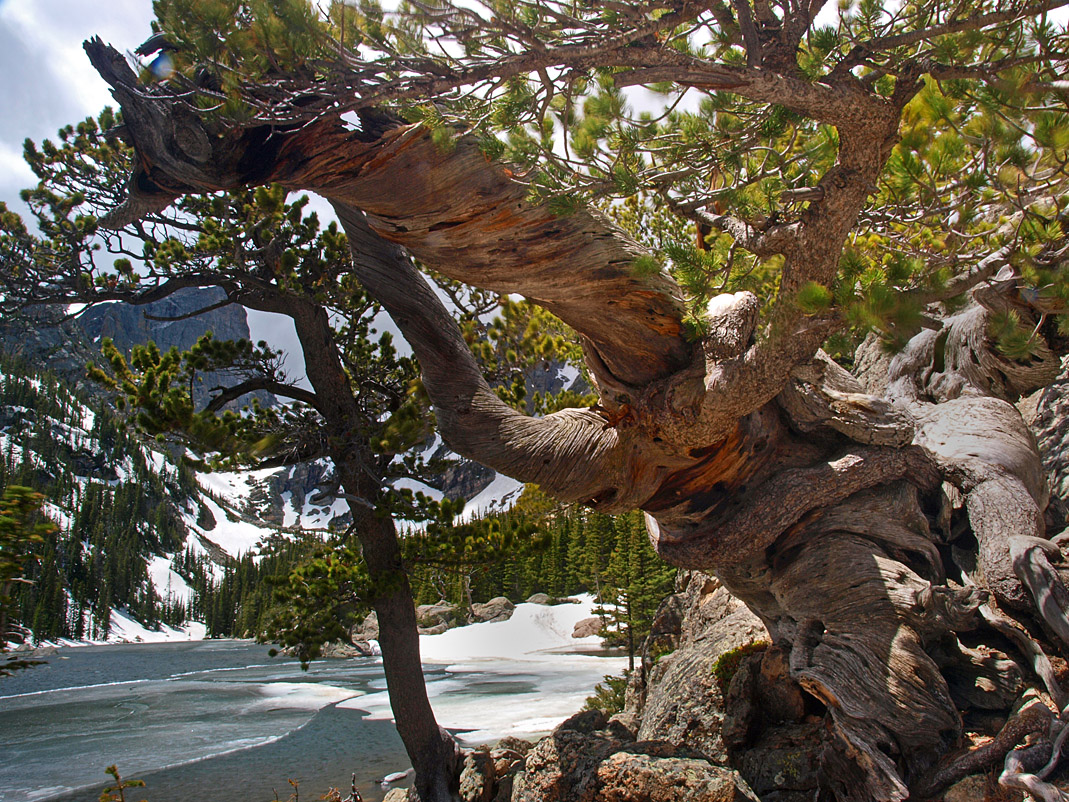
It's been 13 yrs. since I was at Dream Lake, and got the attached 'Twisty Tree' shot. You had to have been seriously cold taking these photographs -- I was cold and the sun was out!
Jim Dockery wrote:
Rat, no perfect easy answer for the large flares. I use PS, so first try a healing brush, next would be to select and generative fill, if that didn't work I've had some luck with a photo filter adjustment layer of the opposite color that is applied just to the flare - far from perfect, but can reduce it so it doesn't stand out as much. If none of that works, and I can't crop it out leaving a good image, I move on and leave it for the next generation of tools!
Gotcha, thanks! I'll have to play around with it. Would like to get one of these printed and on my wall, and I want to make sure I tweak it before that happens.
gmccroskery wrote:
Nice series in some very difficult shooting conditions -- #2 is my favorite and the last one is very close to that.
It's been 13 yrs. since I was at Dream Lake, and got the attached 'Twisty Tree' shot. You had to have been seriously cold taking these photographs -- I was cold and the sun was out!
Greg
Love the shot! I have maneuvered around that tree from time to time.
Al Trujillo wrote:
I’ve been cold there in June! We should pin a medal on your chest for getting these shots!!
It was certainly cold! Was in the teens and winds gusting pretty hard. Thankfully had appropriate clothing for it, though after an hour of being on the ice and in the wind, I was very ready to get moving and warm up again.
I'm usually not a fan of lens flare, but the atmospherics you got in the 1st series are fantastic. I'd like to see what you get with reducing the lens flare as per Jim Dockery.
Had a spare moment tonight, so I tried to work on those lens flares. Here's the results. The first one felt clumsier than the others, due to the flares themselves being bigger and requiring broader repair brushes.
as jim said, in ps, careful work with the clone tool and the remove tool will get you a long way.
most important (for my own practice, i successfully removed it all on a downloaded copy of your first shot), use an adjustment layer with 100% desaturation, masked and then brushed in over the various colored bits of flair (magenta, a little blue, a spot of green). the image is pretty close to monochromatic already and simply locally desaturating those colors will take you a long way.
great image well worth freeing of the distraction of the flares. anomolies, subconsciously, get more attention than they deserve, detracting from an otherwise phenomenal capture.
With respect to lens flare, I can't locate the article at the moment, but I've read where you take the exact same photo twice, but use your finger within the second image to block out the sun, and thus mostly eliminate lens flare in the rest of the photo. You can then blend the second image over where the lens flare would impact the photo in the first shot. I'm sure it's not perfect, perhaps multiple shots with your finger coming in from various directions would help as well. A lot of post work but perhaps less work and more natural looking than cloning?
D. von Briesen wrote:
as jim said, in ps, careful work with the clone tool and the remove tool will get you a long way.
most important (for my own practice, i successfully removed it all on a downloaded copy of your first shot), use an adjustment layer with 100% desaturation, masked and then brushed in over the various colored bits of flair (magenta, a little blue, a spot of green). the image is pretty close to monochromatic already and simply locally desaturating those colors will take you a long way.
great image well worth freeing of the distraction of the flares. anomolies, subconsciously, get more attention than they deserve, detracting from an otherwise phenomenal capture....Show more →
Thanks for the tip on the desaturation! I tried again on my first image since that's the one with the most challenging lens flare to correct (at least from my rudimentary attempts.)
I wasn't able to get it looking 100% clean, especially the part in the trees around the center of the image, but I hopefully got it to the point that it would be mistaken by an average viewer to be snow dust in the wind rather than a corrected lens flare. If nothing else, hopefully it looks better than my last correction attempt above.
pbraymond wrote:
Nice work, kudos for braving the elements!
With respect to lens flare, I can't locate the article at the moment, but I've read where you take the exact same photo twice, but use your finger within the second image to block out the sun, and thus mostly eliminate lens flare in the rest of the photo. You can then blend the second image over where the lens flare would impact the photo in the first shot. I'm sure it's not perfect, perhaps multiple shots with your finger coming in from various directions would help as well. A lot of post work but perhaps less work and more natural looking than cloning?...Show more →
I've heard of that technique too, but never tried it. Well, there's a few cases I've taken exposures like that, one clear, one with my thumb over the sun, but then I get home and I'm able to repair tool the lens flares out passably enough. The specific trouble for it on this application is that the Olympus hi-res mode was taking 8 second exposures, multiplied by 8 for every image. So I'd have to hold my thumb in front of the camera over the moon in the wind for over a minute. I don't think my hands would be that steady!
I do appreciate all the feedback guys, I've been learning for several years from this forum and I hope to continue learning.
Edit so as not to double post: I was looking at other shots in the folder while working on the lens flare above and found this one that I apparently overlooked when doing my initial selection. I applied the lens flare technique with desaturating mentioned above, and I really like the result. Debating between this one and the horizontal one for a large all print, what do y'all think?
FYI shooting into the sun...low sun daylight gives ya the same effect. Shooting into light, often eliminating sky is usually pretty awesome. That had to be super fun!