I, too, find that the DxO DeepPRIME technology currently holds a small but definite edge over Adobe. But the comparison should be done using DeepPRIME in Photolab not in PureRAW. The former offers more control over the parameters.
CanadaMark wrote:
The latest Photo AI. Here is an example - it's a few months old but it's what I have immediately handy to illustrate what I am seeing (and am still seeing):
Hopefully I can post a version big enough for you to clearly see what I mean. For me, the Topaz result would be a throw-away image. It does a good job with the background but that's about it.
The Topaz versions has;
- Added odd color artifacts below the eye and overall made a mess of that area
- Added an unpleasant pastel or brush stoke look to the bird's "beard" area and the white feathers above the eye
- Made a mess of the feathers immediately to the right of the eyeball
- Failed to differentiate the stray feathers below the beak from the background and turned them into mush
- Failed to differentiate the debris hanging from the beak from the background, blurring it
- Failed to differentiate the very tip of the beak from the background
- Left an inconsistent grain on the beak
- Added lots of unpleasant color artifacts where the white feathers transition into the red crest
- Added color artifacts to the feathers at the base of the beak
Maybe with a bunch of effort and fiddling with settings you could get a better result, but nobody wants to do that when you're dealing with hundreds or thousands of images.
EDIT: FM is downsizing the image so it's not as large as I intended. Let me know if it's too small to see what I'm talking about.
Here's another one that might help - untouched RAW on the left, Topaz AI on the right - you can see what it did with the feathers, particularly at the base of the beak and under the eye is a disaster. It also added a bunch of artifacts to the snow around the beak:
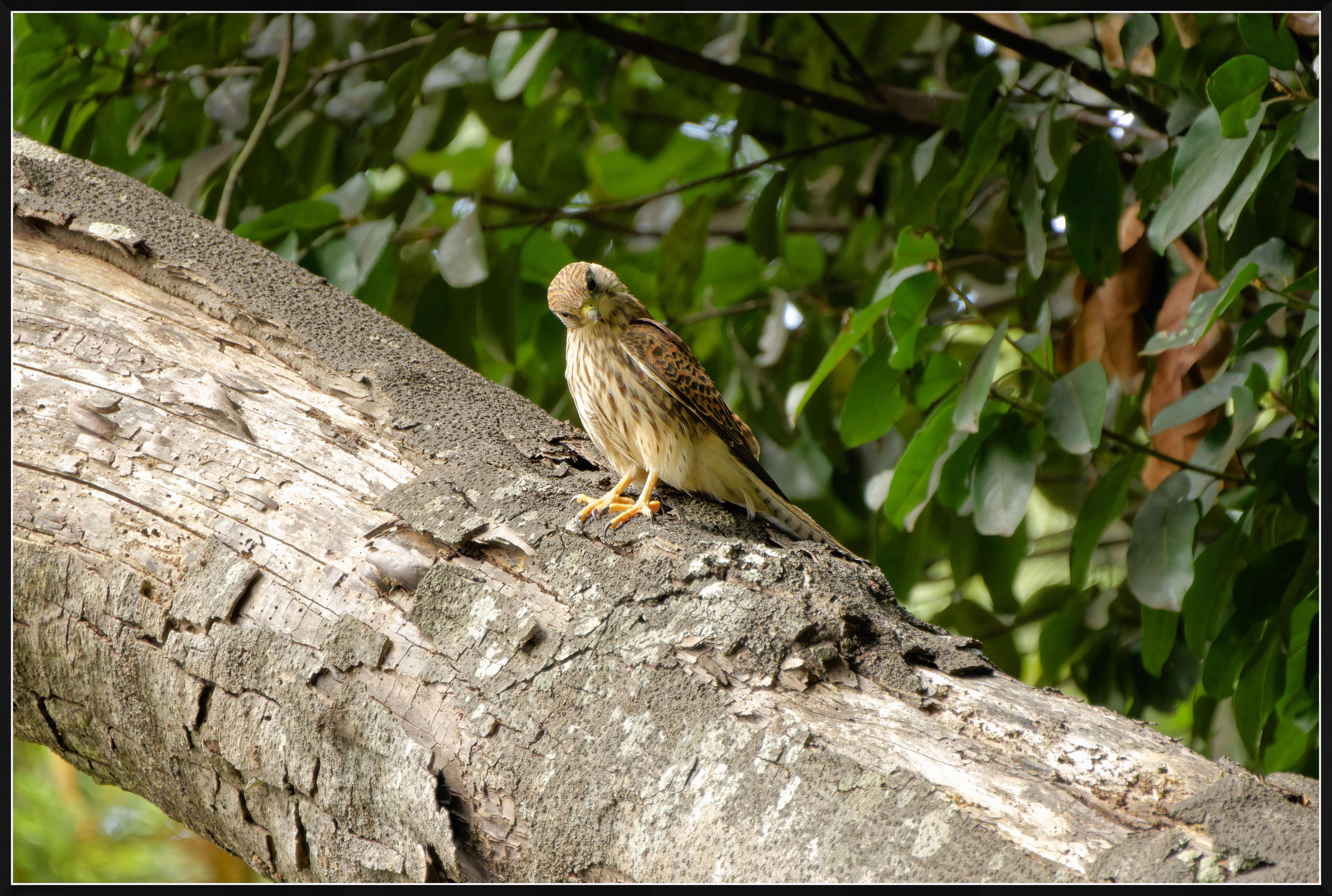
I have been unable to confirm your observations of Topaz Photo AI (the latest revision 2.0.6, updated today) producing the artifacts noted in your post on the previous page. I have used a recent (rather crappy, sorry!) image obtained while testing a new lens at 400 mm in the APS-C mode on Sony A1 (effective 600 mm focal length); the ISO was medium high at 2500. You can see the full 20MP picture as the first upload. This image was processed from raw to my liking in DxO PL7 (the latest revision) and exported as a tif file to Topaz Photo AI where it went through the default denoising and then converted by Topaz to a jpeg (default denoising, except the Recover Original Detail was set to 100 and Minor Deblur was set to 1).
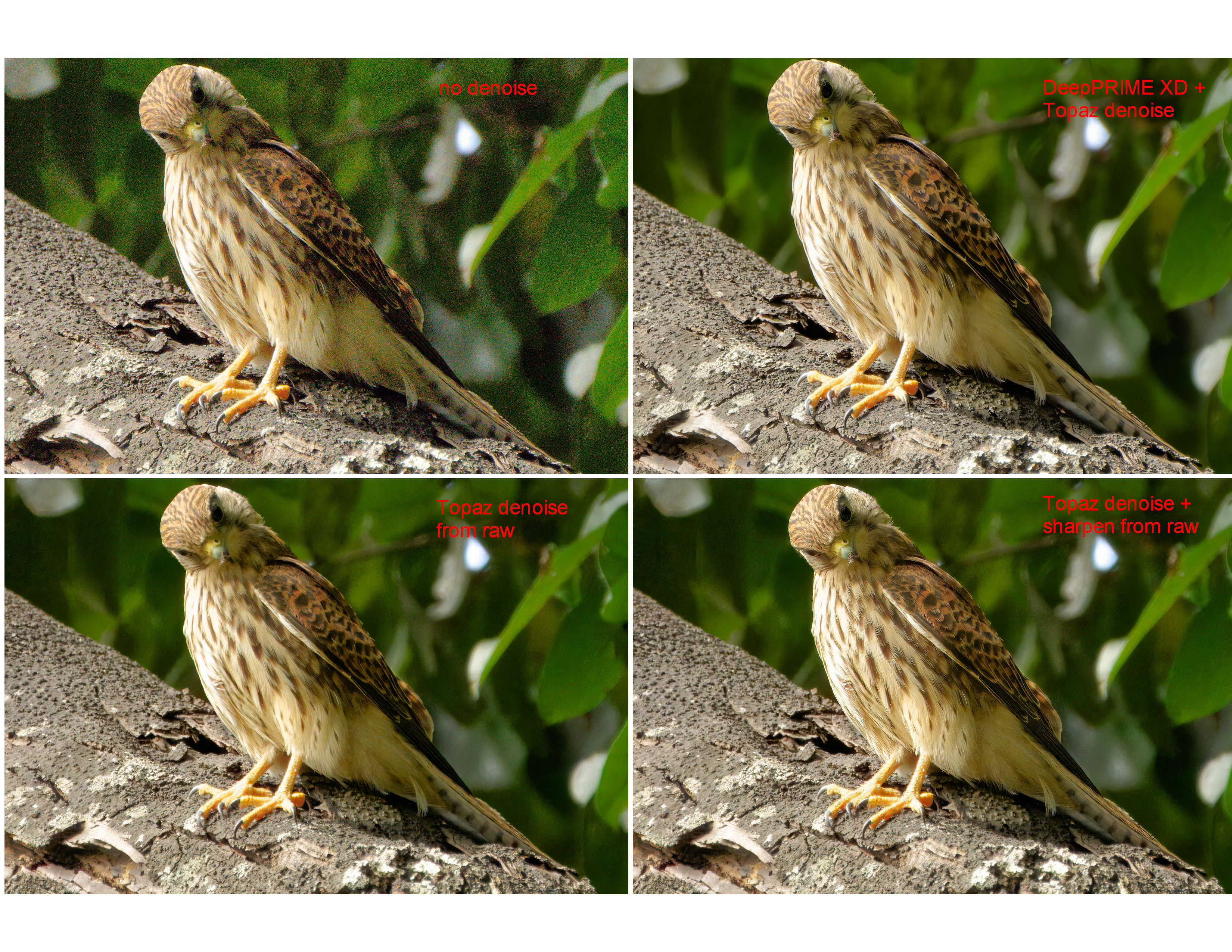
The second upload is a comparison of the central crops, as follows:
Top left: a crop from the image fully processed in DxO PL7 without any denoising.
Top right: this is a crop from the first uploaded image
Bottom left: the raw image was denoised in Topas Photo AI using the default settings, then exported as dng to DxO PL7 where it was processed like image 1 (no further denoising in PL7) and converted to a jpg in DxO PL7.
Bottom right: the raw image was denoised + sharpened in Topas Photo AI using the default settings, then exported as dng to DxO PL7 where it was processed like image 1 (no further denoising or sharpening in PL7) and converted to a jpg in DxO PL7.
I see no artifacts. The only problem I see is that Topaz over-sharpened the image where the default sharpening was applied with the denoising.
I believe that the difference between what I see and what you reported must be due to some significant difference in our workflows. I wonder what was the file type (raw, tif, dng, etc.) that you took into Topaz Photo AI for denoising?
I can make the raw file of this post available for download if you would like to see whether this is going to work in your workflow the same as it does for me.
Ultimately, I agree that DxO DeepPRIME XD does an excellent job, and that Topaz Photo AI might not be a superior application for denoising. My only point is that Topaz Photo AI is doing a very decent job when it comes to denoising. it does not produce the artifacts when used properly.
ILCE-1E 50-400mm F4.5-6.3 A067 lens400mmf/6.31/500s2500 ISO-0.3 EV
ruthenium wrote:
Thank you for the detailed and informative response! The images show the differences clearly.
My understanding is that the input to Topaz was the raw file in these comparisons, and the sharpening was turned off in Photo AI. Is this correct?
It was definitely a RAW source image, using the RAW model for Topaz. For that particular test, I think I intentionally left everything at default, so it's possible there was sharpening applied - I just can't remember for sure. That was a comparison I did a little while ago mostly for my own benefit, but I posted it here because it was nicely labelled and easy to see which was which.
I had a look at your samples as well and I am just finding it hard to examine the results at the size displayed. Are you able to do a 100% crop, or if you made the RAW available for download I'd be happy to try that as well. Interesting that you used Topaz Denoise on top of DXO Pure RAW XD - I wouldn't think you would have to do that unless you prefer an extremely smooth image at the cost of fine detail. Could be different for Sony files, but with my Nikon files I find DXO does more than enough noise reduction up to the maximum ISO I shoot which is usually 12,800.
Also, anecdotally speaking, I think Topaz has a harder time with white feathers than it does darker ones. DXO never has a problem because to the best of my understanding it actually re-creates the entire RAW image, so you don't have issues with edge detection and whatnot. A big thing for me is the time. If I am processing hundreds or thousands of RAW files, I can't be giving each file individual attention at the RAW conversion process - with Topaz you have to. With DXO I can run a huge batch process, come back when it's done, and know that there will be no issues.
Thank you for taking the time to reply!
This is the link to the raw file DSC06334.ARW https://www.dropbox.com/scl/fo/j9hitirkqo83fgyv70k8r/h?rlkey=slgoyhxgsn787v1168lsgea5r&dl=0
I am interested in seeing how this image would look when processed in Adobe. I have never used LR or Photoshop; thus, I wonder whether these applications have a good color profile for Sony A1 raw files, better than the ones available from DxO PL7.
There are also two jpg files in the Dropbox folder: DSC06334.jpg and DSC06334r_TIF.jpg.
The first was processed in, and exported directly from, DxO PL7. The second was exported from DxO PL7 as TIF, then further denoised in Topas Photo AI (as described in my previous post) and exported from Topaz as jpeg. I believe you are under the impression that such double denoising should result in some loss of detail. I have not encountered this problem myself. If you would like to make your own comparison, please look at the attached jpgs - they look nearly the same to me, except that the doubly denoised jpg is smaller (3.0 MB vs 3.7 MB)
I am not promoting Topaz Photo AI. I responded to your comments simply because I use Photo AI regularly and have not encountered the kind of artifacts that you observed in your tests.
I would like to explain my reason for using Photo AI. I am afraid that this reason may seem somewhat silly. Occasionally, I post some images in the Sony forum. The FM website restricts uploads to close to 3.4 - 3.5 MB in size; thus, the jpgs I post are typically under 3.4 MB. Double-denoising (first in DxO PL7, then in Photo AI) works to reduce the image size significantly, without any apparent loss of image quality. Furthermore, Photo AI is quite accurate at estimating the size of the jpg files it exports (typically, accurate to +/- 0.1 MB). Thus, when the objective is to produce a 3.3 MB jpg, this is easy in Photo AI by adjusting the "quality" setting. Understandably, this does not work every time and some images still require downsizing from 50 MP.