Mark Metternich
Offline
• • • • • •
Upload & Sell: On
|
Sorry, it has been a long since I last posted here. I have been overwhelmed with print enlargement post-processing work for fine art landscape galleries, and also finishing that tutorial some have been waiting like 3 years for... Life happens right? 😊
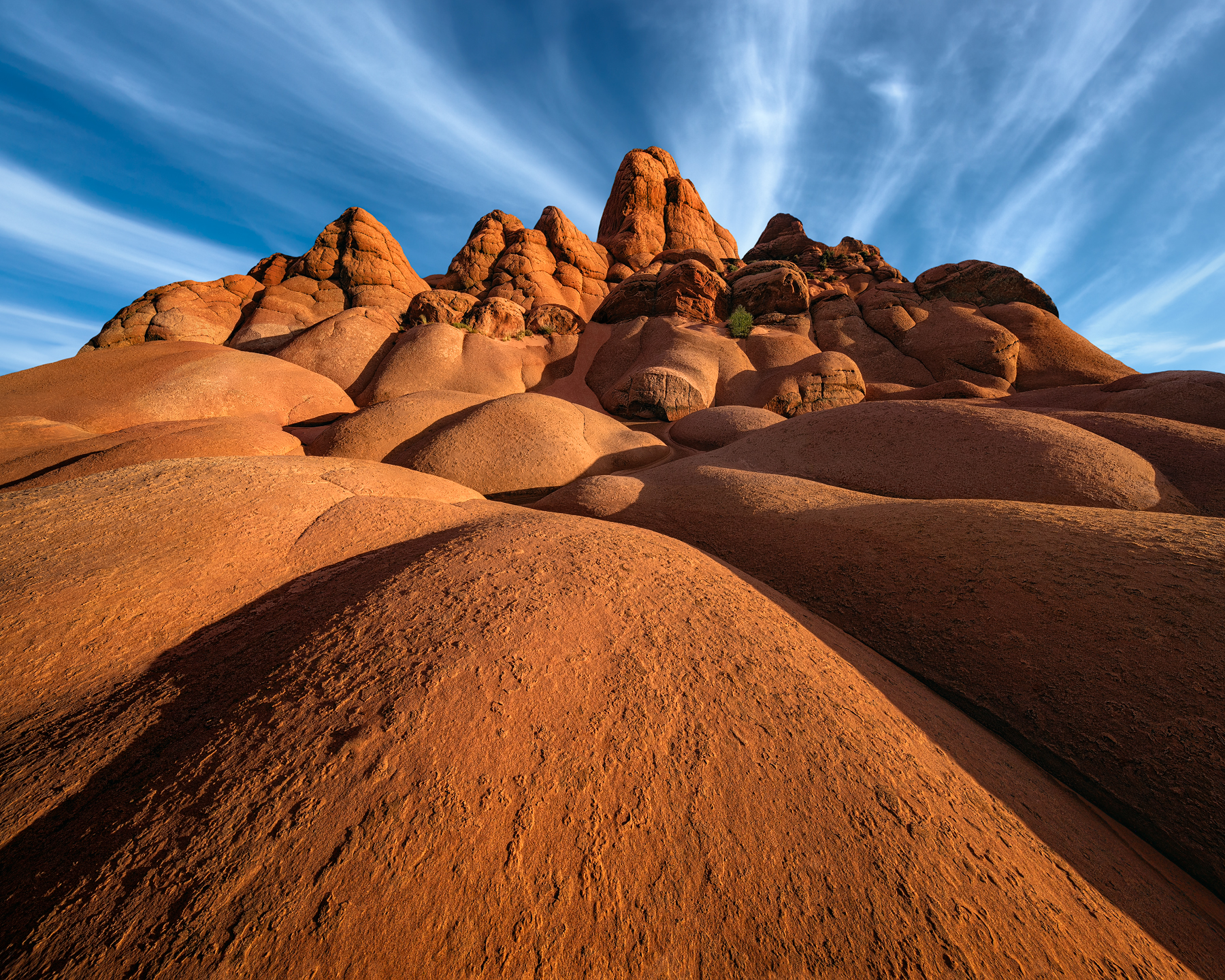
Here is one from a location I am pretty confident no one has photographed before. For many years now, in my downtime, I have been obsessed with scouring Google Earth Pro to find photogenic locations people do not go to. I have like maybe 1000+ waypoints in this category. Then, I go out there via GPS (this photo being in the great Southwest) and I will literally hike 5-20 miles a day, for days in a row, doing scouting/recon/exploration (I LOVE it) documenting via "test shots" all day long (then shoot sunset and sunrise and move on to new locations the following day...). Stumbling on new, remote, untapped locations like this is so thrilling I can not even put words to it! Occasionally, via a strict NDA, I might guide.
Anyway, I have been going out to this crazy location for years (never a human for many miles) until finally, during the right time of year I got some nice light.
All the best to you, your family, and your loved ones.
Details for the more inquisitive:
Shot with the Sony A7R2
(I now shoot with the Panasonic Lumix S1R - the best camera on the planet for super high rez, as far as I am concerned)
Canon 11-24 @11mm
ISO100
f/11
1/125 shutter
The image was shot as a single shot (to the right of the histogram - actually clipping about 1 stop - linear profiles can get that info back...) handheld because I was trying to get a load of compositions in one shoot in a very large area, with the light so good and the contrast fleeting extremely fast!
Processing:
Processed starting with a Linear Raw File (in just seconds, this setting is easily made, then saved for a camera type - just once - for use in Camera Raw/Lightroom, via the Adobe DNG Editor) to undo the laundry list of adjustments (including damaging adjustments) Adobe does to their Raw Profiles (in other words, I want to process ALL the data that hit my camera's sensor unadulterated) and specifically based on the needs of the image.
After turning off the Sharpening in Camera Raw (damages images - accentuating noise), turning on "Remove Chromatic Aberration" and making sure the White Balance is generally correct, I then custom (as opposed to generically - like if we use Adobe Raw Profiles) did the 4 most critical and foundational adjustments ALL Raw Files go through before adjusting any sliders in the main panels!
1. A Custom Gamma Curve (the most important, influential, and foundational of all adjustments).
2. Separate Custom Endpoints Curve.
3. Separate Custom Mid-tone Adjustment Curve.
4. Separate Custom Global Contrast/Tone Mapping Curve (with some saturation brought in here).
*Note, adjustment #4 can also be repeated as many times as is necessary, as other individual Separate Contrast Curve/Tone Mapping Masks BUT LOCALLY for more difficult images, such as those with a more extreme dynamic range...
If you want, check out my FREE 2-minute video on Youtube "CUSTOM Adobe Raw Profiles! (for Ultimate Quality)" to see how insanely powerful this is!
Last October, Adobe gave us arguably the greatest update since Camera Raw's inception in 2003! Individual Point Curve Masks! We can now EASILY do the most critical, foundational, and essential shaping of our original (linear) raw data, but in a fully custom way, never possible before (specifically based on the individual images' very unique needs). This is a serious photo quality revolution! Our images can be literally done (or almost done) BEFORE we even start sliding any sliders in any of the panels! This is easily possible using Adobe Lightroom Classic as well, but we have to do a workaround, due to the update not being in Lightroom (YET). Why Adobe is dragging its heels with this truly incredible update for Lightroom defies my understanding.
All subsequent adjustments after those 4 (above mentioned) were piece of cake, as labor is minimized massively by taking the original (LINEAR) raw file and not allowing the very most critical/foundational/essential adjustments to be done generically (and always wrong!) by not using generic Adobe raw profiles.
Also, combining the unprecedented power of Raw curves on curves, on curves... with a totally lossless RAW LAYER Workflow (avoiding Smart Objects adjustments and avoiding Adjustment Layer adjustments, fully or as much as possible - because they are lossy) quality of every pixel in the image is massively improved, like never before. Print enlargement folks especially will see substantial quality improvements. Curves are making the greatest comeback in the history of digital photography!
Cheers! 🍾
|


