Danpbphoto
Online
• • • • • • •
Upload & Sell: On
|
RustyBug wrote:
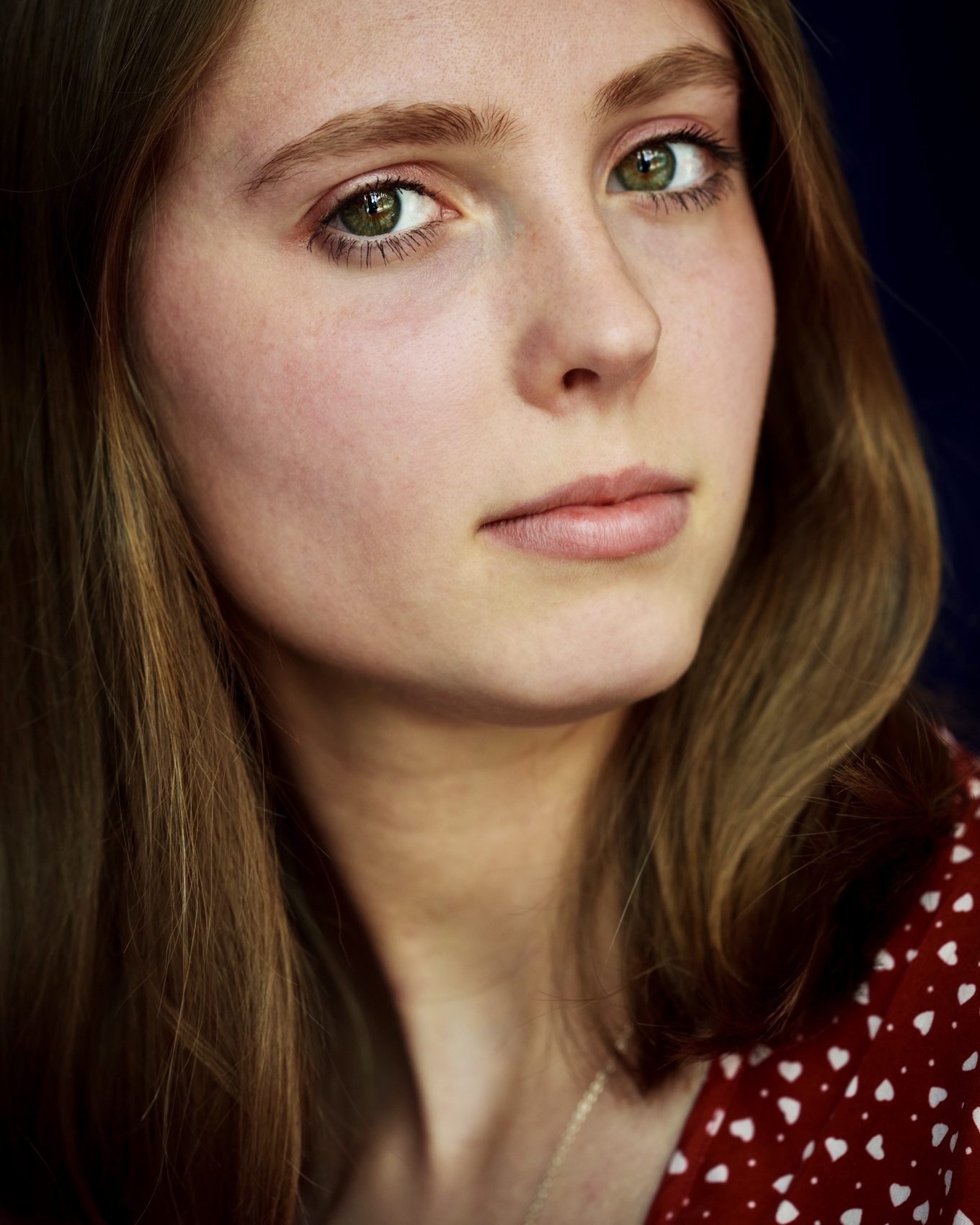
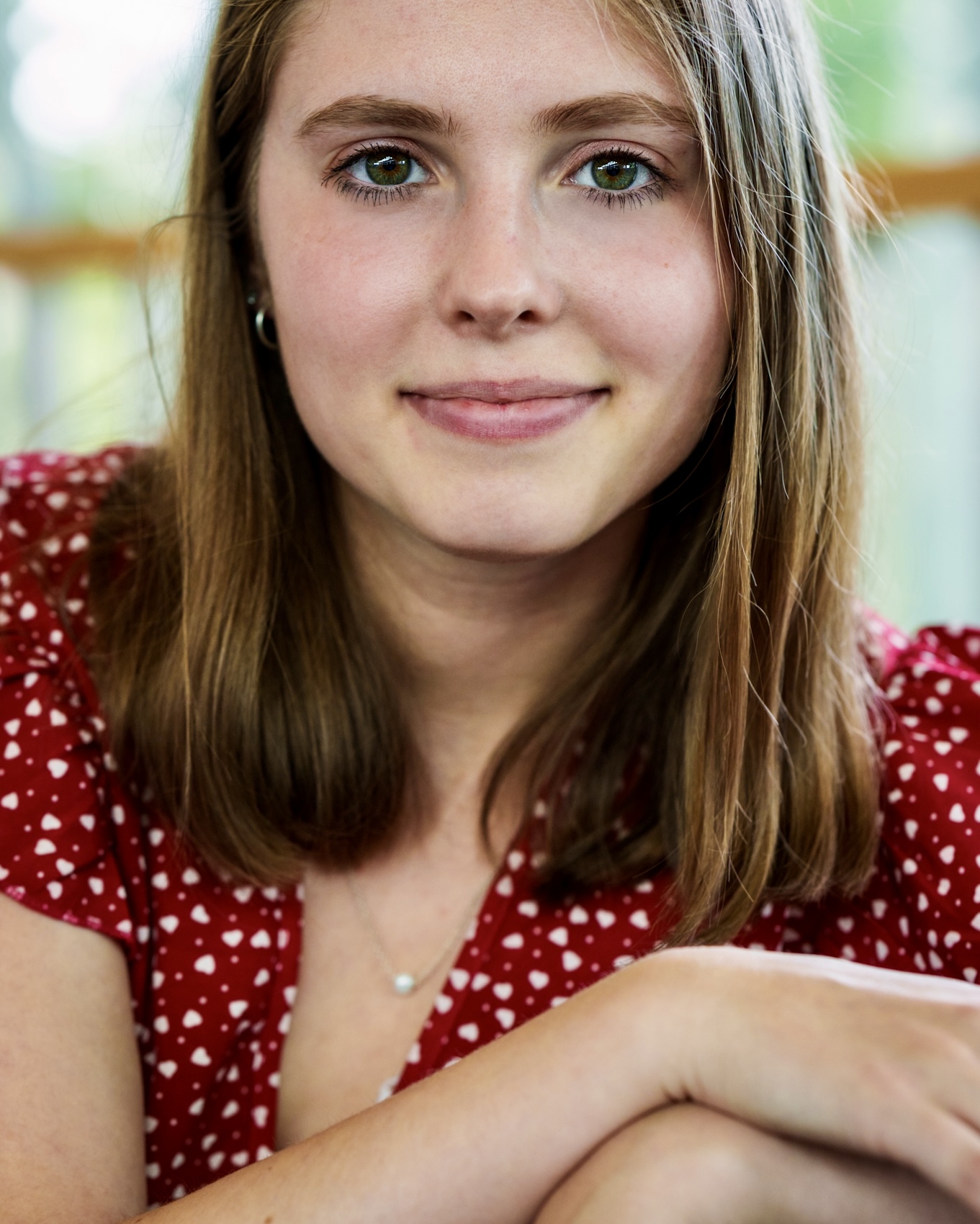
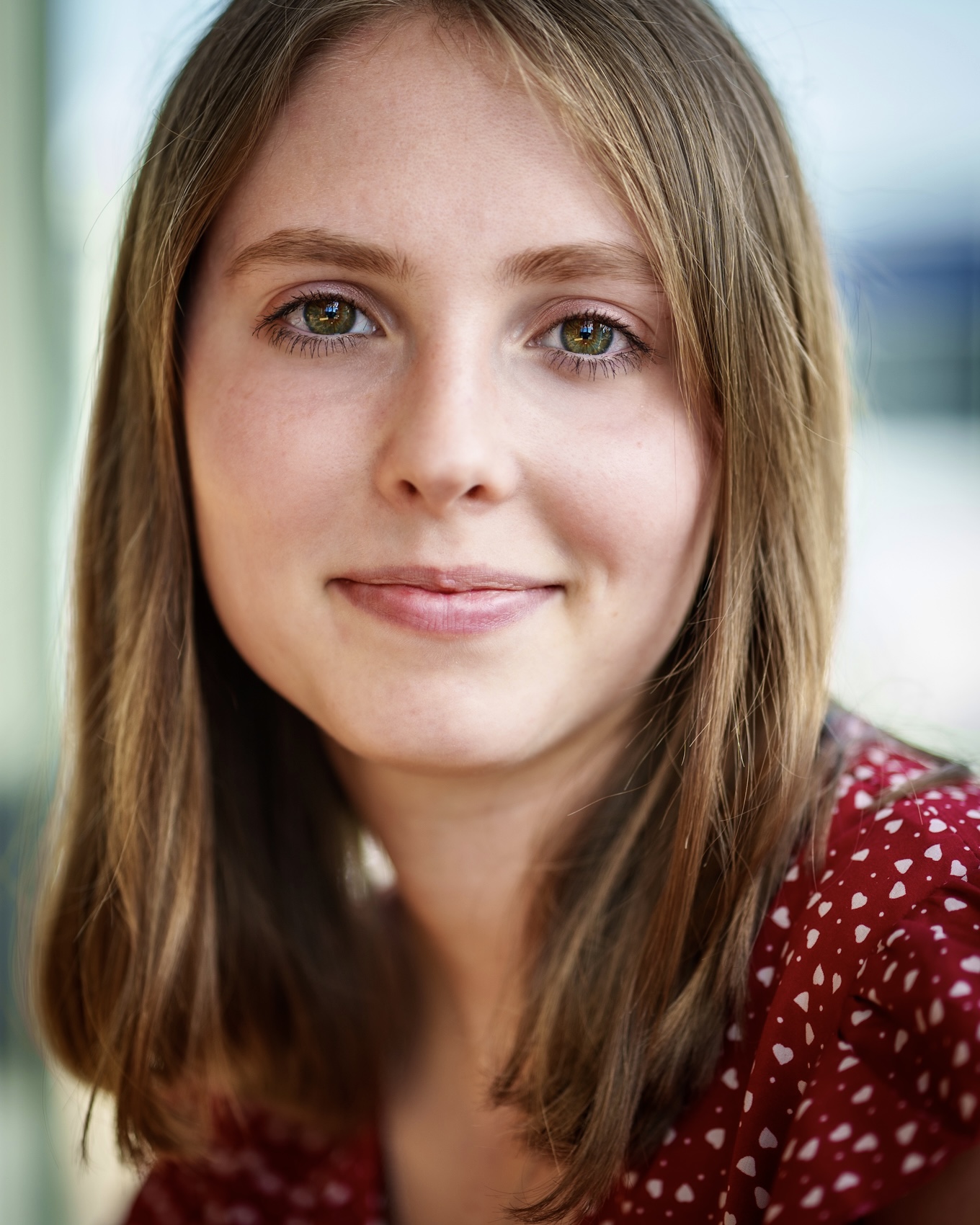
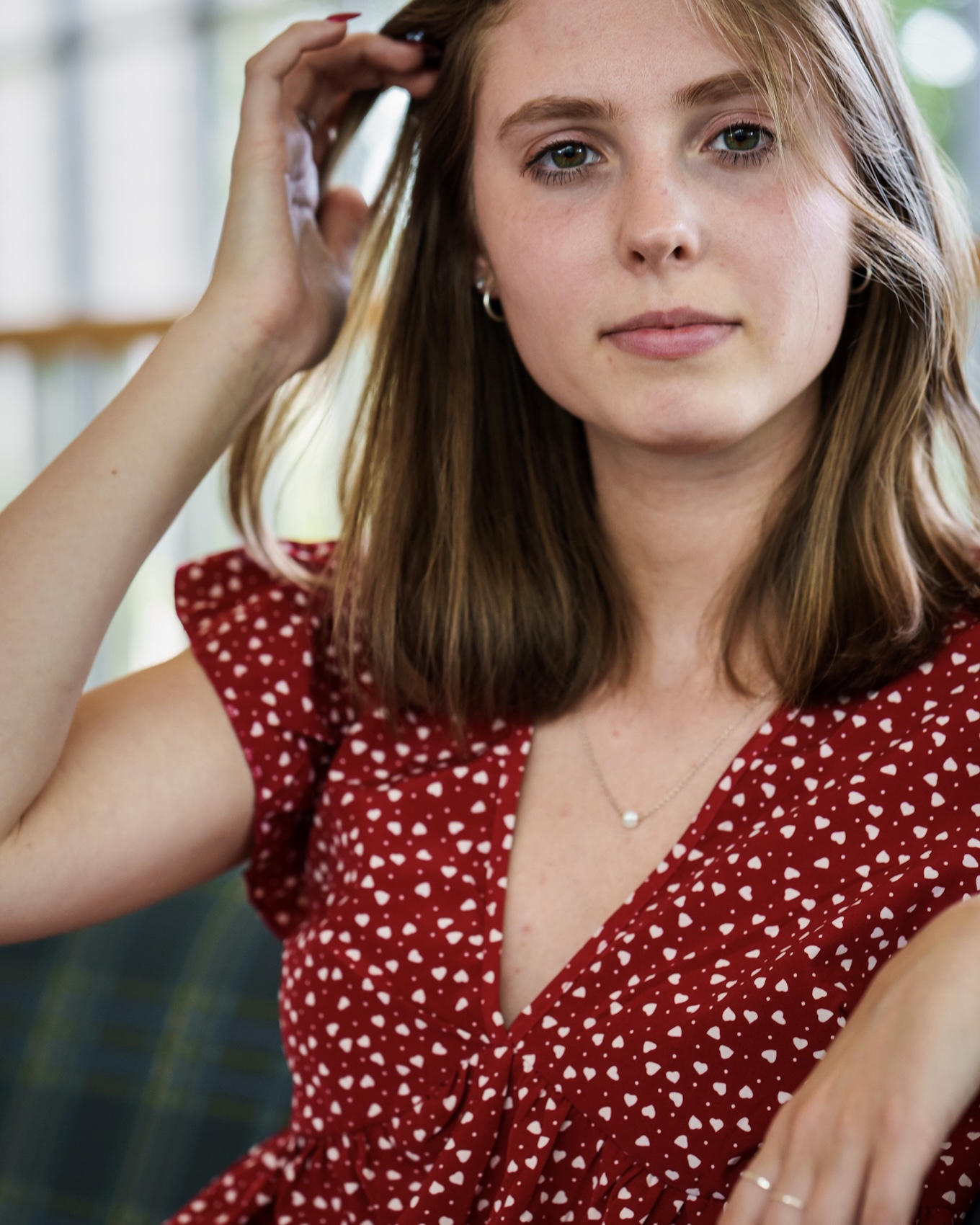
Derek, colors are definitely a challenge on the skin tones here.
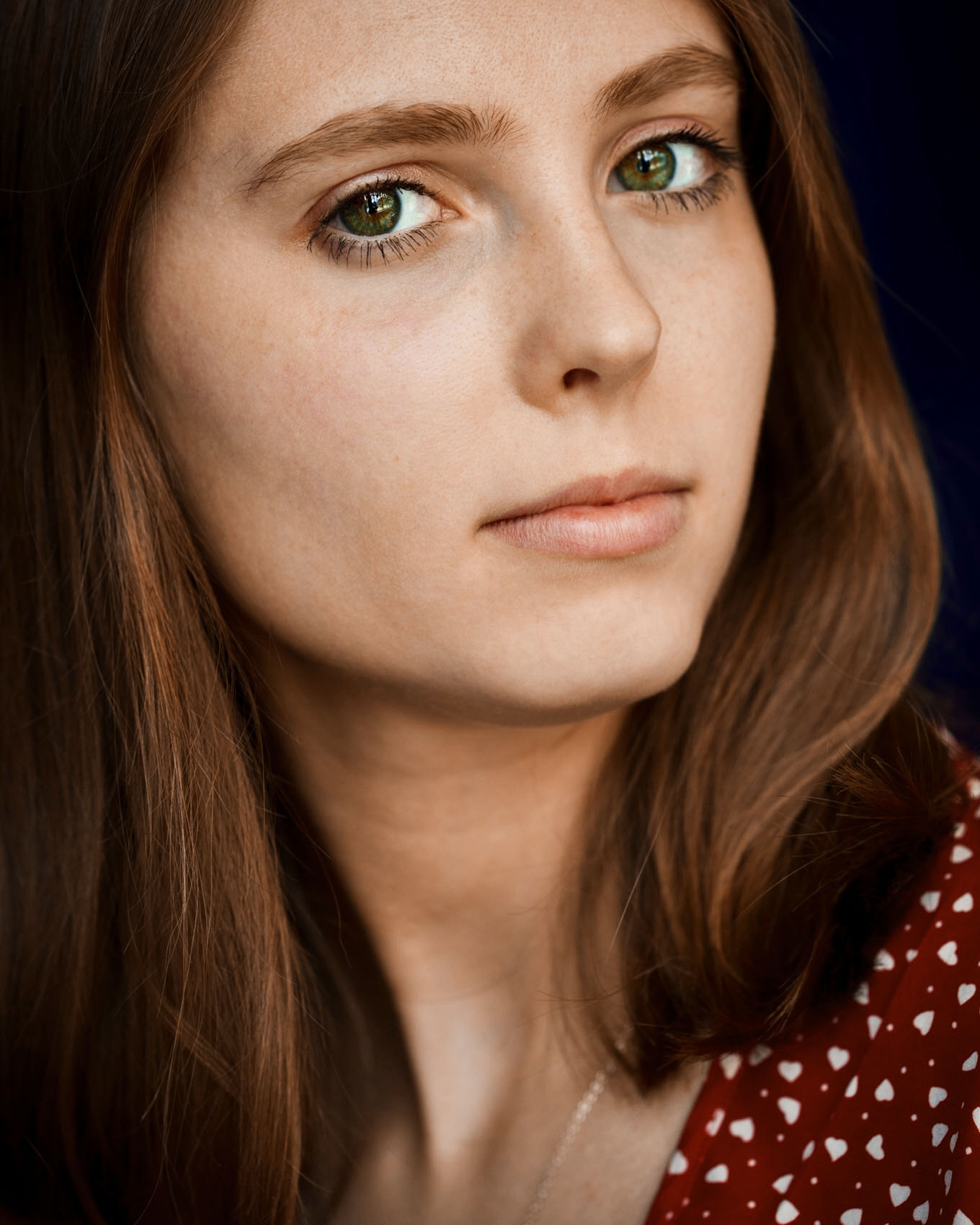
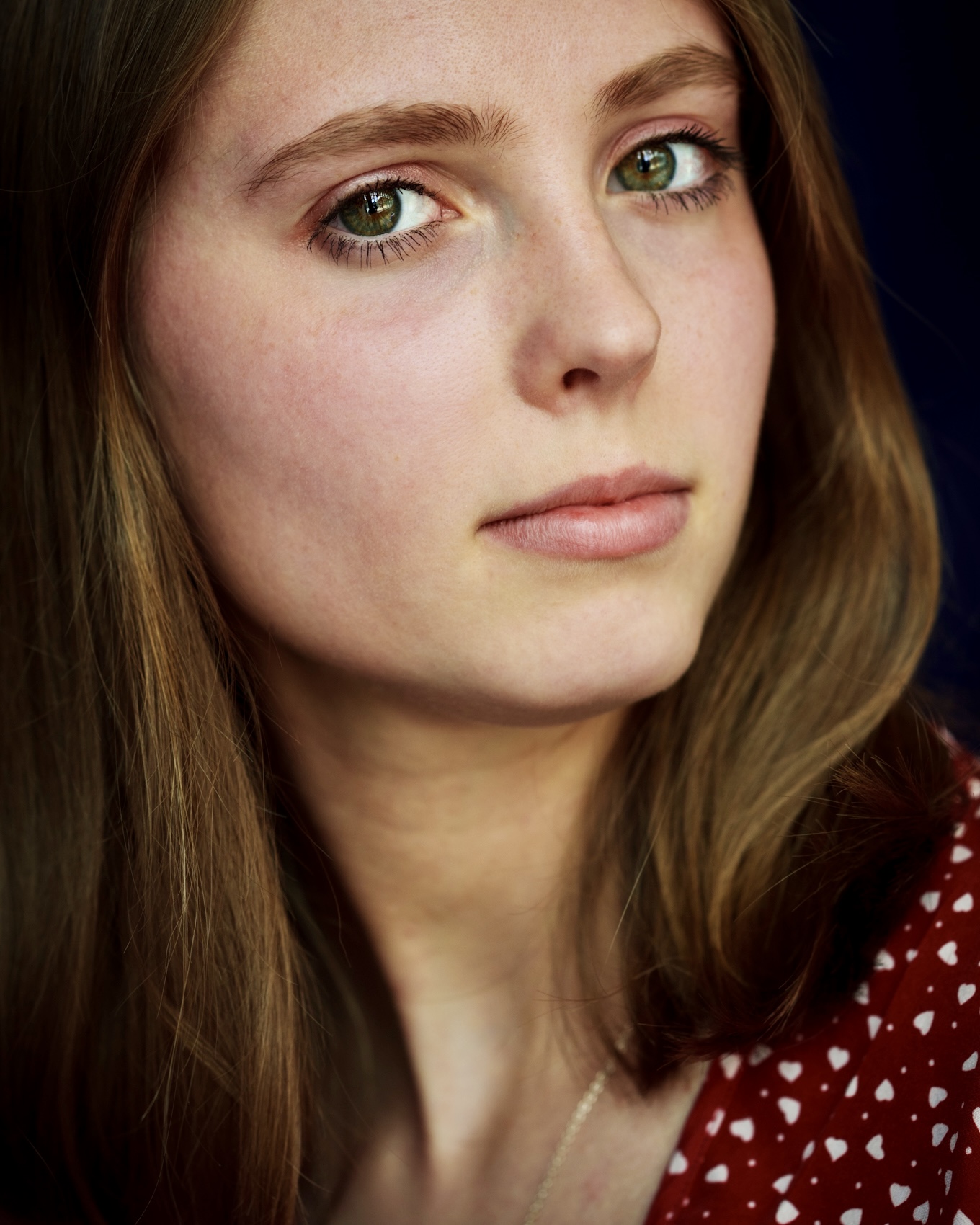
It looks like you are getting mixed lighting on her face, as different areas have different color. Unclear how much of that is coming from the angle of lighting picking up the reds to reflect on the contours that Daniel references ... or the contour of the face is blocking some of the blue light (note the blue light in the eye). But, I think the gobo effect of the countours are blocking some blue light (creating a yellow / green) in what would normally be the "shadow" areas. Global color may be slightly askew, but the mixed difference is what is most detrimental (drives an inconsistent, blotchy look) for me.
The luminance reduction in shadow areas (gobo) is typically well noted. But in non-uniform, ambient lighting, the shadows also incur the color shift, depending on the orientation to the warm / cool areas of the light ... coupled with the global temperature.
I've moved the hue in the red to +9 and the yellows to a -22 ... in an effort to bring the mixed lighting hue closer to homogeneous. Where you land it can vary, depending on how warmly you want to render her skin tone / hair color on the global basis ... but, the main point being that the mixed lighting hue can be brought closer together. Studio shooters don't contend with this as often, when there lighting is match / homogeneous. But ambient shooters can run into it, particularly when there is lighting coming from two different directions, or two different sources.
I know it's typically not "good form" to post an image on another in presentation, so I'll pull it down if you prefer. But, I think the illustration of the mixed lighting is easier shown, than explained. First one is with my adjustments, second one is the original ... note the yellow areas in the original.
Black and white reduces hue issues, so that's always an option for tricky mixed lighting problems. But, they can usually be managed, just takes a bit of study and patience to understand where the cool light is illuminating vs. where the warm light is illuminating ... when the lighting is not uniform.
Dial it in to taste, but I think you have to approach the color / lighting selectively ... not relying on global adjustments only.
That said, nice captures of a lovely young woman. 
HTH

P.S. I understand that the issue of color blindness make it even more challenging. I'd recommend studying Dan Margulis, (or others) regarding how to read the color by numbers. One of the key ingredients is to use the logic of when the subject should be the same color vs. when the light is / isn't the same color (hue) of luminance.
It's a tricky subject for regular folks, with good color perception, but even color blind persons can benefit from the numbers ... and the knowledge of the applied logic. Dave (Lighthound) is but one example of a color blind person, that I've worked with on this. If I can be of further help, just let me know.
Hint: Raise your saturation to 100% as a diagnostic tool, then back it down to 75%, 50%, 25%, etc. and watch the numbers change, as a key indicator to your direction of change (warm, cool, magenta, etc.). This can give you a clue to when you have mixed lighting, and how much / what direction, etc. for your adjustments are warranted.
Also, I noticed that your posted profile was not sRGB (P3), so what you might be seeing something different on your monitor, than we are seeing if the profiles are mismatched. Might be something to be aware of, too....Show more →
Well stated "RB"!!! Excellent discourse on lighting. I learned something from you, Daniel and others commenting here!
That's what FM is supposed to be about!
Dan
|