Mark Metternich
Offline
• • • • • •
Upload & Sell: On
|
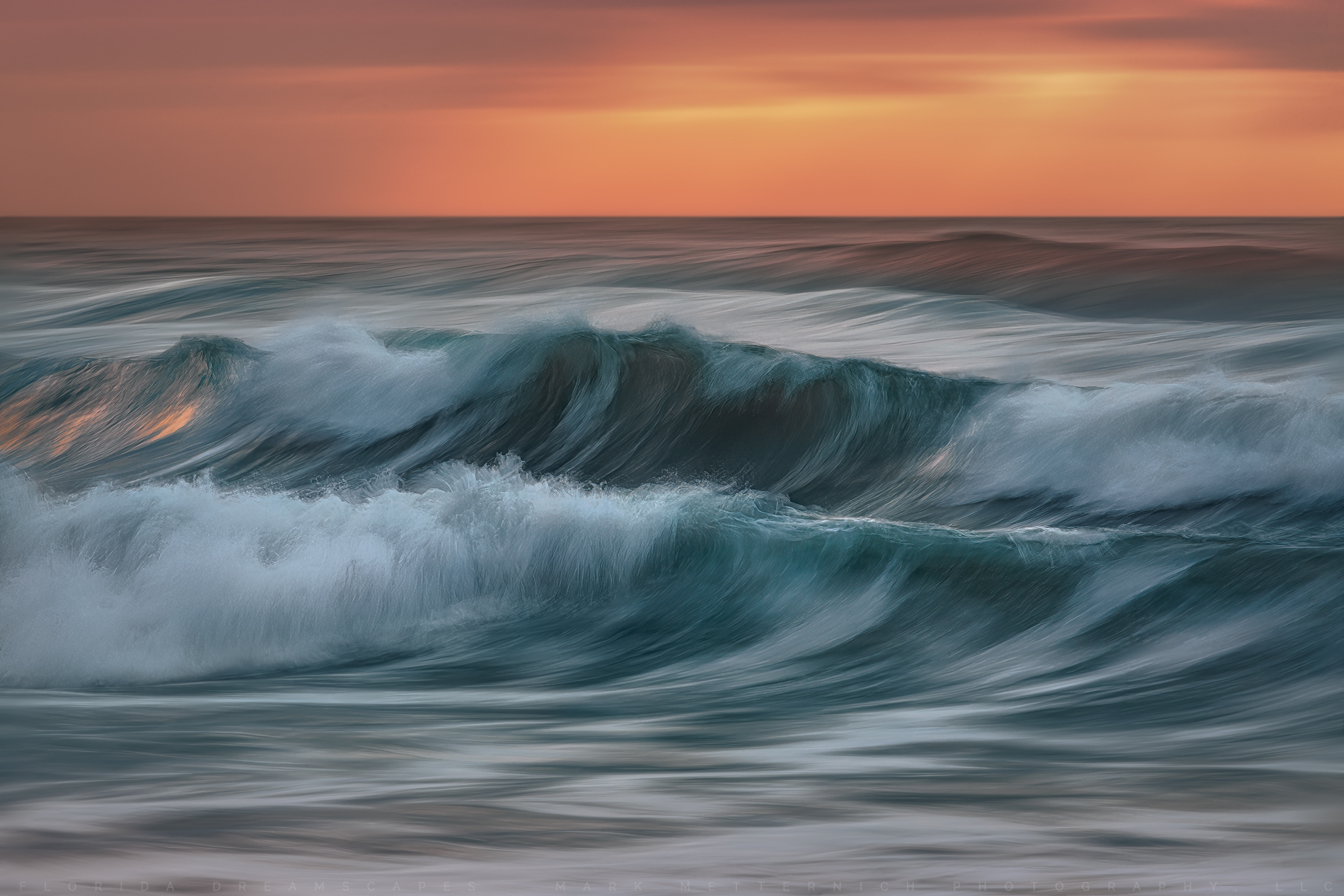
 p.1 #7 · Atlantic Dreamscape 2022 p.1 #7 · Atlantic Dreamscape 2022 | |
gdanmitchell wrote:
That bit of your post perplexes me. Perhaps you can explain.
1. Smart object layers — at least insofar as they are raw file insertions from ACR — are, indeed, lossless. The full original raw image data is retained at all times. My approach is to insert raw files into smart layers in PS directly, which maintains the ability to edit the raw data directly in ACR using its powerful non-destructive and lossless editing features. (These features have just received an important upgrade with the new masking controls in ACR... and in Lightroom.)
2. Adjustment layers are normally also lossless, as they retain the underlying image data (in this case the original raw image referenced by the smart object) and apply changes to that original data non-destructively and without altering it in the raw file source.
For example, I can apply a curve in ACR before importing the raw file as a smart object and then return to ACR to further adjust the curve (or any other parameter) as needed losslessly. Nothing is ever lost and no change in necessarily permanent. Or I could add a curve layer above the smart object layer in Photoshop and adjust the curve in PS without altering the actual image data in the smart layer.
I'm wondering what I might be misunderstanding in your descriptions.
Also, "raw on raw layer" is not a term I've heard before, and an internet search doesn't turn anything up. The only thing I can think of is maybe you are referring to the ability to convert a layer to a smart object inside Photoshop, which means that you can then use the ACR-style raw editing tools on it? Perhaps you can enlighten us about "raw on raw layers?"
BTW, feel free to open a new thread in the post-processing forum to answer if you prefer.
Nice textures on the water in the ocean image, and useful concept to pan with the wave.
Dan...Show more →
Thank you Dan for the compliment on the image. ✌🏼
Although, likely like my last image that I started to explain a bit of this, and then had you and a few people wanting to debate, I will not debate here. People who want to debate or get more information can gladly PM me. Thank you
But for the curious reader/follower I will explain just a bit of it:
YES, you are correct, a Raw Smart Object (Adobe calls a variety of things in Photoshop "Smart Objects") is a Raw Layer. When we open a Raw image from Lightroom (or Camera Raw) by choosing "Open in Photoshop as a Smart Object" (Lightroom) or "Open Object" (Camera Raw) is Raw. The processing/computation is done in the lossless highest bit depth computation space of Camera Raw.
A "Gaussian Blur" Smart Object, for example, no, is not done in the lossless highest bit depth computation space of Camera Raw. It is done in Photoshop to a rasterized layer. Neither are Adjustment Layers done in the lossless highest bit depth computation space of Camera Raw (even if the bottom layer in the stack is a Raw Smart Object, and the aforementioned adjustments are applied as layers above the Raw Smart Object Layer). Both are lossy adjustments done to the image after it is flattened (rasterized). This is pixel editing, not parametric editing. Each individual set of those instructions becomes lossy when they are applied (each one individually) to the flattened Rasterized pixel data. Raw Editing vs Rasterized Pixel editing are two different beasts.
The first, Raw on Raw (or one could call it "Raw Layers" - or "using multiple Raw Smart Object layers") works by doing the adjustments on multi Raw Files, by double clicking on the Raw Smart Object Layer thumbnail (in Photoshop) and going into Adobe Camera Raw for the next adjustment to that layer. This is in contrast to the other two aforementioned methods. This approach allows for literally an infinite amount of layers/adjusting (as many Raw Layers as a computer can handle anyway) with the adjustments done in the lossless highest bit depth computation space of Camera Raw (not on rasterized data) with ZERO degrading of the image. No build up of artifacts and so forth. When a Raw file becomes rasterized (flattened) the many Raw Adjustments that were done to it in Lightroom/Camera Raw do not equal many separate lossy rasterized pixel adjustments.
The same is not true for the other two approaches.
We have had Raw Layers (Raw Layer on a Raw Layer in a Layer Stack) ever since Smart Objects came out in Photoshop quite some time back. Originally they did not work that great (an exclusively Raw on Raw workflow) years back (if you had too many layers - even 5 or so depending on the computer - you would get all sorts of weird hiccups and issues) but for at least a few years now, they work AWESOME!
A person can literally duplicate the Raw Smart Object Layer by Right Clicking on the Raw Smart Object image Thumbnail in the Layers pallet/window in Photoshop and choose "New Smart Object Via a Copy". Otherwise other typical duplication methods in Photoshop will have them inextricably linked (you adjust one, the other adjusts as well). You can use tons of individual RAW Layers (used much like adjustment layers or smart object layers). The Raw Data can also be saved as various wrappings/containers (file formats).
A person can also Right Click on one of the various Raw Smart Object layers in a stack (the Layer thumbnail in the Layers pallet) and choose "Replace Contents" if they want to bring in different Raw Layers into the stack (Raw Layer skies, or other Raw bracketed files to blend for dynamic range, and so forth...). For uber quality minded photographers, this method of working "Raw on Raw" as some call it, has awesome, noticeable real world benefits. Most notably for images with tons of adjustments applied (people who adjust and micro adjust their images a lot) that end up becoming big high resolution enlargements.
Noteworthy (but not without controversy) there are also additional real world, testable noticeable benefits choosing Photoshops 32-bit working space while processing this way (at least as far as a person can take the image) although it is not absolutely necessary, and is admittedly a little quirky and takes a bit of a learning to get the most out of it. Also, lessening or minimizing selection based masks (using other forms of masking) is a plus as well.
The bottom line is (for some people) pushing the lossless editing (vs lossy editing) as far as possible using the highest bit depth/computation space and practices
I have literally replicated workflows step by step (on images with noticeable damage on an enlargement print like artifacting, banding or posterization/degrading...) but using this method, and the damage does not exist.
I teach it, have tutorials on it, and have been rigorously testing (others have as well) it daily for many years, and the benefits are noticeable, more notably in enlargements (my full time living - when not leading workshops - processing for print for high end, fine art, nature photography galleries or exhibitions nationally and internationally (under very strict confidentiality agreement). This affords me the unusual ability/luxury, and necessity to work on and obsessively test files, and stretch their abilities too often, 16 hours a day, 6 days a week, year after year after year. Some of which is taught in Robert Park and my "The Ultimate Mastering Fine Art Printmaking Workshop" every March, in Vegas.
|