fredmiranda.com
Login

Moderated by: Fred Miranda
  New fredmiranda.com Mobile Site
  New Feature: SMS Notification alert
  New Feature: Buy & Sell Watchlist
  

FM Forums | Sony Forum | Join Upload & Sell

1       2       3       4              6              39       40       end
  

Archive 2021 · Cobalt Profiles


Tirpitz666
Offline
• • •
Upload & Sell: Off
p.5 #1 · Cobalt Profiles


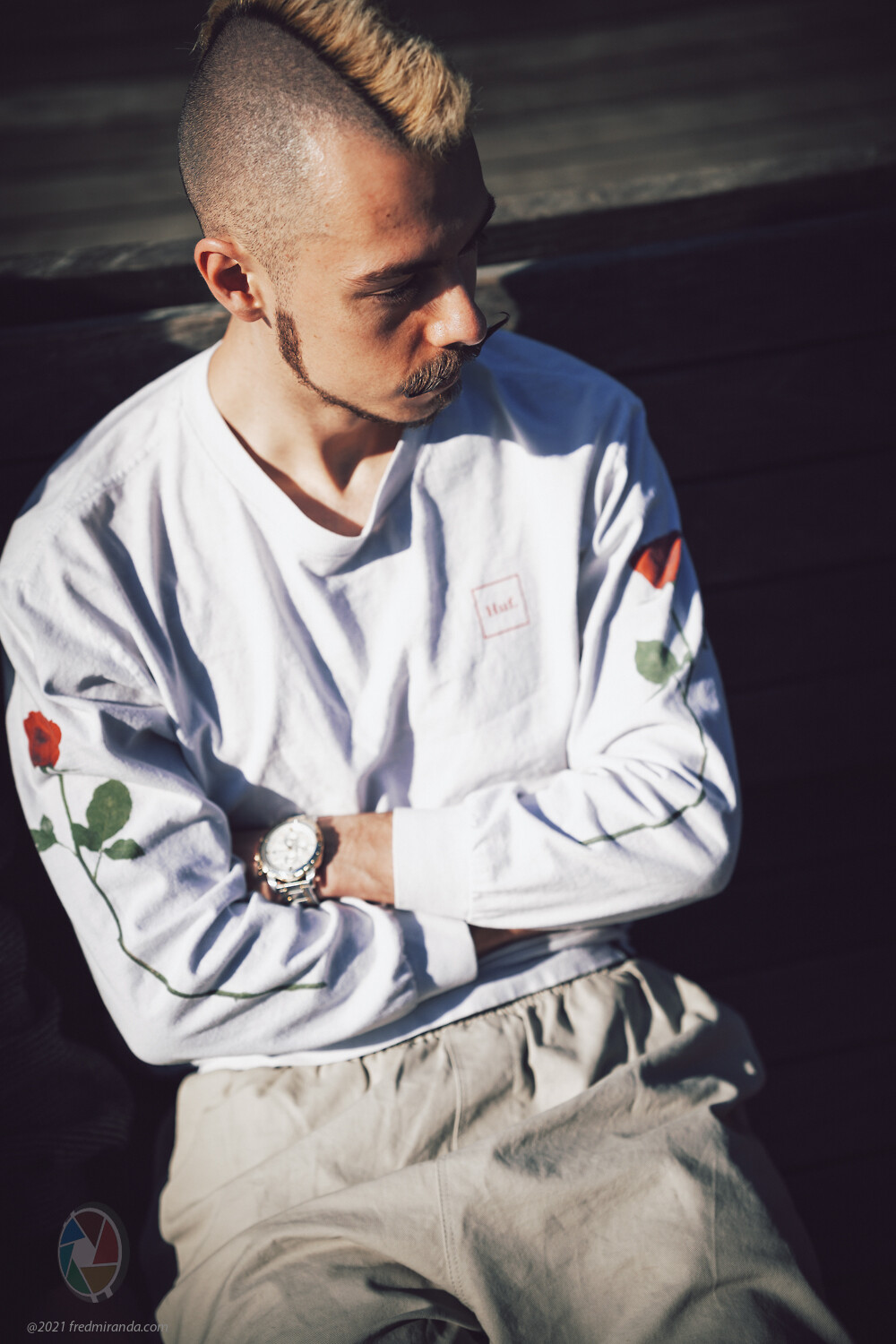
I guess that you can get a good idea of what you can obtain on the skintones on Sony cameras by looking at all the samples here, you can see right on the samples above that these profiles help a lot to remove the yellow cast that basically all Sony cameras tend to have (which in my experience tends to be even more accentuated by Adobe profiles, C1 should fare a bit better in that regard but I don't have it).

I can tell you that for what I've used them, skin tones of the Standard profile tend to be pretty pleasing either per se or as a starting point for tweaking.


May 28, 2021 at 06:38 AM
DaveFP
Offline
• • • •
Upload & Sell: Off
p.5 #2 · Cobalt Profiles


genji wrote:
No doubt impossible but the film emulation I’d most want is Three-strip Technicolor.


Not sure about 3-strip but Technicolor is part of this (profile) emulation pack:


https://reallyniceimages.com/products/rni-all-films-5-pro-for-adobe-lightroom.html


May 28, 2021 at 08:07 AM
bobby350z
Offline
• • • •
Upload & Sell: On
p.5 #3 · Cobalt Profiles


jd-fineart wrote:
I have been using LR as well as C1 in my workflow and am not happy with the skin tones both are providing. For LR I have purchased profiles from another vendor which are working out quite well. Due to all of your great reviews here I am now evaluating getting the base profiles for my A7III for C1. Before pushing the button I was wondering whether there is a chance to get a demo beforehand? Would love to see in advance how the profiles are working out. Is there a way to get a preview?

Best regards,
Joerg


I think (could be wrong) Sony has been tweaking things starting with A7rIV as I don't find the newer cameras to be an issue.I use C1 and to me my A7rIV does pretty good.


May 28, 2021 at 09:13 AM
Mitch Alland
Offline
• • •
Upload & Sell: Off
p.5 #4 · Cobalt Profiles


I find the marketing message of the cobalt-image site confusing. Looking at it from the perspective of the two cameras I use, Leica M10 and Ricoh GRIII, I don't see what it will give me compared to other profile/preset packages: better matching between the two cameras as a starting point for further processing, or better film simulation?

For example, I've looked at The Archetype Process ("TAP" f.k.a. C1ick Match) and the RNI packages. While RNI has profiles linked to the camera profiles in CameraRaw/Lightroom (including M10 and GRIII), the RNI profile/preset combinations don't seem particularly useful.

On the other hand, the TAP profiles have profiles based on Noritsu and Frontier scanners, which have different color rendering; but have no linking to the camera you are using. While some of the TAP profiles are interesting, they all have excessive reds and oranges when used on M10 files: they may have been tuned for Canon and Nikon files. I’ve asked a couple of times on the TAP FaceBook group about the issue of linking to camera profiles, but the developer has not responded to these questions. In my view this is a major deficiency of TAP, particularly considering the price of the packages. Paradoxically, I usually find the TAP profiles a better starting point than the allegedly "more accurate" RNI profiles/presets.

How do the cobolt-image profiles compare to TAP and RNI packages?

I take it that cobolt-image has no Kodak film simulations except for Kodachrome, although this thread has some examples of Portra and E100G examples, if I remember correctly, What is the status of Kodak film situations?
____________________
Frog Leaping photobook: https://www.frogleaping.org

Edited on May 31, 2021 at 05:01 AM · View previous versions


May 28, 2021 at 09:43 AM
Ayoul
Offline
• •
Upload & Sell: Off
p.5 #5 · Cobalt Profiles


Fred Miranda wrote:
Hi Chris,
I use DXO's Filmpack as well and they are great. They offer some film looks not available at Cobalt.
However, I think the main difference between DXO and Cobalt is that the former is based on standard profiles and that's not great for accuracy and depth of colors.

Cobalt goes an extra step and creates DNG profiles for each camera model, which in my opinion, it's good and bad:
Good because this allows them to develop high-end color profiles, better than color checker SG calibrated profiles, and to build over this accurate base our emulations. The bad is that it
...Show more

I'm not sure about what you say about DXO. It seems to me that their filmpack emulations are modifications on top of their neutral profiles, and not their standard profiles which are supposed to mimic the brand rendition and are of course different between brands. Why do I guess that ? because if you decrease the intensity of the filmpack, what you see is the neutral profile, and not the standard one.

Their neutral profiles are not bad. From what I've seen with different cameras, they are at least not all over the places like the profiles in C1, so I guess that with different cameras, you can expect a similar rendition when using FilmPack.

I love the default Provia from DXO. Applied to raw only. One thing curious about their filmpack, is that applied to a tiff/jpeg picture, their rendition is exactly identical to some free presets for RawTherapee (Haldclut). A guy on dpreview told me that and I checked for myself an it's the case. As a frenchman (DXO is a french company), I will investigate that one day on a french forum, because it's intriguing at best...


May 28, 2021 at 10:03 AM
jd-fineart
Offline

Upload & Sell: Off
p.5 #6 · Cobalt Profiles


bobby350z wrote:
I think (could be wrong) Sony has been tweaking things starting with A7rIV as I don't find the newer cameras to be an issue.I use C1 and to me my A7rIV does pretty good.


I have heard this information already a few times, so at least people experiencing a better kind of color science (but I guess something really happened). Quite satisfied with my A7III overall, but with portraits I find skin a bit too yellow. Of course, not big deal at all to correct in LR or C1, however, would be nice to have a more convenient solution available.

Best regards,
Joerg


May 28, 2021 at 10:14 AM
Fred Miranda
Offline
Admin
Upload & Sell: On
p.5 #7 · Cobalt Profiles


Ayoul wrote:
I'm not sure about what you say about DXO. It seems to me that their filmpack emulations are modifications on top of their neutral profiles, and not their standard profiles which are supposed to mimic the brand rendition and are of course different between brands. Why do I guess that ? because if you decrease the intensity of the filmpack, what you see is the neutral profile, and not the standard one.

Their neutral profiles are not bad. From what I've seen with different cameras, they are at least not all over the places like the profiles in C1, so I
...Show more

Great observation but I don't see what you described.

The default DXO Film pack profile seems to default to something very close to "Camera" standard (In the case of Sony). I just checked if it's similar to Camera "Neutral" and it looks different to my eyes.


May 28, 2021 at 10:41 AM
Ulysseita
Offline
• •
Upload & Sell: On
p.5 #8 · Cobalt Profiles


Mitch Alland wrote:
I find the marketing message of the cobalt-image site confusing. Looking at it from the perspective of the two cameras I use, Leica M10 and Ricoh GRIII, I don't see what it will give me compared to other profile/preset packages: better matching between the two cameras as a starting point for further processing, or better film simulation?

For example, I've looked at The Archetype Process ("TAP" f.k.a. C1ick Match) and the RNI packages. While RNI has profiles linked to the camera profiles in CameraRaw/Lightroom (including M10 and GRIII), the RNI profile/preset combination don't seem particularly useful.

On the other
...Show more


We are in a different league.
Is not an overestimation, other products are just artistic, free interpretations of film types, or digital types, nothing scientific.
We start from a base, with output IDEALLY comparable between cameras, and that is the first step, the most important from a photographer, a professional photographer perspective, having many bodies and THE SAME color output with this level of reproduction:

-600 samples tested (sg has 140 )
-two main illuminants d65 and StdA (DNG standard)
-different transformation than the Bradford model used by Adobe for the d50 calculation.
-for DNG the internal forward matrix is limited in the Prophoto/ Human Locus in order to avoid posterizations.
-Looktables and ICC (C1) are adjusted to be relative to any different contrast curve.
-CIECAM02 is the transformation model (better tonal separation)
-main colorimetric stadium is proprietary, to build profiles we use DcamProf.

here is a sample of delta E between Adobe STD and Cobalt STD on A7r2 for CC24 of our former Cobalt 2.0 version (we are in 2.1)
Is just a basic test because of the simple cc24.
On CG the difference is way bigger.


Adobe D65 : patch match average DE 1.63, DE LCh 0.64 1.10 0.78
median DE 0.76, DE LCh 0.40 0.45 0.21
p90 DE 4.37, DE LCh 1.79 3.68 2.27
max DE 8.96, DE LCh 3.54 6.10 8.40

Cobalt D65 : patch match average DE 1.37, DE LCh 0.67 0.96 0.52
median DE 0.70, DE LCh 0.41 0.38 0.14
p90 DE 3.63, DE LCh 1.71 2.77 1.57
max DE 6.31, DE LCh 3.37 5.17 4.98

ADOBE
https://cobalt-image.com/wp-content/uploads/2019/07/pgamut-adobe-r5.png

COBALT
https://cobalt-image.com/wp-content/uploads/2019/07/p-gamut-cobal-r5.png

After this base, we build emulations.
As a sample, the Monochrom Leica CCD is made using a math model over the above profile to MATCH the original DNG with a Delta E of 0.8.
That means on the field to be able to have this incredible accuracy on this emulation over ANY camera supported by our base profile.
Same for Fuji and every digital emulation ( we are fixing the R) and for FILM, I already wrote our point of view and our vision.
So, as already said, is not an overestimation, it's a fact.

And.
About Capture One and Cobalt.

We can even forget to remind you about the better color reproduction of Cobalt over the PRO by C1.
Just a single thing makes a huge difference; Capture One uses Single-illuminant profiles, so if the profile is made for D65, it's a fact, will be off on stda, or other illuminants.

That's why Phase One makes profiles for every illuminant on their cameras and the cameras cost many thousands of dollars; you are buying THE color reproduction after resolution and IQ.
That's why we sell TWO profiles for two different illuminants over any camera we support for C1.
So, a better color reproduction compared to the standard and for different light situation; you can love even a bad color profiles for your taste, we are not selling NICE color profiles for your cameras, we are selling PERFECT color profiles for your cameras, the artistic side is still yours, we only offer the ideal starting point for your post-production, as Phase One or Hasselblad do with their customers after the huge investment and nobody does with mainstream cameras.

Is it still crazy to have a color profile for every camera to buy after that clarification?


May 28, 2021 at 12:05 PM
Ulysseita
Offline
• •
Upload & Sell: On
p.5 #9 · Cobalt Profiles


https://i.imgur.com/ZwiTwPd.jpg

This picture is a night shot of my friend during a night along the Thames in London.
Is under artificial lights, mixed.

The first on the top left is Capture One generic, the one on the right the Capture One ProStandard, below the Cobalt standard for Tungsten light.
Same zero post, just opened the file, two almost green hands and one, a bit red for cold and with a proper yellow line in the jacket.

I hope that difference is just a sample of the variation between generic single illuminant profiles stretched for a completely different illuminant and a calibrated one for the proper illuminant.


May 28, 2021 at 12:37 PM
Fred Miranda
Offline
Admin
Upload & Sell: On
p.5 #10 · Cobalt Profiles


Here is a sample using Kodachrome 4x5 Dark v1.1:


May 28, 2021 at 12:47 PM
Mitch Alland
Offline
• • •
Upload & Sell: Off
p.5 #11 · Cobalt Profiles


Ulysseita wrote:
..Is it still crazy to have a color profile for every camera to buy after that clarification?


Thanks for the clarification. Sounds interesting

When will you have the Kodak film pack ready, and which films will it include?
____________________
Frog Leaping photobook: https://www.frogleaping.org


May 28, 2021 at 02:11 PM
Ulysseita
Offline
• •
Upload & Sell: On
p.5 #12 · Cobalt Profiles


Mitch Alland wrote:
Thanks for the clarification. Sounds interesting

When will you have the Kodak film pack ready, and which films will it include?
____________________
Frog Leaping photobook:
https://www.frogleaping.org


pleasure!

I hope in the next two weeks (very busy days for us ...)

Portra 160-400.800
Gold
E100G
Ektar


May 28, 2021 at 02:37 PM
Fred Miranda
Offline
Admin
Upload & Sell: On
p.5 #13 · Cobalt Profiles


Ayoul wrote:
I'm not sure about what you say about DXO. It seems to me that their filmpack emulations are modifications on top of their neutral profiles, and not their standard profiles which are supposed to mimic the brand rendition and are of course different between brands. Why do I guess that ? because if you decrease the intensity of the filmpack, what you see is the neutral profile, and not the standard one.

Their neutral profiles are not bad. From what I've seen with different cameras, they are at least not all over the places like the profiles in C1, so I
...Show more

Here is a comparison between:

DXO FilmPack Provia 400X,
Cobalt Provia 400X (Analog emulation) and
Cobalt Fuji GFX100 Digital Provia 400X (digital emulation)

with their respective "grain" presets applied. It's not a subtle difference. (The Fuji GFX version has no grain)

I like the DXO rendition but love Cobalts! The Cobalt Provia 400X (Analog emulation) looks to have higher contrast but that's from the profile curve, not from Lightrooms. (I didn't add any extra contrast, same settings for all)


LEFT: Cobalt Provia 400X (Analog emulation) | RIGHT: DXO FilmPack Provia 400X


LEFT: Cobalt Fuji GFX Digital Provia 400X (digital emulation) | RIGHT: DXO FilmPack Provia 400X


Grain pattern close-up (Cobalt film analog left and DXO on the right)


May 28, 2021 at 02:38 PM
Jochenb
Offline
• • • •
Upload & Sell: Off
p.5 #14 · Cobalt Profiles


@Ulysseita: very interesting explanation!

You mention that you're selling perfect profiles.
I already bought a lot of your packs and have been testing them the last couple of days.
The base profiles are very good, but the emulations are not perfect (yet?) IMHO.

I've been a Canon shooter for a long time in the past and a lot of the Canon profiles in both the vintage and contemporary packs don't look right to me. At least for my A9.

Here's a random example:

1) Cobalt neutral profile:

A perfectly good starting point for editing.

2) EOS R standard profile:

It looks completely off. Way too much saturation. (I already mentioned this before and you say you're fixing it, so thank you for that.)

3) EOS 5D standard profile:

Skin also looks too red. I used the original 5D at weddings back in the day and got more natural looking results.

4) EOS 5DIV standard profile:

This is one of the only Canon standard profiles that actually looks like a Canon file to me.
(This one looks similar to my Sony vs Canon test shots I made with an EOS R.)

Another profile I'm finding a bit weird is the M9 DNG one. Sometimes it works, but often it shifts the photo so much to yellow/orange. Something I'm not seeing in actual M9 DNG files in Lightroom. I often need to adjust the orange sliders to make it look like a normal photo.

Some profiles I do love (like the CCD monochrome ones).


May 28, 2021 at 03:09 PM
Ulysseita
Offline
• •
Upload & Sell: On
p.5 #15 · Cobalt Profiles


Jochenb wrote:
@Ulysseita@: very interesting explanation!

You mention that you're selling perfect profiles.
I already bought a lot of your packs and have been testing them the last couple of days.
The base profiles are very good, but the emulations are not perfect (yet?) IMHO.

I've been a Canon shooter for a long time in the past and a lot of the Canon profiles in both the vintage and contemporary packs don't look right to me. At least for my A9.

Here's a random example:

1) Cobalt neutral profile:
https://live.staticflickr.com/65535/51209120791_4c94c423bb_h.jpg
A perfectly good starting point for editing.

2) EOS R standard profile:
https://live.staticflickr.com/65535/51209120841_d409202176_o.jpg
It looks completely
...Show more

As stated on our website:

https://i.imgur.com/ZxW2F3h.jpg

so from Canon DPP or SOOC
We emulated the DPP output and JPG in camera output, NOT the Adobe standard or Adobe color.

A did a test right now, on the left 5div with Camera matching standard by Adobe (closer to the original canon by DPP), on the right A7r3 with Cobalt 5div std.
https://i.imgur.com/vMS3bJR.jpg

there same cameras but with matching and Cobalt 5div LANDSCAPE.
https://i.imgur.com/ksuCVEW.jpg

there same but with matching and Cobalt 5div MONOCHROME
https://i.imgur.com/xQG3Yn2.jpg


about the Leica DNG.

this is Leica ORIGINAL camera standard by Adobe on Leica M9 dng file vs the same raw with our Leica DNG
https://i.imgur.com/d4x9xAp.jpg

same here
https://i.imgur.com/nDG4Ebm.jpg


happy you love our Koda!


May 28, 2021 at 04:05 PM
Jochenb
Offline
• • • •
Upload & Sell: Off
p.5 #16 · Cobalt Profiles


My post never said that I compare to the Adobe standard/color profile, because I'm not.
I noticed that you said your profiles are perfect, a bold claim which I don't find to be completely true.

To show that I actually have a fair point:

EOS R, converted with DPP, standard profile:


A9, Cobalt EOS R standard profile:


(Both SOOC, white balance both set on the white door in the test scene)

They're not even close.

As I also said, sometimes the profiles indeed look fine. But in certain light or with certain colors in a scene things can look off in a way the original files never did for me.

This is not to criticize, I bought a lot of your profiles already so I def. appreciate your work!
It's just actual user feedback. You could also embrace such feedback you know.

Edited on May 28, 2021 at 05:10 PM · View previous versions


May 28, 2021 at 05:01 PM
Ulysseita
Offline
• •
Upload & Sell: On
p.5 #17 · Cobalt Profiles


Off course, 100 % with you, to improve and learning from the errors is the way.
I have already confirmed the Eos R needs a correction, so is not a reference.


Ps. Always balance the wb after the profile change.

Jochenb wrote:
My post never said that I compare to the Adobe standard/color profile, because I'm not.
I noticed that you said your profiles are perfect, a bold claim which I don't find to be completely true.

To show that I actually have a fair point:

EOS R, converted with DPP, standard profile:
https://live.staticflickr.com/65535/51209532623_b2bc6c18cf_o.jpg

A9, Cobalt EOS R standard profile:
https://live.staticflickr.com/65535/51209532633_0d3c516df4_o.jpg

They're not even close.

As I also said, sometimes the profiles indeed look fine. But in certain light or with certain colors in a scene things can look off in a way the original files never did for me.

This is not to criticize,
...Show more


May 28, 2021 at 05:07 PM
Jochenb
Offline
• • • •
Upload & Sell: Off
p.5 #18 · Cobalt Profiles


Ulysseita wrote:
Off course, 100 % with you, to improve and learning from the errors is the way.
I have already confirmed the Eos R needs a correction, so is not a reference.


Ps. Always balance the wb after the profile change.


Thank you.
I'm just saying that I feel some other profiles might also benefit from some extra tweaking, just like I found out for the EOS R.
That way they'll only get better in the future. Win-win for everyone.

I always adjust the white balance after changing the profile.

If you want I can also send you the RAW files of that EOS R example I showed, if it could be of any help for you guys. Just let me know.


May 28, 2021 at 05:23 PM
Ayoul
Offline
• •
Upload & Sell: Off
p.5 #19 · Cobalt Profiles


Fred Miranda wrote:
Great observation but I don't see what you described.

The default DXO Film pack profile seems to default to something very close to "Camera" standard (In the case of Sony). I just checked if it's similar to Camera "Neutral" and it looks different to my eyes.


After reading your message, I just checked to be sure. If I chose a picture with a Provia 100 generic rendering, and slide it to 0%, it's stricly identical as a virtual copy with neutral color, neutral tonality at 100%. All the simulations seems to work that way.

The 2 pictures :


May 28, 2021 at 09:44 PM
Fred Miranda
Offline
Admin
Upload & Sell: On
p.5 #20 · Cobalt Profiles


Ayoul wrote:
After reading your message, I just checked to be sure. If I chose a picture with a Provia 100 generic rendering, and slide it to 0%, it's stricly identical as a virtual copy with neutral color, neutral tonality at 100%. All the simulations seems to work that way.

The 2 pictures :

https://nsa40.casimages.com/img/2021/05/29/210529045634893904.jpg

https://nsa40.casimages.com/img/2021/05/29/210529045637491106.jpg


Which camera? My comment was regarding Sony's Camera "neutral" and the DXO FP (standalone). There must be a reason we are seeing different things.


May 28, 2021 at 10:04 PM
1       2       3       4              6              39       40       end


FM Forums | Sony Forum | Join Upload & Sell

1       2       3       4              6              39       40       end


Welcome back
Log in to your account