Jman13
Offline
• • • • • •
Upload & Sell: On
|
 p.1 #17 · First Impressions: TTArtisan 11mm f/2.8 Fisheye p.1 #17 · First Impressions: TTArtisan 11mm f/2.8 Fisheye | |
Defishing can be done a few different ways. The easiest way, provided you have Lightroom, is just to enable profile corrections and select a profile from the Canon 15mm f/2.8 fisheye, and set amount of distortion correction to 95 (100 over corrects this fisheye). That is quick, easy, but also you lose a bit more resolution than in some other ways.
Perspective Efex in the latest Nik Collection can defish pretty well, though it scales to make the issues at the edge of the frame a bit less pronounced. The nice thing about doing it in there is they have edge stretching compensation which, when enabled, gives you a bit more horizontal field of view and also makes things look much more natural at the edges.
However, both of the above are 'full defishing', which turn the fisheye projection into a completely rectilinear projection. This in turn dramatically cuts the field of view from the fisheye (though it's still quite wide at around 11mm equivalent), though the Perspective Efex version cuts it a little less.
There is a plugin for Photoshop (and Affinity, etc) called Fisheye-Hemi ( https://imadio.com/products/prodpage_hemi.aspx ) , which does what I show above to be the 'partial defish.' What this does is straighten lines along one axis (you can set which one in version 2, but usually you'll have the straight lines in the vertical axis. The Full-Frame mode on Fisheye Hemi does a nice job right out of the gate, though there are a lot of settings to fine tune the process to correct certain curves in the right situations, though most of the time the default does a great job. It's $30, but if you plan on using your fisheye a reasonable amount, I think it's well worth it. Get V2 for photoshop, not V1 for lightroom (unless you only use lightroom), as the ability to fine tune and select axis is great to have.
The nice thing about this is that because it is only correcting the curves in one direction, it looks significantly more natural than the standard fisheye view, but also preserves almost the entirety of the horizontal and vertical field of view. Not only that, but because it's only correcting one axis, the impact to image quality is also much less than a full defish. It also will provide much more natural results with people in the frame.
Here's that sample shot of my livingroom with a variety of defishing techniques. I've straightened the image and applied perspective correction as well, which is why the FOV is a little less than it would be if I had not tilted the camera.
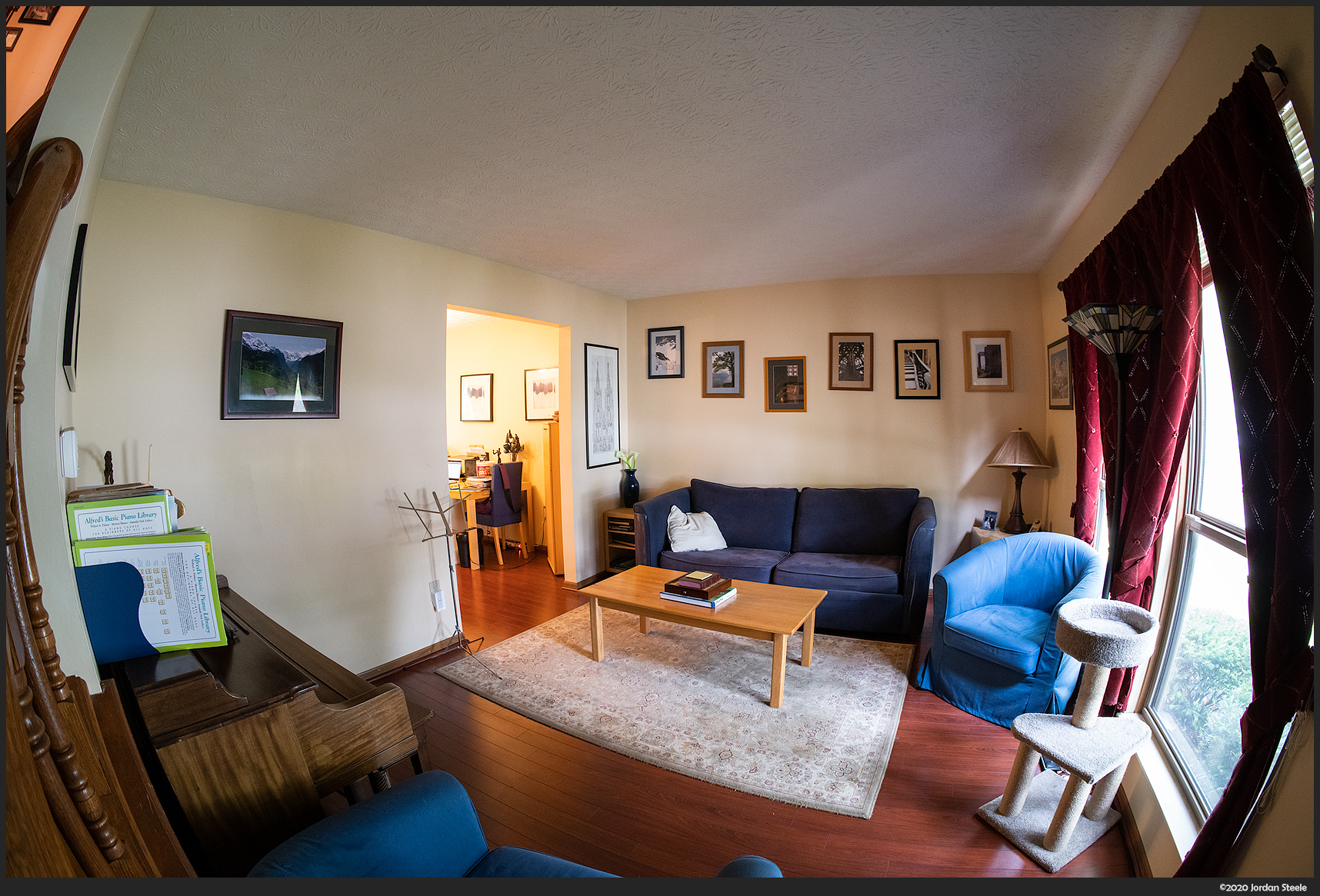
Original shot:
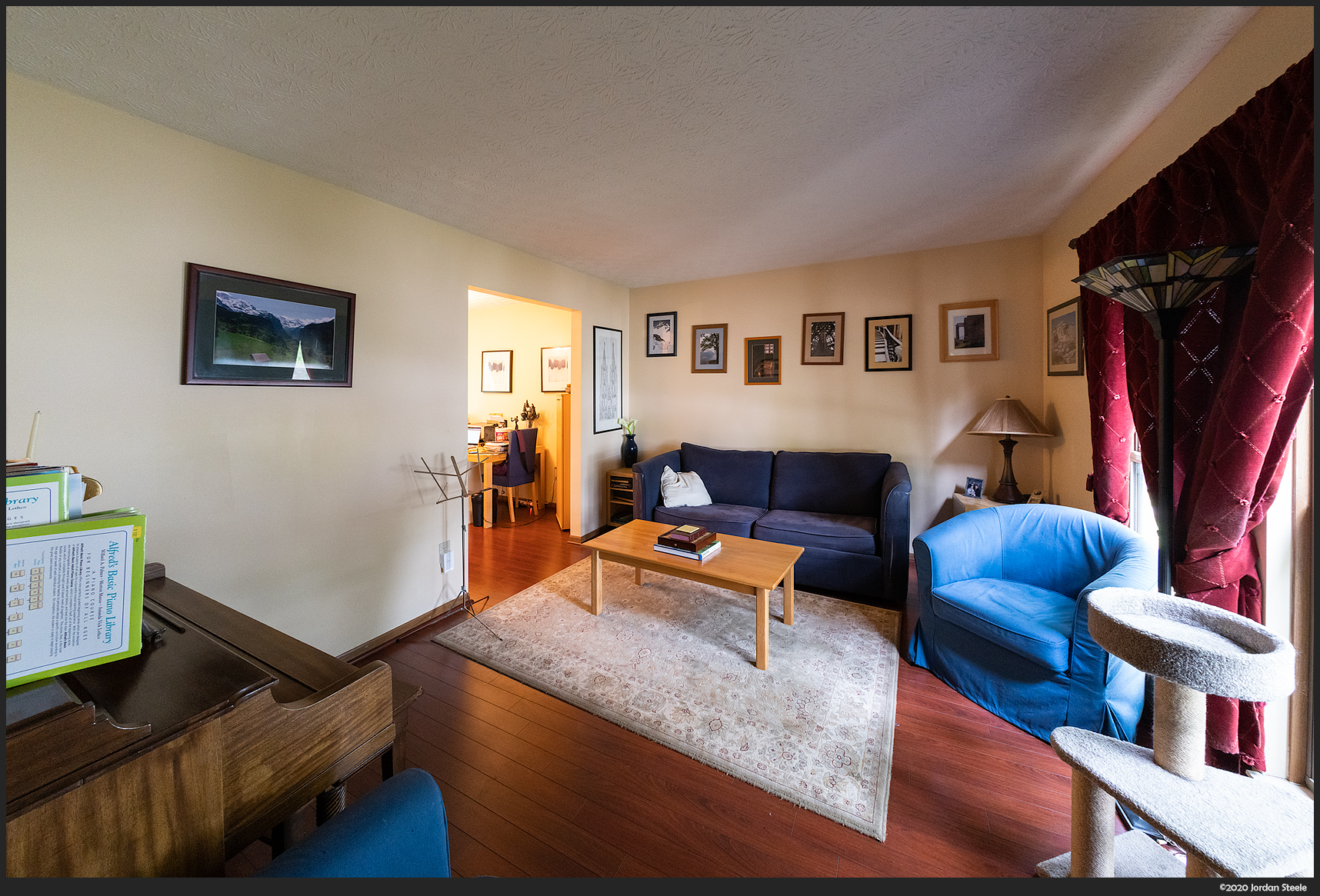
Defished with Lightroom, Canon 15mm profile at 95:
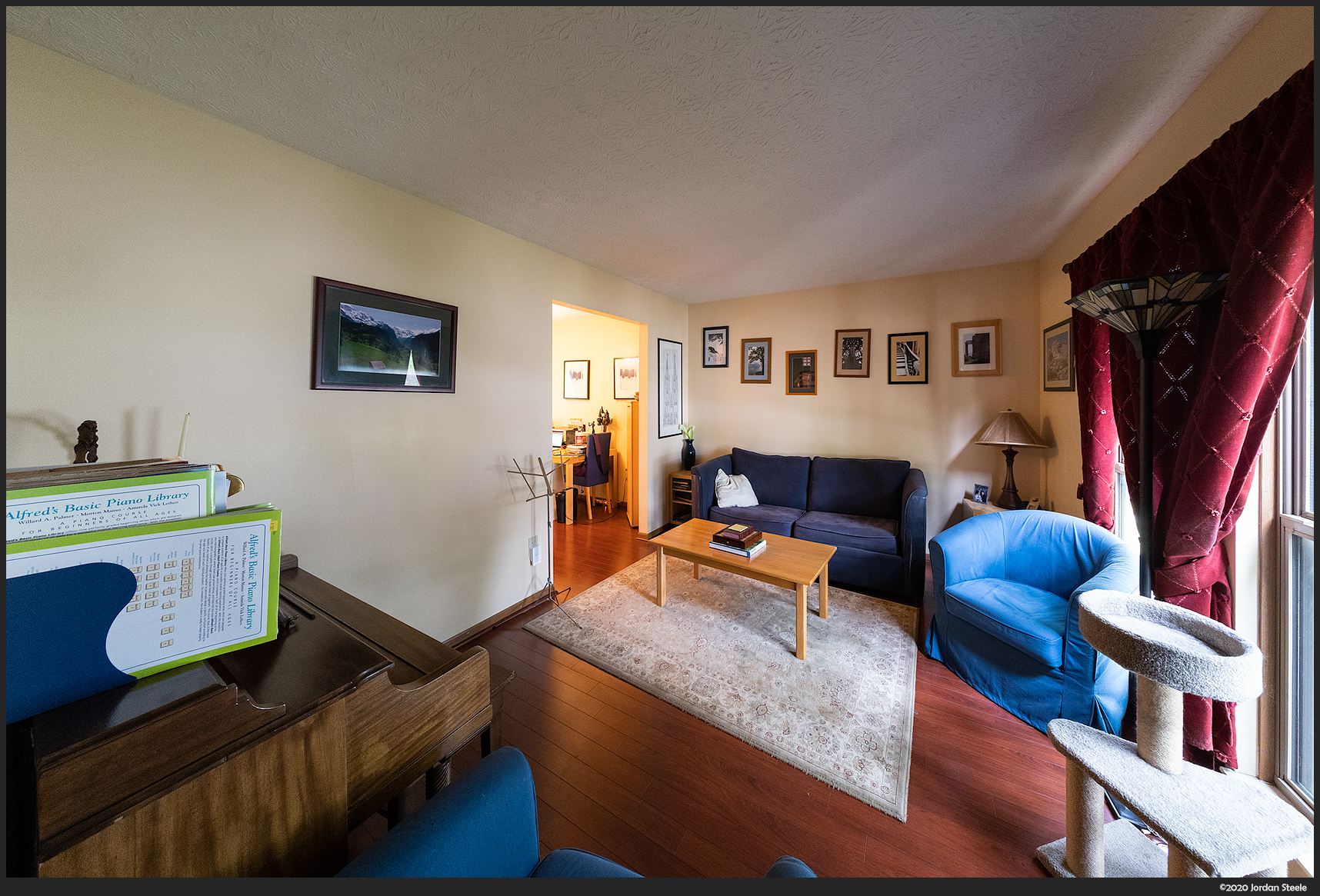
Defished with Perspective Efex, mild horizontal compression:
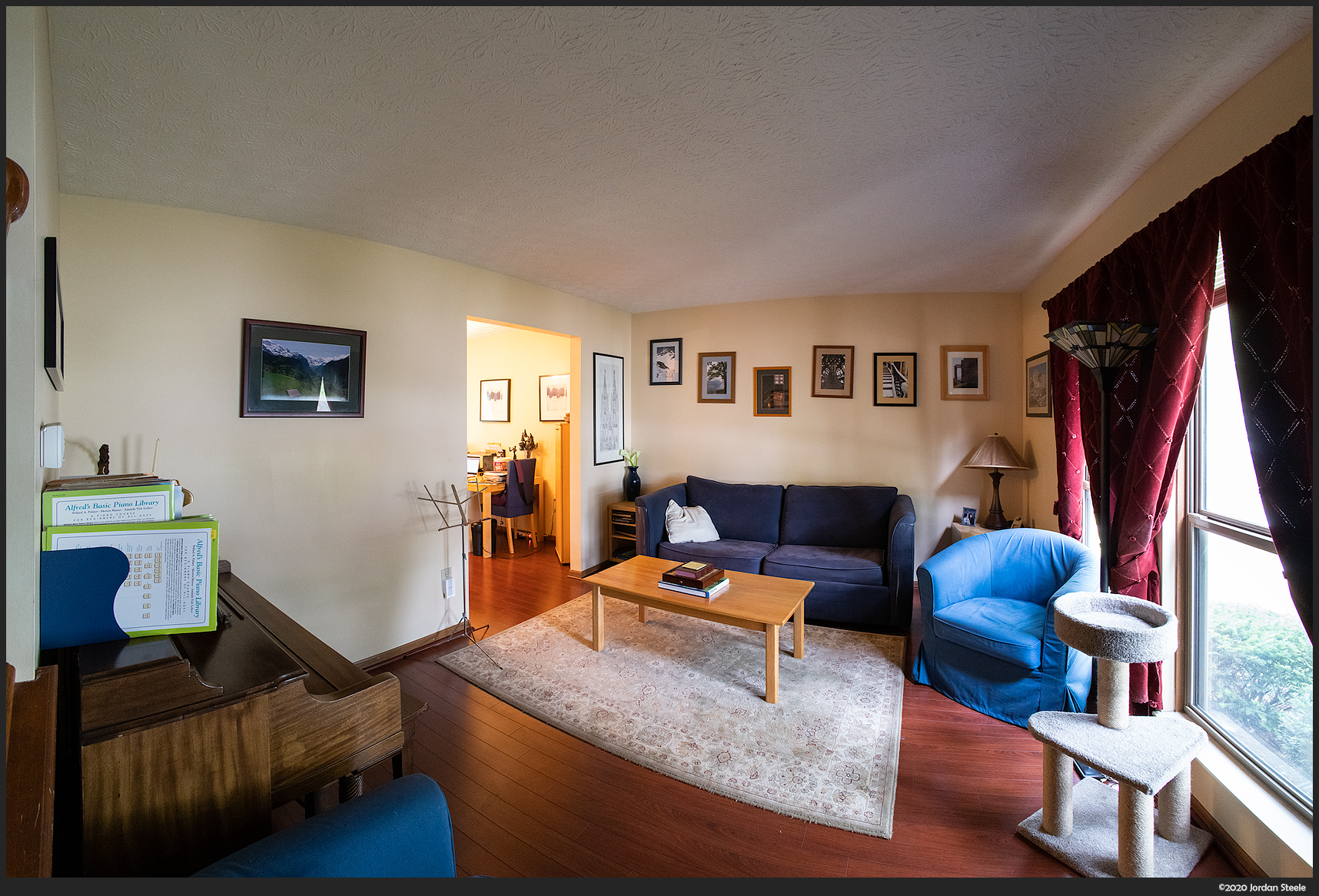
Partial Defish with Fisheye Hemi v2 (minor tweaks from base profile)...note the significantly wider FOV:
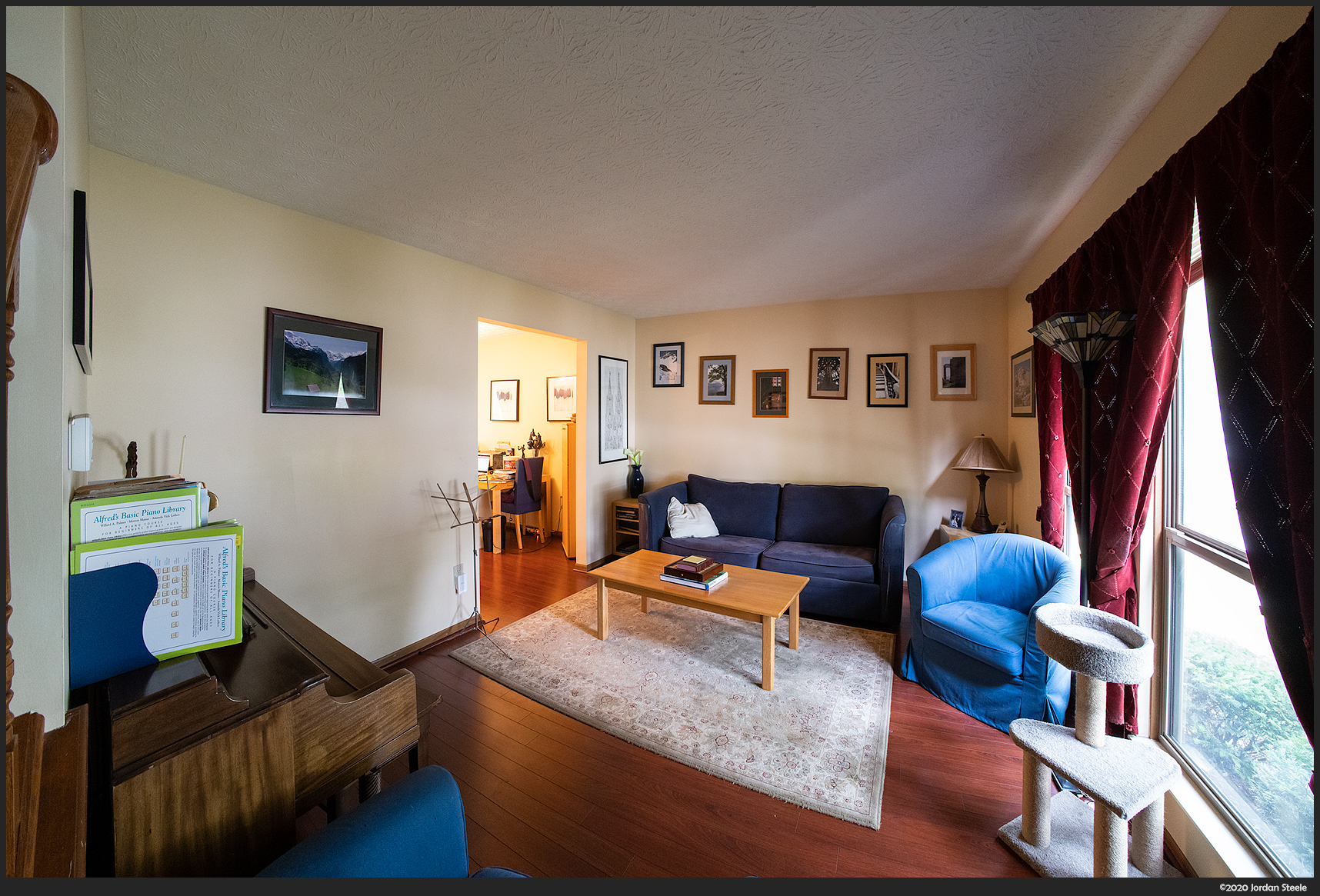
And an interesting one...still a partial defish, but I tweaked the settings in this one to also straighten the radial lines at the ceiling, which almost makes this look like a full defish, but with most of the field of view.
|


