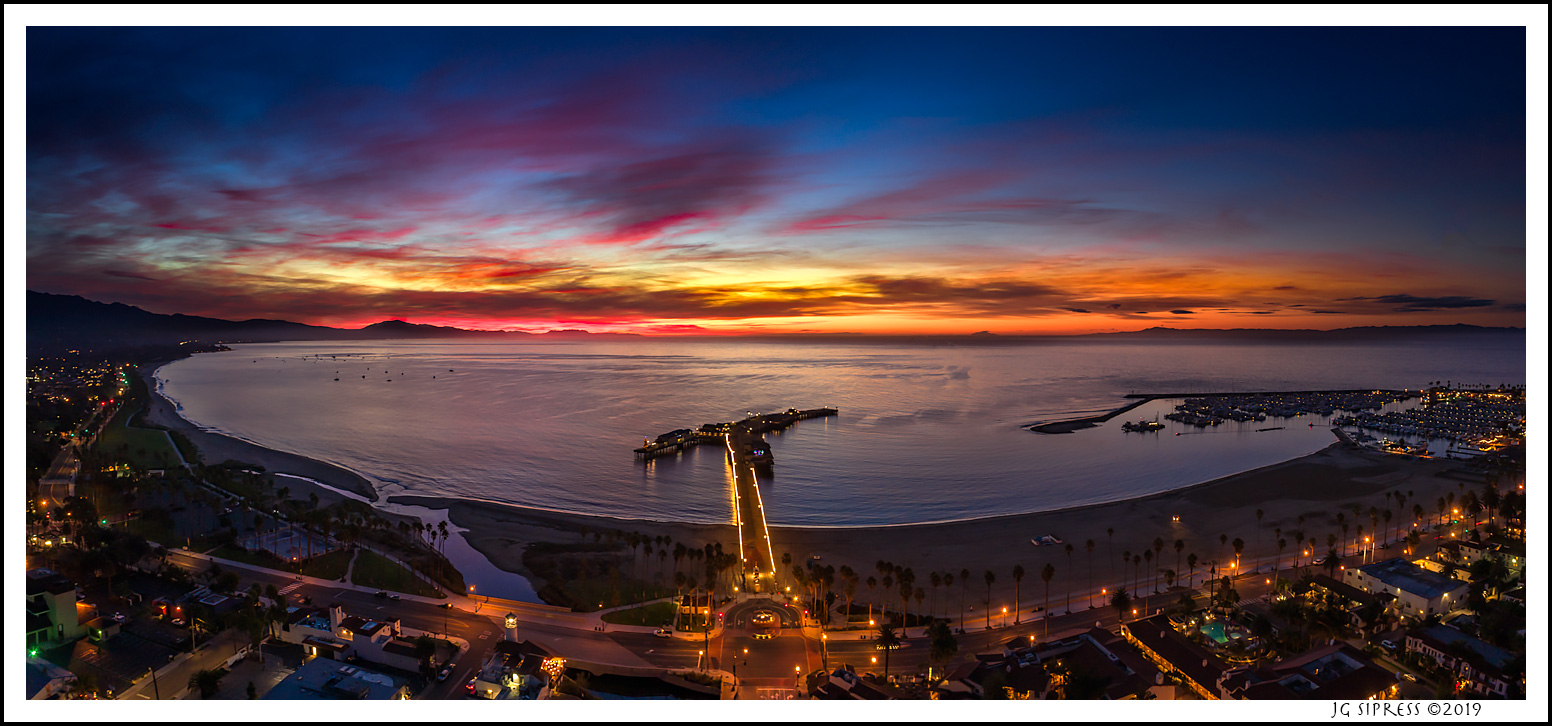
A recent winter morning in southern California. This is the shoreline in downtown Santa Barbara, CA from above. Three image pano using a Phantom 4 Pro.
Beautiful image! I had been wondering about the dynamic range on the Phantom 4 Pro (and the Mavic 2 Pro). Well, this image answers one of my questions. Nice work on this!
kwilliam8 wrote:
Beautiful image! I had been wondering about the dynamic range on the Phantom 4 Pro (and the Mavic 2 Pro). Well, this image answers one of my questions. Nice work on this!
Thanks Keith. Lots of shadow and highlight recovery going here as well as noise reduction. The little DJI camera is NOT like the pro Canon/Nikon/Sony/Fuji output, so some futzing is required especially in low light conditions such as this. If I'm not going for very wide style like this where there's no vertical blending, then I am doing vertical panos to get better exposure for the dark and light areas (skies and ground or city). It's been a fun year of learning.
Sunny, I have not gone that large with the DJI files. IQ becomes an issue as such enlargement, depending in how much you care. Of course, the jpegs look fabulous here.
Jeffrey, that is an excellent image! I have a question for you, how do you do a vertical pano? I've taken horizontal pano's with my Phantom 4 Pro but I don't know how to make a vertical.
Thanks,
Mr.G
Mr.Gale wrote:
Jeffrey, that is an excellent image! I have a question for you, how do you do a vertical pano? I've taken horizontal pano's with my Phantom 4 Pro but I don't know how to make a vertical.
Thanks,
Mr.G
Thanks for the kind comment, Mr. G. First thing I do is find THE spot (as with all photography). I don't aim too much downward, it looks too droney. I always hover for around 5 to 10 seconds wit no stick action to let the aircraft stabilize it's position. Let's say you have a horizon or central subject. Then it's as simple as putting the horizon (or subject) towards the top of your frame, capture the image, gimbal up to move the horizon lower in the frame, and capture another. You can do three for a better overlap. Then stitch them as a panorama in LR or PS as you would with frames taken with any camera. Keep the drone in one spot and use the gimbal for vertical pano, or simply yaw (turn) left and right for horizontal frames. Just imagine you're doing a pano capture with your regular camera, overlapping about 1/3 frame each time.
Jeffrey wrote:
Thanks for the kind comment, Mr. G. First thing I do is find THE spot (as with all photography). I don't aim too much downward, it looks too droney. I always hover for around 5 to 10 seconds wit no stick action to let the aircraft stabilize it's position. Let's say you have a horizon or central subject. Then it's as simple as putting the horizon (or subject) towards the top of your frame, capture the image, gimbal up to move the horizon lower in the frame, and capture another. You can do three for a better overlap. Then stitch them as a panorama in LR or PS as you would with frames taken with any camera. Keep the drone in one spot and use the gimbal for vertical pano, or simply yaw (turn) left and right for horizontal frames. Just imagine you're doing a pano capture with your regular camera, overlapping about 1/3 frame each time....Show more →
Thanks, Jeffrey! Now that you described how you did it, it makes a lot of sense.