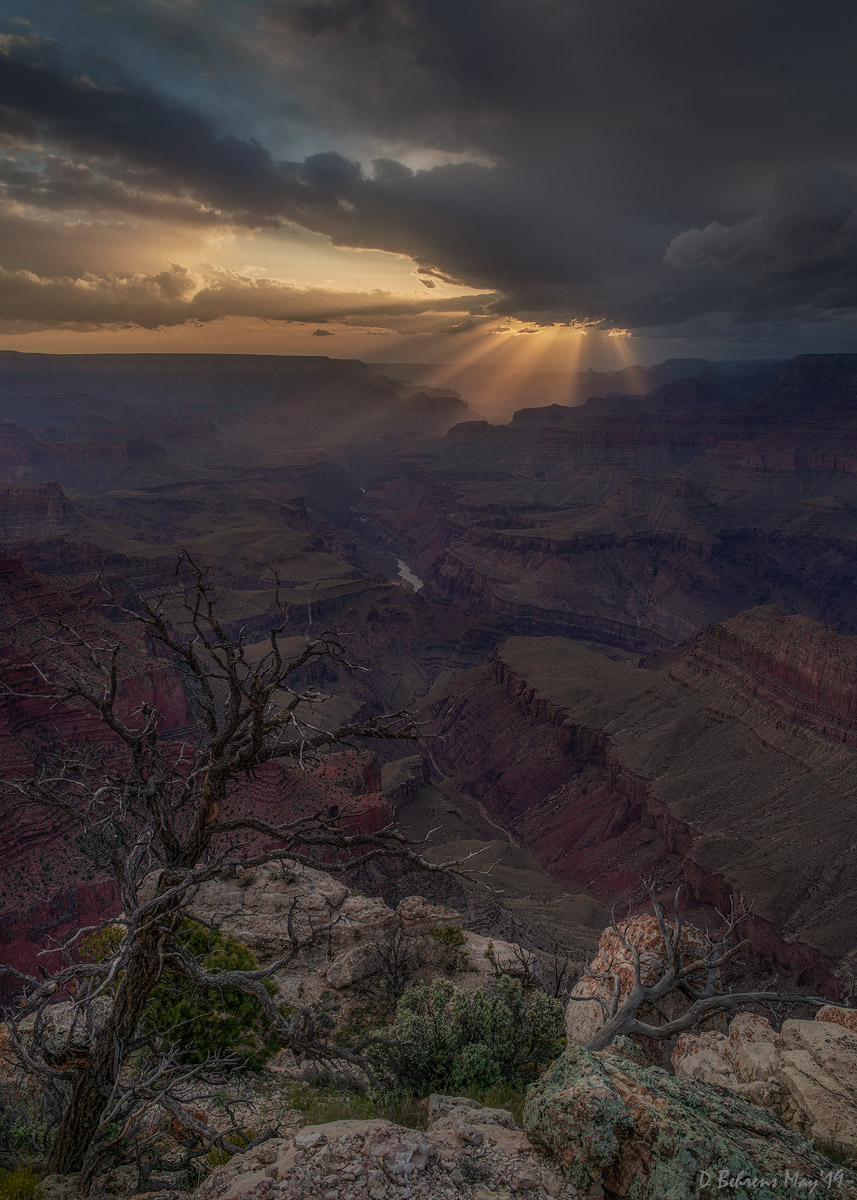
That is a great shoot. The composition with the tree leaning towards the sun is fantastic.
This is a strong image but I would work a little on contrast to add more light and life. Great work.
Thanks to all of you who took to the time to comment. Greatly appreciated!
ArturS wrote:
That is a great shoot. The composition with the tree leaning towards the sun is fantastic.
This is a strong image but I would work a little on contrast to add more light and life. Great work.
Thanks Artur. . . to hear this coming from you is greatly encouraging! I agree that this image needs a little more pop in key areas and I already have several new renditions with subtle improvements. I'll take your comments and hope to post an improved version.
All the best!
Dave
dbehrens wrote:
Thanks to all of you who took to the time to comment. Greatly appreciated!
Thanks Artur. . . to hear this coming from you is greatly encouraging! I agree that this image needs a little more pop in key areas and I already have several new renditions with subtle improvements. I'll take your comments and hope to post an improved version.
All the best!
Dave
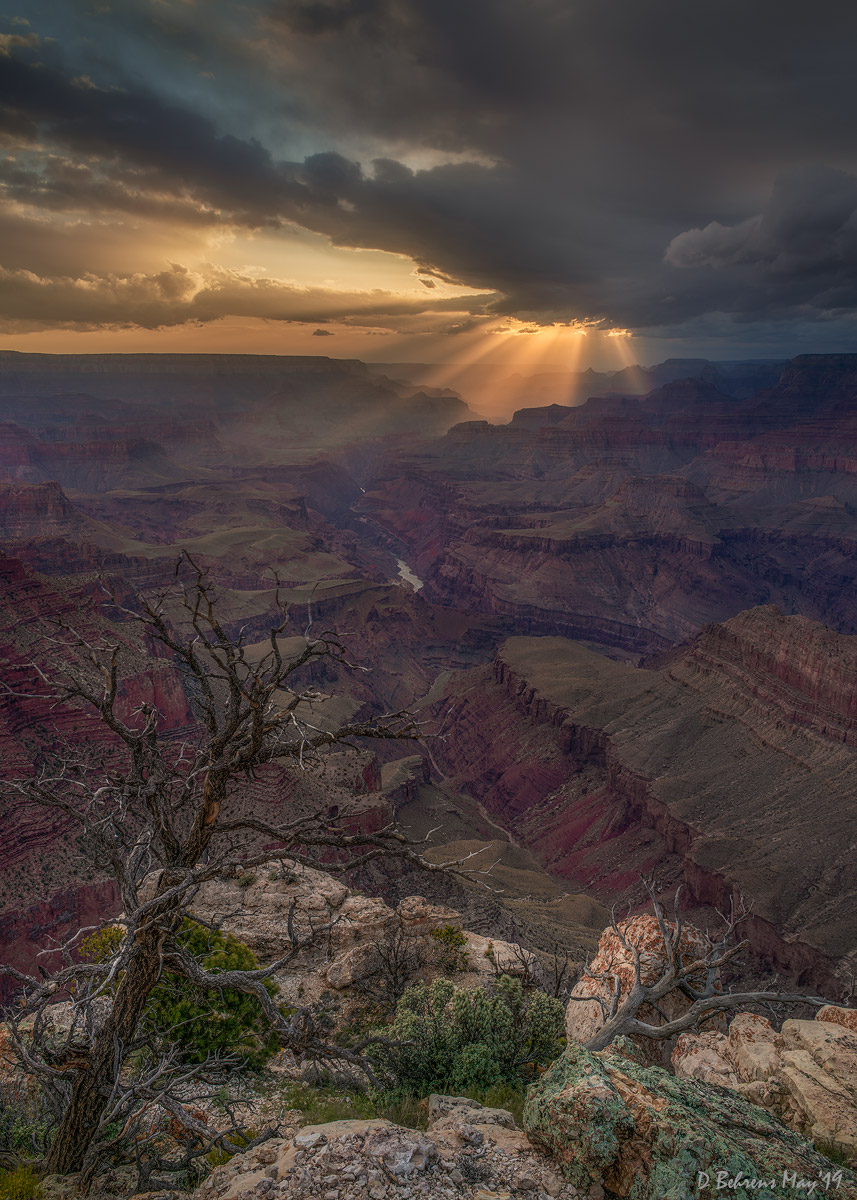
Now have a reprocessed version posted that hopefully has more "light and life".
Nice to see you are settling into your new location! This is a really nice image - with a lot of elements all coming together. I do like the additional processing you've presented - a nice added touch without going overboard.
Now get back out there and find more spots for you to take me!
Nice to see you are settling into your new location! This is a really nice image - with a lot of elements all coming together. I do like the additional processing you've presented - a nice added touch without going overboard.
Now get back out there and find more spots for you to take me!
Todd
Thanks Todd! I'm already liking what AZ has to offer.
More to come. . . and come along!
Very nice composition and the beams are lovely... and it a great spot within the frame.
The toughest challenge as you work the thing in post probably has to do with that foreground cliff edge, the dark tree, and the shadowed canyon beyond. I think there are a few parts to this.
1. How bright can the overall image be and still have the quality of light that was present in this scene? I opened your image in Photoshop and looked at the histogram. The curve is centered at about 25% of the way up from the "black" end of the curve, and there is little or nothing at the white end. It might be possible to apply a curve to the whole thing that brings up the mid-tone values a bit, moving that curve peak a bit further toward brightness. (I'd do this with a curve rather than by simply raising "exposure" since you probably don't want to lighten the darkest, near-black tones.) (Generally speaking, an image prepared for print can probably be even a bit brighter than one that looks "right" on the screen.)
2. How bright can the brightest sun area be, including the light beams and the bright area of sky slightly above and to the left? This is tricky. It looks to me like the very brightest bigs of sun-lit cloud, near the upper ends of the light beams, may already be close to saturating the red channel. This means that any additional lightening of this area needs to be done in a way that protects those tiny areas. In fact, the curve applied in step #1 above may create this problem. One easy solution (speaking from the Photoshop perspective here) is to select the mask for the curve layer in #1 and then use a soft brush (black) to "paint" over the brightest areas in order to keep the curve away from them. You may already know about this, so I won't go into details — but let me know if you want to know more.
3. I think you could try applying a curve (and in all of these cases I'm using a soft-edged mask to constrain them) to produce a tiny bit more definition to the darker section of the light beams that extend left of the very bright parts. The adjustment can be subtle, but can put a bit more contrast between them and the darken cliff. (I'm not suggesting that you do this to the brightest area.)
4. The bottom 2/3 of the image — with that lovely canyon, the attractive tree, and the bit of foreground lighter rock — provides a case study in complicated post-processing! Let me note a few things that I see. First, the lower edge of the image with the rocks and plants on the upper edge of the cliff is very lovely and subtle. But as lovely as it is, I don't think you would want to lighten that too much, since it could begin to draw too much attention from the current center of interest in the sky. Second, the contrast between the dark tones of the tree and its background is quite subtle. I also notice that the branches seem lighter where they are backed by the lighter foreground rocks and darker where they are backed by the darker canyon plateaus. This is a very challenging part of the image to post-process, but I think that the general idea might be to try to increase the separation between the tree and the backgrounds a bit. I think that there is room to lighten the brightest areas of the canyon benches just a bit without margin them took artificially bright, and that could give a bit more separation to the branches on the upper half of the tree. If you choose to lighten the foreground rocks/plants a little bit, I'd keep that work away from the right 1/3 of the frame and the rounded area at the lower center frame edge, but apply it to the area just beneath and under the tree. You could try a single masked curve, locking down the darker tones of the tree... or you could just make a curve that looks right for the rocks and then use a soft brush to "paint out" the part of the mask with the tree. (It doesn't have to be super precise.)
Finally, why am I writing so much about this? Two reasons:
1.I think this is lovely photograph that is worth the extra effort!
2. The image provides a virtual case study in how to handle some really tricky post-processing challenges!
Finally, I have refrained from posting reprocessed versions of your image because... it is your image, not mine! :-)
gdanmitchell wrote:
Very nice composition and the beams are lovely... and it a great spot within the frame.
The toughest challenge as you work the thing in post probably has to do with that foreground cliff edge, the dark tree, and the shadowed canyon beyond. I think there are a few parts to this.
1. How bright can the overall image be and still have the quality of light that was present in this scene? I opened your image in Photoshop and looked at the histogram. The curve is centered at about 25% of the way up from the "black" end of the curve, and there is little or nothing at the white end. It might be possible to apply a curve to the whole thing that brings up the mid-tone values a bit, moving that curve peak a bit further toward brightness. (I'd do this with a curve rather than by simply raising "exposure" since you probably don't want to lighten the darkest, near-black tones.) (Generally speaking, an image prepared for print can probably be even a bit brighter than one that looks "right" on the screen.)
2. How bright can the brightest sun area be, including the light beams and the bright area of sky slightly above and to the left? This is tricky. It looks to me like the very brightest bigs of sun-lit cloud, near the upper ends of the light beams, may already be close to saturating the red channel. This means that any additional lightening of this area needs to be done in a way that protects those tiny areas. In fact, the curve applied in step #1 above may create this problem. One easy solution (speaking from the Photoshop perspective here) is to select the mask for the curve layer in #1 and then use a soft brush (black) to "paint" over the brightest areas in order to keep the curve away from them. You may already know about this, so I won't go into details — but let me know if you want to know more.
3. I think you could try applying a curve (and in all of these cases I'm using a soft-edged mask to constrain them) to produce a tiny bit more definition to the darker section of the light beams that extend left of the very bright parts. The adjustment can be subtle, but can put a bit more contrast between them and the darken cliff. (I'm not suggesting that you do this to the brightest area.)
4. The bottom 2/3 of the image — with that lovely canyon, the attractive tree, and the bit of foreground lighter rock — provides a case study in complicated post-processing! Let me note a few things that I see. First, the lower edge of the image with the rocks and plants on the upper edge of the cliff is very lovely and subtle. But as lovely as it is, I don't think you would want to lighten that too much, since it could begin to draw too much attention from the current center of interest in the sky. Second, the contrast between the dark tones of the tree and its background is quite subtle. I also notice that the branches seem lighter where they are backed by the lighter foreground rocks and darker where they are backed by the darker canyon plateaus. This is a very challenging part of the image to post-process, but I think that the general idea might be to try to increase the separation between the tree and the backgrounds a bit. I think that there is room to lighten the brightest areas of the canyon benches just a bit without margin them took artificially bright, and that could give a bit more separation to the branches on the upper half of the tree. If you choose to lighten the foreground rocks/plants a little bit, I'd keep that work away from the right 1/3 of the frame and the rounded area at the lower center frame edge, but apply it to the area just beneath and under the tree. You could try a single masked curve, locking down the darker tones of the tree... or you could just make a curve that looks right for the rocks and then use a soft brush to "paint out" the part of the mask with the tree. (It doesn't have to be super precise.)
Finally, why am I writing so much about this? Two reasons:
1.I think this is lovely photograph that is worth the extra effort!
2. The image provides a virtual case study in how to handle some really tricky post-processing challenges!
Finally, I have refrained from posting reprocessed versions of your image because... it is your image, not mine! :-)
Wow! Thanks Dan for your detailed thoughts to make this pic a work of art! Extra effort it will take and as you laid out it will be a piece by piece exercise - but I will not give up on this pic. Reading your thoughts and work flow technique has me thinking of additional options that may work as well - luminosity masks and blend/if comes to mind. In any case I will take the challenge (it will take time) and repost somewhere down the road.