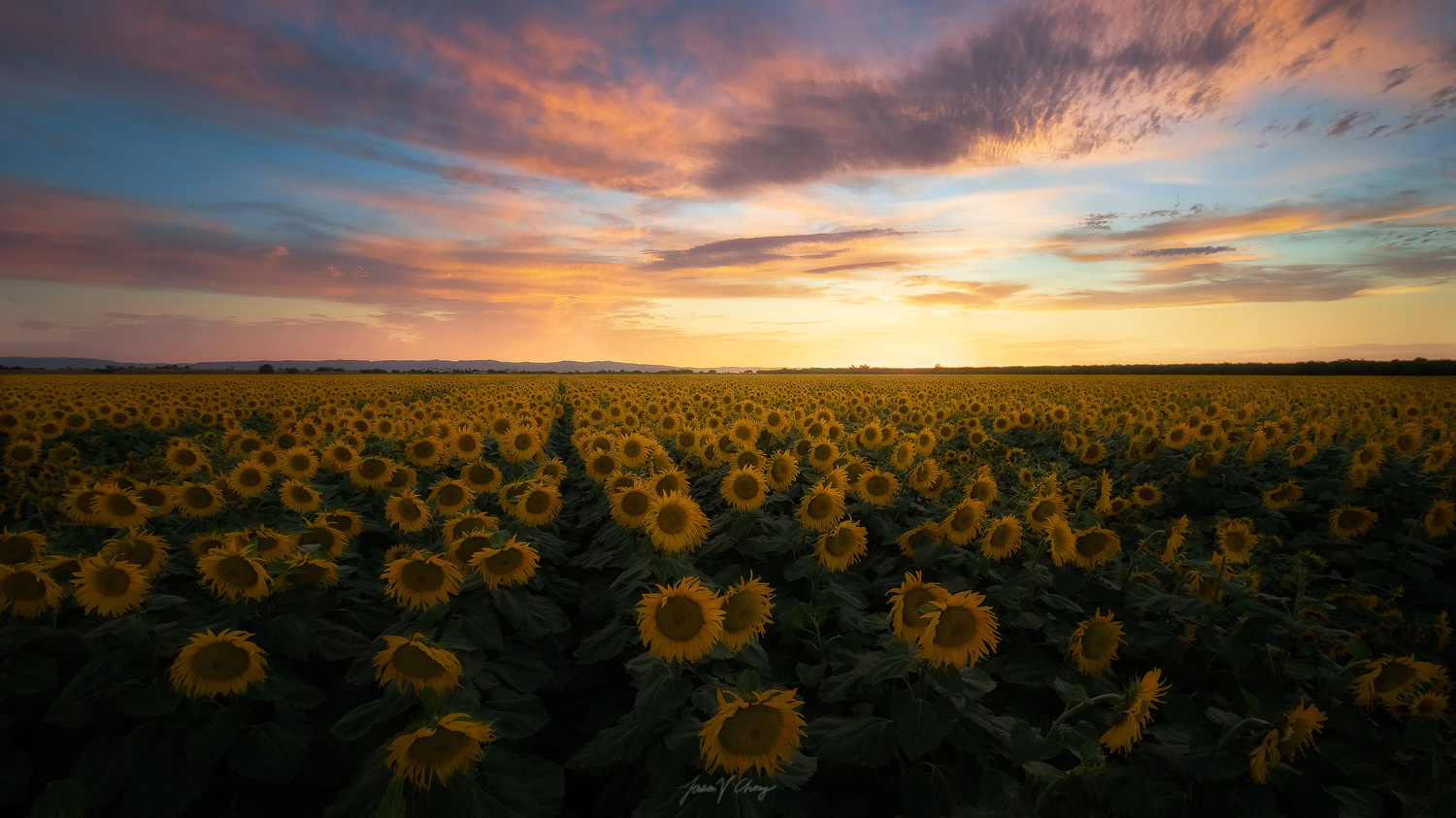
Wonderful balance, the sunflowers look so delicate and non competing with the sky, as if they bowed their heads to honor the colors above...........Very pleasing image
Thanks everyone for the positive reactions to my shot.
I've been looking at the shot on multiple monitors (calibrated) and devices. I did edit the brightness to taste. I think the right and left side shadows could be slightly dodged but it's probably my vignette that's causing so maybe i'll slide that off a bit. I'll revisit the flowers a bit more. Perhaps the bottoms of the front row flowers might be a bit dark but I was hoping to accent the tops more as draws the glow all the way to the back.
Definitely if I print this on metal, I'll have to adjust brightness.
roguecoolman wrote:
Thanks everyone for the positive reactions to my shot.
I've been looking at the shot on multiple monitors (calibrated) and devices. I did edit the brightness to taste. I think the right and left side shadows could be slightly dodged but it's probably my vignette that's causing so maybe i'll slide that off a bit. I'll revisit the flowers a bit more. Perhaps the bottoms of the front row flowers might be a bit dark but I was hoping to accent the tops more as draws the glow all the way to the back.
Definitely if I print this on metal, I'll have to adjust brightness.
Im sure you already know, but I feel it might be worth mentioning here for those who it might be of help to, it is not always true (and I am not suggesting it is here) but so often when photographers say something is "too bright" or "too dark" on photography forums, it can be very much due to almost no one being on the same calibration/luminance color management page for web viewing displays.
Although there are no strict/specific brightness/luminance standards for web viewing, there are some reliable general standards. I have done much study over the years in this area of color management (and write articles on it sometimes). Among other things, my ongoing research has led me to include talking/interviewing some top color management gurus, also companies like Spyder and X-Rite (the techies who really know the ins and outs) as well as a fairly extensive list of top professionals in our field or nature photography.
What I have found is that generally speaking for a soft/moderately lit room (soft light, with no reflections on our monitor coming from reflected light behind us) as well as no bright lights in front of our monitors (so a mellow medium lit room - not bright or dark) calibrating to 120-130 cd/m2 (brightness/luminance) is the general standard. I have tinkered and tested this over the last 10-15 years and over the last few years have settled for 125 cd/m2 (brightness) with some level of success. If a room gets brighter or darker then a slight adjustment in cd/m2 (brightness) up or down can be helpful (like maybe 110in a lower lit room or 140 in a pretty bright room respectively). There can be more extreme cases but controlling our room brightness is a basic responsibility of good color management practices.
As you may very well already know, mastering a fine art printmaking is an utterly different beast altogether! Metal prints are even more difficult than prints that have excellent custom icc profiles to rely on (because metal does not - at least nothing very reliable).
Also, all types of print media are extremely different in not only brightness but also critical contrast ratio, saturation, color gamut, detail and more! So, for critical quality or even master printmaking it is NEVER advisable to finish an image (intended to be printed) developed for web viewing, or under web display specs! It is better to do the opposite. Make an image for print. Then later tweak it for web.
A few (but certainly not all) basic/general rules that might be helpful for some reading this who may want to up their print quality/accuracy would be to:
*Drop the monitor brightness to around 60-65cd/m2 (brightness/luminance) from the very beginning of processing in raw and then keep it there all the way to completion.
*Work on a white canvas/background in the raw converter and in Photoshop (all the way through to the end of processing).
*Specifically soft-proof to the media you are going to print on, from raw, all the way through to completion.
*NOT checking the "simulate paper color" in the Adobe soft proofing options - such as in Photoshop (this is an old algorithm that designed for matt paper) is surprisingly helpful unless you are indeed making a matte print.
***NOT using a 5k monitor to evaluate sharpness or noise profile (lower than 4K monitors are the best today). 5k monitors are impossible to evaluate critical print detail, unfortunately. 4K are bad, and lower than 4k are best.
*Hopefully, use a 10 bit and wide-gamut monitor (under 4K).
*Know that Macs have a Native White point balance biased much toward cool (magenta/blue). So during calibration, do not push them beyond 6500 White Point (do not try to warm them up too much) or you can start to get color inaccuracies not matter how good your calibration software is.
*Lower saturation just a hair compared to your monitor (maybe -5 pts in Photoshop Hue/Saturation) before sending the print in, when using the lower luminance target of 60-65cd (Brightness) 2.2 Gamma, 6500 White Point.
Hopefully this is helpful for someone. And this is just the tip of the ice-burg!
Im sure you already know, but I feel it might be worth mentioning here for those who it might be of help to, it is not always true (and I am not suggesting it is here) but so often when photographers say something is "too bright" or "too dark" on photography forums, it can be very much due to almost no one being on the same calibration/luminance color management page for web viewing displays.
Although there are no strict/specific brightness/luminance standards for web viewing, there are some reliable general standards. I have done much study over the years in this area of color management (and write articles on it sometimes). Among other things, my ongoing research has led me to include talking/interviewing some top color management gurus, also companies like Spyder and X-Rite (the techies who really know the ins and outs) as well as a fairly extensive list of top professionals in our field or nature photography.
What I have found is that generally speaking for a soft/moderately lit room (soft light, with no reflections on our monitor coming from reflected light behind us) as well as no bright lights in front of our monitors (so a mellow medium lit room - not bright or dark) calibrating to 120-130 cd/m2 (brightness/luminance) is the general standard. I have tinkered and tested this over the last 10-15 years and over the last few years have settled for 125 cd/m2 (brightness) with some level of success. If a room gets brighter or darker then a slight adjustment in cd/m2 (brightness) up or down can be helpful (like maybe 110in a lower lit room or 140 in a pretty bright room respectively). There can be more extreme cases but controlling our room brightness is a basic responsibility of good color management practices.
As you may very well already know, mastering a fine art printmaking is an utterly different beast altogether! Metal prints are even more difficult than prints that have excellent custom icc profiles to rely on (because metal does not - at least nothing very reliable).
Also, all types of print media are extremely different in not only brightness but also critical contrast ratio, saturation, color gamut, detail and more! So, for critical quality or even master printmaking it is NEVER advisable to finish an image (intended to be printed) developed for web viewing, or under web display specs! It is better to do the opposite. Make an image for print. Then later tweak it for web.
A few (but certainly not all) basic/general rules that might be helpful for some reading this who may want to up their print quality/accuracy would be to:
*Drop the monitor brightness to around 60-65cd/m2 (brightness/luminance) from the very beginning of processing in raw and then keep it there all the way to completion.
*Work on a white canvas/background in the raw converter and in Photoshop (all the way through to the end of processing).
*Specifically soft-proof to the media you are going to print on, from raw, all the way through to completion.
*NOT checking the "simulate paper color" in the Adobe soft proofing options - such as in Photoshop (this is an old algorithm that designed for matt paper) is surprisingly helpful unless you are indeed making a matte print.
***NOT using a 5k monitor to evaluate sharpness or noise profile (lower than 4K monitors are the best today). 5k monitors are impossible to evaluate critical print detail, unfortunately. 4K are bad, and lower than 4k are best.
*Hopefully, use a 10 bit and wide-gamut monitor (under 4K).
*Know that Macs have a Native White point balance biased much toward cool (magenta/blue). So during calibration, do not push them beyond 6500 White Point (do not try to warm them up too much) or you can start to get color inaccuracies not matter how good your calibration software is.
*Lower saturation just a hair compared to your monitor (maybe -5 pts in Photoshop Hue/Saturation) before sending the print in, when using the lower luminance target of 60-65cd (Brightness) 2.2 Gamma, 6500 White Point.
Hopefully this is helpful for someone. And this is just the tip of the ice-burg!
oh man you are the master of print making and color calibration dood. It's a good thing I don't sell a lot of prints :P
I appreciate you giving tips out man. I appreciate it.