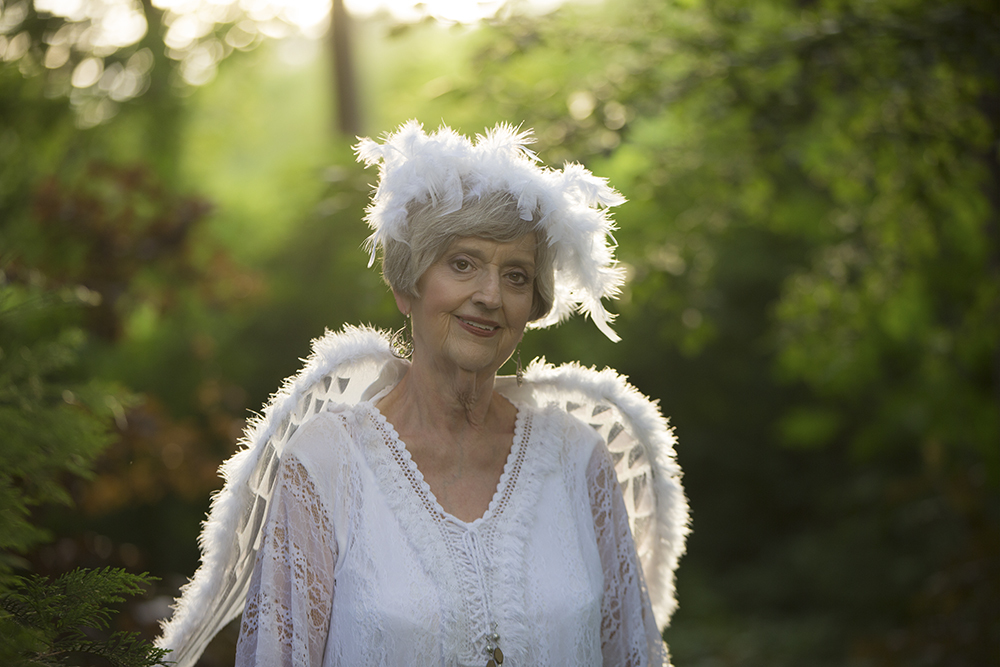
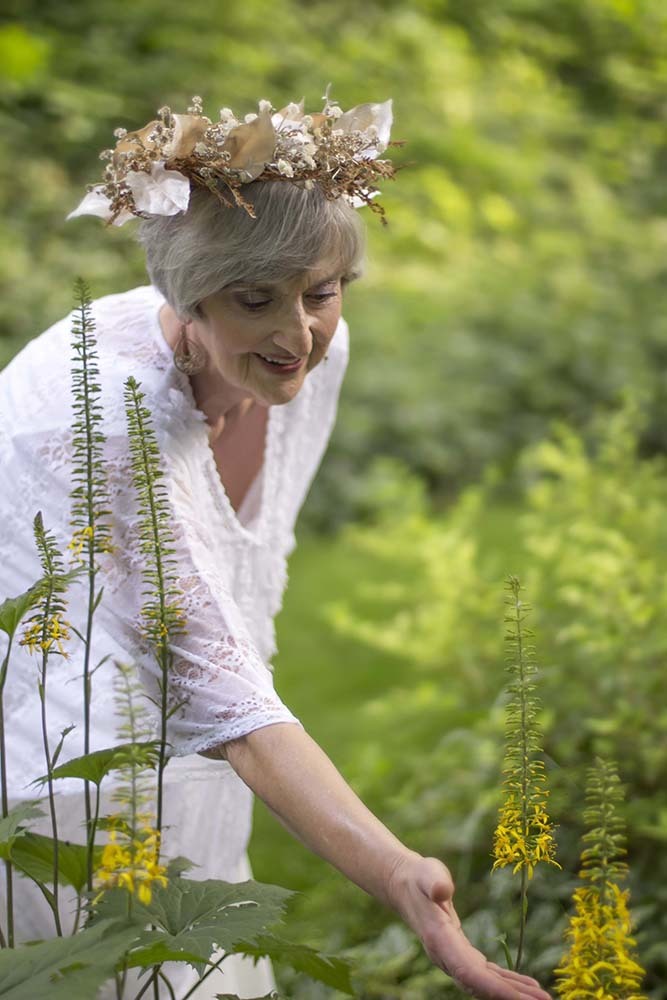
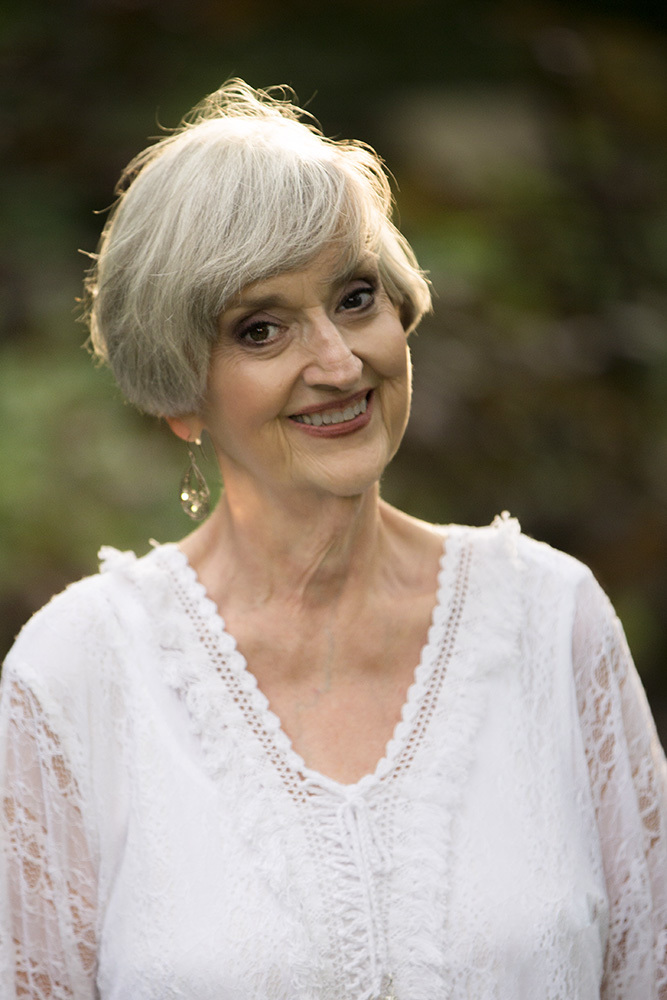
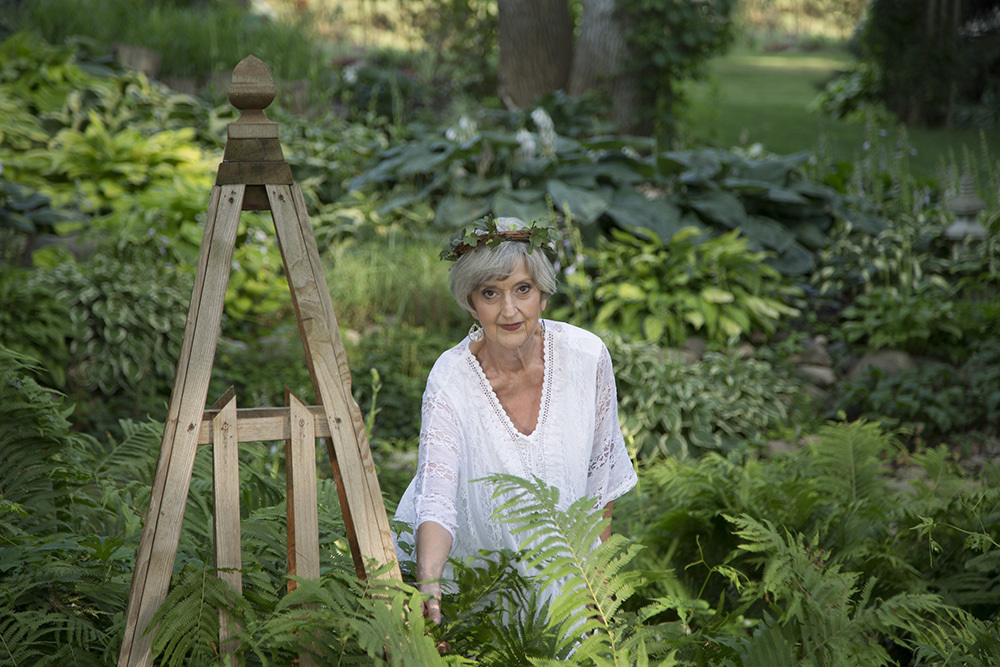
Meet Sharon...she is in her 70s and a goddess. Sharon has lived her life as a registered nurse caring for the sick. In retirement she discovered energy work and has decided to continue her calling as a healer. She now works with energy in many forms including touch, light, and sound.
When I met Sharon I saw her as Florence Nightingale and an angel all wrapped into one being. She is very sweet, kind, gentle, and caring.
Sharon is looking for images of herself that will reflex outwardly the changes she has gone through inside. She will use many of her images on her website and elsewhere to advertise her business.
I'm looking for C&C of all types, but especially critique that will improve these images...either in the form of post processing issues or suggestions and things that I may want to think about in my future work.
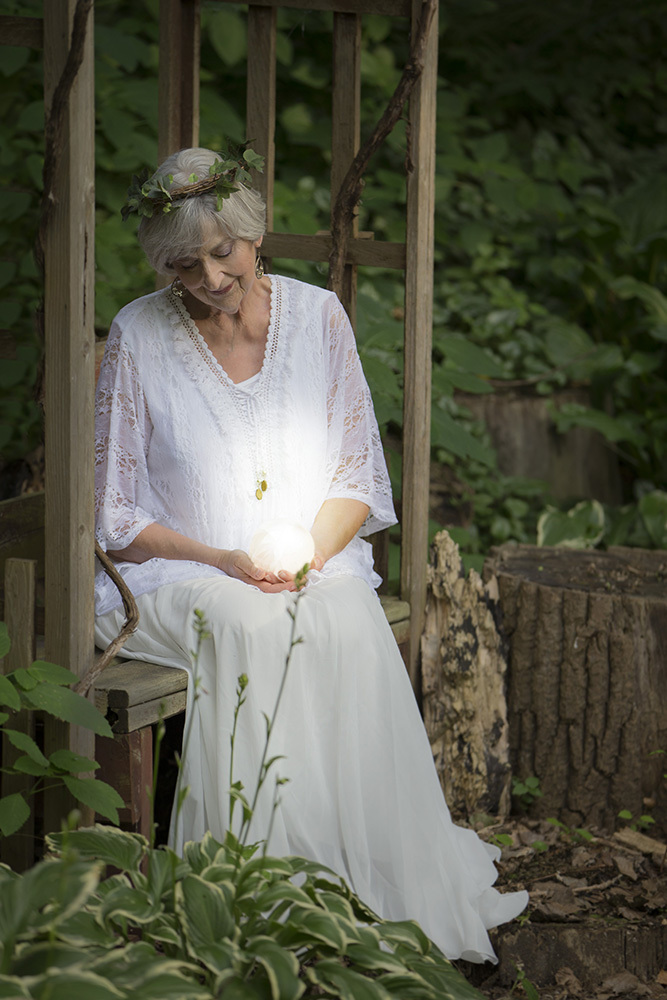
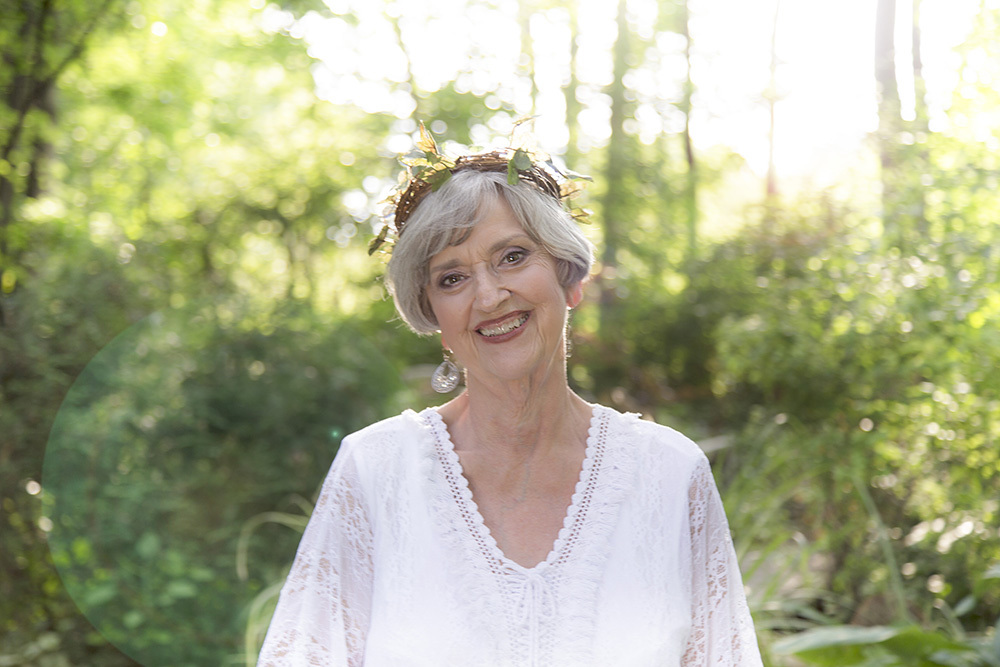
A well put together set Diane! The first has a little too much power in the backlight I feel. Compositionally, the second is my favorite, again I feel a little too bright light on her dress (as coming off the globe in her hands). The last is a very nice natural light look to it.
Douglas
I also posted this in the critique section. I thought I had cross posted, but I did something wrong.
Anyway, the brightness definitely could use an adjustment and my back light in #1 was far too strong. I did have my client holding an LED flashlight under her selenite ball to get a glow from it which I did enhance....apparently a bit too much. The other shots were all natural light and a reflector.
egd5 - Thank you for taking the time to comment. It's most appreciated. Yes I figured if she chose that image to use that I'd deliver it as an 8x10 and the crop would come largely from there.
That brings up a very good question...how do you all delivery proofs to your clients? Do you crop for what you think is the very best version of the image and that is that, or do you try to crop in a manner that allows for various aspect ratios?
I really want to do the first as I think my best work is my best work and that's what I want to offer, however I wonder if I'm limiting myself and them too much?
DianeinCR wrote:
That brings up a very good question...how do you all delivery proofs to your clients? Do you crop for what you think is the very best version of the image and that is that, or do you try to crop in a manner that allows for various aspect ratios?
Clients don't normally have much of an imagination. Show them cropped and let them know other formats are available.
On #1, she would have benefited from a higher angle and by extending her chin. Check YouTube for a video refardingnhead shots and chin extension.
How are you doing skin retouching? I think you could go a little further without looking too fake or plastic.
I'm just going to focus on No. 1 as I think that's the image you were really going after, the one that has her appearing as a goddess or angel. First, as already mentioned, the backlighting is too heavy/harsh. You actually didn't need any backlighting at all in this shot, at least not from a flash. If you shot this into the sun, and you let the sun provide the backlight, that would have been nice. Even in this location if direct sun wasn't hitting her, but indirect light (shade) from the sun would be awesome. You could then add a glow effect and gotten everything you wanted out of natural light.
Another reason not to use the flash is how her neck turned out. Compare her neck in that shot to No. 3 and 5, where I think you have some backlight from the sun. Older people look much nicer in softer light, and flashes (and direct sun) tend to be pretty harsh.
dmacmillan - I see what you are saying. I run into this challenge frequently do to my 5 ft stature. This shoot I brought along a stepladder to assist me, though I was not on it for this shot. I was also aware that she has a very pronounced dewlap and made it a point to not get any profiles.
I use Photoshop to process at this point. I reduced the clarity by 3-4 and increased the Luminosity a fair amount. I'm very open to any suggestions here. What would you suggest?
friscoron - Actually that shot was a last minute add on. The client was looking for a shot of her holding the lantern, one for her profile on her website and one with her selinite orb. Then she was open to whatever I came up with.
I have attached another shot that I think my back light was set on it's lowest setting if I recall correctly. While it's much better light wise, I didn't care for the way the halo and wings looked. They seemed far to worldly and not heavenly. How would the glow be applied that you are speaking about?
Thank you for taking the time to respond.
Diane
PS As always, anyone can feel free to process images I post here for the purpose of demonstrating their point.
DianeinCR wrote:
I use Photoshop to process at this point. I reduced the clarity by 3-4 and increased the Luminosity a fair amount. I'm very open to any suggestions here. What would you suggest?
I suggest (gasp!) Portrait Pro. Most of the samples you see are way overcooked. The default settings are usually too much, but you can dial them back.
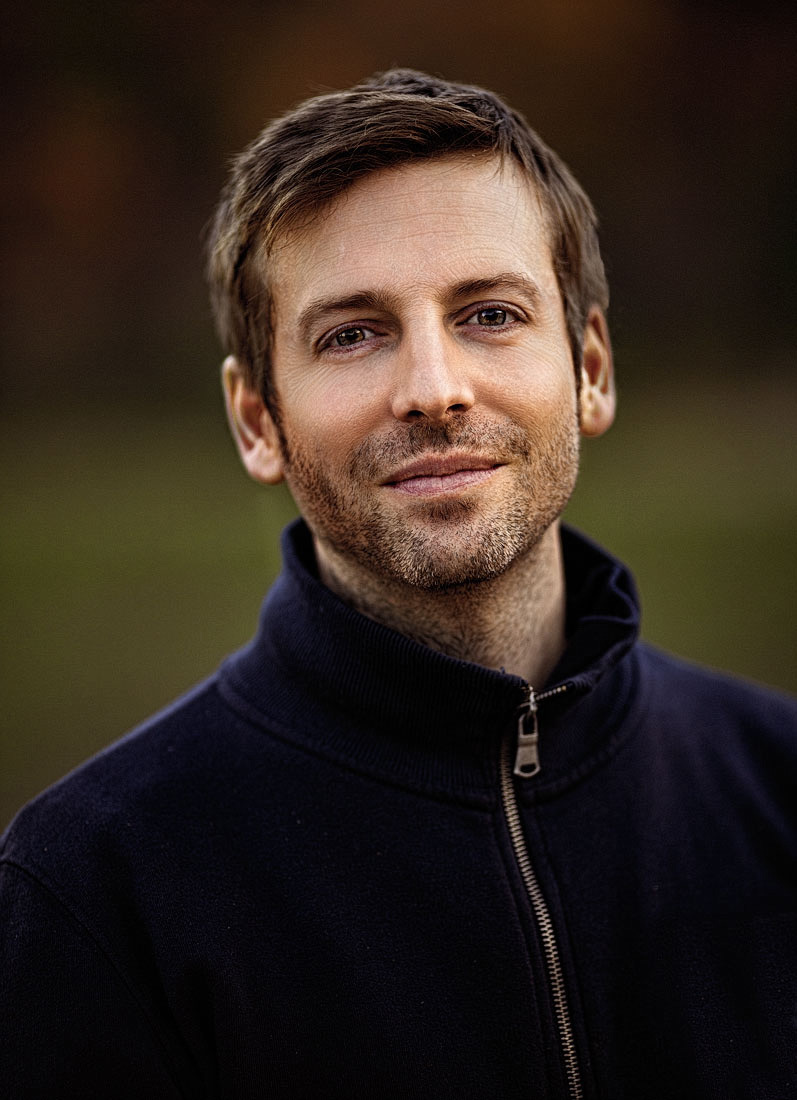
Adjustments are easy to do. Download a trial and see what you think. Here's a photo adjusted with Portrait Pro and finished in PS.
dmacmillian - Thank you for your suggestion. The skin texture in this portrait looks great, but how would I create that look in Photoshop alone? I can't help thinking that presets are quiet similar to a point and shoot camera. I'm trying to learn what it takes to make a good portrait.Why would I go and get Portrait Pro? Is it for time management sake? Frustration? Complexity of the task due to variability of the work and the learning curve? How would you handle the skin on a mature subject in Photoshop?
DianeinCR wrote:
dmacmillian - Thank you for your suggestion. The skin texture in this portrait looks great, but how would I create that look in Photoshop alone? I can't help thinking that presets are quiet similar to a point and shoot camera. I'm trying to learn what it takes to make a good portrait.Why would I go and get Portrait Pro? Is it for time management sake? Frustration? Complexity of the task due to variability of the work and the learning curve? How would you handle the skin on a mature subject in Photoshop?
Diane
Of course, anything that can be done with a plugin can be done with just Photoshop and the purists will argue convincingly that it can be done better. For instance, the frequency separation technique renders wonderful results, but it can be time consuming. This is a pro retoucher level technique. It's not that hard to master, but you need to have at least an intermediate level working knowledge of Photoshop. Go to YouTube and do a search and you'll find a ton of useful information.
PortraitPro does more than blemish retouching. It does facial analysis and nudges the subject's face towards the mathematical ideal facial shape for their face type. This is where you can get into trouble fast, because the default settings are usually way too strong. The good news is that you can dial it back all the way to no facial shape modification.
The portrait I posted has some very subtle facial shaping applied. I adjusted it to slim his jaw line ever so slightly and made few other small changes, like very slightly plumping his lips. I used PortraitPro's eye adjustments as well. Again, you can tone down the treatment so that the subject doesn't get that wild eyed, over sharpened "Children of the Corn" look.
Plugins are usually quick and easy to use and the better ones render really good results. They can also be used as a PS training tool - you can try to emulate the effect in PS alone.
I understand if you want to learn PS techniques. I constantly watch tutorials and pick up new skills. However, if you are trying to do this to make a buck, time is money.
dmacmillian - Thank you again for your time and for sharing your talents. I see what you're saying. Because I am not a big busy studio and I do have the time and desire to learn more about what I am doing, but not the budget at the moment, I will head to YouTube and try out a few techniques.
Normally, I don't mess with other's images but it's usually the best way to show what you're talking about. This was a really small JPG that I pulled, and I really only have a few minutes to play with this. Trying to wrap things up before going on vacation tomorrow. So this was a really quick edit to just try to get my idea across of how I would want her to glow in this concept. All done in PS.



 I was also aware that she has a very pronounced dewlap and made it a point to not get any profiles.
  How would the glow be applied that you are speaking about?