fredmiranda.com
Login

Moderated by: Fred Miranda
  New fredmiranda.com Mobile Site
  New Feature: SMS Notification alert
  New Feature: Buy & Sell Watchlist
  

FM Forums | Canon Forum | Join Upload & Sell

1              3       end
  

Archive 2013 · 7D processing tips for noise


Imagemaster
Offline
• • • • • • •
Upload & Sell: On
p.2 #1 · 7D processing tips for noise


Use Neat Image to select a noisy background area and apply filter:


May 01, 2013 at 11:46 AM
Gochugogi
Offline
• • • • • •
Upload & Sell: Off
p.2 #2 · 7D processing tips for noise


For me, just using the noise sliders in Aperture is all I need. If I have rare high ISO images, I use Topaz Denoise to selectively clean up low mids and shadows while leaving highlights intact. I used to use a noise layer in PS and feather in the bright spots I didn't want NR but that's too much work and the plugin is close enough and very tweakable.


May 01, 2013 at 12:05 PM
Studio B
Offline

Upload & Sell: Off
p.2 #3 · 7D processing tips for noise


abqnmusa wrote

not bashing the 7D. Use the 7D if it works for you.

I gave up on the 7D noise battle.


+1

I was always disappointed in the results from my 7D. Soft images and noise were always a problem even at ISO 100 with calibrated lens and all. I'm not bashing what current 7D owners are saying, if you're happy with your copy more power to you. My copy was VERY disappointing.

100% crop example, shot in the studio on a Manfrotto Super Salon camera stand with remote shutter release. And yes I know about IS.


I've reluctantly (because of the glass investment) moved on and am happily not looking back.

Happy editing boys and girls.


May 01, 2013 at 04:04 PM
ReflectedLight
Offline

Upload & Sell: Off
p.2 #4 · 7D processing tips for noise


Studio B wrote:
I was always disappointed in the results from my 7D. Soft images and noise were always a problem even at ISO 100 with calibrated lens and all. I'm not bashing what current 7D owners are saying, if you're happy with your copy more power to you. My copy was VERY disappointing.

100% crop example, shot in the studio on a Manfrotto Super Salon camera stand with remote shutter release. And yes I know about IS.

I've reluctantly (because of the glass investment) moved on and am happily not looking back.

Happy editing boys and girls.


Studio B -

Sucks you had a poor/bad copy. That sample you posted mostly looks like an auto-focus issue rather than noise as the primary concern. But I agree with you - it seems to be that some get lucky and receive a copy that is better than average.


May 01, 2013 at 05:43 PM
ReflectedLight
Offline

Upload & Sell: Off
p.2 #5 · 7D processing tips for noise


Thank you to all who replied. Special thanks to those who provided specifics on noise reduction techniques.

I'm a 5D3 owner today and appreciate IQ, but I cannot find an affordable companion/backup alternative to another costly 5D3. The 5D2 - of the three bodies which I've tried and used had *horrible* AF for the price with one of the three copies having very poor White Balance. On all three, I was only able to get acceptably sharp shots of not-so-perfectly-still portrait subjects like children with center focus in AI SERVO - even with fast shutter speeds. I found it very limiting.

I purchased a used 1D3 and had to return it just today. I was disappointed with the lower-res LCD and frustrated by its inability to properly meter a scene - I even sent it to Canon CPS during my return period for a Clean and Check and after they 'made adjustments... to the AF and AE components' per the receipt, I found it as disappointing an experience for this 5D3 user as those disappointed 7D users (for different reasons of course).

Can't afford a 1DIV or that would be my optimal choice as a companion to my 5D3 right now until some day getting a 1DX.

So where does it leave me? Nikon? I require AFMA, decently acceptable AF, (workable) IQ - I know the 7D, sized down with noise and all, compared to my old 20D's resolution (8MP) *has* to be better than the 20D which is embarrassing to say, presently my completely unused 'backup.'

Thanks again for everyone's input.


May 01, 2013 at 05:53 PM
ReflectedLight
Offline

Upload & Sell: Off
p.2 #6 · 7D processing tips for noise


Imagemaster wrote:
Use Neat Image to select a noisy background area and apply filter:


Tony/Imagemaster -

Which edition of Neat Image do you use? Photoshop Plug-in or stand-alone?

Thanks,
-Darius


May 01, 2013 at 05:54 PM
Imagemaster
Offline
• • • • • • •
Upload & Sell: On
p.2 #7 · 7D processing tips for noise


Neat Image v6.2 Pro plug-in, CS5.


May 01, 2013 at 06:32 PM
lowa2
Offline
• • • •
Upload & Sell: On
p.2 #8 · 7D processing tips for noise


Here's what I do. I don't always need all these steps of course, but some found it useful in the past.

https://www.fredmiranda.com/forum/topic/1186415/0

Charles


May 01, 2013 at 07:20 PM
TeamSpeed
Offline
• • • • •
Upload & Sell: Off
p.2 #9 · 7D processing tips for noise


We have a very large thread on another site where I started describing my techniques, and others added more clarification or other techniques.

Here is the opening text for that thread:
-------------------------

Okay, I have been requested to create a post that reviews how to process the high ISO images of the 7D (same techniques would apply to the 60D, T2i, T3i, etc). I have been PM'd as well on what I do to get decent quality back out of my high ISO shots.

There are many here that are as proficient, or even more so, with high ISO shots, so I hope they all step in and share their techniques as well. I only hope that this thread stays on track with people asking questions and sharing techniques, and we don't have others that feel like they have to derail it with other camera bodies, or how bad they think the 7D is. Let's have just one thread where it remains constructive, please.

I concentrated on ISO 6400 with this example. I took two different scenes, both low light, and took exactly 2 different shots of each. I then manufactured 2 possible scenarios others may be going through, then the 3rd scenario being what I personally do:

1) There are those that just use JPG images out of the camera, and they may just not know much about how to set up the camera, so they pretty much leave stock settings, like the standard picture style, high ISO NR set to disabled, and they try to center the exposure meter at 0. They then take the JPGs, and sharpen them, maybe saturate them a bit, and I will show what that result looks like.

2) Then there are those that are a bit more daring, and will shoot raw, but leave the camera set up the same way. They can now edit the raw, by sharpening, saturation, and playing with contrast. I will show that that result may look like.

3) Finally, there are others that really post process, and also set up their camera for a bit more success out of the gate. There are many ways to skin this proverbial cat. My recipe is as follows for ISO 6400 shots:

- Raw
- EC of +2/3 (I use this for 6400+, and +1/3 for 3200)
- Picture style that has uses landscape as the basis, but contrast down a notch, and sharpness down 2 notches
- High ISO NR set to standard
- Use DPP to tweak saturation and exposure back down 2/3 as needed, etc.
- Convert to JPG and open in CS3
- Quick Noiseware run, actually quite minimal NR levels, very conservative
- a bit of added contrast and saturation
- USM, not quite as aggressive as Canon calls out, 150/.4/1 are the settings I use

For those times I don't shoot this way, I have 3 different actions I have developed, from which I pick one that fits the noise levels I see, and I run it. The results are pretty good, almost as good as what I outline above.

There are obviously other variations and levels of expertise in the middle of these 3 methods of use, but I don't have enough time and energy to go through them. I hope you learn some new tricks. I am of the opinion that DPP produces some of the best JPG results from the raw, but others have had tremendous success with ACR/LR3 as well.
------------------

This works well for me, and I don't really handle each image separately any more, I do everything in bulk for my high ISO shots.

Sample ISO 6400/12800 shots


This shows an OOC shot at 12800, but I moved the High ISO setting to Strong, and then just brought the exposure slider down to get the image where I liked it, then exported to JPG, with a bit of sharpening. No real post processing at all, but no all situations with this setup come out that clean.


This shows how exposure at 12800 down a stop and up a stop both pulled back to a 0 exposure can produce different results. Obviously this would simulate ISO 25600 and 6400 on the left/right, respectively, but I like to minimize the effort of changing settings like ISO, and rather just play with EC when using Tv or Av modes during sports.


May 03, 2013 at 10:04 AM
Don Clary
Offline
• • • •
Upload & Sell: Off
p.2 #10 · 7D processing tips for noise


Tony,
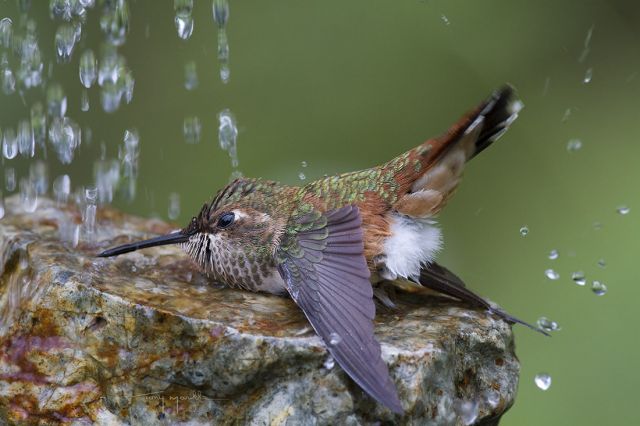
You've got to quit adding alcohol to that bird's drinking water! He's an embarrassment to the neighborhood!


May 03, 2013 at 01:17 PM
Maxis42
Offline
• •
Upload & Sell: Off
p.2 #11 · 7D processing tips for noise


The key to a clean file is a good exposure!


May 03, 2013 at 01:20 PM
artd
Offline
• • •
Upload & Sell: Off
p.2 #12 · 7D processing tips for noise


time2clmb wrote:
Expose to the right a bit, or at least avoid bumping up exposure much in post. Shoot at the native ISO's of 160, 320, 640, 1250...


Just as a point of clarity: these ISO values are not native. They are generated in software. The camera shoots at the actual next highest ISO value and then applys a digital exposure pull to the image.

In other words, when you shoot at ISO 160, you are really shooting at ISO 200 and the camera then does a 1/3 stop digital exposure pull. ISO 320 is really ISO 400, ISO 640 is really ISO 800, etc...

The reason these ISOs tend to look cleaner is that in essence, the camera is doing the "expose to the right" technique for you. This is certainly valuable if you are shooting jpg. If you are shooting raw, you can just shoot at ISO 200, 400, 800 etc. using ETTR and then pull back the exposure yourself during your raw conversion.


May 03, 2013 at 02:12 PM
Paulthelefty
Offline
• • •
Upload & Sell: Off
p.2 #13 · 7D processing tips for noise


Okay, I have scanned the 27 pager from a while back, and read this one and cannot find the answer I need...

I also looked in the manual, and it is not clear. I reads to me as if it affects both raw and jpg.

Does the high ISO NR settings in CFn affect the raw file? or just the jpg? My concern is I do not want the camera over-reducing the noise and softening my images. I want to have the control over how that is handled in post on a case by case basis.

I have experienced ETTR firsthand and swear by it; I shoot lots of indoor sports at 3200, 6400 and sometimes higher, and ETTR works. TeamSpeed's example with the lens shows exactly what I have seen with it.

Thanks,
Paul


May 07, 2013 at 10:20 AM
Scott Stoness
Offline
• • • • • •
Upload & Sell: On
p.2 #14 · 7D processing tips for noise


Pixel Perfect wrote:
That's a lot of effort. Why not just open the file in PS and use a noise layer with mask and erase the bits where you want detail. Effectively exactly the same thing, but you don't have to double process the RAW.


+1 for me

But wait 3 years and then everyone will say - remember that great grain we used to get with the 7d, can we reproduce that effect


May 07, 2013 at 01:22 PM
TeamSpeed
Offline
• • • • •
Upload & Sell: Off
p.2 #15 · 7D processing tips for noise


Paulthelefty wrote:
Okay, I have scanned the 27 pager from a while back, and read this one and cannot find the answer I need...

I also looked in the manual, and it is not clear. I reads to me as if it affects both raw and jpg.

Does the high ISO NR settings in CFn affect the raw file? or just the jpg? My concern is I do not want the camera over-reducing the noise and softening my images. I want to have the control over how that is handled in post on a case by case basis.

I have experienced ETTR firsthand and swear
...Show more

High iso nr selections are just 2 nr values tagged in the raw settings and do not affect the raw data itself.


May 08, 2013 at 05:18 AM
goosemang
Offline
• • •
Upload & Sell: Off
p.2 #16 · 7D processing tips for noise


abqnmusa wrote:
just my results ...

two step 7D noise processing workflow ....

1. sell 7D
2. buy 5D III


yeah, pretty much. in the wrong types of light at higher ISO's it's brutal to work with. i do a lot of this type of shooting and it just became too much. i understand it can be tamed, for the most part, but the additional steps often required make it a non-starter in my mind. just get a better high ISO camera and move on.

that said, the 7D is a pretty awesome camera if you shoot in conditions that agree with the sensor.


May 08, 2013 at 08:49 AM
goosemang
Offline
• • •
Upload & Sell: Off
p.2 #17 · 7D processing tips for noise


Maxis42 wrote:
The key to a clean file is a good exposure!


this is also the problem. a clean file on the 7d at 3200 requires that you overexpose everything by like a stop. in conditions where everything is -EV, which is why you're cranking the ISO in the first place. so your 3200 turns into the equivalent of like 800.

way too many games to get everything *just right* to avoid bad looking noise.


May 08, 2013 at 08:53 AM
cameron12x
Offline
• • • •
Upload & Sell: On
p.2 #18 · 7D processing tips for noise


lighthawk wrote:
I do agree that basic strategy of 'expose to the right' is critical, since you really can't push fill light and sharpening without degrading the image. That's my experience within LR4, with occasional CS tune up. But, compared to what I can do with my new 6D, it seems to me that noise is the 7D's achilles heel. Otherwise it's a fantastic sport camera.


That has always been the case. The added workflow is a royal PITA! Time is money.

I hope that Canon improves the noise issue with the 7D2 (or whatever variant they choose to name the successor to the 7D).

IF they do that, I'd likely go out and buy a 5D3 and a 7D2. For now, I'm happy with my 5D2. It's images are silky clean compared to the 7D.


May 08, 2013 at 09:54 AM
CbJohn
Offline
• •
Upload & Sell: Off
p.2 #19 · 7D processing tips for noise


Thank you for asking the question, I'm always looking for good post production discussions
John


May 08, 2013 at 11:44 AM
Pixel Perfect
Offline
• • • • • • •
Upload & Sell: Off
p.2 #20 · 7D processing tips for noise


cameron12x wrote:
That has always been the case. The added workflow is a royal PITA! Time is money.

I hope that Canon improves the noise issue with the 7D2 (or whatever variant they choose to name the successor to the 7D).

IF they do that, I'd likely go out and buy a 5D3 and a 7D2. For now, I'm happy with my 5D2. It's images are silky clean compared to the 7D.


I sort of find the 7D performance schizo sometimes. One day you can use ISO 1600 and get fabulous results, and the next time ISO 400 seems noisy even if ETTR'd and the next ISO 400 is very clean. It seems more sensitive to things like back light and critical focus. Slight misfocus seems to exaggerate noise.


May 08, 2013 at 05:24 PM
1              3       end


FM Forums | Canon Forum | Join Upload & Sell

1              3       end


Welcome back
Log in to your account