p.1 #1 · Tethering and writing to sd card simultaneously with Capture one?
Now I may be ill informed, but when I try and load a catalogue that I've stored onto my external hard drive, I'm getting an error saying something along the lines of "incompatible". Now, if the case is that older versions of Capture one can not be read in current versions, I am wondering - is there a work around to simultaneously tether and write to an sd card while shooting?
p.1 #4 · Tethering and writing to sd card simultaneously with Capture one?
I've never been able to tether and right to a card using Canon's with Capture One. I don't think that is supported. The tethering seems more reliable with no card in the camera but when you do if you lose the tethering connection it automatically reverts to the card. Don't know how Fuji might work. What do they say?
p.1 #5 · Tethering and writing to sd card simultaneously with Capture one?
Capture One doesn't allow you to write to the computer hard drive and card in the camera. Many use a Third Party app to copy the images to an external drive as they shoot.
p.1 #6 · Tethering and writing to sd card simultaneously with Capture one?
Peter Figen wrote:
I've never been able to tether and right to a card using Canon's with Capture One. I don't think that is supported. The tethering seems more reliable with no card in the camera but when you do if you lose the tethering connection it automatically reverts to the card. Don't know how Fuji might work. What do they say?
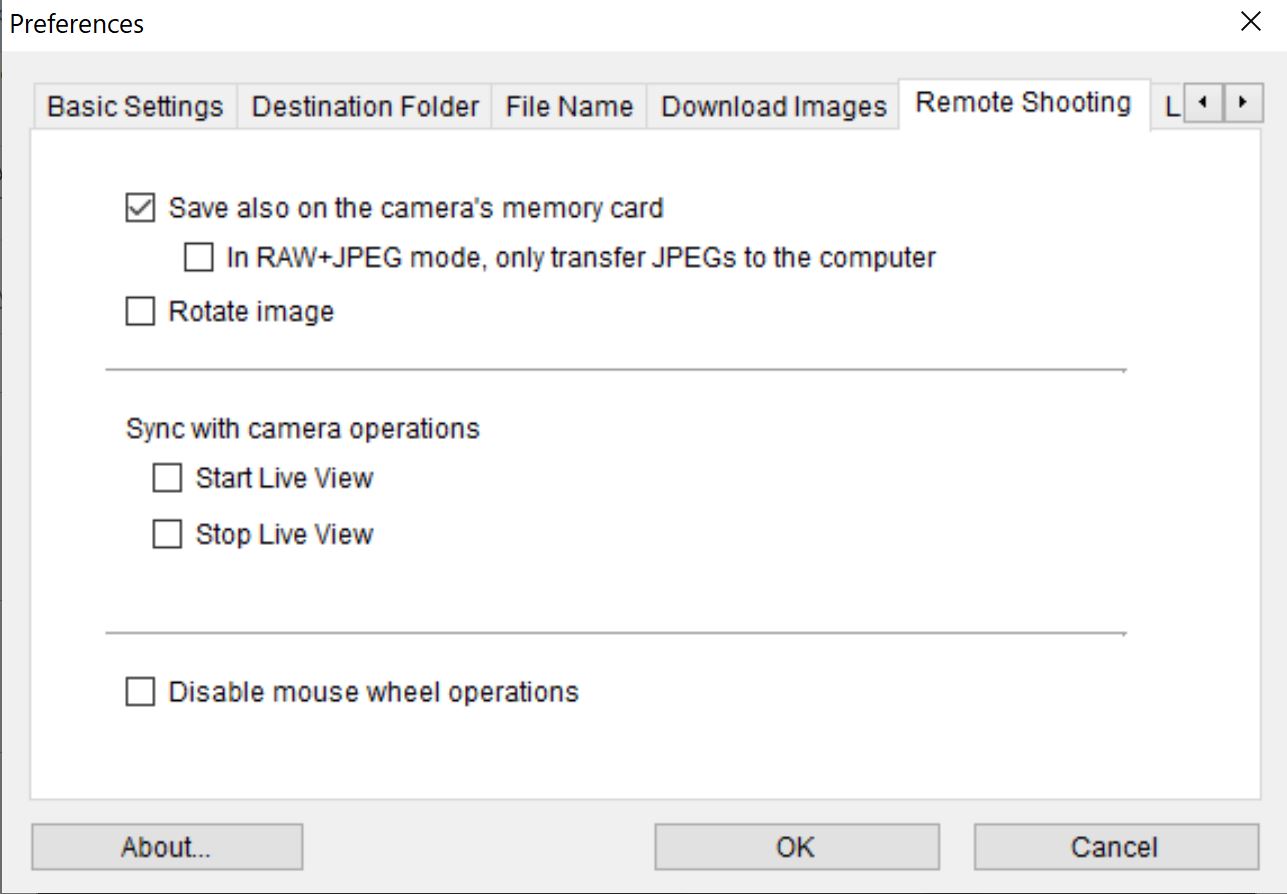
Using Canon, to tether and save to card in Capture One, you need to set EOS Utility prior to using C1.
When I used Canon, (1Dx, 5DIII, 80D, 5DIV, 1dXII), I launched EOS Utility first to check settings, then closed EOS Utility prior to suing C1 or LR for tethering.
p.1 #7 · Tethering and writing to sd card simultaneously with Capture one?
tcphoto wrote:
Capture One doesn't allow you to write to the computer hard drive and card in the camera. Many use a Third Party app to copy the images to an external drive as they shoot.
I use C1 with Canon and Sony and save to card while transferring to computer via tether cable.
p.1 #8 · Tethering and writing to sd card simultaneously with Capture one?
Odinsoffphotography wrote:
Now I may be ill informed, but when I try and load a catalogue that I've stored onto my external hard drive, I'm getting an error saying something along the lines of "incompatible". Now, if the case is that older versions of Capture one can not be read in current versions, I am wondering - is there a work around to simultaneously tether and write to an sd card while shooting?
From Fuji website in the "USB TETHER SHOOTING FIXED" section: "As for USB TETHER SHOOTING AUTO, except that the camera remains in “tethered shooting” (remote-control) mode when the external device is off or not connected, allowing the device to resume control when the connection is re-established after an accidental disconnection or other disruption. At default settings, pictures are not recorded to the memory card."
Notice, "At default settings..."
Implies there is a non-default setting; however, does not explain it.
This link says you can save to card in USB TETHER SHOOTING AUTO mode. However, it is using Fuji software I think. Sony have a PC Remote menu item too that let's you set for capturing to card and tether, so this may work. Edit: author notes it works in C1 too.
p.1 #9 · Tethering and writing to sd card simultaneously with Capture one?
MNPNW wrote:
Using Canon, to tether and save to card in Capture One, you need to set EOS Utility prior to using C1.
When I used Canon, (1Dx, 5DIII, 80D, 5DIV, 1dXII), I launched EOS Utility first to check settings, then closed EOS Utility prior to suing C1 or LR for tethering.