I have been doing astrophotography with Canon's external TC80-N3 timer. I was pleased to see that the 7D Mk II had an internal timer so I decided to try it out. Unfortunately it seems to be useless.
Canon has you set the interval longer than the exposure. For instance, you set the camera in manual, exposure time to 30 seconds. Now you must set the interval time to at least 31 seconds meaning between the first and second shot, there is an interval of 31 seconds. This is stupifying to me. Even the external times allows you to set the interval between shots to whatever you want like 1 second.
With the example above, if you want star trails, you are going to have huge gaps in your traces. I have not had the opportunity to test for a setting that did not produce these gaps but my next test is going to be to try for a short exposure time but at higher ISO so I get more downstream amplification of the captured light.
I searched this forum and found a thread from 2015 but it had not been added to in months so I decided to start a new thread on this subject. I see there are a few star trail images on the internet using the internal timer but I only viewed them on my cell phone and did not really try to blow them up to see if there are gaps. However my question to this learned group is am I missing something? This seems strange to me to be handcuffed so.
I don't have a 7D2, but when I've done star trails I just use a cheap ebay locking shutter release and set the camera to continuous shooting mode. The camera cycles as fast as it can between shots, minimizing gaps. With the long exposure time the memory buffer is empty before the next shot is taken, so it never fills up.
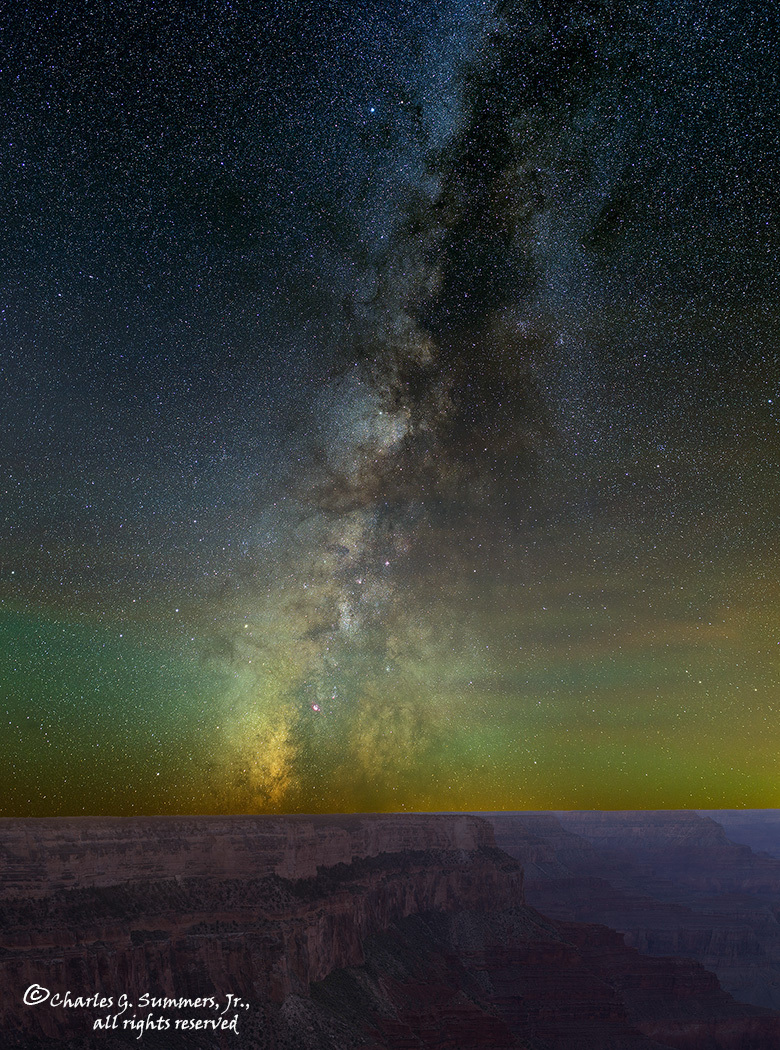
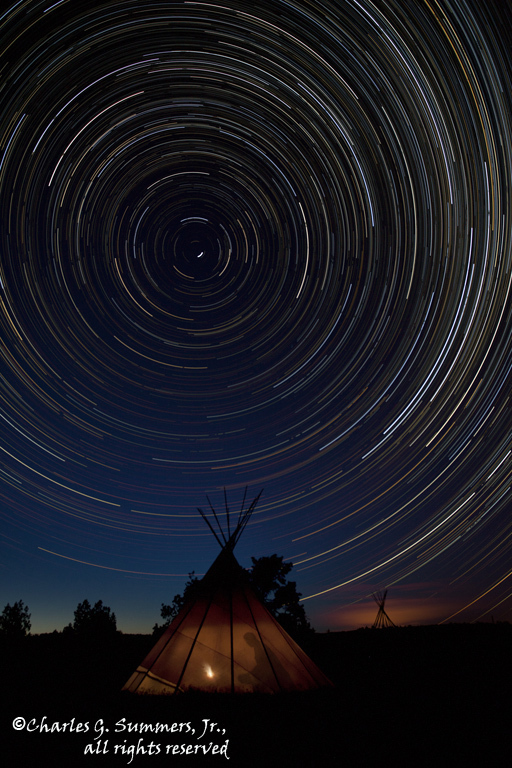
I don't have any problems taking images of star trails except when using the internal timer of the 7D Mk II. I hope I get some sort of clarification on that method of taking images. Otherwise I will have to go back to my external intervalometer like you use and do it the old fashioned way. Here are a couple of examples using the external timer that I was hoping to be able to do with the internal timer.
Milky Way over the Grand Canyon using external intervalometer
Not sure what you mean, Charlie. On both of my 7D2's, if I set up manual shutter speed at 30 seconds, then the interval at 32 seconds - the camera fires every 32 seconds. There is no 32 second delay.
So it seems with the in-camera intervalometer, the "interval" is seconds between shutter actuations, not shutter closure.
This makes sense, as in the manual there is a warning that if the exposure duration is longer than the interval set, then you won't get as many shots as you intended.
I don't think the TC80-N3 works that way, there the interval is time between shutter close and the start of the next exposure.
The only problem I had with the internal intervalometer was that it really sucked the life out of the batteries. I used it to shoot a time lapse (7D2 with a battery grip) last year and the batteries went dead after about 5 hours. With the external internal one I was able to shoot a lot longer....
Your camera must be different than mine then as the interval is the time between shutter actuations after an image is taken.
Canon states the interval must be longer than the exposure time. With my 7D Mk II, I have the following settings:
Manual exposure 30 seconds
Motor drive set to high speed servo
Lens set to manual focus
Internal timer set to 32 seconds
Number of shots set to 00 meaning infinite
I have repeatedly timed the operation and clearly there is a 32 second down time between shots. Whatever is set as the interval becomes the down time between shots. I am running firmware version 1.0.5.
I am going to try this with another 7D Mk II but mine doesn't operate as you describe.
Ok, I measured this on another 7D Mk II. They both operate the same. If I have a manual exposure of 30 seconds and set the interval to 32 seconds, that 32 seconds does not start until a 30 second exposure is finished. What this means is there is a 32 second period of dead time between images which makes huge gaps in star trails.
Can someone else confirm my findings as we have a different input from a responder above. The way he states his operates is the way it should be but in reality it operates as I have described.
Just tested my 7D2's - functioning just as I stated above. But, I am in "single shot" mode - not high speed servo. Could that make a difference? AF is off (manually focused before starting intervalometer.)
I am traveling, so prob won't be able to get back to internet till tonight or tomorrow. Hope you get it sorted out.
PS I never noticed an unusual battery drain when doing time-lapse.
Ok, I just tried it. On my 7DII, I only need to worry about the interval being longer than the exposure if I set a specific number of exposures. If I set the exposures to 00, then I was able to set a 5 second exposure with a 2 second interval.
However, when I had a 5 second exposure, a 2 second interval, and I set a total of 5 exposures (instead of 00), I only got two shots.
If you set the number of exposures to 00, you should be fine.
Sorry, I need to leave the house now, I won't be able to carry on a conversation. Hope this helps, I'll check back later.
I tested it both in high speed and in one shot. It doesn't seem to make any difference as I still get the interval time as dead time. I do not use any noise reduction either in long exposure or high ISO so that is out as well.
Thanks to everyone for their input. I hope there is a golden moment that gives me insight as to fixing this problem.
Ok, I got it figured out. I am writing to a Lexar 1066X CF card. It takes something like 3+ seconds, not 4 seconds, to write a 30 second exposure to that card. If I set the interval to 34 seconds, then it has finished writing before another exposure is called for. If I set it to 33 second interval, then it has not finished writing to the card before the next exposure is called for so it skips the next exposure with that long wait time. I am surprised the Lexar 1066X card has this slow write time.
I do not use noise reduction, either high ISO or long exposure. Both are turned off. I have also tried RAW only and large JPG only, no difference.
I do not see anything in my settings that would cause a delay. I can probably live with 3+ seconds write and 4 second delay but still fiddling to get that 3+ down if I can.
I know noise reduction is a big time eater but so far I have not been able to find other settings that cause slow write speed.
I need to try this out on my 5DsR as I assume the method Canon employess would be the same across the 7DII, 80D and 5DsR.
I don't see how the time interval can be shorter than the exposure for the operation to make sense. The exposure must set the lower bound, similarly to video you can't choose a shutter speed slower than 1/framerate. And I would think Canon would want to alloow a little bit of overhead to ensure files are written, buffer cleared etc before they start next exposure, so makes sense to me to set the time interval between exposures 1s longer than exposure. Normally one would have a much much longer interval than exposure, but star trails are a bit different as you don't want gaps, so I can understand why you want interval and exposure equal.