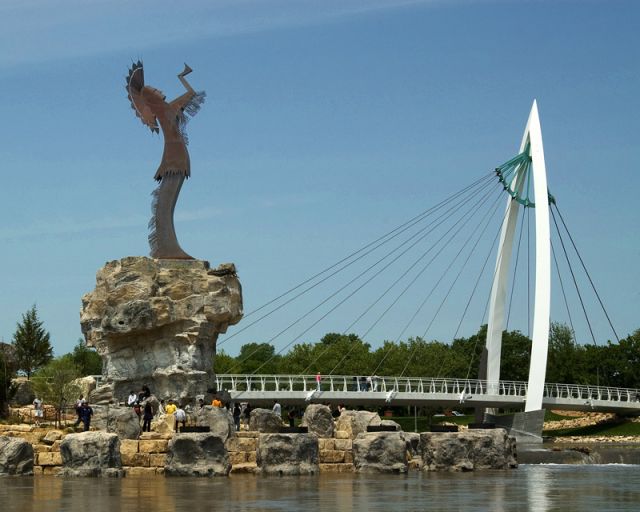
In response to those who expressed an interest in each member having to chance to interpret and visualize an image in their own way, I'm posting a baseline jpg - hopefully you will be able to download the full image which originated as a NEF but I zeroed out all RAW settings.
Our hope is that each person posting their processed version(s) will include a description of the workflow so all can share and learn from the exercise. Please include the platform and software used.
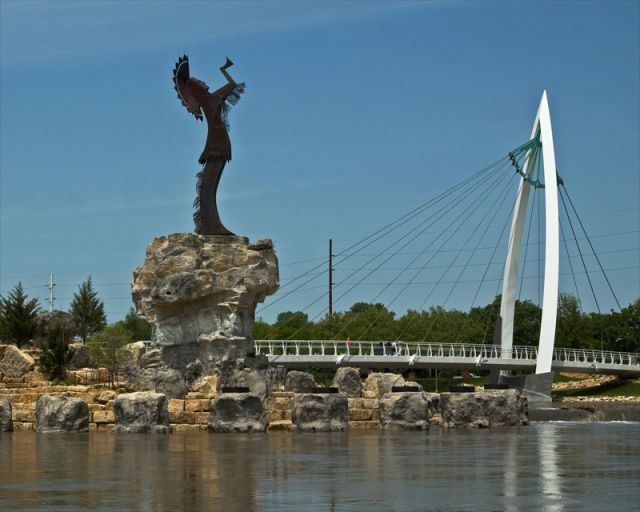
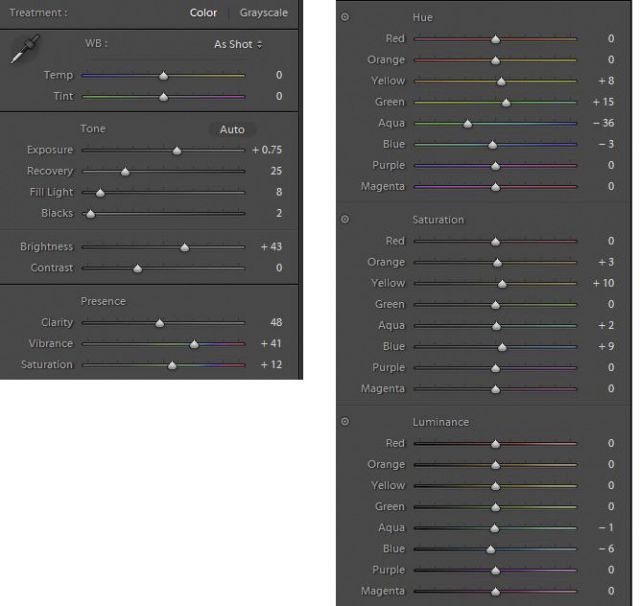
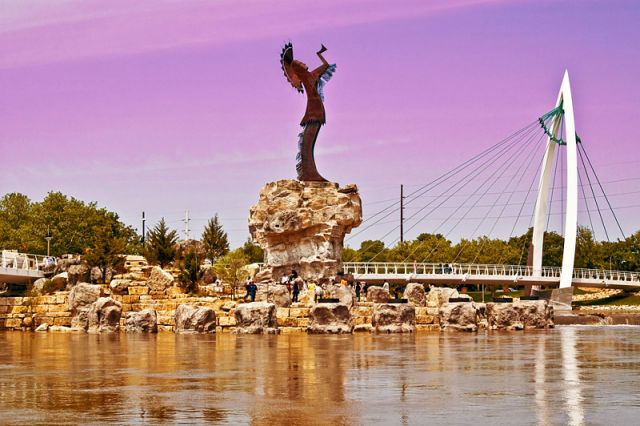
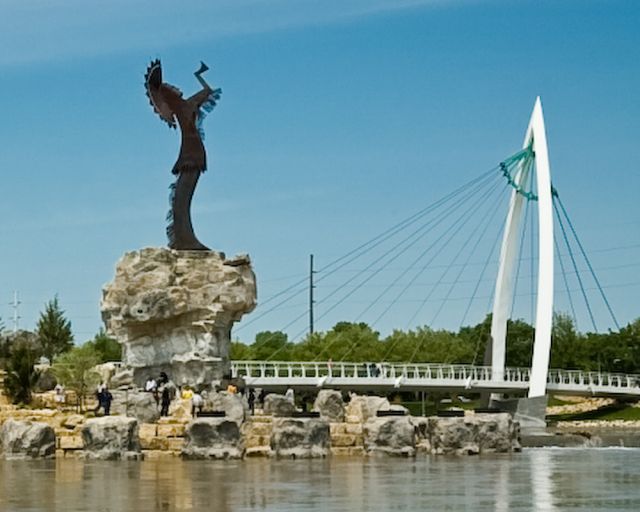
Used Lightroom (see below for settings) +5% Shadow/highlight in PS +duplicate layer set to multiply plus mask(gradient) for sky plus a slight levels change and sharpening.
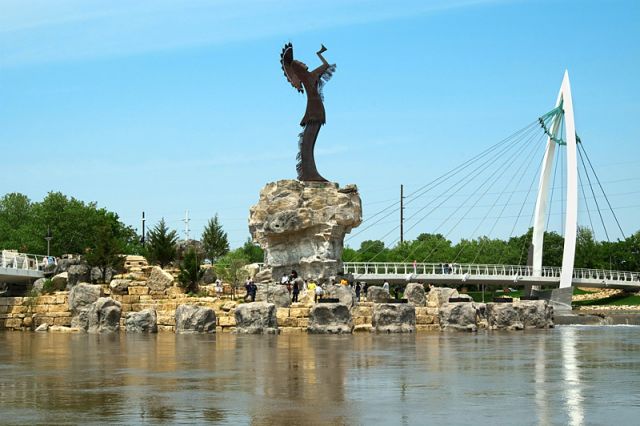
Another version of a normal one - levels alteration (+mask used to avoid blowing highlights), selective saturation changes to sky and trees, S curve and sharpening.
Despite the facilities in Lightroom - I still find Photoshop easier if not starting with Raw unless I want to change the white balance.
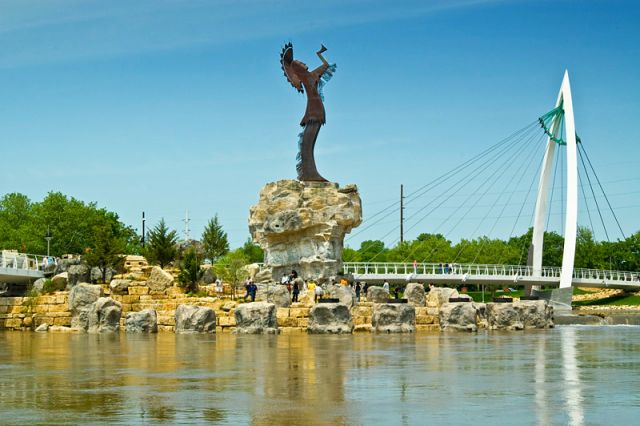
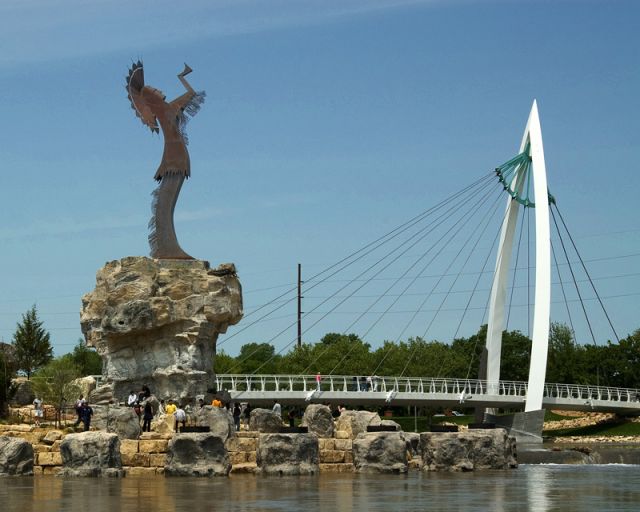
All done in Photoshop CS3. I cropped this one dramatically to get a composition that I thought was stronger. My feeling here is that this picture has two focal points. I could either have cropped out one or the other to isolate one but it destroys the picture so two it must remain. Keeping that in mind I decided to crop so that the bridge structure was close to the edge and the Indian close to the thirds line on the left instead of centered as in the original. I thought the water was dull so I cropped out most of it but left some in there to bear the nice reflections I saw up close to shore. I left half a rock on the left and part of the bridge on the right as lead-ins to the picture. If I was going to try to print this I'd probably clone out the power lines but I'm at work now and don't have time. I'm on the fence about the people. I decided to leave them but I could see the argument for cloning them out too. Again, this was kind of a decision made out of time constraints too.
Then I made levels adjustments and a mild contrast s-curve in curves was applied. I punched up hue and saturation in blue and yellow, not a lot, just a bit. I masked off the Indian and did some shadow adjustments to bring out details there. I then did a USM of around 75, .5, 0. I chose USM because when I tried the high-pass filter method the results were garish and it darkened the Indian again. If I had the raw file to work with I'm sure I could have punched up the colors better as they still are a bit muted for my liking.
So many ways - different yet similar - to view/process a single image... yet to tackle mine.
Any other adventurous souls out there?
Please submit an unprocessed image of your own for others to 'visualize' if you have a likely candidate. In selecting this one I looked for shortcomings that perspective has nailed - given what I was searching through, there were more than several to choose form - I conceptually 'see' what could/should be done - my 'doing' is another matter
Bob,
I felt in this picture you had a lot of objects that your eye was being forced to look at = distraction.People,power lines, etc.So i went crazy with the clone tool.Here is my version
-Jim
Yes busy, distracting, and, for me, somewhat frustrating to work on - y'all did a much better job of cloning out the people - I did the wires and then stopped after the two guards. If nothing else I've learned how to clone wires and clean up the artifacts - at about 700% enlargement. Let's say my compositional skills are a work-in-progress.
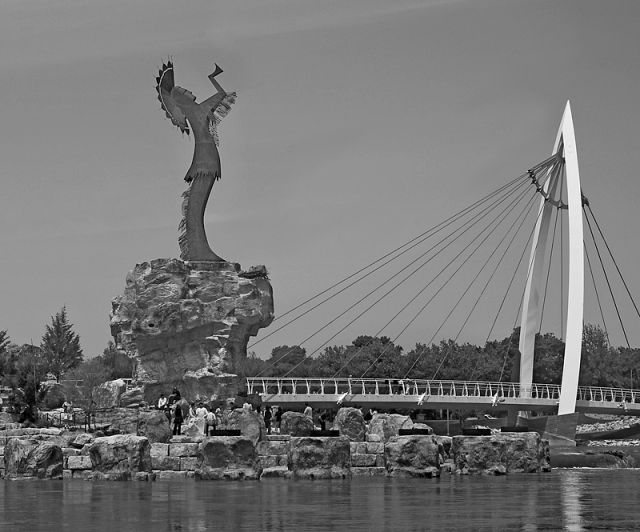
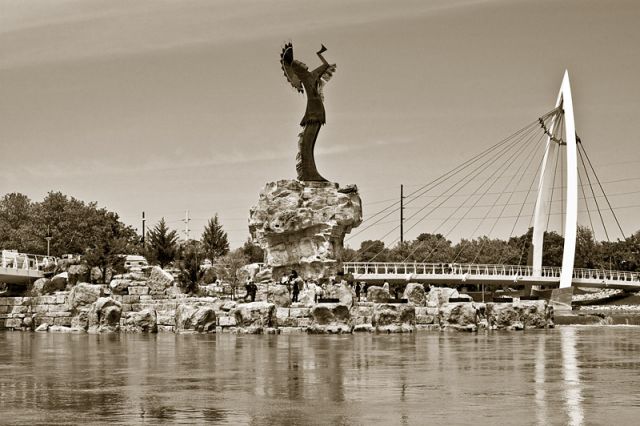
The B&W was done in CS3 - cropped, cloned out the wires etc. and converted using a BW action from ePaperPress. He, Ken Neimann - ePaperPress' author, also has a Paint with Light Action that I used on the rocks and water. I wanted to bump up the brightness on the sculpture but couldn't find a satisfactory way to do that. Lastly it was sharpened with USM but I forgot to record the settings .
Something from outside the box....The second was done after thrashing around in LR - used a plug-in LR - Deep Negative, one of a collection of plugins that I believe I found on the LightRoom Forum. It is obviously a crop of the basic image.
I don't know about others but LR has actually pushed me more to CS3 to learn to properly use masks, layers, etc. - probably at first because there are so many distractions to clone away
The tone curve is interesting as it resembles the standard S curve but rotated 180 degrees about the y-axis.
One final note: if anyone is interested, use Google Earth and fly to Wichita, Kansas and click on the photo icons at the confluence of the Arkansas and Little Arkansas rivers. Someone posted very nice images of the same area - interesting cloning is not too much of an issue since most were taken at night.
Got a new lens and hope to take it for a spin tomorrow (12-24 f4 Tokina) - so hope to be back soon for critiques. Hope y'all would like to continue doing this for several more iterations...
Your B&W version seemed really dark to me. I couldn't really see much of any detail in the Indian. He's really the primary focus and unless he's destined to be a silhouette I figured we needed some detail to show through on him. I sharpened this version up a bit and used shadow/highlight on the whole image first and then masked off the Indian and did even more shadow recovery on him alone.
Thank you - yes, much, much better with a broader tonal range. In part I think my eyes got tired as I looked at it later after posting and did not recall it being that dark either. Probably ought to do what some others have implied through comments - revisit in a day or two for a fresh view.
Earlier in the color version I'd tried selecting the sculpture (magic wand) but had lots of blue artifacts around the fringe so tossed all of that and had a fresh start - frankly my selection skills really need a lot of work. Any suggestions of how to do it differently?





 .
.