p.2 #1 · How fast do the new CFexpress Type -A 4.0 cards transfer files?
RoamingScott wrote:
many things are possible, yet not particularly advisable, in this world. who would spend this much money on high dollar cards and introduce an unnecessary level of jank to their equipment?! stay tuned to find out
Not much to it really. But enough to be interesting for some situations as I already commented.
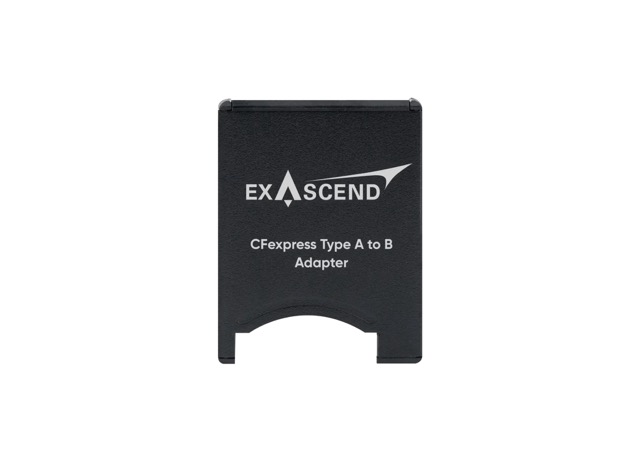
"Exascend CFexpress Type A to B Adapter:
"CFexpress Type A to B Adapter:
-Impact-resistant
-ESD and overload protection
-X-ray-safe
-Temperature-resistant"
*"The adapter is recommended for cameras that support CFexpress Type B cards, such as Nikon Type B cameras and the Sony Burano."
**"Due to firmware incompatibilities, the Exascend CFexpress Type A to B Adapter will not work on the Canon C500 II & EOS R5."
p.2 #2 · How fast do the new CFexpress Type -A 4.0 cards transfer files?
arbitrage wrote:
What would be even better is if Nikon could design a camera/chipset/pipeline that could actually write to the type B cards significantly faster than Sony can write to a Type A.
As we see in the recent thread the Nikon is only writing at Type A speeds to its Type B cards. Still nice to have the lower price point though.
Interesting. Where can I find the thread/comments with those details?
p.2 #3 · How fast do the new CFexpress Type -A 4.0 cards transfer files?
dclark wrote:
I don't find the speed of a card in a card reader to be very interesting. I often shoot thousands of images a day but I don't find the time to download them to be an issue. Download time is insignificant compared to the time required to cull them.
I would like to see how well these cards perform in a camera. Unfortunately there are no cameras that can take advantage of the PCIe-4 lane. Maybe the A1II will (I assume it will), but we won't know for a while. Once the A1II is available the question will be does the memory card or the camera limit the capture performance. Once we get the camera we can make the measurements....Show more →
Agree. Once a download is started, I can walk away and do other things. Really doesn’t matter if a much more expensive card can download in 1/2 the time.
p.2 #4 · How fast do the new CFexpress Type -A 4.0 cards transfer files?
dclark wrote:
I don't find the speed of a card in a card reader to be very interesting. I often shoot thousands of images a day but I don't find the time to download them to be an issue. Download time is insignificant compared to the time required to cull them.
I would like to see how well these cards perform in a camera. Unfortunately there are no cameras that can take advantage of the PCIe-4 lane. Maybe the A1II will (I assume it will), but we won't know for a while. Once the A1II is available the question will be does the memory card or the camera limit the capture performance. Once we get the camera we can make the measurements....Show more →
You're not under a deadline. We shoot about 20k images in 3.5 days non stop both me and my assistant. I need to process them fast load up to smug mug not mention to produce a convention. I have zero time to even get a cup of coffee . For me it's all about speed . I not only do almost everything but every event goes to Bridge first and renamed to whatever I need like NY 24 Swimwear 0001 to whatever than I import them than it does not stop. Speed is everything for me. I can't go walk away and drink a cup of coffee and BS with folks. I shoot a night event guess who is up after hours processing this stuff. ME so for Pro work many of us are under hard deadlines and any edge you get results in more sleep and free time.
So topics like this are important to some of us. Many times im still at the event with my laptop to deliver on the spot to clients with clients tapping there feet because they want to go home too.
If I do the math correctly are these not twice as fast as current Type A. That means something to me
Some of the data presented in these comments/figures makes the CFexpress A-B adapter IMO, a bit more practical than I had originally thought. Thanks for bringing this to my attention.
p.2 #7 · How fast do the new CFexpress Type -A 4.0 cards transfer files?
GMPhotography wrote:
So get there reader it sounds like. I have the Angelbird now
Note: I tried using my CFexpress Type A 2.0 cards in the new OWC USB4 reader and that didn't work out. I don't have another USB4 Type A reader to compare, but for now, if you do decide to try OWC's Type A 4.0 card and reader, don't get rid of your Anglebird reader if you plan to keep your CFexpress Type A 2.0 cards.
p.2 #8 · How fast do the new CFexpress Type -A 4.0 cards transfer files?
LBJ2 wrote:
Note: I tried using my CFexpress Type A 2.0 cards in the new OWC USB4 reader and that didn't work out. I don't have another USB4 Type A reader to compare, but for now, if you do decide to try OWC's Type A 4.0 card and reader, don't get rid of your Anglebird reader if you plan to keep your CFexpress Type A 2.0 cards.
Ouch that limits us. Trying to figure this out if the speed advantage is worth it. I do okay today with our 900/800 cards. Hmmm
p.2 #9 · How fast do the new CFexpress Type -A 4.0 cards transfer files?
GMPhotography wrote:
Ouch that limits us. Trying to figure this out if the speed advantage is worth it. I do okay today with our 900/800 cards. Hmmm
Just to be clear for those that might not read my previous comments and results, the new CFexpress Type A, 4.0 cards works great in the OWC USB4 Type B 4.0 reader, close to double CFexpress Type A 2.0 performance.
What I don't know is if you we can use Type A 2.0 cards in the new Prograde USB4 Type A 4.0 reader, since their new reader is specific to the new Type A 4.0 standard.
With that said, CFexpress Type A 2.0 as you wrote and I agree, is still very good 900/800 performance, and the Anglebird 2.0 card reader its very good too.
As an early adopter of CFexpress Type A 4.0, I'm just posting my results so far which are about double 2.0 performance under very heavy load--at least with the card and the 4.0 card and reader I tested. As I learned from testing and comparing CFexpress Type A 2.0 cards and readers, not all brands are created equal as far as real-world performance.
Of course , whenever Sony releases cameras with the new CFexpress Type A, 4.0 standard, then we will hopefully get that double 2.0 performance coming and going.
p.2 #11 · How fast do the new CFexpress Type -A 4.0 cards transfer files?
GMPhotography wrote:
Its sounds like AT THE MOMENT you are ALL in which than would make me sell my other cards. But 2 420 cards would be plenty for me. more noodling
I'm waiting to see what Anglebird does with CFe Type A. 4.0. They seem to be last of the big names to make any announcements, unless I've missed something.
p.2 #12 · How fast do the new CFexpress Type -A 4.0 cards transfer files?
LBJ2 wrote:
Just to be clear for those that might not read my previous comments and results, the new CFexpress Type A, 4.0 cards works great in the OWC USB4 Type B 4.0 reader, close to double CFexpress Type A 2.0 performance.
What I don't know is if you we can use Type A 2.0 cards in the new Prograde USB4 Type A 4.0 reader, since their new reader is specific to the new Type A 4.0 standard.
So the good news here is that the only difference between the old cards and new cards is that the old ones use PCIE 3.0 signalling technology and the new ones use PCIe 4.0. PCIe 4.0 is backward compatible with PCIe 3.0 is backward compatible with PCIe 2.0 is backward compatible with PCIe 1.0. https://en.wikipedia.org/wiki/PCI_Express
If the new readers didn't read the old cards, Prograde would have to have done something extremely wrong.
p.2 #13 · How fast do the new CFexpress Type -A 4.0 cards transfer files?
LBJ2 wrote:
Note: I tried using my CFexpress Type A 2.0 cards in the new OWC USB4 reader and that didn't work out. I don't have another USB4 Type A reader to compare, but for now, if you do decide to try OWC's Type A 4.0 card and reader, don't get rid of your Anglebird reader if you plan to keep your CFexpress Type A 2.0 cards.
---------------------------------------------
GMPhotography wrote:
Ouch that limits us. Trying to figure this out if the speed advantage is worth it. I do okay today with our 900/800 cards. Hmmm
---------------------------------------------
MAubrey wrote:
So the good news here is that the only difference between the old cards and new cards is that the old ones use PCIE 3.0 signalling technology and the new ones use PCIe 4.0. PCIe 4.0 is backward compatible with PCIe 3.0 is backward compatible with PCIe 2.0 is backward compatible with PCIe 1.0. https://en.wikipedia.org/wiki/PCI_Express
If the new readers didn't read the old cards, Prograde would have to have done something extremely wrong.
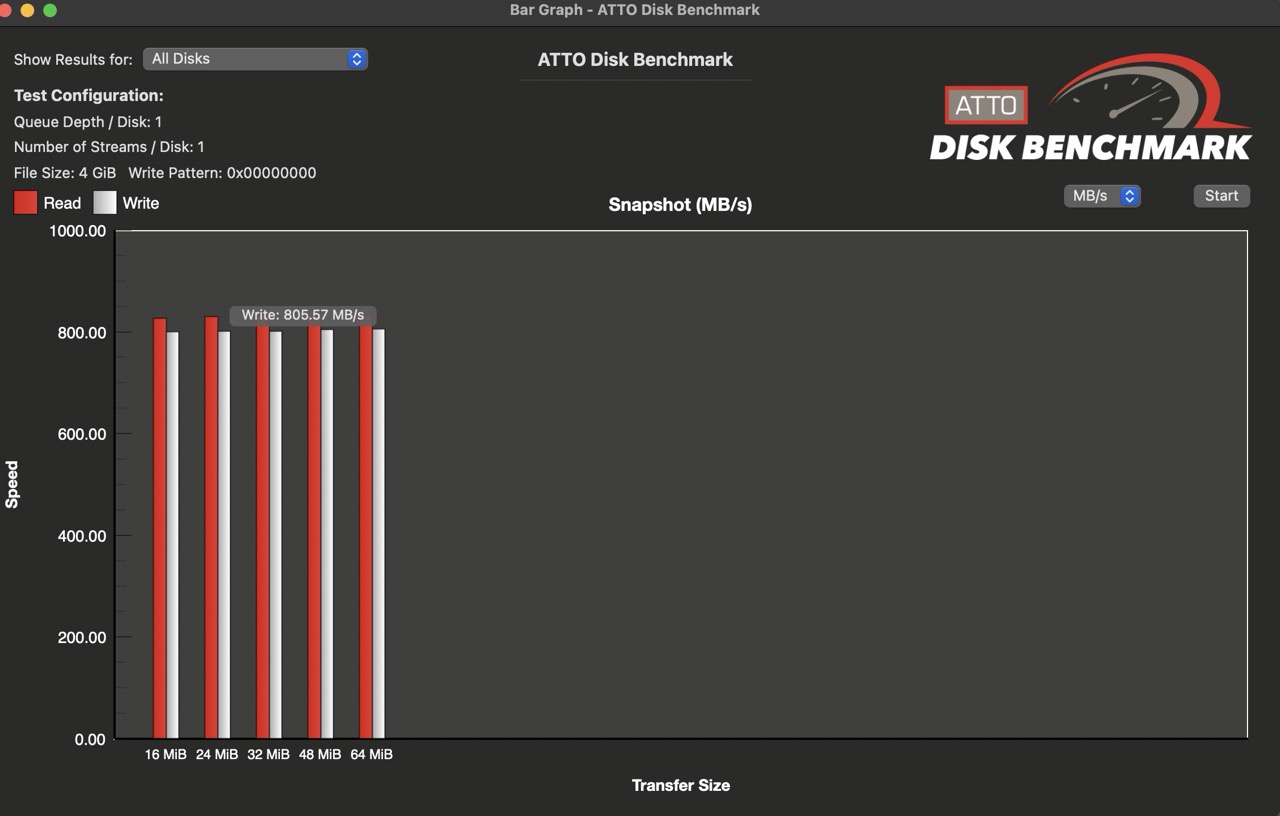
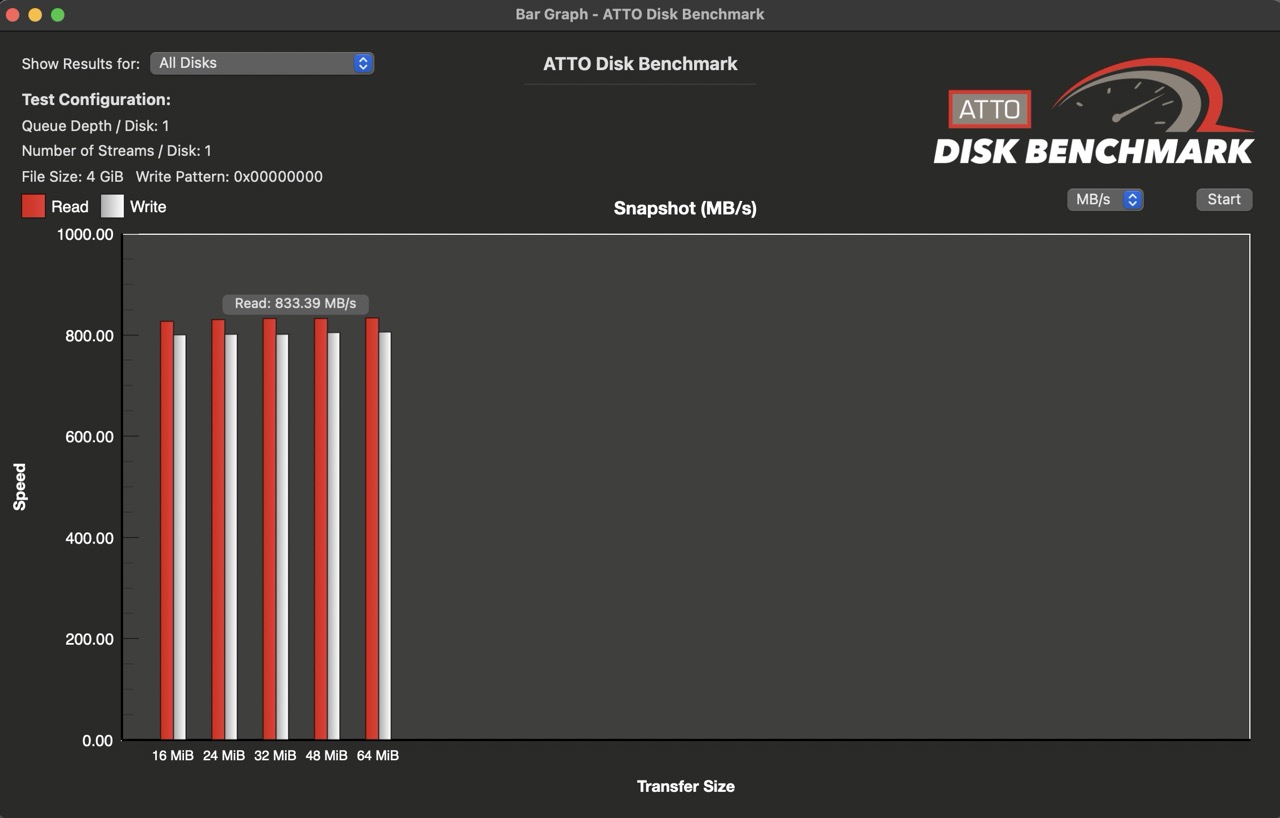
Seems my legacy CFexpress Type A, 2.0 card tests on the USB4 OWC Reader were in error: CFexpress Type A 2.0 cards are Writing/Reading as expected with the OCW USB4 Type B Reader w/ the Exascend A-B adapter.
Lexar Gold 320GB CFexpress Type A 2.0 on OWC USB4 Type B reader with with Exascend A -B adapter : The OWC USB4 reader with the Exacend A-B adapter is good to go with both CFexpress Type A 2.0 and CFexpress Type A 4.0 aka 100% backward compatible
p.2 #19 · How fast do the new CFexpress Type -A 4.0 cards transfer files?
Well I got my OWC card OWC 480GB Atlas Pro CFexpress 4.0 Type A Memory Card with the A/B adapter and the OWC Atlas CFexpress 4.0 Type B Card Reader. Both built very nice and the A/B adapter is not flimsy material actually made partly of metal. So far very nice . They give you a high end cable too
Some really good news is that all my cards can be seen and used in the reader. I have a Lexar Silver 320 and 160 and I can see and read them . I no longer need my Angelbird reader which I will sell.
Now with Blackmagic im on my M1 laptop right now as my Studio is at my wife's office as im doing a program book for her . But the speed is really nice
420 card read and write 1435/1249
My Lexar 3 card 320 gb is 756/752
So looks to be about twice as fast..
Im going to sell my Lexar 320 and get another OWC I think
Im mostly after read and writes but I know this should extend the buffer and be faster camera wise as well. Plus im ready for next steps in camera development.
Now some say this may not be worth it but for me and the big jobs I do any speed gain is worth it and at 319 for it is not bad at all
p.2 #20 · How fast do the new CFexpress Type -A 4.0 cards transfer files?
BTW I was worried about where can I put the adapter but it fits in slow perfectly and sturdy and I can just move cards in and out with ease. Its also not running hot