p.1 #1 · Guide: Get 24p RAW on a 5D Mark III with Magic Lantern
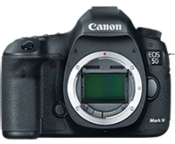
Cinema5d.com just posted a step-by-step tutorial on how to get your Canon 5D Mark III shooting 24p RAW video.
"If you’re not a computer scientist it’s not easy to get the Magic Lantern hack and 14bit RAW module working that was posted in the Magic Lantern forums yesterday. There are no guides around and it’s still in its early Alpha stage.
After struggling for a day we managed to pull it off so here’s our complete dummies guide to squeeze the RAW bits out of a 5D mark III." - Full Guide
p.1 #2 · Guide: Get 24p RAW on a 5D Mark III with Magic Lantern
It works. Files become LARGE very QUICKLY.
Think like 4,167,451KB for 49 seconds .
Which takes AE (on my machine at least) about 37 minutes to transform to a lossless video file . Which then put file size for 49 seconds to 7,150,395KB .
It is nice being able to use ACR's powerful controls to color the video though, very powerful.
It can crash out. And sometimes it won't seem to start properly and sometimes it seems quit out early but it does appear to deliver something a lot better than we could get before .
I need to get some sort of lightly compressed codec that can handle 4:4:4 and 16bits for archiving. Adobe software comes wth ProRes if you have a MAC but Apple appears to not allow ProRes to be recorded on Windows machines, only played back . Have to find something else. AE and PP on Windows don't appear to ship with any appropriate codecs other than AVI full lossless.
p.1 #3 · Guide: Get 24p RAW on a 5D Mark III with Magic Lantern
I only had time to grab one quick clip, just waved the camera around hand-held excitedly which doesn't make for the best goings on and just did a one shot first frame color editing and the rest fell where they may. A few frame grabs after I converted it to a very high bitrate MPEG2 4:2:2 output:
p.1 #4 · Guide: Get 24p RAW on a 5D Mark III with Magic Lantern
I had to grab a different code base than Cinema5D linked to though. When I tried the pre-compiled code they linked to I couldn't get it to load the raw module for some unknown reason and had to grab a more recent code base from the ML site.
p.1 #6 · Guide: Get 24p RAW on a 5D Mark III with Magic Lantern
Another sample frame, direct sun on the bright leaves with deep shade in the forest behind, in ACR I did:
+.35 exp
+16 contrast
-88 highlights
+62 shadows
+100 black level
and in curves i did:
-46 highlights
+22 bright mids
+8 dark mids
-9 darks
p.1 #7 · Guide: Get 24p RAW on a 5D Mark III with Magic Lantern
This is what the internal recording without ML did using same camera settings and scene more or less (not a careful comparison) and no post processing: no ML no PP
and very quickly processed up version bring back some shadow stuff: no ML, sharpened, shadows raised up
again compared to ML RAW processed it is night and day (yeah both were quick processing jobs and nothing was carefully, scientifically done at all, but it should still paint a clear picture): ML one again
p.1 #9 · Guide: Get 24p RAW on a 5D Mark III with Magic Lantern
skibum5 wrote:
I only had time to grab one quick clip, just waved the camera around hand-held excitedly which doesn't make for the best goings on and just did a one shot first frame color editing and the rest fell where they may. A few frame grabs after I converted it to a very high bitrate MPEG2 4:2:2 output:
p.1 #12 · Guide: Get 24p RAW on a 5D Mark III with Magic Lantern
stanj wrote:
How do people on a Mac decode the raw video? I didn't try it yet, but normally I only use FCPX (because I pretty much never do video).
I think the link above tells you since they seem to be MAC guys (the Cinema5D link). It seems they had to use After Effects though for the second stage.
(1920x1080 FF mode, not 1:1 mode not sure yet how to get 1:1, in this case I didn't need it though since the bird allowed for close approach and the 24-70 had plenty of reach , 1:1 would probably have a bit worse DR and a good deal more noise?)
(1920x1080 FF mode, not 1:1 mode not sure yet how to get 1:1, in this case I didn't need it though since the bird allowed for close approach and the 24-70 had plenty of reach , 1:1 would probably have a bit worse DR and a good deal more noise?)
Looks great. I've never seen a 1920x1080 video grab from my 5D2 or 1D4 nearing such IQ.
Great stalking skills too, albeit feather detail of birds in our islands appear less plasticky.
p.1 #15 · Guide: Get 24p RAW on a 5D Mark III with Magic Lantern
Anyone have any clues what format would maintain best, ultimate quality, full color space, great detail and motion detail, 16bits and do some light maybe 3:1ish or so compression? (on a PC)
p.1 #16 · Guide: Get 24p RAW on a 5D Mark III with Magic Lantern
skibum5 wrote:
Anyone have any clues what format would maintain best, ultimate quality, full color space, great detail and motion detail, 16bits and do some light maybe 3:1ish or so compression? (on a PC)
DNxHD 4:4:4 is 10-bit and 440 Mb/sec. When I did a codec test awhile back using Adobe Media Encoder to encode DNxHD 4:4:4 I was unable to tell the difference from source footage even at 400% enlargement. Best of all, DNxHD is free.
Cineform is also a very strong contender, but I don't think the free version can do 4:4:4... on the other hand the free Cineform codec is .avi, is also 10-bit and is 4:2:2, so it might make a better workflow in Windows.
DNxHD 4:4:4 is 10-bit and 440 Mb/sec. When I did a codec test awhile back using Adobe Media Encoder to encode DNxHD 4:4:4 I was unable to tell the difference from source footage even at 400% enlargement. Best of all, DNxHD is free.
Cineform is also a very strong contender, but I don't think the free version can do 4:4:4... on the other hand the free Cineform codec is .avi, is also 10-bit and is 4:2:2, so it might make a better workflow in Windows.
Thanks. I guess you do have to be carefully to lock in some pretty solid initial ACR processing since with the 10bits you won't have as much flex afterwards. I suppose I could grab a 4TB HD and a second for backup too ugh and also keep some stuff as true RAW if I get any particularly special footage.
p.1 #18 · Guide: Get 24p RAW on a 5D Mark III with Magic Lantern
Hmm Cineform actually has a 4:4:4 12bit option. A bit $$$ though.
And even with that you can't ever run it through the super power ACR tools again so I suppose you might always want the RAW packet for the really special shots. But that does become a bit much and for day to day usage of stuff not so hot at all.
p.1 #19 · Guide: Get 24p RAW on a 5D Mark III with Magic Lantern
OK, here it is!!!! The stupidest video in the history of motion pictures hah. So bad in so many ways, including that it sits there doing nothing for the first half like a still but anyway ISO3200, 1/50th,f/5.0,23.976fps:
(that there was how long 4GB of RAW footage lasts )
I have to say that the power of ACR to process video is pretty mind-boggling. Most video grading tools seem pretty flimsy in comparison.
The color and tonality for HOME VIDEO from this 5D3 is out of this world! Nobody has even had this sort of power before unless they had like a few 10,000s laying about and then some $30,000 each for the lenses until a couple years ago and even then it's surely not been had in 5D3 size or price by any remote means (the upcoming BM 4k for 4k should be pretty amazing too though, of course it will need to additions to be useful). That is ISO3200 with a small tungsten light lamp!
p.1 #20 · Guide: Get 24p RAW on a 5D Mark III with Magic Lantern
^^ Incredible detail.
This is either going to fry a bunch of 5d3/2s or make Canon look really, really bad.
Next question: Will there be a way to directly output this to a HDD/SSD based media from the camera so we don't have to rely on slow, space-limited CF cards?



 . Have to find something else. AE and PP on Windows don't appear to ship with any appropriate codecs other than AVI full lossless.