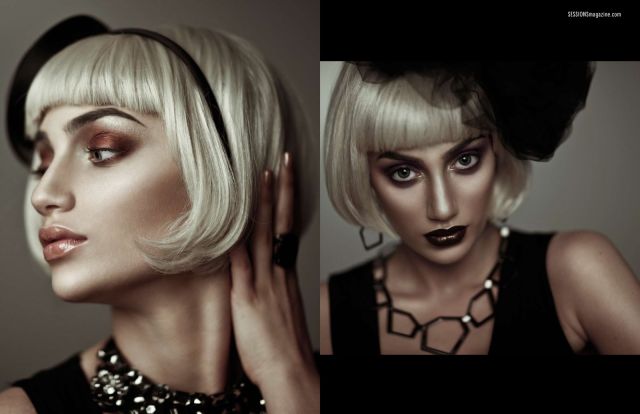
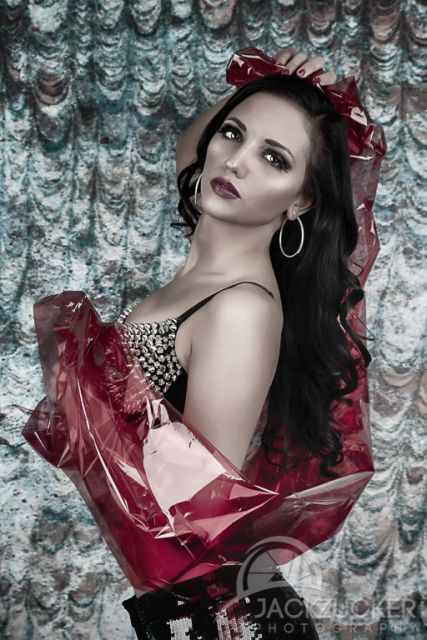
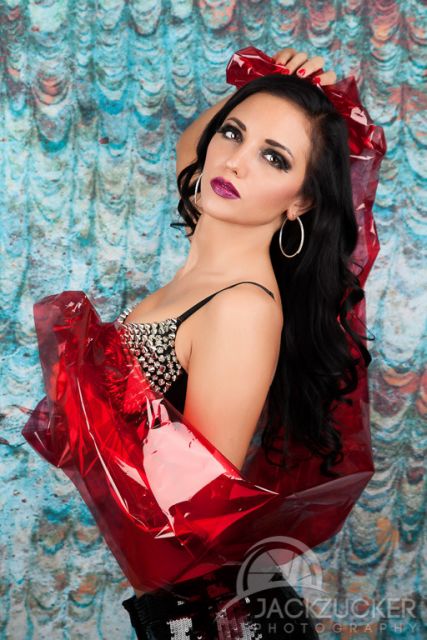
p.1 #1 · anyone know how to get this fashion post processing look?
I've got something close to this look using a combination of hue/sat, B&W adjustment with lowered opacity and curves but still not quite there. Anyone know a recipe for this?
p.1 #4 · anyone know how to get this fashion post processing look?
A kiss of HDR mixed with some reduced clarity & desat
Apr 01, 2013 at 04:45 PM
mshi Offline • • • • [X]
p.1 #5 · anyone know how to get this fashion post processing look?
I am not a fan of this type of baby face retouching, which looks fake to my eyes. However, it shouldn't be that hard to figure out what procedures have been applied to arrive at the final output.
For your ref images, I can see:
1. Skin-retouching with pixel-level D&B for more local micro-contrast.
2. Retouching on hair/eyes/lips with more intensified hightlights.
3. Faking shallow DOF with blur tools.
4. Color-grading by pulling blue channel with desaturation.
p.1 #8 · anyone know how to get this fashion post processing look?
Thanks Rico. I need to work on it a bit. I created an action to do it but I found that it's hard to put into an action because each step needs quite a bit of fine tuning.
p.1 #9 · anyone know how to get this fashion post processing look?
I suspect Imagenomic was used...I was playing around with similar effects some time back...I can't remember how I got them at this moment in time...but it was pretty easy. It wasn't a 'look' I anticipated using so never made any notes.
p.1 #11 · anyone know how to get this fashion post processing look?
I'd guess you'll need to invest more than 25 minutes to get where you want to go. I don't normally do this kind of work, and I'm sure it shows, but I spent over an hour in Photoshop trying to get close to the feel of the images you posted.
There may be a cookbook method, action or filter to do this, but my own take is you'll have a far easier path if your subject is properly lit. For this shot in Photoshop, things started to work when I used the Apply Image command...
p.1 #13 · anyone know how to get this fashion post processing look?
Yes, your original is nicely illuminated. But what I meant to say was that it should have been properly (specifically) lit to attain the look you want to achieve, otherwise you'll spend way more time in Photoshop than necessary. It can be done either way, but since you're apparently struggling to find the key to producing this type of image, getting it as close as you can in-camera would seem to me to be an advantage.