fjablo wrote:
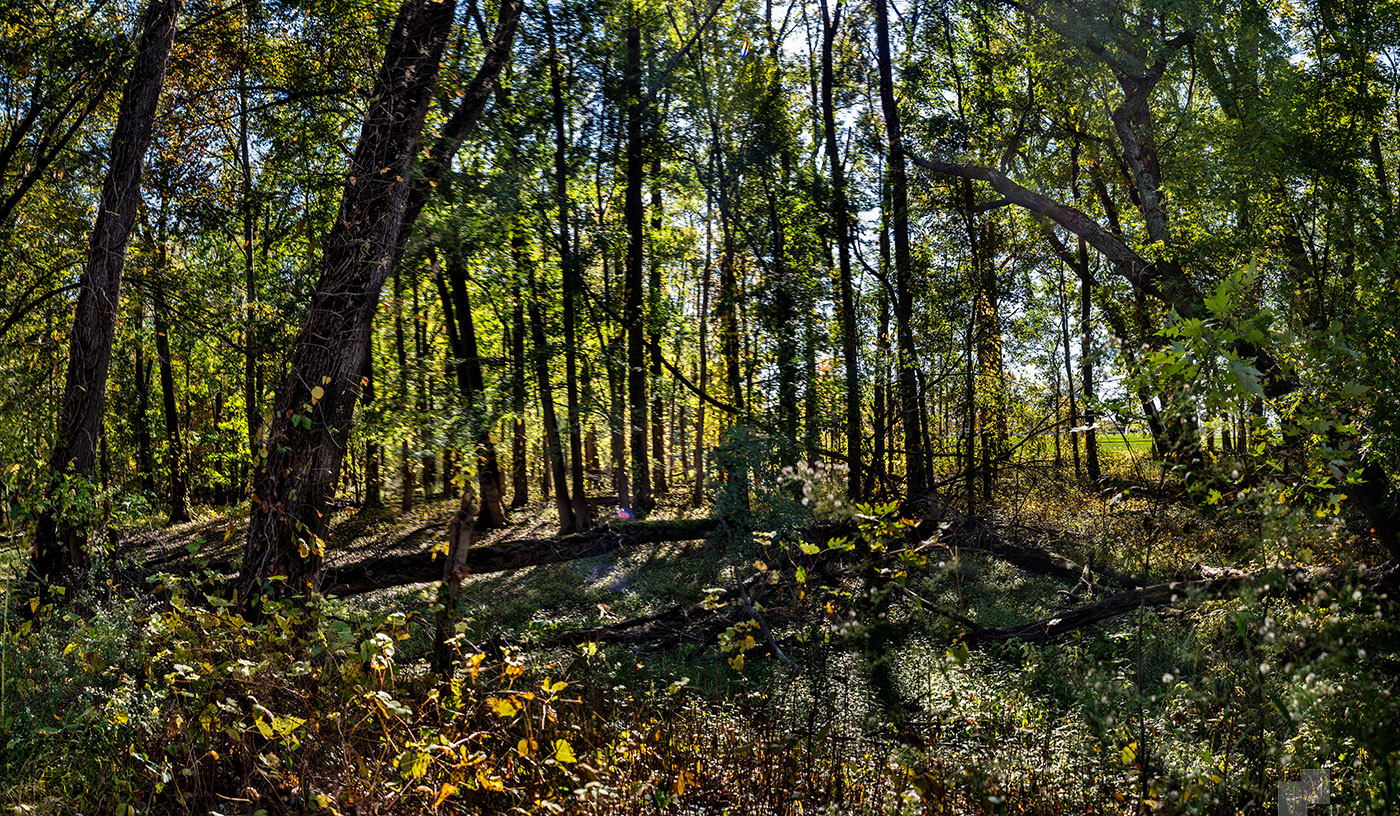
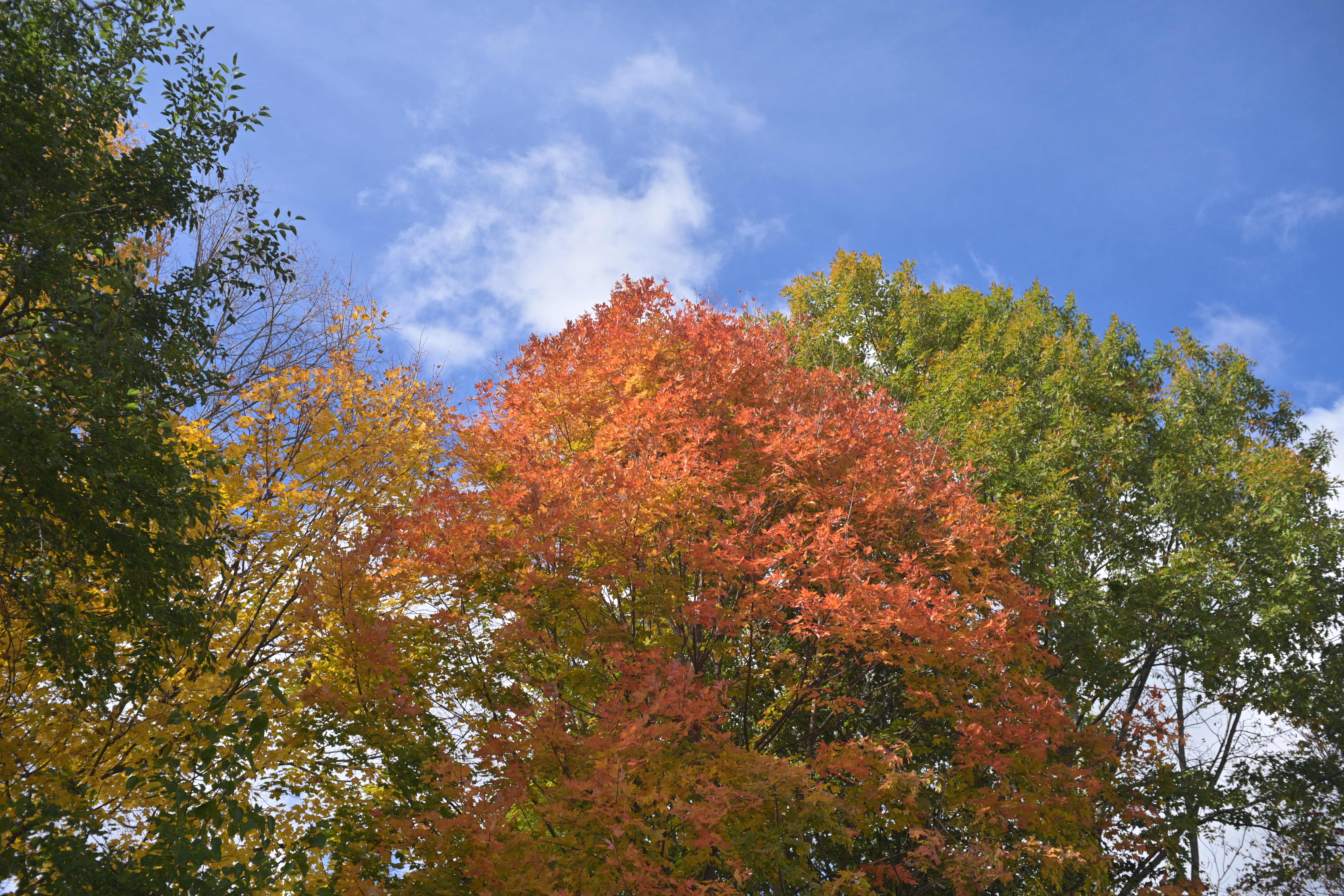
The colors are fine, the issue is the lack of detail. I downloaded the first one and had a look at the Exif data: 1/8000s at ISO 4500, probably with noise reduction on a rather high setting - that explains most of it. Also seems out of focus (some of the leaves in the back are in focus, but most aren't).
I'd recommend trying to keep your ISO lower. If you make sure that the focal length is set correctly (matching the lens that's currently attached) then the IBIS in the Z5II will be very effective, even with adapted manual focus glass. You could have easily taken that image at ISO 100.
Also check your noise reduction and sharpening settings on the camera - usually best to set noise reduction to the lowest possible level, sharpening at default or lower. ...Show more →
Thank you. I am still learning the camera.
I had entered lens data for my meager collection but I often forget to set the lens ID when I swap lenses. (I had even programmed one of the Fn buttons to make it easier but I never had to do that before when shooting film.) My three MFNG lenses are all non-CPU, the 50mm and 200mm from the 1970's and the 35mm from the 1960's by its serial number.
I just reset the camera to limit ISO. So far I'm shooting almost all aperture-preferred, can't do anything except A or M anyway with these lenses. The camera has been selecting high ISO and correspondingly super-fast shutter. One other thing I can do is use higher f numbers, though that means less light for viewing and harder focusing.
The only noise reduction setting I found is High ISO Noise Reduction which I just changed to Low instead of the default Normal. Maybe that will help. Of course my almost-77 year old hands aren't as steady as they used to be. There are editable sharpening settings in the Picture Control entries. I'll have to think about which ones to modify and how. So far I've just used Auto. Standard seems to have sharpening set higher.
Thanks for the tips. Will post more pics as I find anything interesting.
Since you’re on Linux, I encourage you to try out Darktable. It’s free and very similar to Lightroom, just free. Before I got Adobe for free through work, I used it quite often. There is a learning curve, but the results are very good.
jimmuller wrote:
Thank you. I am still learning the camera.
I had entered lens data for my meager collection but I often forget to set the lens ID when I swap lenses. (I had even programmed one of the Fn buttons to make it easier but I never had to do that before when shooting film.) My three MFNG lenses are all non-CPU, the 50mm and 200mm from the 1970's and the 35mm from the 1960's by its serial number.
I just reset the camera to limit ISO. So far I'm shooting almost all aperture-preferred, can't do anything except A or M anyway with these lenses. The camera has been selecting high ISO and correspondingly super-fast shutter. One other thing I can do is use higher f numbers, though that means less light for viewing and harder focusing.
The only noise reduction setting I found is High ISO Noise Reduction which I just changed to Low instead of the default Normal. Maybe that will help. Of course my almost-77 year old hands aren't as steady as they used to be. There are editable sharpening settings in the Picture Control entries. I'll have to think about which ones to modify and how. So far I've just used Auto. Standard seems to have sharpening set higher.
Thanks for the tips. Will post more pics as I find anything interesting. ...Show more →
kwoodard wrote:
Since you’re on Linux, I encourage you to try out Darktable....
I most certainly shall. Thank you for the suggestion.
I have learned something else too, thanks to fjablo's suggestion about Sharpening. The first three Picture Control selections are Auto (the default), Standard, and Neutral. I had found in the owner's manual how they were editable but as yet had no cause to do so. Last night I discovered one tiny sentence in the manual: Auto means Standard in picture mode, Neutral in video mode. In fact, Standard has several Sharpening elements set high. (I guess Nikon figured anyone who'd buy the less expensive Z would need extra help by default. Or maybe your Z's 6 through 9 are set like that too.) So I have been using high Sharpening unknowingly. Something else to try, use Neutral instead. We'll see (literally ) whether it makes any difference.
I recognize that this posting is more about the camera than either MFNG or the pictures they produce. Thanks for the tolerance. Thanks for the education, one reason I joined; digital photog is all new to me, never even had a good auto camera before. And thanks to Scott mp356 for pointing me here!
jimmuller wrote:
I most certainly shall. Thank you for the suggestion.
I have learned something else too, thanks to fjablo's suggestion about Sharpening. The first three Picture Control selections are Auto (the default), Standard, and Neutral. I had found in the owner's manual how they were editable but as yet had no cause to do so. Last night I discovered one tiny sentence in the manual: Auto means Standard in picture mode, Neutral in video mode. In fact, Standard has several Sharpening elements set high. (I guess Nikon figured anyone who'd buy the less expensive Z would need extra help by default. Or maybe your Z's 6 through 9 are set like that too.) So I have been using high Sharpening unknowingly. Something else to try, use Neutral instead. We'll see (literally ) whether it makes any difference.
I recognize that this posting is more about the camera than either MFNG or the pictures they produce. Thanks for the tolerance. Thanks for the education, one reason I joined; digital photog is all new to me, never even had a good auto camera before. And thanks to Scott mp356 for pointing me here!...Show more →
If you set your Picture Control to Standard or Neutral at default settings that should be fine. It applies some sharpening, but nothing that's over the top.
If you're primarily shooting JPG, I would set Active D-Lighting to "normal" (maybe even 1 step higher).
If you're using Auto-ISO you can set the max shutter speed to "auto", which will link it to the focal length you're using. Just make sure to always use the correct Non-CPU entry depending on which lens you have on the camera.
Since you had a shutter speed of 1/8000s on all those pictures, I guess you were in M mode, not aperture priority. Maybe rather use aperture priority (A mode) if you don't want to actively monitor your shutter speed and ISO. Also makes it easier to focus with the lens wide-open and then stopping down to take the picture.
jimmuller wrote:
Thank you. I am still learning the camera.
I had entered lens data for my meager collection but I often forget to set the lens ID when I swap lenses. (I had even programmed one of the Fn buttons to make it easier but I never had to do that before when shooting film.) My three MFNG lenses are all non-CPU, the 50mm and 200mm from the 1970's and the 35mm from the 1960's by its serial number.
I just reset the camera to limit ISO. So far I'm shooting almost all aperture-preferred, can't do anything except A or M anyway with these lenses. The camera has been selecting high ISO and correspondingly super-fast shutter. One other thing I can do is use higher f numbers, though that means less light for viewing and harder focusing.
The only noise reduction setting I found is High ISO Noise Reduction which I just changed to Low instead of the default Normal. Maybe that will help. Of course my almost-77 year old hands aren't as steady as they used to be. There are editable sharpening settings in the Picture Control entries. I'll have to think about which ones to modify and how. So far I've just used Auto. Standard seems to have sharpening set higher.
Thanks for the tips. Will post more pics as I find anything interesting. ...Show more →
Jim, you can edit lens metadata after the fact in DigiKam on Linux (possibly Xnview too). I've used it on Gnome based, KDE, Anti-X, Fusion, and the smaller footprint DE's like XFCE.
Jim
fjablo wrote:
...
Since you had a shutter speed of 1/8000s on all those pictures, I guess you were in M mode, not aperture priority.
Thanks for all the suggestions. As a result I just spent 15 minutes modifying a bunch of settings in the camera. Will shoot and post when I get the chance and the light is good.
I actually use Aperture-priority most of the time, and for those shots too, I think. I have no idea why those settings were the way they were. But by way of making excuses I will say that I took those tree shots in a hurry. I was waiting for my sweetie to come out to the car so I grabbed the camera and snapped without much thinkin'. It taught me several lessons, now didn't it?
---------------------------------------------
James Markus wrote:
Jim, you can edit lens metadata after the fact in DigiKam on Linux (possibly Xnview too). I've used it on Gnome based, KDE, Anti-X, Fusion, and the smaller footprint DE's like XFCE.
Thanks. Good to know. Of course that doesn't go back and recompute the corrections.
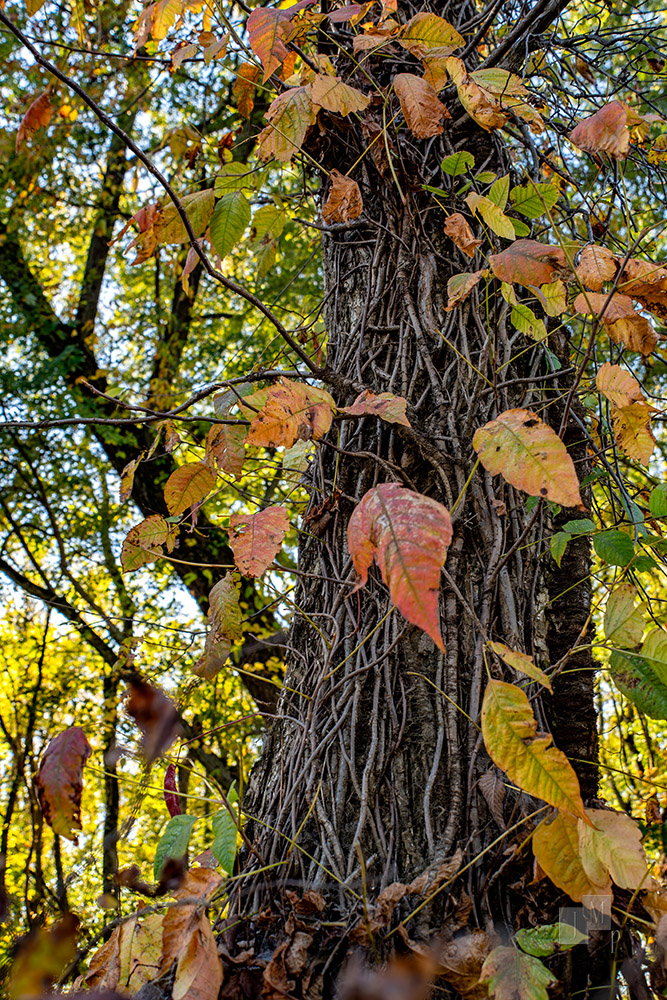
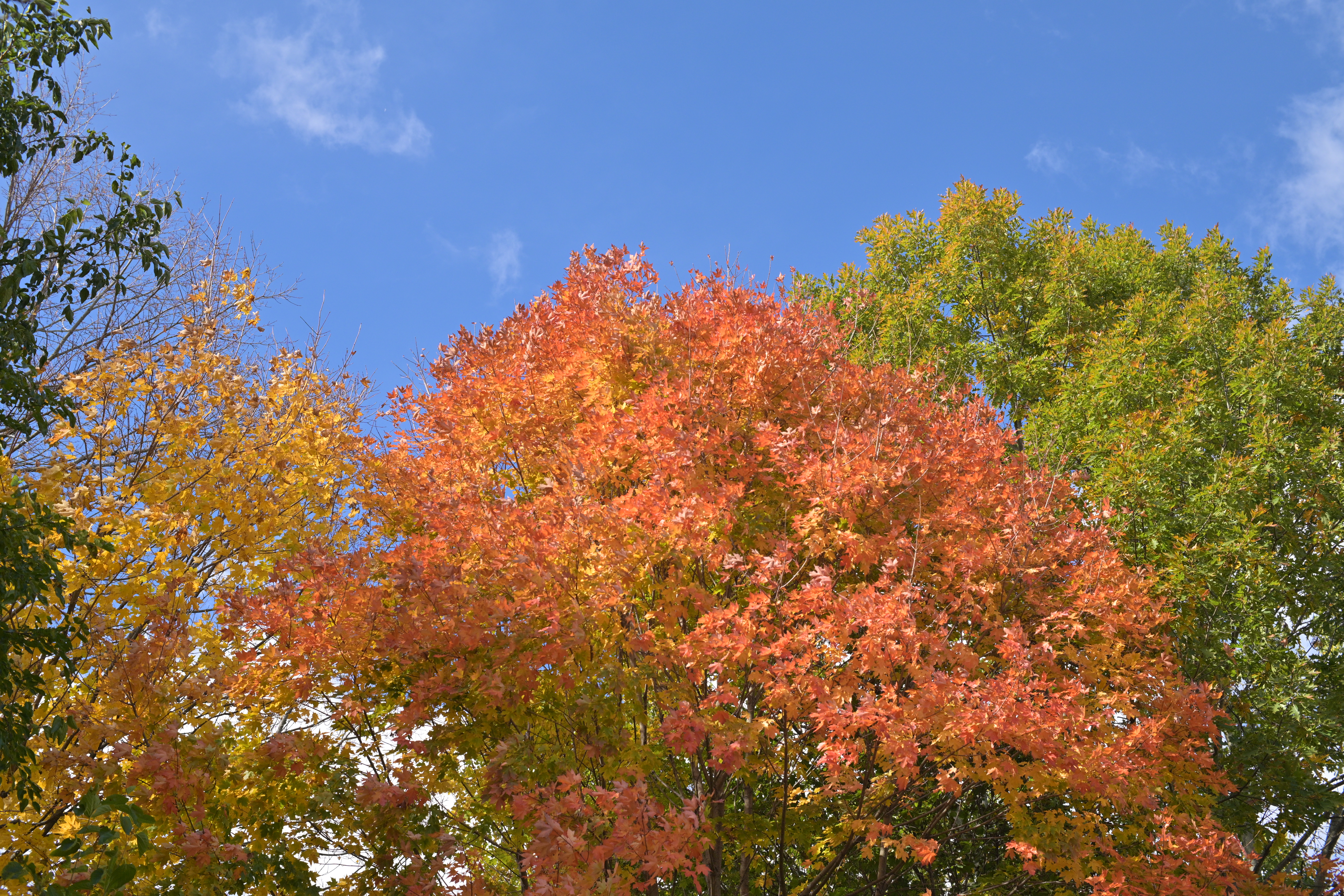
Okay, trying again. Similar tree shots as the last set but with much more conservative camera settings. The light wasn't as brilliant today. Very windy though so the leaves were constantly moving. Here are the original jpg's.
With 50mm f/1.4, at 1/1250 sec, f/5.6, ISO-400
with 35mm f/2.8, at 1/1250 sec, f/5.6, ISO-400
I tried processing (resize, sharpen) these with Printshop Pro X9, then saved as maximum quality jpg's. When fit to my screen the original and processed looked similar but when viewed at 100% on my screen the resized jpg's were nowhere as detailed as the originals. I guess that's not surprising. OTOH, if a screen rendering is all anyone ever sees then it's a moot point.
Okay, trying again. Similar tree shots as the last set but with much more conservative camera settings. The light wasn't as brilliant today. Very windy though so the leaves were constantly moving. Here are the original jpg's.
I tried processing (resize, sharpen) these with Printshop Pro X9, then saved as maximum quality jpg's. When fit to my screen the original and processed looked similar but when viewed at 100% on my screen the resized jpg's were nowhere as detailed as the originals. I guess that's not surprising. OTOH, if a screen rendering is all anyone ever sees then it's a moot point. ...Show more →
These look very nice and much more detailed than the last ones! Beautiful tree(s), too
fjablo wrote:
These look very nice and much more detailed than the last ones! Beautiful tree(s), too
Thank you.
(I would have thought that everything defaulted to "Auto" should produce good results. Apparently not. It ain't Point 'n' Shoot when you have knobs to twirl.)
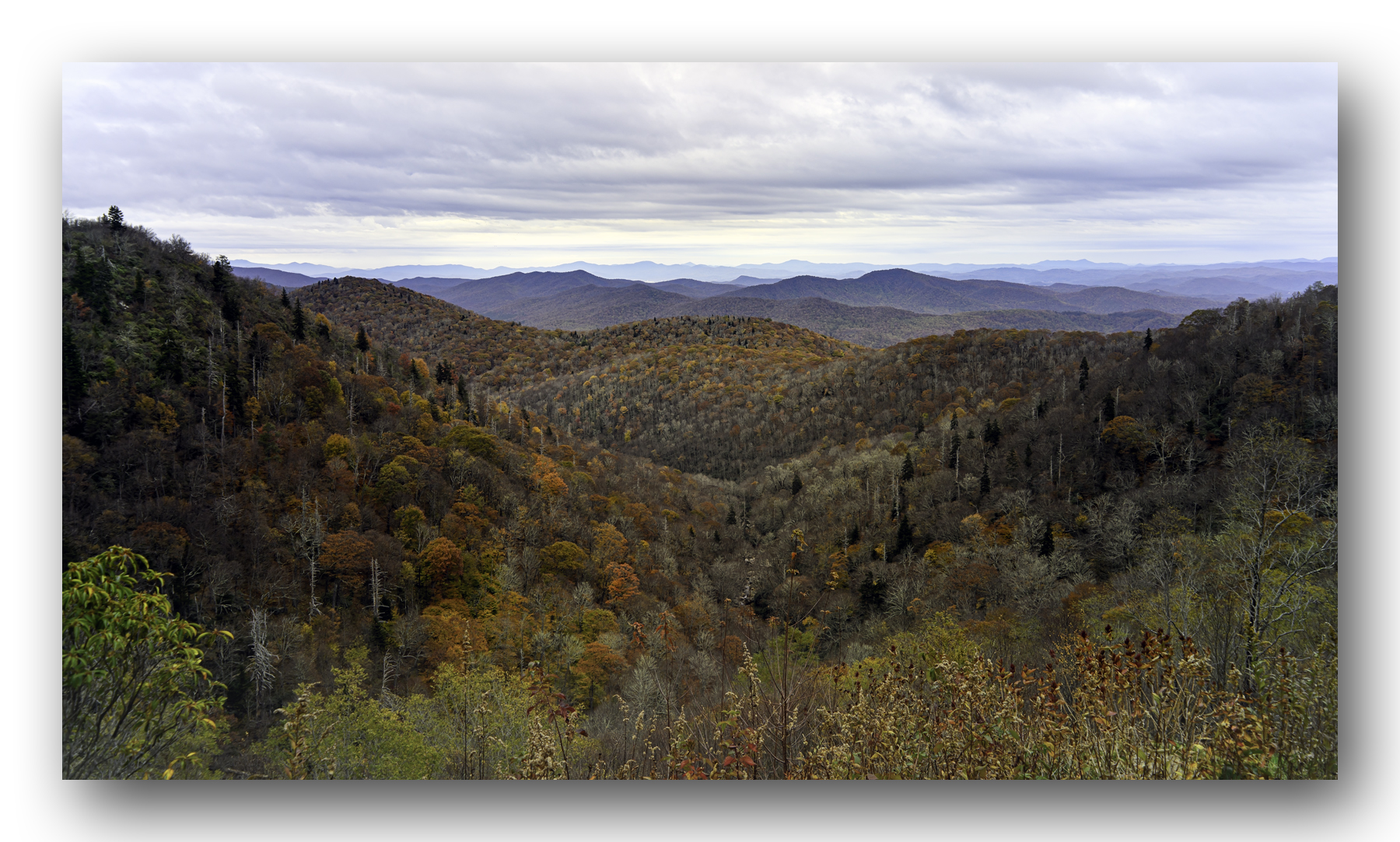
Spend the weekend exploring western North Carolina. This shot from Sunday in Pisgah National Forest. Put my Zf and somewhat rare 2.5cm f/4 Nikkor in Leica thread mount in my backpack so I could share an image here. You can definitely see why they call these mountains the Blue Ridge. Colors were about a week or so past peak at this elevation, but had better color on the trail in the lower elevations.
All the best folks,
George
NIKON Z fW-NIKKOR-C 2.5cm f/4 lens25mmf/8.01/100s125 ISO0.0 EV
GeorgeBo wrote:
Spend the weekend exploring western North Carolina. This shot from Sunday in Pisgah National Forest. Put my Zf and somewhat rare 2.5cm f/4 Nikkor in Leica thread mount in my backpack so I could share an image here. You can definitely see why they call these mountains the Blue Ridge. Colors were about a week or so past peak at this elevation, but had better color on the trail in the lower elevations.
That's really nice. It certainly captures the Blue Ridge. I spent many days in my youth hiking through the Blue Ridge in Virginia. Your pic makes me wish I could do it again!


 ) whether it makes any difference.