JaKo wrote:
Thank you. Just downloaded it and will give it a try.
BTW, fantastic 'wallpaper' shot in HD Images thread. Unreal colours!
Looks interesting and possibly a nice alternative to Photoshop for some functions. That said, it doesn't appear to work in a color managed manner and it strips exif and metadata from the original file. I have to re-run exported files through another app to reassign the correct ICC profile to the images. Am I missing something?
rscheffler wrote:
Looks interesting and possibly a nice alternative to Photoshop for some functions. That said, it doesn't appear to work in a color managed manner and it strips exif and metadata from the original file. I have to re-run exported files through another app to reassign the correct ICC profile to the images. Am I missing something?
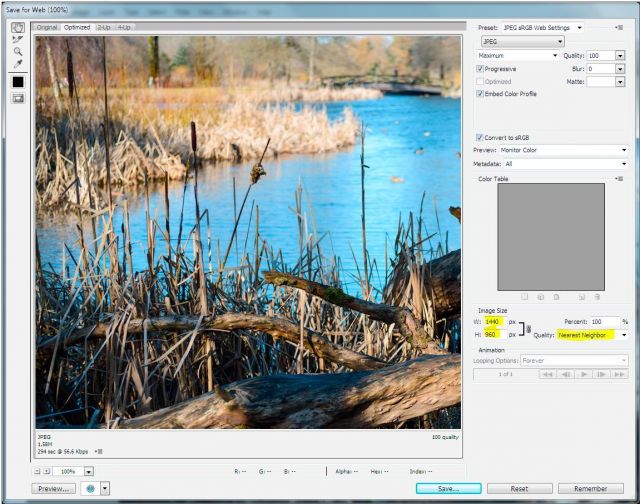
i use it for resize only, for web or for something another. but this amazing resize by my opinion. i'm forgot about any sharpness Photoshop plugins. In this program better open srgb image for resize maybe, but I'm not guru
I agree, the resize looks good. I tried it with sRGB files and when I retagged the resized files with the sRGB profile, the color rendering was the same as the originals. So, it's not that it changes the color space, just drops the tag for the color space.
leonasj wrote:
Alex,priviet.kak zapusti etu programu-cerez photoshop ili kak?
this is separate program. and need download and copy the resize plugin to the program directory.
open image in the program, choose the resize plugin in the menu and cpecify target resolution. after that need save the new image.
rscheffler wrote: Looks interesting and possibly a nice alternative to Photoshop for some functions. That said, it doesn't appear to work in a color managed manner and it strips exif and metadata from the original file. I have to re-run exported files through another app to reassign the correct ICC profile to the images. Am I missing something?
Perhaps Worldinlens can provide some input on this as he has more experience with the app.
Ron, I cannot display colour profile either (and just noticed that most images Alex posted have no colour profile embodied at all)
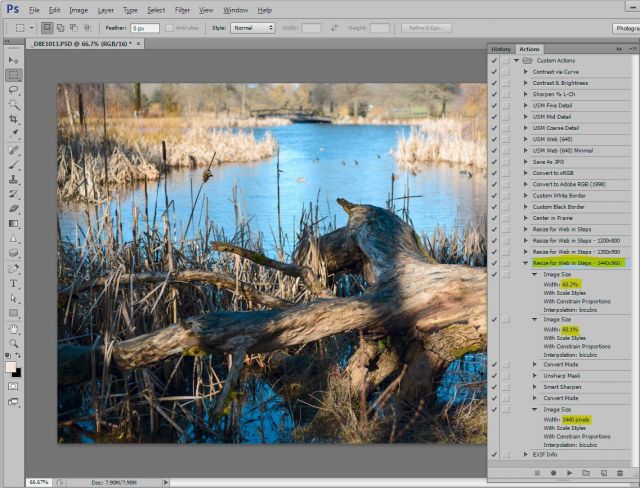
Also, I cannot open PSD or NEF files; only JPG and TIFF, which is limiting for my workflow. For now, till I learn how to use the ijplugins, I will stick to my usual PS resizing down in multiple steps then "Saving for Web"
Worldinlens wrote:
this is separate program. and need download and copy the resize plugin to the program directory.
open image in the program, choose the resize plugin in the menu and cpecify target resolution. after that need save the new image.
i do that downloaded,but cant copy resize to plugin
I've a question, in particular for Jako. I read in many reviews of leica and vintage in general lenses, (for example see slrlensreview.com), that many lenses, especially the older ones, show less resolving power of sensors on a large megapixel camera.
In fact, when I moved from the first model 5d (12mpx) to the mark II (21mpx), I noticed in the Summicron 35 further deterioration of the edges and of overall image quality. While on recent lenses, like the 35-70 f4 (I regret selling it), and not only at the edges, seem to me much better performers. I have no doubt that the 80-200 ROM I have outresolves the 5D II. On the other hand, reading reviews about other older design lenses, in particular the 60 elmarit, would seem to contradict this.
So the terrible question is: does it makes more sense to invest in modern zeiss optics than older leica lenses on large megapixel sensors? Mine is not a swipe versus leica, obviously. I prefer the leica character too
Guys! The R180/2.8APO really cool lens! In all! Unique case by my opinion from all apo-tele-r lenses
Sharp, very smooth bokeh and very good works against sun, much better than my copy of R280/4... I'm waited that all will be not so amazing. I noticed a moderate CA, in the extreme light condition, but this is does not matter in overall impression. I'm about WO, of course. Why need close this lens i don't understand