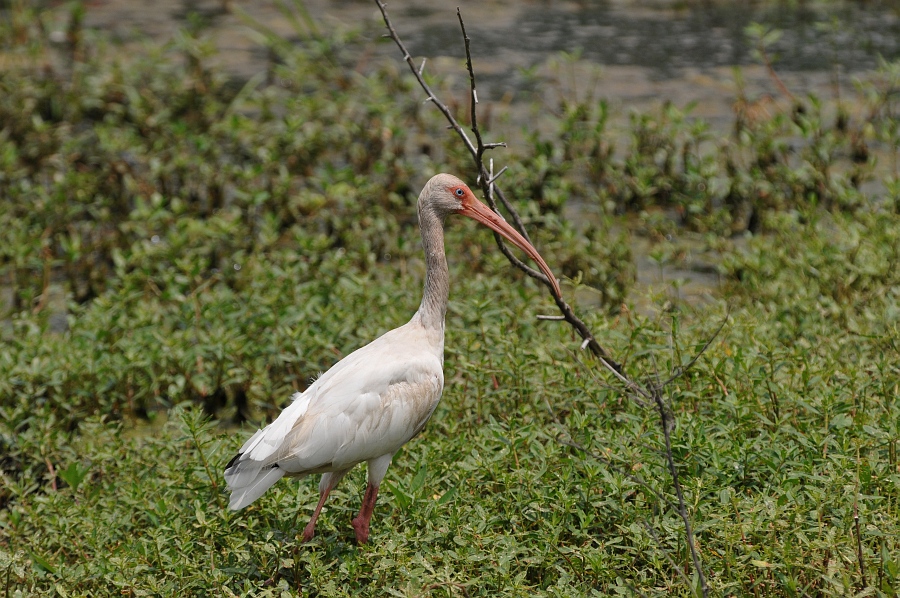
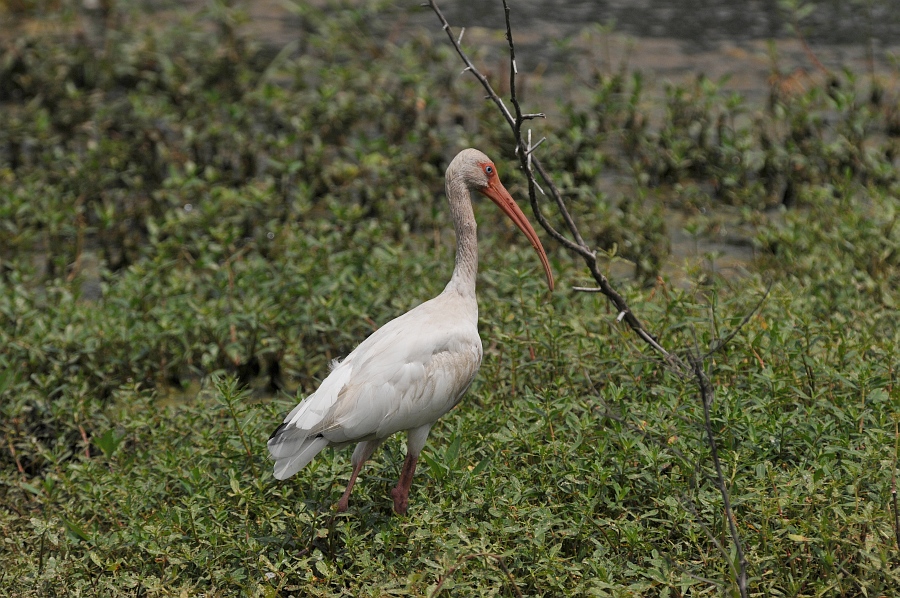
I am trying to figure out how to prevent getting blown highlights when taking shots like the following ones. Using an ND filter won't help because the subjects (in this case White Ibris birds) are scattered throughout the frame.
I took these shots with a D200, 300mm 4.0 AF-S lens, ISO 400, RAW, resized, recropped, and fiddled with shadow/highlight option in CS2.
what really are you Expecting? the birds are white , you are shootiong in extremely contrasty conditions . The sun is nearly directly overhead , the only thing you could really do in this situation is ADD light with a flash and back off on the ambient exposure. it is horrible light and will not ever produce a great image , there is sufficient Quantity of light but not good Quality of light. Try early or later but it is best not to blame the camera
Youddon't wanna use matrix in those conditions. What brendan suggests are the way to go. Even so, metering on the bird will make it gray in color. You may want to take some test shots and then select the right exposure.
Or in a fix, meter on your outstretched palm. Closest to a gray card around. Then compensate. It's like shooting a snowy scene
jmcfadden wrote:
what really are you Expecting? the birds are white , you are shootiong in extremely contrasty conditions . The sun is nearly directly overhead , the only thing you could really do in this situation is ADD light with a flash and back off on the ambient exposure. it is horrible light and will not ever produce a great image , there is sufficient Quantity of light but not good Quality of light. Try early or later but it is best not to blame the camera
J
All these shots were taken in the afternoon at about 4:00 pm (notice the shadows near the birds feet?). Unfortunately the park closes at 5:00 pm so not much of a choice there. As far as adding fill light, my SB800 is powerfull, but I don't think it could add an ounce of light outdoors while using my 300mm lens. Holding a reflector is impractical and virtually impossible when shooting images of birds with a somewhat long lens on a tripod.. .
I was thinking about taking my F100 along today but decided not to at the last minute. I wonder if I would have gotten more details had I shot with film instead (more lattitude)? Next time (probably next Sunday) I will give these shots another try using the same camera/lens setup but I also plan on taking some negative film shots as well.
snegron wrote:
All these shots were taken in the afternoon at about 4:00 pm (notice the shadows near the birds feet?). Unfortunately the park closes at 5:00 pm so not much of a choice there. As far as adding fill light, my SB800 is powerfull, but I don't think it could add an ounce of light outdoors while using my 300mm lens. Holding a reflector is impractical and virtually impossible when shooting images of birds with a somewhat long lens on a tripod.. .
snegron wrote:
Same problem with this shot. Trees are well exposed, shadows and highlights look even, but the birds are blown out!
It's very simple you just have to expose for the white birds and let the rest of the scene fall where it will (generally it will be slightly underexposed).
The comments about spot metering the birds and then opening up a bit from there are right on. You can also check your histogram and blinking highlights warning on the screen.
Jammy Straub wrote:
It's very simple you just have to expose for the white birds and let the rest of the scene fall where it will (generally it will be slightly underexposed).
The comments about spot metering the birds and then opening up a bit from there are right on. You can also check your histogram and blinking highlights warning on the screen.
That kind of shooting takes a lot of practice.
Thanks! I am not sure how many stops difference there is between the white birds and the background, but I wonder if the background would be several stops underexposed (almost black) in order to get a correct exposure of the birds? If so, then I would probably be dealing with severe noise issues in the underexposed areas.
I agree with the fact that this type of shooting takes lots of practice! I wonder how the guys at National Geographic do it? All their bird images are tack sharp, perfectly exposed, and not a sign of any blown highlights!
Amazing shot! That is what I was hoping my White Ibis and Anhinga shots would look like!
You are right about the harsh lighting, but the problem is that the sun here is extremely eye-bleedingly bright from 7:15 a.m. to 7:15 p.m. There is rarely a cloud in the sky except during rainy season. All the cool birds (except for the ocassional Bald Eagle, Burrowing Owl, or Brown Pelican) seem to live in these parks or preserves. I guess that the only way I will be able to get a decent overcast day is when rainy season/storm season starts again.
I shoot these ibises and other white birds on a fairly regular basis. I can pretty much tell you what happened to your highlights just by looking at these images, and the EXIF confirms. In a nutshell, set your exposure compensation to -2/3 and your sharpening to low and the problems will go away, in any lighting conditions.
Some examples for you.
These white ibis shots from today were taken 15 seconds apart. Not keepers by any means, but tailor-made to illustrate the point. I noticed the highlights were clipping a bit on the first at -1/3, so I adjusted to -2/3. I just did a quick post and equalized the brightness of the ibis. The highlights in the second shots are still better preserved. Better to start out a little conservative in other words.
Here's a shot that would have been a keeper if not for the blown highlights. It was first set of that morning and I forgot to set the sharpness and exposure compensation to the right levels. The D300 in-camera sharpening adds a lot of contrast and contributes to the clipping of the highlights. With that and the omitted -2/3 compensation, my highlights are blown by a full stop. This looks pretty close to your shots I think.
you guys ! that is totally white and incident to overhead sunlight , if ya gonna exposure for that then you will be doing tons of shadow recovery, and yes a better beamer can do amazing stuff if you can leverage it. Arthur Morris uses his all the time
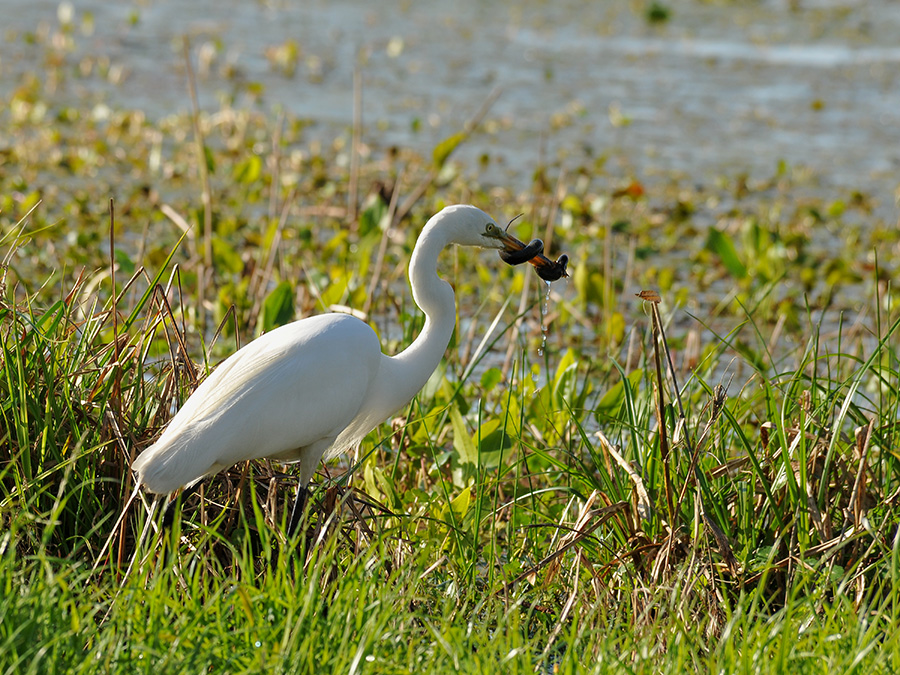
Thanks for the tip! I will definitely give this a try! Your second image is what I was hoping to capture. You are right about your last image, it looks like the images I shot, same blown highlights.
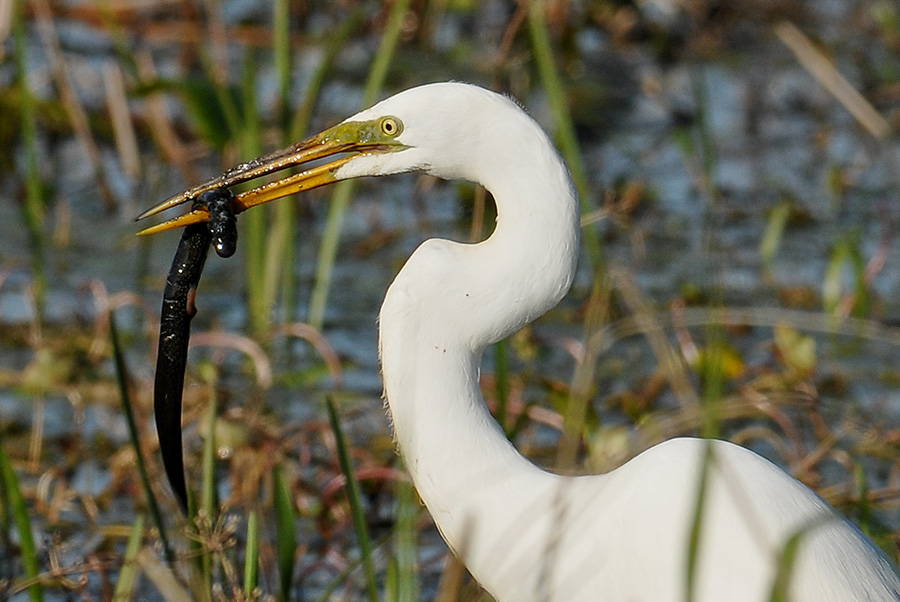
BTW, in your last image, is that a snake wrapped around the bird's bill?
I thought it was a water moccasin, but I was corrected and told this is a "Western Lesser Siren (Siren Intermedia)," which is an amphibian. Here's a closer look below (same friggin blown highlights). The egret had it licked in the end, but it took a little work.
As to the shots, just start out with the sharpening set fairly low, take a test shot, look at the histogram, adjust your exposure compensation, test again and move on. You have to keep rechecking the histogram though, because conditions change even when they don't appear to. I shot 500 bird and gator images today with the sun at various angles and the occasional cloud passing over it. Even with all that, I might have blown a dozen. I just keep checking and adjusting, that's all.
Btw, this was my best keeper today, an alligator performing a courtship bellow (it's a rare capture). I think you can see that the lighting was pretty horrendous, but -2/3 took care of that too and the highlights are fine. This shot is straight out of camera and only resized.
There's a link below to an audio file of this sound. You can hear it a half a mile away and I was 15' away. It was impressive!
Just a note, if you are shooting your birds in RAW Elan II's advice of lowering the in camera sharpening will have no effect on you final image (especially since your using CS3 which doesn't recognize in camera RAW adjustments)
Jammy Straub wrote:
Just a note, if you are shooting your birds in RAW Elan II's advice of lowering the in camera sharpening will have no effect on you final image (especially since your using CS3 which doesn't recognize in camera RAW adjustments)
I'm actually using the older CS2 version. I'm not really sure if CS2 will recognize in-camera RAW settings or not. However, while we are on the topic of Photoshop, would there be any difference between capturing the original image at 2/3 underexposed or underexposing the shot in RAW Capture before opening in Photoshop?
snegron wrote:
I'm actually using the older CS2 version. I'm not really sure if CS2 will recognize in-camera RAW settings or not. However, while we are on the topic of Photoshop, would there be any difference between capturing the original image at 2/3 underexposed or underexposing the shot in RAW Capture before opening in Photoshop?
there is a difference between real EV and "massaged EV in post" , the major difference is if you are going to try and recover shadows with a More underexposed Real capture . Really this kind of scene contrast is still very tough in the digital world. I am amazingly getting somestimes 2 stops of Recovery with a D3 raw file, but even with the D3 and its amazing latitude , white birds whose backs are incident to full sun is darn near impossible.
All this mumbo jumbo regarding Underexposing and Blown highlights begs a much larger and more important issue : What is a "correct" exposure ? How would i meter this if?
Personally I would spot meter the brightest part of the birds back and open up 2.3 stops but that's just me, then i would know I was setting the exposure of the BRIGHTEST part of the bird to be 2.3 stops OVER neutral gray
jmcfadden wrote:
Personally I would spot meter the brightest part of the birds back and open up 2.3 stops but that's just me, then i would know I was setting the exposure of the BRIGHTEST part of the bird to be 2.3 stops OVER neutral gray
J
+1
@ snegron Nothing but Nikon's own NX will recognize the RAW adjustments.


 .
.