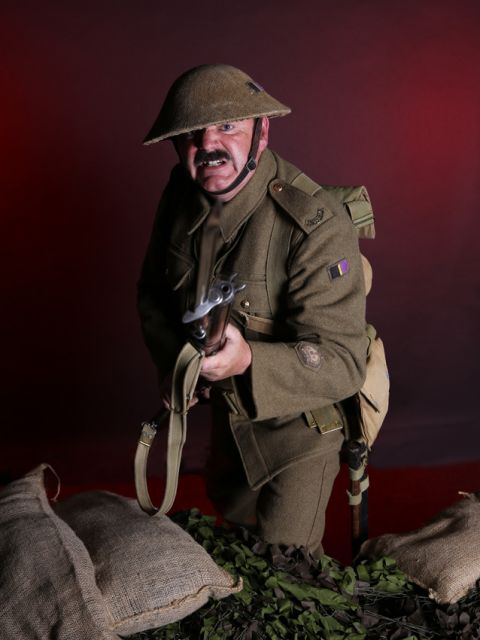
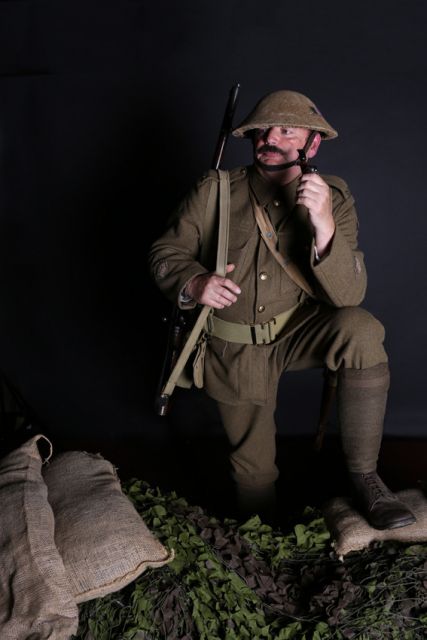
I enjoy the shots. Especially the first one. Good pose. However, I think you could have a bit of fun in PP by grunging him and his uniform up a bit. Nothing extreme is needed, but it seems a bit too clean to me. Unless of course you are just after the 'new recruit' look.
Lots of things you could do that I know of (in Photoshop if you use it), like duplicating the layer, burning some midtones, adding some texture and doing a highpass layer to bring it out. You could also use a very large size dry media brush and sample a dark color from his uniform, and then make a few clicks on his uniform, the sandbags and even his face. It will give it a slight blotchy look.
You can finish by lowering the opacity of the layer with the effects until it's something you like and even change the blending mode. I did a fast version and soft light worked best. Just a few ideas.
Hi Niall
I agree with Andy's comments about him, the sandbags and his uniform looking too clean. It also looks like a studio shot due to the backdrop clearly visible where it meets the floor.
His helmet doesn't help you as it casts heavy shadows over his face. If you like this sort of thing there was a good WW2 re-enactment at Mapledurham near Reading just a few weeks ago. Much better in the open air....
Good catch on the studio shot look Tony. That gives me another idea for this shot. The first one might look good worked up as a recruitment poster. It should be fairly easy to separate him from that background for processing.