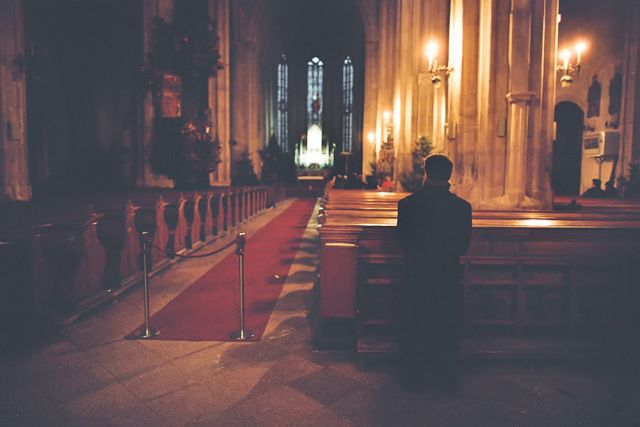
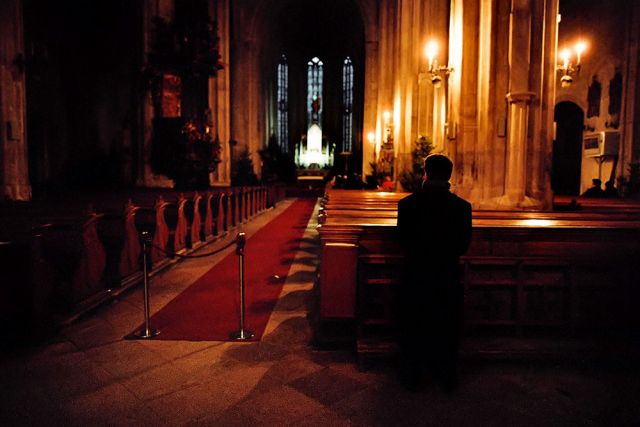
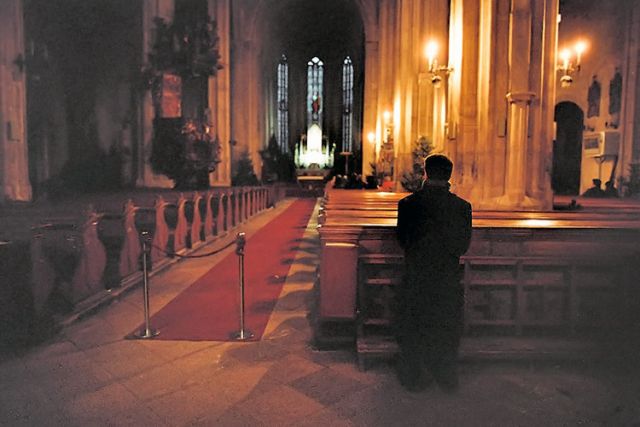
How did you scan? Looks like a fairly thin negative. Some fairly simple adjustments can help the blacks, but there probably isn't any detail in the neg/scan.
This is a good candidate for easy adjustment using control points in NIK's Viveza software. You could compromise on the white balance, moving the ambient light more neutral and removing the blue from the outside light.
I'd also use Lightroom's lens distortion correction (or correct in PS) and square up the scene (it's rotated slightly clockwise). I'd also clone out the air conditioner unit on the wall and do some spotting.
Does the person or place have special meaning for you? It has value from that standpoint. How long ago was it taken?
If you have photoshop, add a curves layer, click on the black point dropper and click the dropper on a deep shadow. The retouch the scanning dust artifacts:
Our perceptual baseline for "normal" in a photo is a comparison with what we'd see by eye in the same situation. By that criteria your shot doesn't look normal.
The technical challenge in photography is that a camera can't adapt dynamically like the eye's pupil when it fixates on some shadow detail and isn't nearly as good in AWB mode as the brain in adapting color perception to the color look "normal" as seen by that adapted perception.
The tipping point is when the scene contrast exceeds sensor range. When sun is over your shoulder outdoors the scene range matches the film (or digital sensor) pretty close and you can set exposure to record detail in the highlights and also record most of the detail you see by eye in dark objects. But with the sun is in your face and exposure is set for highlight detail the film / sensor can't handle the contrast and no detail is recorded in the darkest shaded content.
Your indoor scene here is like the contrast outdoors with sun in your face only worse because outside you have the skylight for fill in the shadows. Here you "split the difference" of that excessive scene range by blowing out the detail in the brightest part of the scene, the altar, but it still was not enough of a shift down towards the shadows for the negative to record detail there.
What you did in your scanned rendering off the negative is amplify all the noise at the film base / minimum density shadow detail threshold.
Karen's edit is very much like a first impression of very contrast lighting before adaptation. Like stepping into a dark room from outdoors. What is seen outside the windows will look normal but the inside of the room will look pretty much like Karen's edit. It doesn't have the detail in the shadow the eye would see later after adapting (what you'd remember, not the first impression before adapting) but it has what yours lacks, a normal looking overall tonal range where the darkest areas in a dark room look black not gray or orange.
That, unfortunately, is about the best you can hope to do in a situation like that with a single exposure. It's not a problem of there not being enough light (there is too much in the highlights here, they are blown) but scene contrast that exceed the range of film.
Since the original is a negative there's more detail on the negative in the highlights that could be pulled out with more exposure on the scanner (if that is possible with yours) but since the range of the scanner is fixed that will result more lost detail in areas where there is shadow density / detail on the negative. The shadow detail that is missing here can't be retrieved if it's not on the negative to begin with.
As noted by others, curious to the underlying negative which you have to work from. The red channel looks like there might be some hope for detail in the neg for someone versed in making the analog-digital conversion.
Your friend's choice of words "Dull" is so subjective and vague I can't agree or disagree. As to the shadow detail I agree. In your version they lack detail (an exposure problem at capture) and lack any normal blacks (a post processing problem).
Starting with what you posted I first applied AutoColor (letting PS make it's best guess how to normalize it)
Then I made a Levels correction to darken the shadows more (first input to darken to black then reduced output slider a bit) a slight middle slider tweek to lighten and then applied noise reduction: http://super.nova.org/EDITS/ChurchLevels.jpg
Here I took it a step further and fiddled with the highlight / midtone / shadow color balance:
Can't say I like it better than the one above, just offer it for comparison by your friend. Tell him he needs to buy a pint for the winner and maybe he'll keep his opinion to himself
I think the image has an interesting mood, partially created by the light and partially by the characteristics of the film.
In terms of weaknesses, here is my take:
I don't think the problem is so much lack of detail in the shadows. I think it is more of a problem of lack of detail in general for the interesting parts of the image and the inclusion of detail for not very interesting parts of the image. For example, in the original there are two elements that are rendered with detail and decent exposure: the roped-off end of the carpet and the heating unit on the right wall.
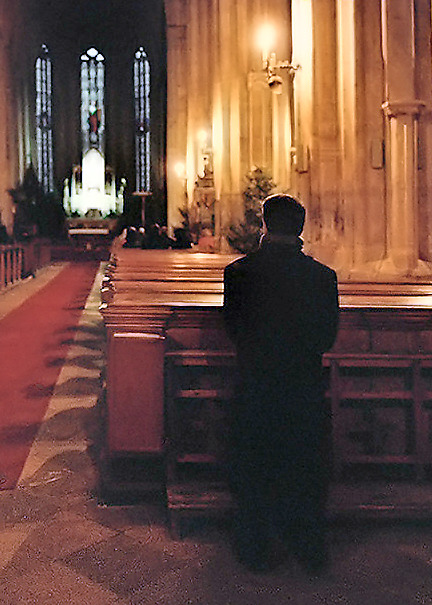
RustyBug's crop does a good job at eliminating those distractions and provides a very nice composition but it also emphasizes some of the weaknesses in terms of lack of detail. We can't see the expression of the man and he is standing in a very neutral way so there is not much story there. He serves mainly as a device to lead us to the main altar. Unfortunately the detail in the altar is blown to white and is out of focus. The windows around the altar also lack enough detail to appreciate.
If the man was kneeling in prayer and/or it had been possible to capture the side of his face, it might have been possible to make the man more of the focal point and the subject of the image. As is, however, this looks more like a "tourist" shot where due to a shortage of time, possibly not having the right equipment (tripod), and not wanting to disturb the people in the church you take a quick photo from the back. I have many of these shots from churches in Mexico.
I stayed true to the image, and just corrected the wonky color temperatures that were previously mixing all over in your original. There was detail in the photo that just needed to be brought out.