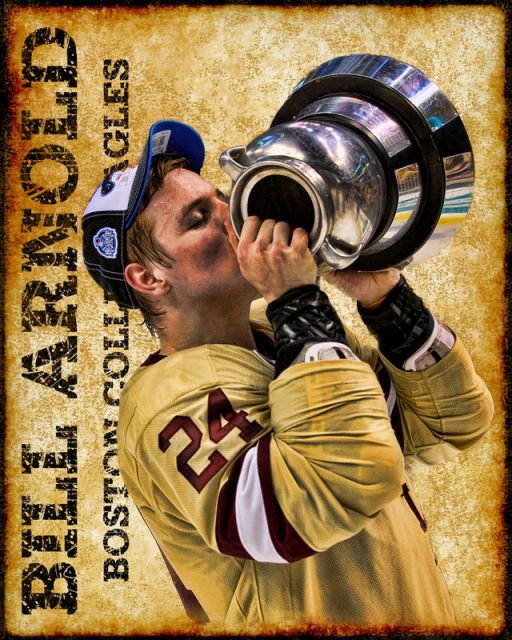
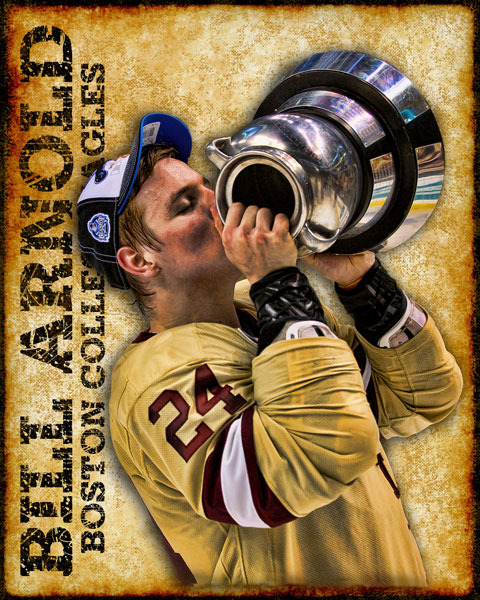
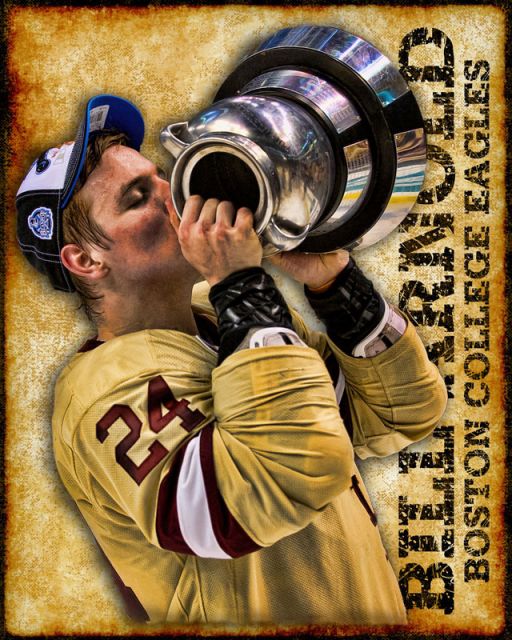
This is a picture i took of my son hoisting the Beanpot after scoring the overtime winning goal last years 60th Beanpot Championship. I got the template from Chris at CMPDesignz. Used my own font.
Very new at doing this sort of thing and I am looking for any feedback to improve upon this.
For example, should I make the image a little smaller so that it is not block the lettering of "College Eagles"?
Would adding a drop shadow to the image be worth while?
Dave,
First congrats on the great success and shot of your son.
If it were me, the following are.things that I would try.
1. Put all text on right side of poster.
2. Try putting your 2nd line of text across the top instead.
3. If you keep all text vertical, are you able to slide the cutout up by the amount equal to one of your smaller font letter-widths. I would want to see if a bit less top space looks better, but still let image go to bottom as you have it.
Though it's looking great as is, Guy's ideas (#1 and #3) might be an improvement. Makes sense to see your son on the left, facing the interior of the poster instead of the right frame, and raise him up about the amount Guy suggests.
If you want to make Bill pop off that background more, you could add some color (or change the lightness/darkness value) to the background for a little more contrast, since his main jersey color has the same general feel as the bg. Also, I've used that font in the past (grunge serif), but filled it in with a brush here and there to make it a little easier to read.
Congrats Dave- as his dad, that must've been one of the best goals you ever witnessed...
Russ, Matt, Chris, Amismi, jmcaverly,gschlact, and Tom ==> Thank you all for the feedback and ideas. Below are four different versions based upon your input.
Tom => I will play with your idea about adding some more contrast when I have a little more time.
Very much interested in all your opinions.
Thanks to you all!
--Dave
1) Moved text to the right, increased size of image to move it higher
Dave, these look great, the only nit is that by enlarging the image instead of just nudging it up, it ate up some horizontal room that's needed to see the text. Aside from that, both right side and left versions look good to me.
Tom, I agree with your observation. The image in the picture reflects the original - can't get more jersey by redoing the cutout. Short of getting creative and adding more to the bottom of the jersey (not sure my PS skills are up to doing that), I had to increase the size in order to move it up. If I move the original cutout up then I think the gap between the bottom of the jersey and the bottom of the picture get too wide.
Anyway, this is a great learning exercise for me. Thank you for your time and input.